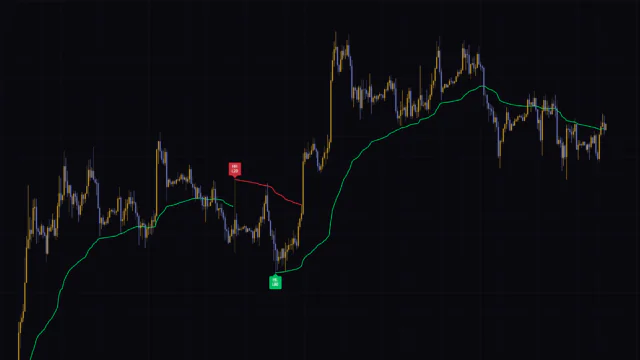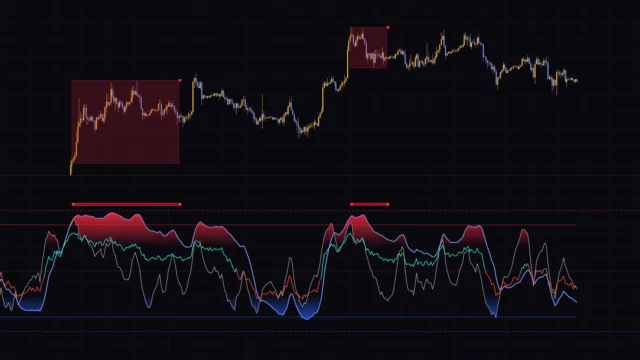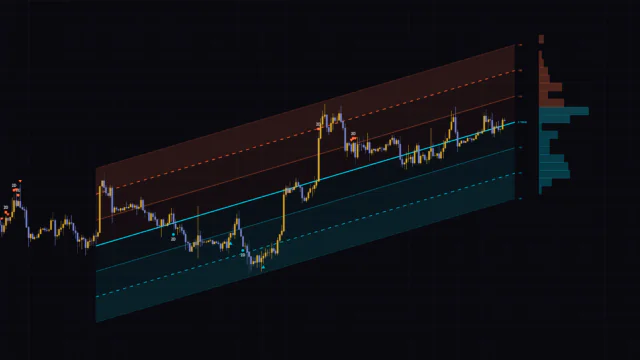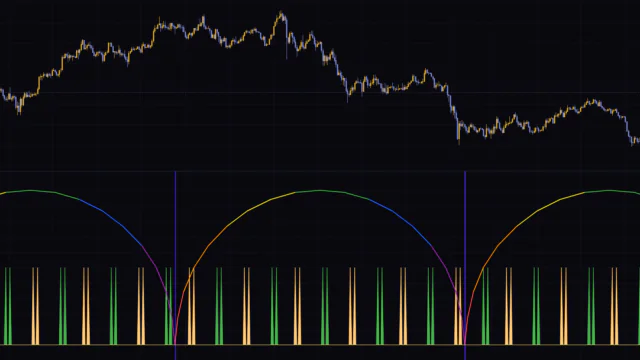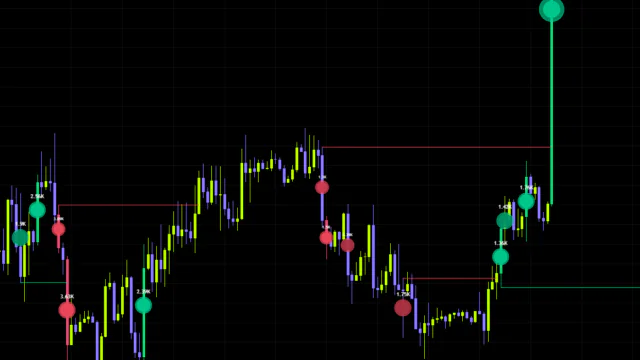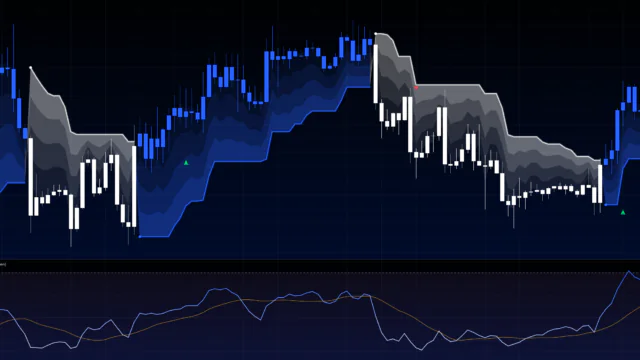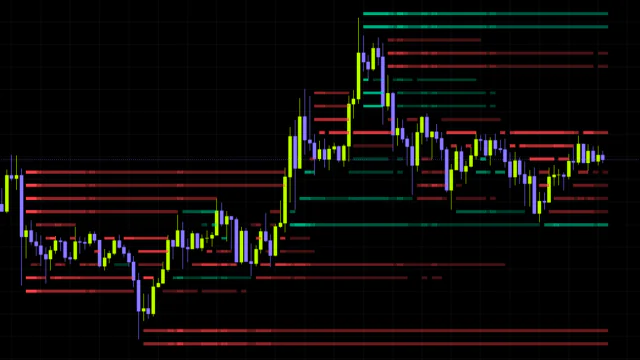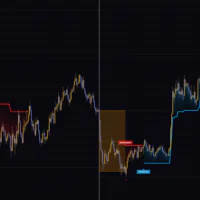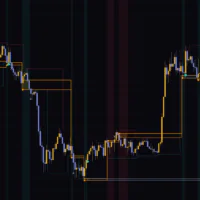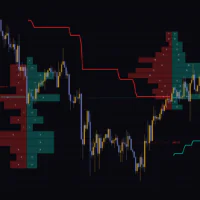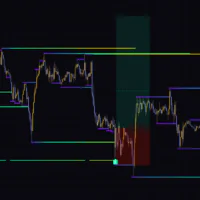

“MTF Liquidity Stack” puts every untapped high and low on one map
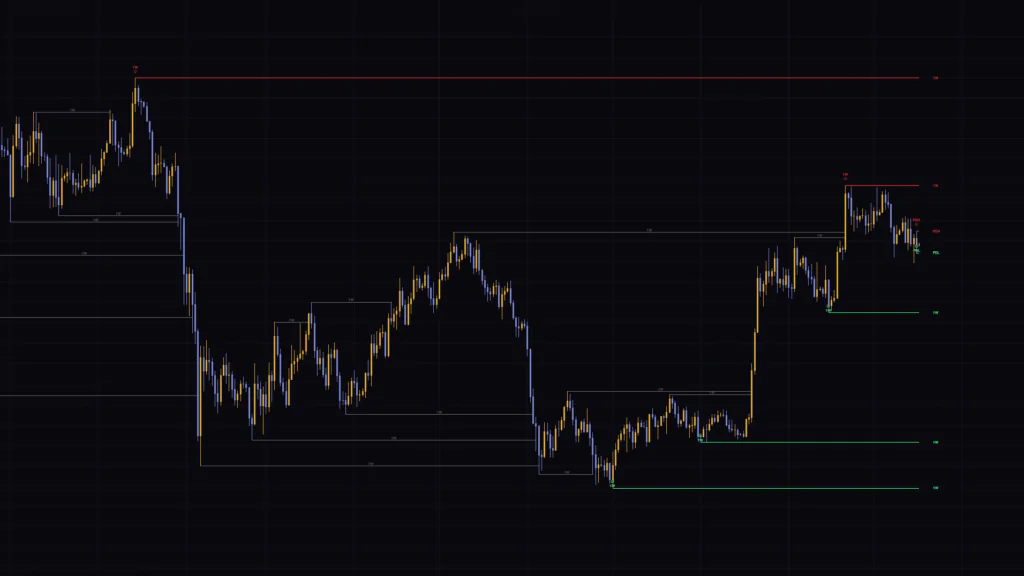
“MTF Liquidity Stack” is a TradingView indicator that plots horizontal levels at the highs and lows price hasn’t traded through yet, above and below the current price. Stops and breakout orders tend to pile up just beyond these highs and lows, which is why traders call them “liquidity.”
What sets it apart is that it handles four very different kinds of highs and lows with one set of rules: swing highs and lows from up to five higher timeframes, the Asia, London and New York session highs and lows, and the previous day’s high (PDH) and low (PDL). When any of these land on the same price, they collapse into a single line, and the tag at the right end chains them together, like “1h+4h+PDH”.
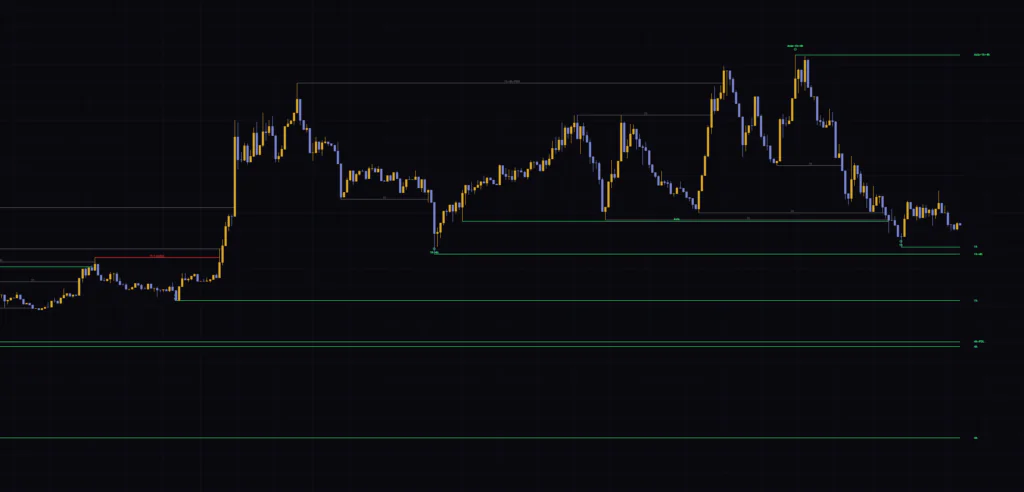
I ran it on Bitcoin across seven timeframes, from the 5-minute up to the weekly. My first impression was that the lines and tags are so thin and small that the chart barely gets cluttered. The flip side is that the default tags really are tiny, so on a laptop screen you’ll probably want to bump them up a size.
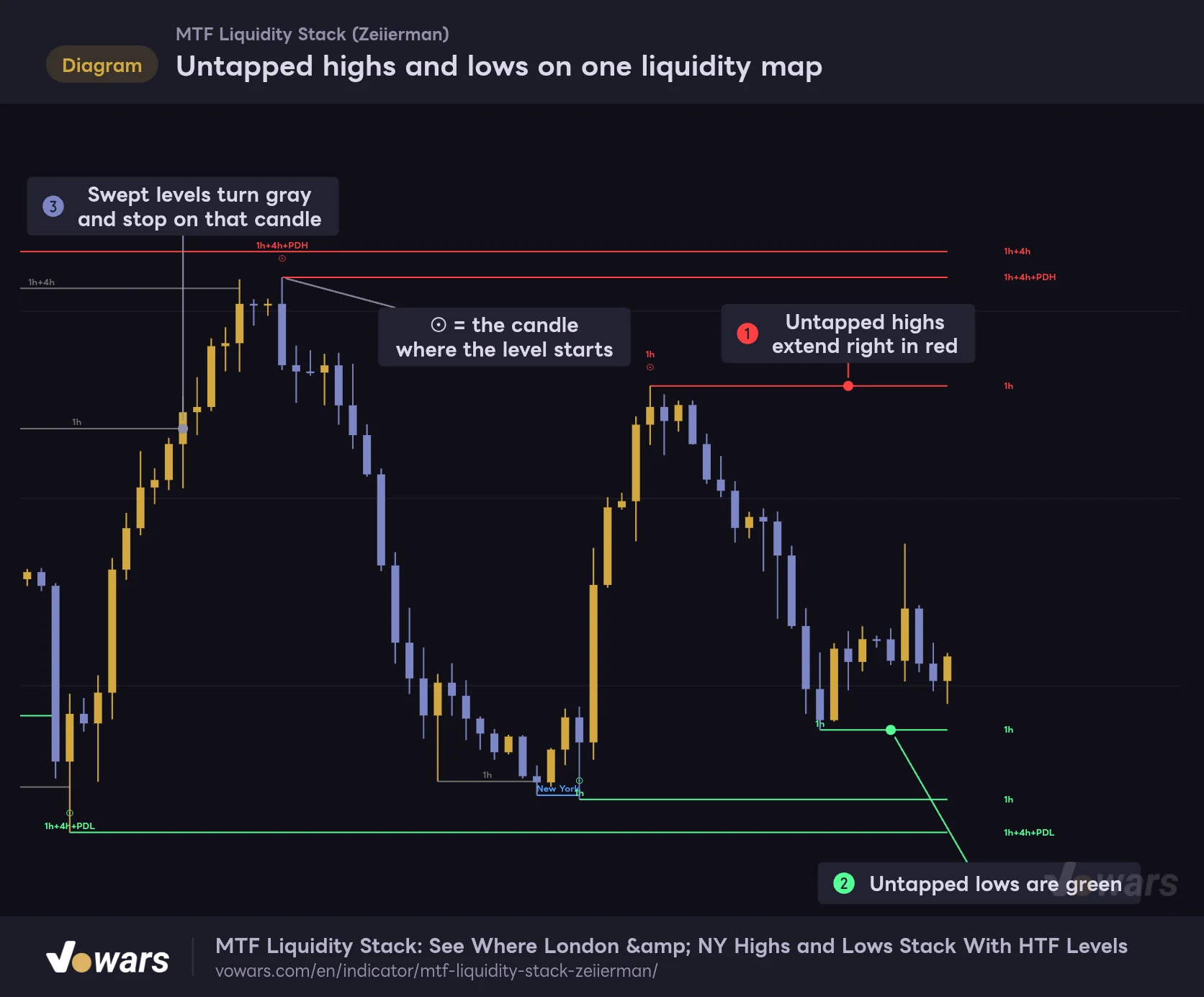
Let’s start with the big picture. As in Figure ①, highs that haven’t been taken out extend to the right as red lines, and as in Figure ②, lows that haven’t been broken extend as green lines. Once price trades through a level, it turns gray and stops on that candle, as shown in Figure ③.
Untapped highs and lows on one liquidity map
Red and green lines are highs and lows price hasn't traded through yet. Gray lines have already been swept.
Vowars DE ver.3.12.33
All you’re really reading is “levels still standing” and “levels already taken.” There are no buy or sell signals. Think of it as a fast way to build a map of where liquidity is still resting and where it’s already been grabbed, with higher-timeframe and session context layered in, and the use cases start to click.
Reading the line colors and tags
First, here’s what everything on screen means. The color logic is simple, but lines carrying a session tag are the exception, so don’t skip this part.
| What you see | What it means |
|---|---|
| Red line (default) | A high that hasn’t been taken out. Extends right up to the current candle |
| Green line (default) | A low that hasn’t been broken. Extends right up to the current candle |
| Gray line | A level price has already swept (mitigated). It stops on the candle that took it out, and its tag stays at the midpoint of the line |
| Session-colored line | Any line with an Asia, London or New York tag. It takes the session color whether it’s a high or a low, and keeps that color even after it’s swept |
| ⊙ with the tag above it (below for lows) | The origin of the level, pointing to the chart candle that actually printed the high or low |
| Tag at the right end | The source of that price level. Multiple sources are joined with “+” |
The right-end tag sits three bars to the right of the current candle. It reads “1h”, “4h” or “1D” for timeframes, whatever name you’ve set for sessions, and “PDH” or “PDL” for the previous day’s high and low.
By default, Asia uses the same green as lows, and London uses the same red as highs. Session colors take priority over the high/low colors, so a green line above price can turn out to be the Asia session high.
The first time I saw a green line above price, I honestly thought, “Wait, there’s a low still up there?” Switching the session colors to something that doesn’t clash with the high/low colors, like yellow or orange, clears that up. Also note that when a line carries more than one session name, the color priority is New York, then London, then Asia.
Four sources of liquidity, and what happens when they “stack”
“MTF Liquidity Stack” draws levels from four sources. They all do the same basic thing, turning a high or low into a horizontal line, but each one differs slightly in when the line is born and what clears it.
Higher-timeframe swing highs and lows
The core of the indicator is swings pulled from up to five timeframes. Each swing is a three-candle pattern: if the middle candle’s high is above both neighbors, it’s a swing high; if its low is below both neighbors, it’s a swing low. For 1H that means three 1H candles, for 4H three 4H candles.
What I really like is that the line doesn’t start at the higher-timeframe candle. It’s anchored to the chart candle that actually printed that high or low. Put a 1H high on a 15-minute chart, and of the four 15-minute candles inside that hour, the line starts from the one whose wick reached the highest. The ⊙ marker goes on that same candle, so there’s no guessing which candle the high came from.
How many levels it keeps is set by Levels, which defaults to 5. The count is per timeframe tag and per side, so with 1h, 4h and 1D all on, you can end up with as many as 15 highs and 15 lows on the chart.
Asia, London and New York sessions
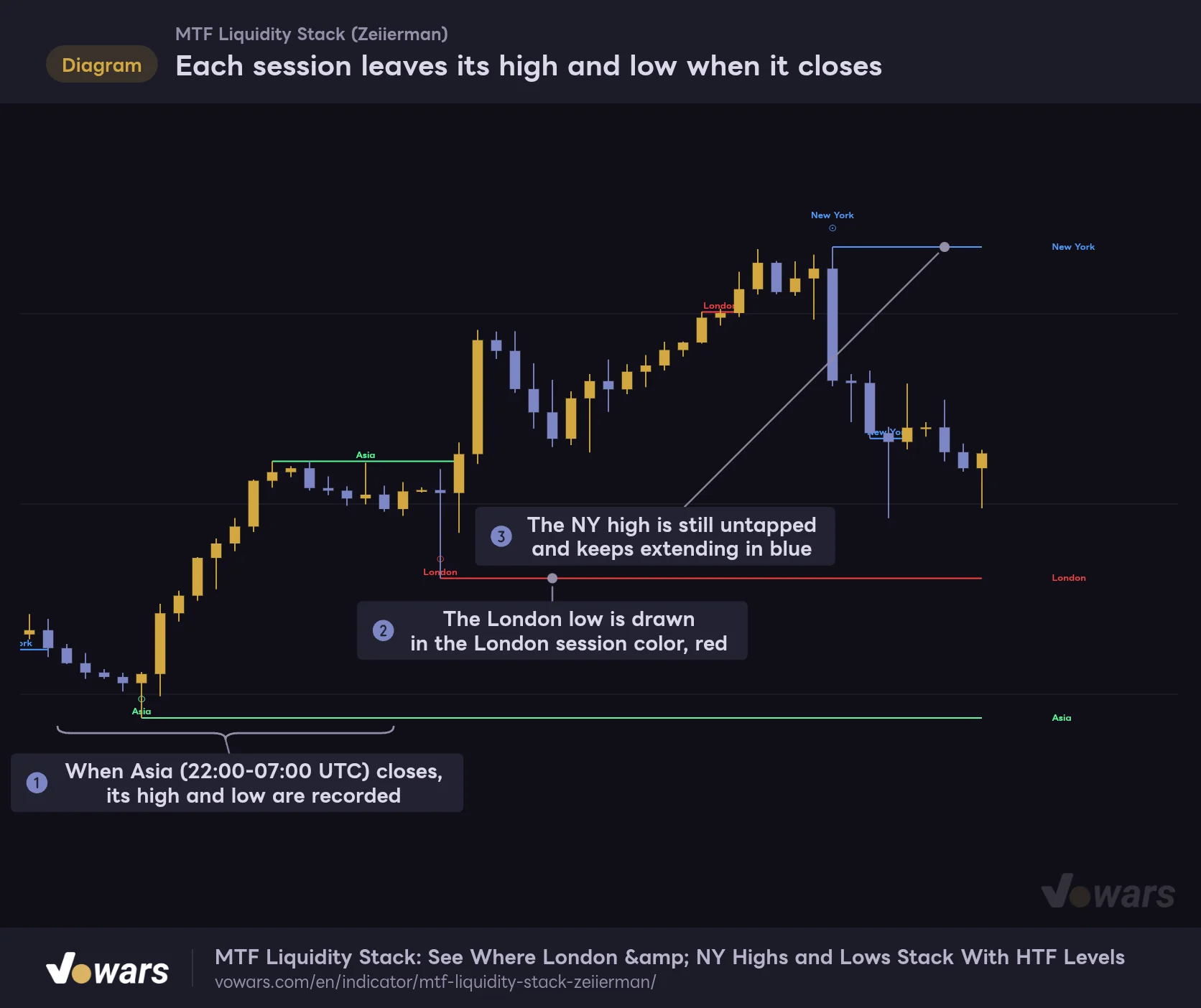
Session levels are added on the candle where the session ends. Nothing is drawn while the session is still running. As Figure ① shows, the Asia high and low get recorded on the candle where the Asia session closes. The London low in Figure ② is red because of the session-color priority covered in the previous section. The NY high in Figure ③ hasn’t been taken out yet, so it keeps extending in blue.
Each session leaves its high and low when it closes
Nothing is drawn while a session is open. Its high and low become levels on the candle where the session ends.
Vowars DE ver.3.12.33
The session windows are defined in UTC. With the default Mode (Full), they look like this. I’ve added New York time (EDT, during US daylight saving) for reference.
| Session | Full (UTC) | Full (New York, EDT) | AM (UTC) | AM (New York, EDT) |
|---|---|---|---|---|
| Asia | 22:00-07:00 | 18:00-03:00 | 00:00-04:00 | 20:00-00:00 |
| London | 07:00-15:30 | 03:00-11:30 | 06:00-09:00 | 02:00-05:00 |
| New York | 13:30-20:00 | 09:30-16:00 | 13:30-15:00 | 09:30-11:00 |
Switching Mode to AM moves all three sessions to their shorter morning windows at once. Use it when you only care about the highs and lows printed in the first few hours of each session.
Previous day high (PDH) and previous day low (PDL)
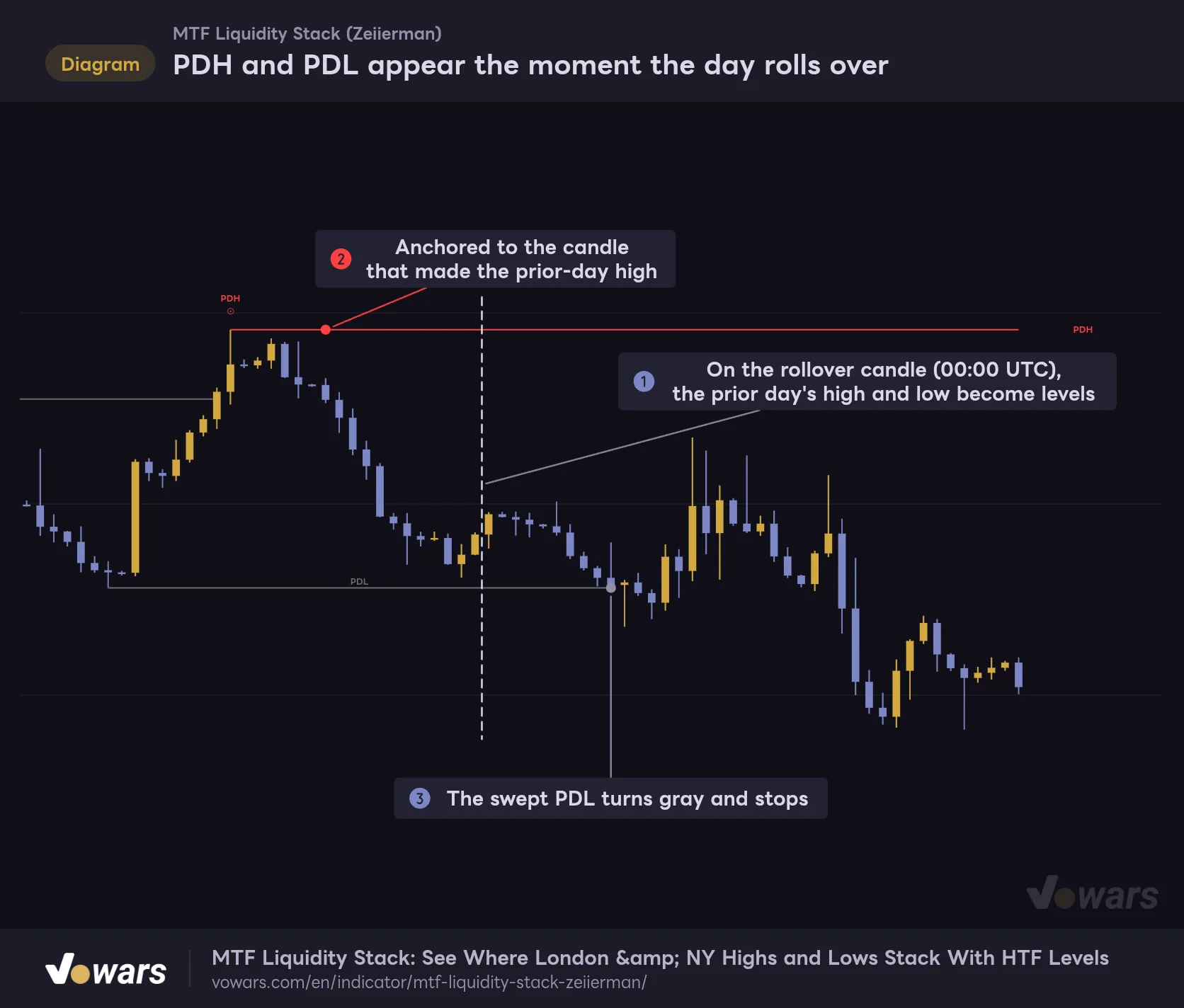
PDH and PDL are added on the first candle of the new day. The dashed line in Figure ① marks the daily rollover, and that’s where the previous day’s high and low become levels. As in Figure ②, each line starts from the candle that made the prior-day high, and in Figure ③ the prior-day low got taken out by the next day’s selloff and turned gray.
PDH and PDL appear the moment the day rolls over
PDH and PDL are added on the first candle of the new day, starting from the candles that printed the prior day's high and low.
Vowars DE ver.3.12.33
Where the day starts and ends follows the UTC setting, which I’ll get to below. At the default UTC+0, the previous day closes at 00:00 UTC, which is 8 p.m. in New York during daylight saving time.
Levels at the same price merge into one line
This is the “Stack” in the name. When a new high or low lands on the same side (high with high) and at the exact same price as an existing line, no new line is drawn. The tag just gets longer.
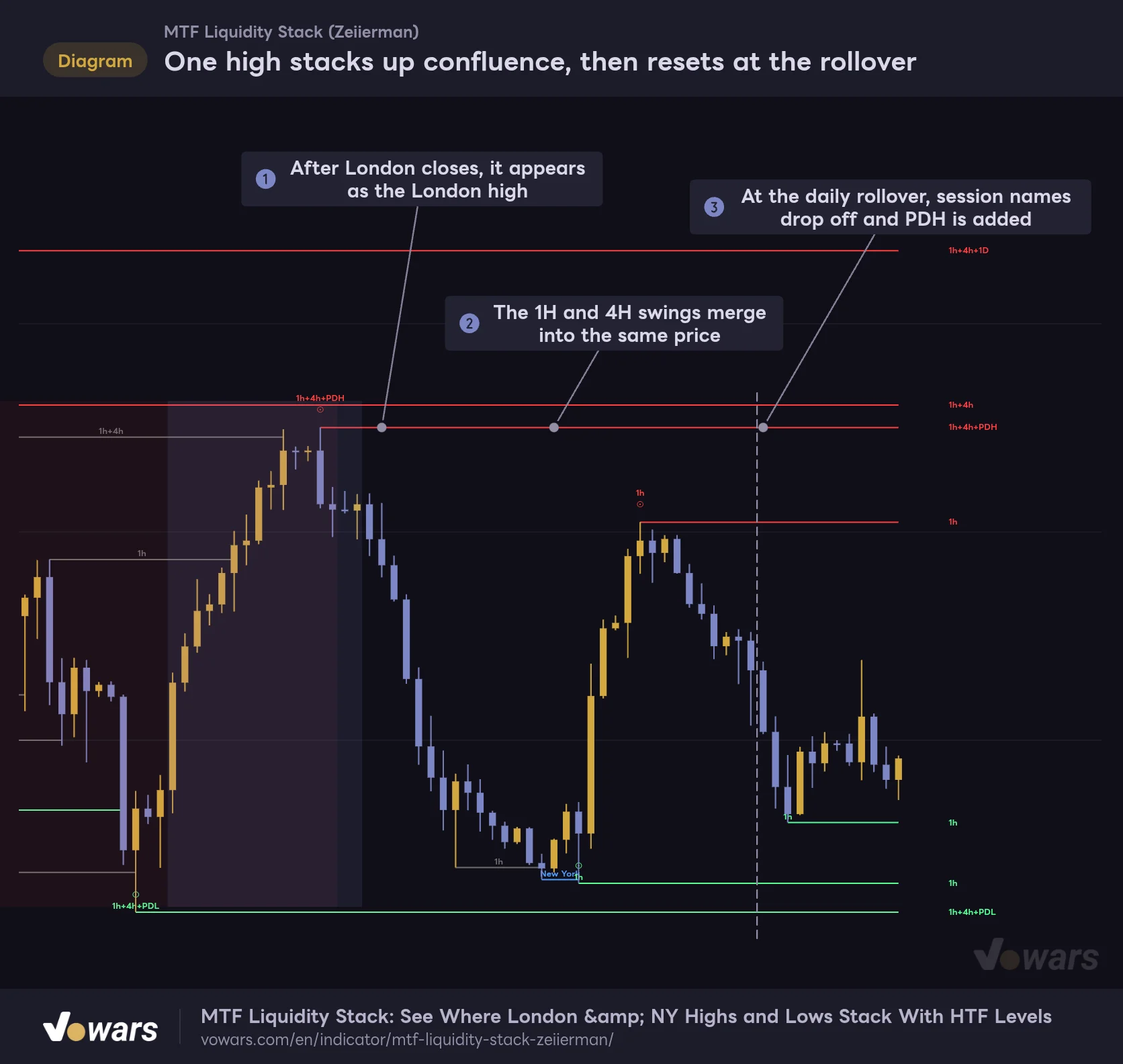
It’s easiest to see by following the history of a single high. In Figure ①, the London session closes and the level appears as “London.” In Figure ②, the 1H and 4H swings merge in and it becomes “London+1h+4h.” A New York tag joined after that, but at the daily rollover in Figure ③, the session names dropped off and PDH took their place.
One high stacks up confluence, then resets at the rollover
The level stays a single line at the same price. Only the tags grow, joined with "+".
Vowars DE ver.3.12.33
A 4H high is always the high of one of the 1H candles inside it. So a 4H swing usually lands on the same price as a 1H swing, and the “1h+4h” tag shows up very naturally.
Rather than treating more tags as automatically stronger, I found it closer to reality to ask two things: how high up the timeframes the tag goes, and whether an independent reference like a session or PDH/PDL lines up with it. Levels that run all the way to the daily, like 1h+4h+1D, or where an HTF swing coincides with PDH, are the ones I watch most closely.
One more thing worth knowing: the merge only happens on an exact price match. Even one tick apart gives you two separate lines, so you’ll sometimes see two levels sitting almost on top of each other. In practice, it makes sense to read a few ticks of difference as the same zone.
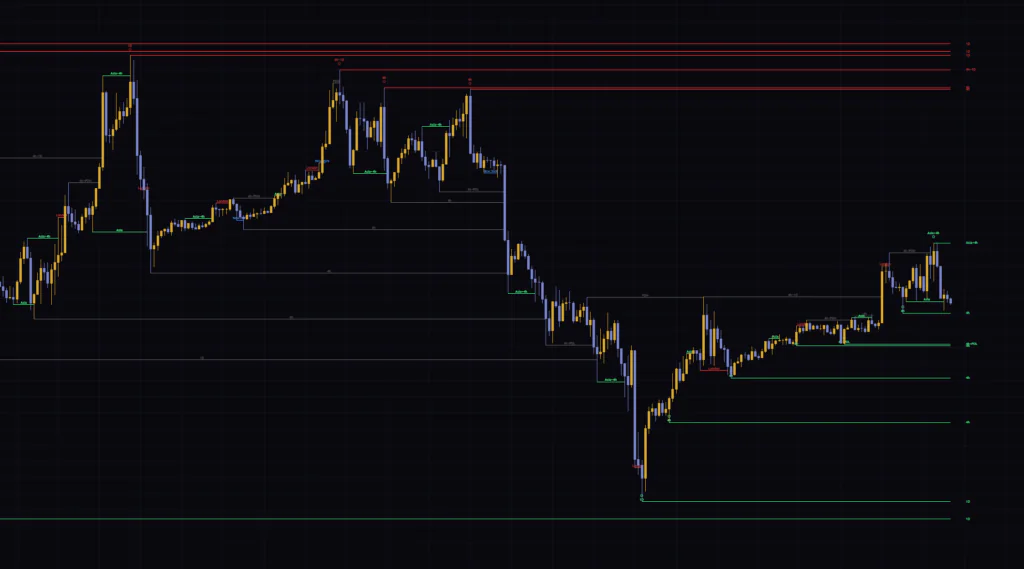
Once price trades through, it’s “swept,” and wicks count
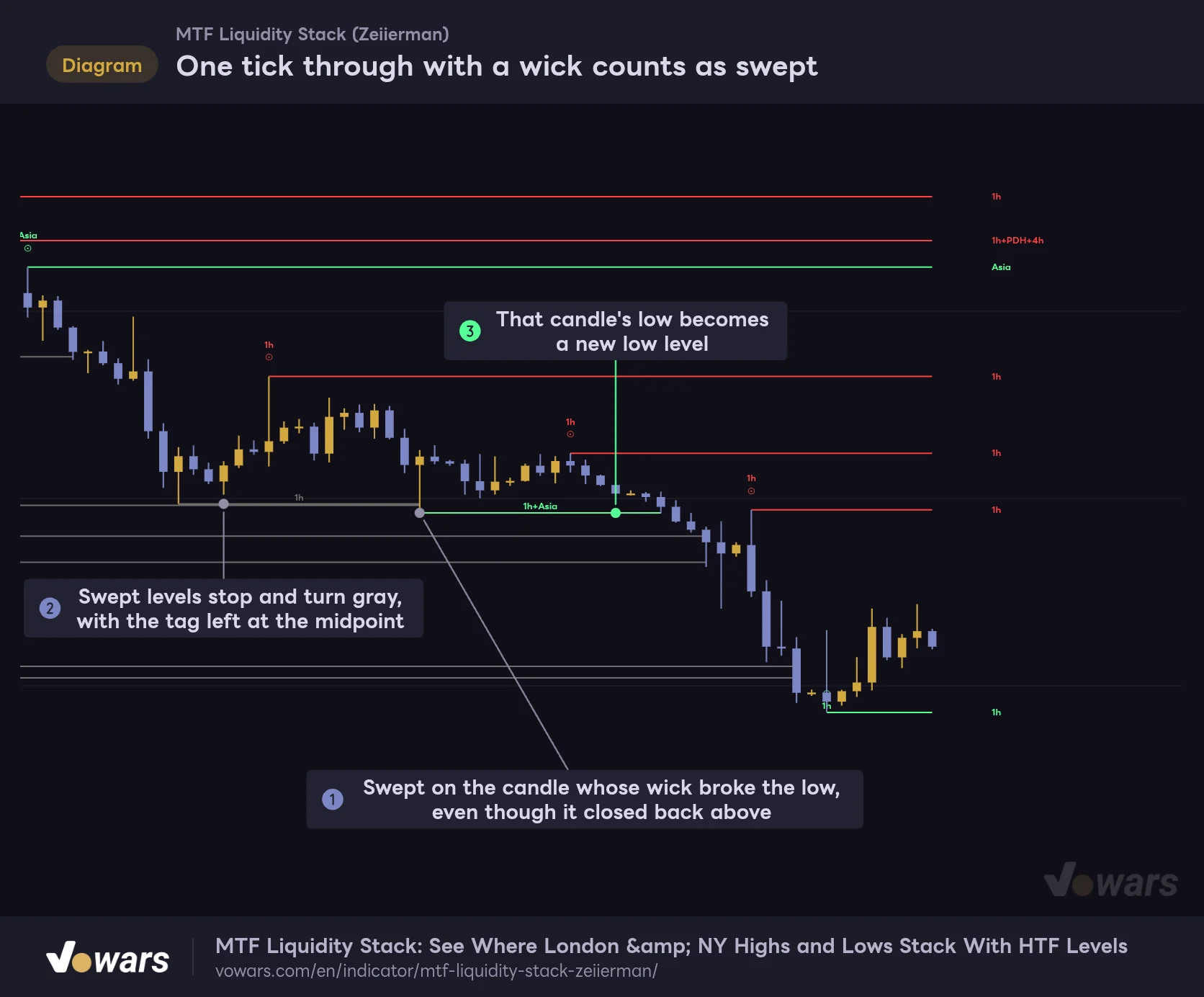
A line turns gray when a candle’s high trades above a high level, or a candle’s low trades below a low level. The close doesn’t matter. The candle in Figure ① wicked down through two lows at once and closed well back above them, yet both levels were still marked as swept.
One tick through with a wick counts as swept
The check uses highs and lows, not closes. A level stops as soon as a wick reaches through it.
Vowars DE ver.3.12.33
As in Figure ②, a swept line stops on that candle and its tag moves to the midpoint. In Figure ③, the low of the candle that did the sweeping became a brand-new low level. You can literally watch “liquidity that got taken” being replaced by “liquidity that just formed.”
A small detail: the rule is “trades above” or “trades below,” so a candle that stops exactly at the level doesn’t count as a sweep. Also, a level isn’t checked on the candle it was added on; checking starts from the next candle.
A line turning gray is simply a record that the liquidity at that price got taken. Whether price reverses from there or runs in the breakout direction comes down to what the candles do after the sweep. Did it wick through and snap right back, or did it close through with a full body and stay there? Use the sweep as the starting point for reading that difference.
Turn History off and only the most recent swept line is kept; the rest disappear. Leave it on if you want to see where past sweeps happened, or turn it off if you only want to focus on the levels that are still live.
When levels appear, and what happens in real time
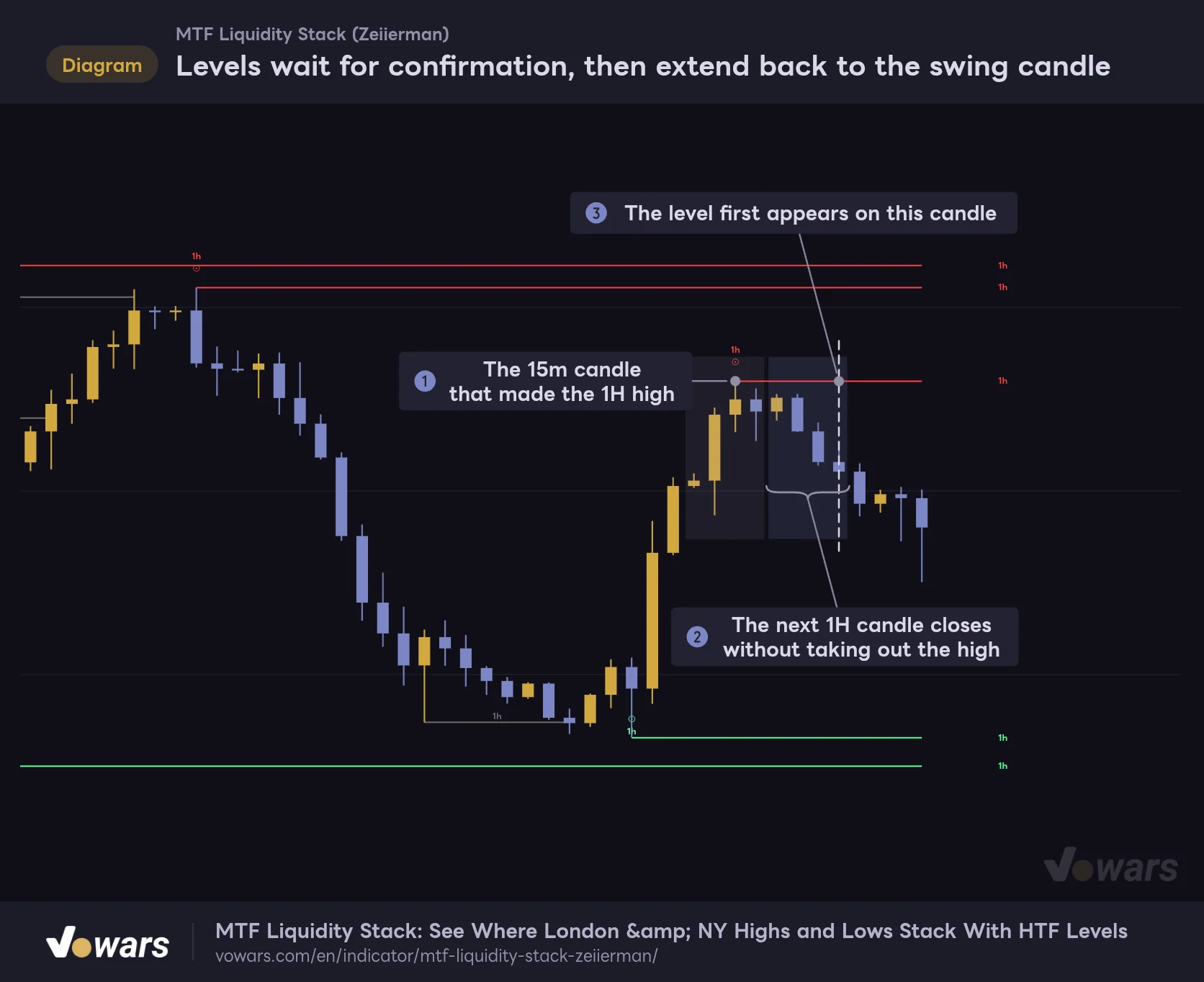
A higher-timeframe swing can’t be confirmed until the third candle closes. That means a level only shows up once the HTF candle after the one that made the high or low has closed.
The 15-minute candle in Figure ① made the 1H high, and the next 1H candle in Figure ② closed without taking it out. The line first appears on the candle in Figure ③, but it’s drawn back to the ⊙ candle.
Levels wait for confirmation, then extend back to the swing candle
No level appears until a 1H candle higher than both neighbors is confirmed. When it does appear, it starts from the ⊙ candle.
Vowars DE ver.3.12.33
From the moment the high prints, it takes a bit over an hour at minimum for a 1H level, a bit over four hours for 4H, and more than a full day for the daily before the line shows up. On a historical chart the lines start neatly at the high candle, so it’s easy to miss, but that line actually appeared on screen much later. When you backtest how price reacted to these levels, you need to account for that delay.
Higher-timeframe swings are also evaluated using the still-forming HTF candle. In real time, right after the next HTF candle opens, while its high hasn’t yet reached the previous candle’s high, the swing can already qualify, and the line appears without waiting for confirmation.
If that HTF candle later trades above the previous candle’s high, the line gets swept right away and turns gray. When you reload the chart, everything is recalculated from confirmed historical values, so these lines simply vanish. That’s why gray lines you watched form in real time can be missing after a reload.
Session levels and PDH/PDL are calculated from chart candles only, so they aren’t affected by this.
In short, the lines on a historical chart were drawn from confirmed HTF candles only, while the live chart also shows lines that appeared earlier than that, including some that got swept in the meantime. Right after an HTF level appears, the safe move is to treat it as provisional until that HTF candle closes.
The timeframes Auto picks depend on your chart timeframe
With Auto on, any source timeframe that’s equal to or lower than your chart timeframe gets bumped up to the next higher timeframe automatically. If two sources end up on the same timeframe, the one you explicitly set as a higher timeframe wins and the promoted one is dropped. Here’s which tags show up on each chart timeframe with the default settings (TF 1 to TF 3 on).
| Chart timeframe | HTF tags shown | Notes |
|---|---|---|
| 1m to 30m | 1h, 4h, 1D | All three defaults are used as-is |
| 1H | 4h, 1D | 1h is promoted to 4h, which duplicates 4h, so it’s dropped |
| 2H | 4h, 8h, 1D | 1h is promoted to 8h and added as a separate timeframe |
| 4H | 1D | Both 1h and 4h are promoted to the daily, which duplicates 1D |
| Daily | 1W | All three are promoted to the weekly |
| Weekly | 1M | All three are promoted to the monthly |
On 4H and above, the defaults leave you with just one higher timeframe. On the 4H, turn on TF 4 (W); on the daily, turn on TF 5 (M). That gives you two higher timeframes to compare, and confluence becomes readable again.
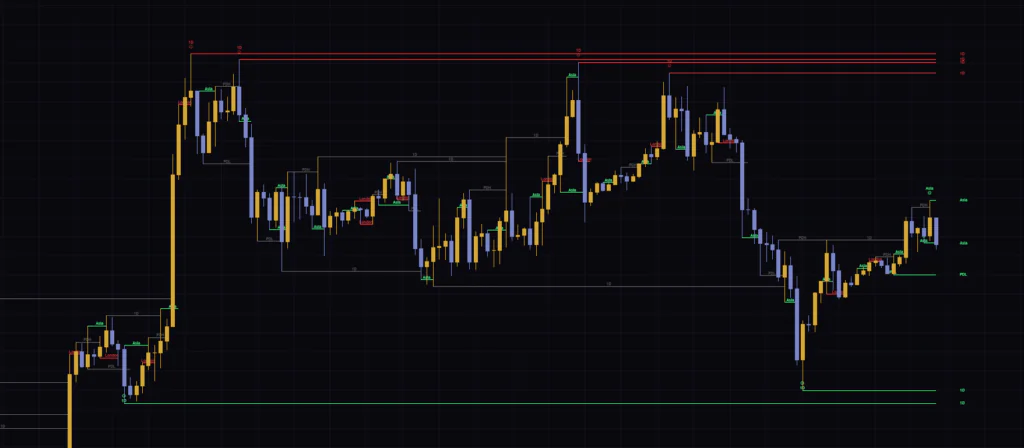
Watch out on the daily and weekly, because PDH/PDL and the session lines change meaning there. On the daily, every candle is a new day, so PDH/PDL just becomes “the previous candle’s high and low.” On the weekly it gets stranger: previous-day and session tags get lumped onto the same line, like “PDH+London+New York,” and the result can’t be read the way it’s meant to be.
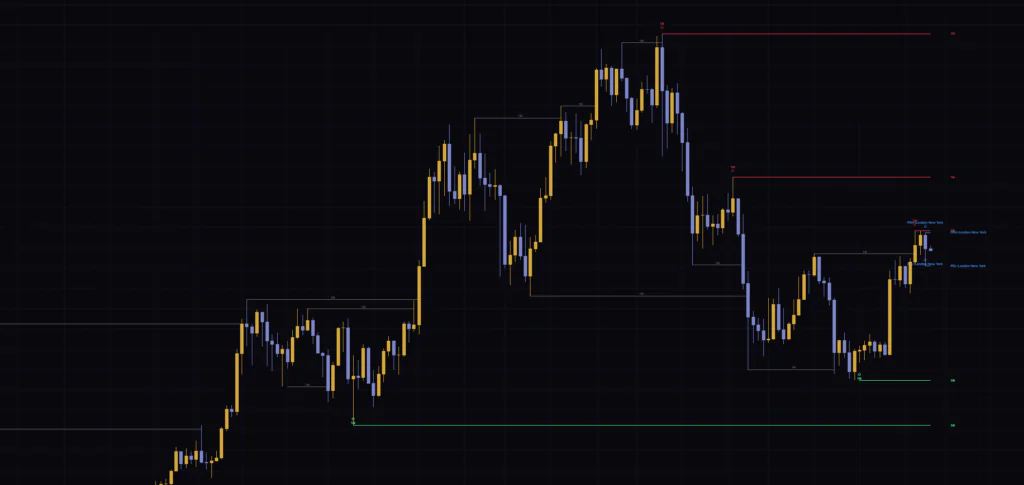
On the daily and above, it’s cleaner to turn off PDH / PDL and the sessions and look at HTF swings only.
Session levels disappear at the daily rollover
This is the part that tripped me up the most in actual use. Session levels don’t stick around until they get swept. On the first candle of a new day, every session-name tag is removed. Lines whose only tag was a session name disappear right there, while lines that also carried another source, like 1h or PDH, survive with their remaining tags. PDH/PDL get replaced with the new previous-day values at the same moment, so yesterday’s lines never carry over into the next day.
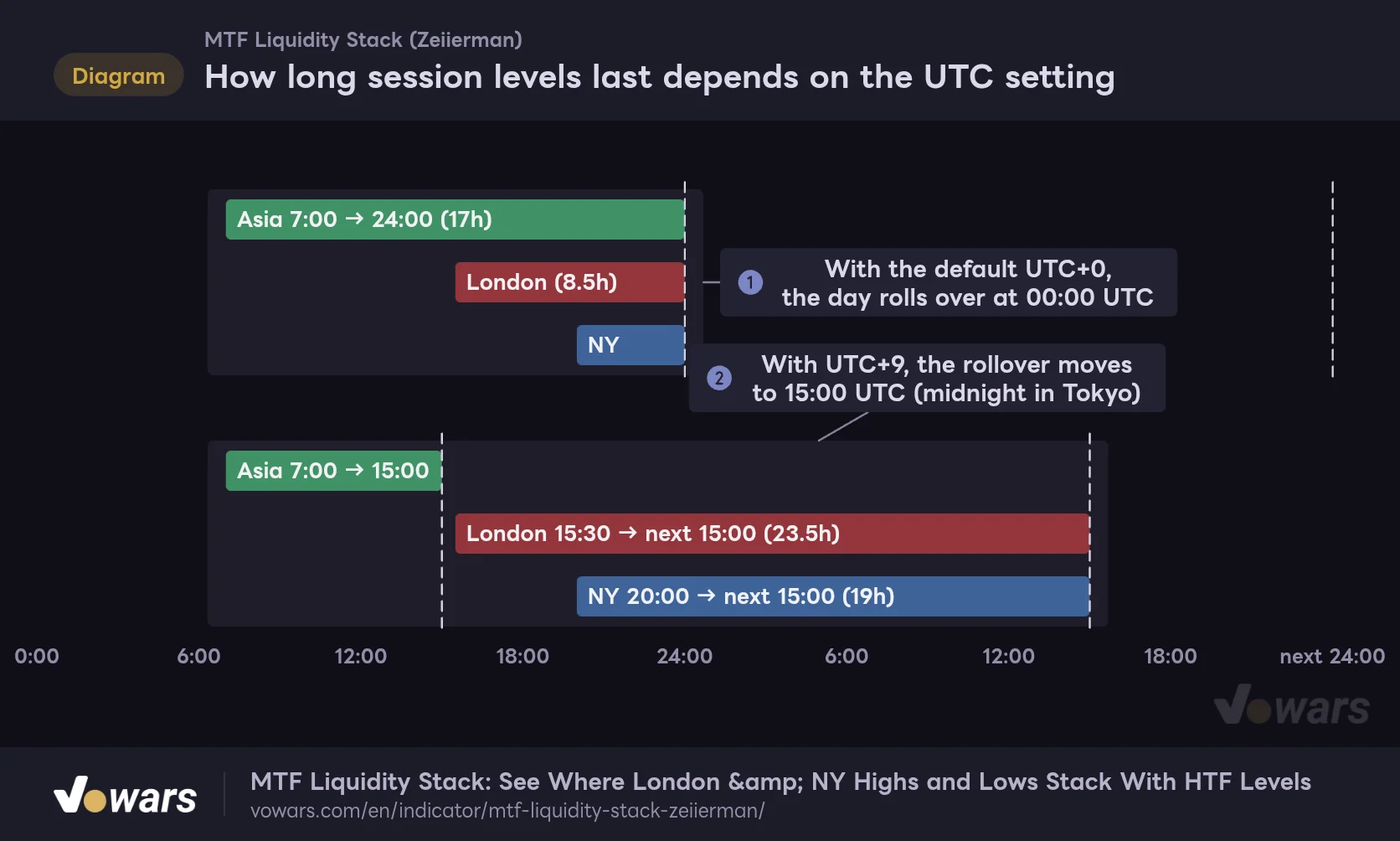
The daily rollover is set by UTC. At the default UTC+0 it’s 00:00 UTC (8 p.m. in New York during daylight saving time), so an NY session level that gets added at 20:00 UTC is gone within four hours at most.
How long session levels last depends on the UTC setting
The horizontal axis is UTC time. Each bar shows how long a session level stays on screen if price never sweeps it.
Vowars DE ver.3.12.33
Comparing Figure ① with Figure ②, setting UTC to UTC+9 moves the rollover to 15:00 UTC (midnight in Tokyo), and the London and NY levels then last into the next day. The session windows themselves are fixed in UTC and don’t move when you change UTC.
If you want the NY high and low to carry into the following Asia and London sessions, setting UTC to something like UTC+9 works well. The rollover moves to 15:00 UTC, and PDH/PDL are calculated on that day boundary too.
The trade-off is that the Asia levels then disappear at that same 15:00 UTC rollover, so it’s not a good fit if you want to carry the Asia high and low into the next day. Decide based on which session’s levels you want to keep around longer.
One more thing: because the session windows are fixed UTC times, they don’t adjust for daylight saving. The default NY window (13:30-20:00 UTC) lines up with 9:30 a.m. to 4:00 p.m. local time while the US is on daylight saving time, but once standard time kicks in, it shifts to 8:30 a.m. to 3:00 p.m. local (the US switches back on November 1, 2026). If you want it to match NYSE cash hours, change the NY Full window to 1430-2100 for the winter months, which brings it back to 9:30 a.m. to 4:00 p.m. local. London works the same way: during UK winter time (from October 25, 2026), 07:00 UTC is simply 7:00 a.m. local.
While we’re here, a quick word on Daily Reset. Turn it on and, at each daily rollover, every line, including HTF levels and swept lines, is cleared, leaving only the highs and lows printed on the new day. It’s a switch for day traders who like to start each session with a clean slate.
Settings, and how to tune them by timeframe
The settings panel is split into five groups: “1. Timeframes,” “2. Sessions,” “3. Daily Levels,” “4. Style” and “5. Alerts.” Each session row puts the on/off checkbox, the name, the Full window, the AM window and the color on a single line.
| Setting | Default | Suggested | Effect |
|---|---|---|---|
| Auto | On | On | Promotes timeframes at or below the chart timeframe to the next higher timeframe. Duplicates are dropped automatically |
| Levels | 5 | 3-5 | Number of untapped levels kept per timeframe tag, for highs and lows separately (1-20). Levels with the oldest origin are removed first |
| TF 1 | On, 60 (1h) | On | First higher timeframe. Picks up swing highs and lows |
| TF 2 | On, 240 (4h) | On | Second higher timeframe |
| TF 3 | On, D (1D) | On | Third higher timeframe |
| TF 4 | Off, W (1W) | On for 4H and above | Fourth higher timeframe. Off by default |
| TF 5 | Off, M (1M) | On for daily and above | Fifth higher timeframe. Off by default |
| Mode | Full | Full | Switches all three session windows between Full and AM at once |
| UTC | UTC+0 | UTC+0 or an offset that fits your trading day | Sets the daily rollover (PDH/PDL, Daily Reset, clearing of session levels). Does not move the session windows |
| Asia | On, 2200-0700, 0000-0400, green | Change color to a yellow tone | Asia session levels. Set the name, Full and AM windows (UTC) and color |
| London | On, 0700-1530, 0600-0900, red | Change to a color different from highs | London session levels |
| New York | On, 1330-2000, 1330-1500, blue | Consider 1430-2100 during US standard time | NY session levels |
| Daily Reset | Off | Off | When on, clears every line at the daily rollover |
| PDH / PDL | On | On for intraday, off for daily and above | Previous day high and low levels |
| Labels | Tiny | Tiny | Size of the tag next to ⊙ and the tag at the midpoint of swept lines |
| Live Tags | Tiny | Small | Size of the right-end tags |
| History | On | On | When off, only the most recent swept line is kept |
| High | #ff4040 (red) | Keep | Color of untapped high levels |
| Low | #55ff96 (green) | Keep | Color of untapped low levels |
| Sweep | #6d6d6d, 1, Solid | Keep | Color, width (1-4) and style of swept lines. Width and style apply to all lines |
| New | Off | As needed | Alert when a new level is added |
| Mitigated | On | On | Alert when a level gets swept |
| High (Alerts) | On | On | Includes high-side levels in alerts |
| Low (Alerts) | On | On | Includes low-side levels in alerts |
The line width and style in the Sweep row aren’t just for swept lines; untapped lines use them too. Keep in mind you can’t make untapped lines thick and swept lines thin.
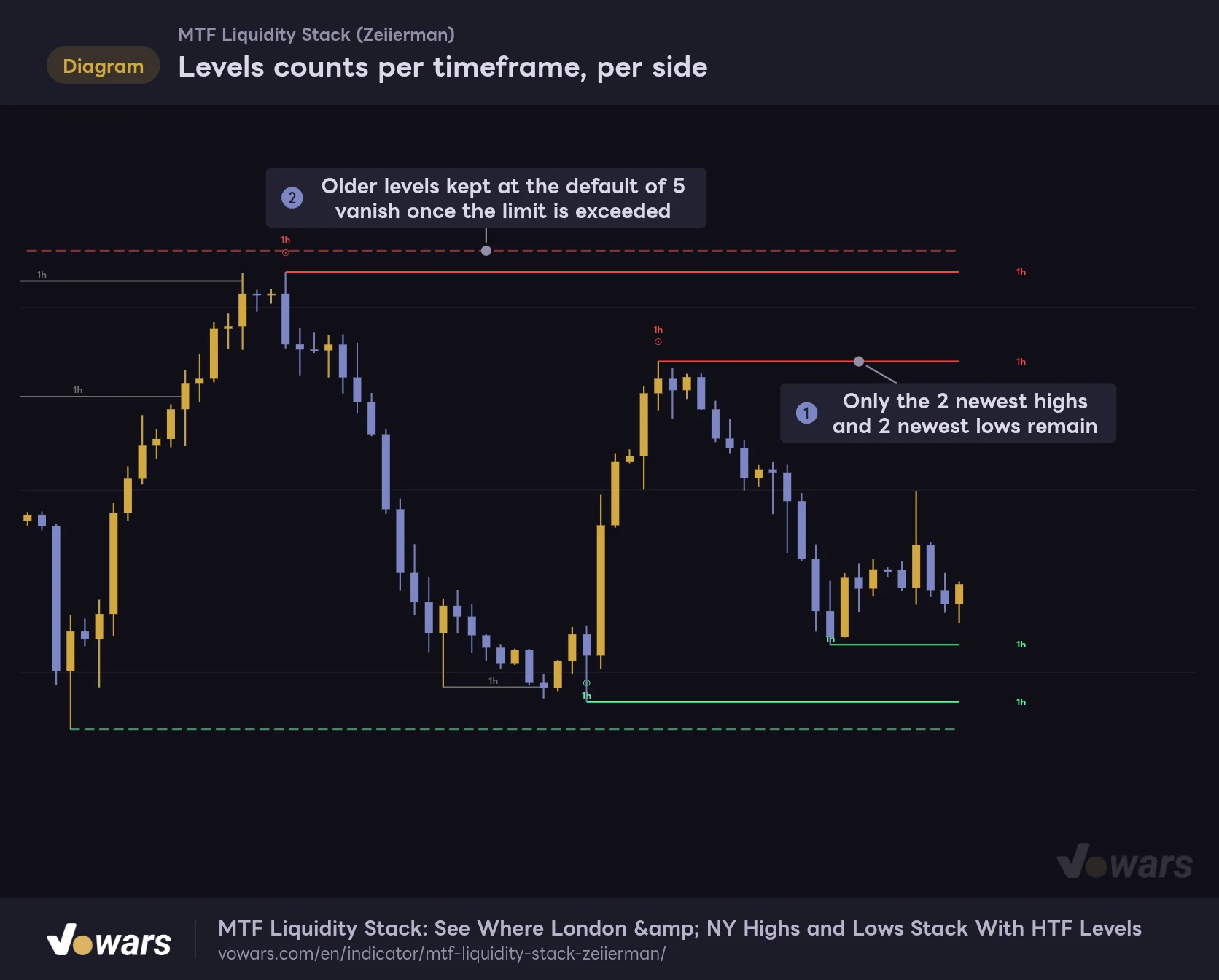
Lowering Levels removes the oldest lines first
When you lower Levels, the lines with the newest origins are the ones that stay, as in Figure ①. The dashed lines in Figure ② are the ones that would still be there at the default of 5.
Levels counts per timeframe, per side
With Levels at 2, only the two newest untapped highs and the two newest untapped lows remain.
Vowars DE ver.3.12.33
Lines dropped for exceeding the limit don’t turn gray as swept; they just vanish from the chart. You can’t tell visually whether a level was swept or trimmed by the limit, so if you set Levels too low, you’ll miss older highs and lows that are still very much in play. Even on the 5-minute and 15-minute, I don’t go below 3.
Suggested setups by timeframe
- 1m to 5m (scalping). The default 1h, 4h and 1D are plenty. If it feels crowded, drop Levels to 3. The London and NY session levels do most of the work here.
- 15m to 1H (day trading). Run the defaults. If you want NY levels to carry into the next day, shift UTC to a later rollover such as UTC+9. On the 1H, your HTF sources become 4h and 1D.
- 4H (swing-leaning). Turn on TF 4 and compare 1D with 1W. Session levels are short-lived, so you won’t miss much by turning them off.
- Daily and above. Turn off PDH / PDL and the sessions, turn on TF 5, and read the 1W and 1M swings.
Five alert conditions to choose from
“MTF Liquidity Stack” comes with two styles of alerts. When you pick this indicator as the condition in the Create Alert dialog, you’ll see “Any alert() function call,” which bundles everything into one notification, plus four individual conditions.
| Condition | When it fires |
|---|---|
| Any alert() function call | Bundles every new level and sweep on that candle into one notification. Fires once, on bar close |
| New High Liquidity | When a new high level is added |
| New Low Liquidity | When a new low level is added |
| High Liquidity Mitigated | When a high level gets swept |
| Low Liquidity Mitigated | When a low level gets swept |
Both styles follow the New, Mitigated, High and Low switches in the settings. Since New is off by default, alerts for new levels won’t fire unless you turn New on. A tag being added to an existing price doesn’t count as a new level either.
With “Any alert() function call,” each event is one line: the type (NEW/MITIGATED), the symbol, high or low, the tags, the price and the chart timeframe, separated by “|”. If several levels change on the same candle, you get multiple lines in a single notification. You can see exactly which source got swept right from your phone, which is why I went with this one.
How to use it on the chart, in four steps
1 Check what’s still untapped above and below
Start by finding the nearest untapped level above and below current price. The red line above and the green line below are the most likely liquidity for price to go after next. Session-colored lines are session highs and lows, so don’t judge above/below by color alone.
2 Rank levels by what’s in the tag
When several levels are close by, read the tags. Prioritize levels that include longer timeframes like 1D or 1W, and levels where PDH/PDL or a session lines up with an HTF swing; give 1h-only levels less weight. As mentioned earlier, 1h+4h forms naturally, so I don’t give it special treatment on its own.
3 Read reversal vs. continuation from the candles after the sweep
Once a line turns gray, watch the next few candles. If price wicks through and the body closes back inside the level, that’s a candidate for a liquidity grab and reversal. If it closes through with a full body and doesn’t come back, suspect continuation in the breakout direction. The indicator tells you nothing at this point, so combine candle structure and volume to make the call.
4 Use liquidity on the opposite side as a take-profit guide
Once you’re in, untapped levels on the opposite side make natural take-profit targets. If you went long, keep the red lines above in mind, especially the ones with stacked tags, as places where price is likely to stall. Doing that made it a lot easier for me to decide where to take profit.
Pair it with MFI to gauge momentum at the sweep
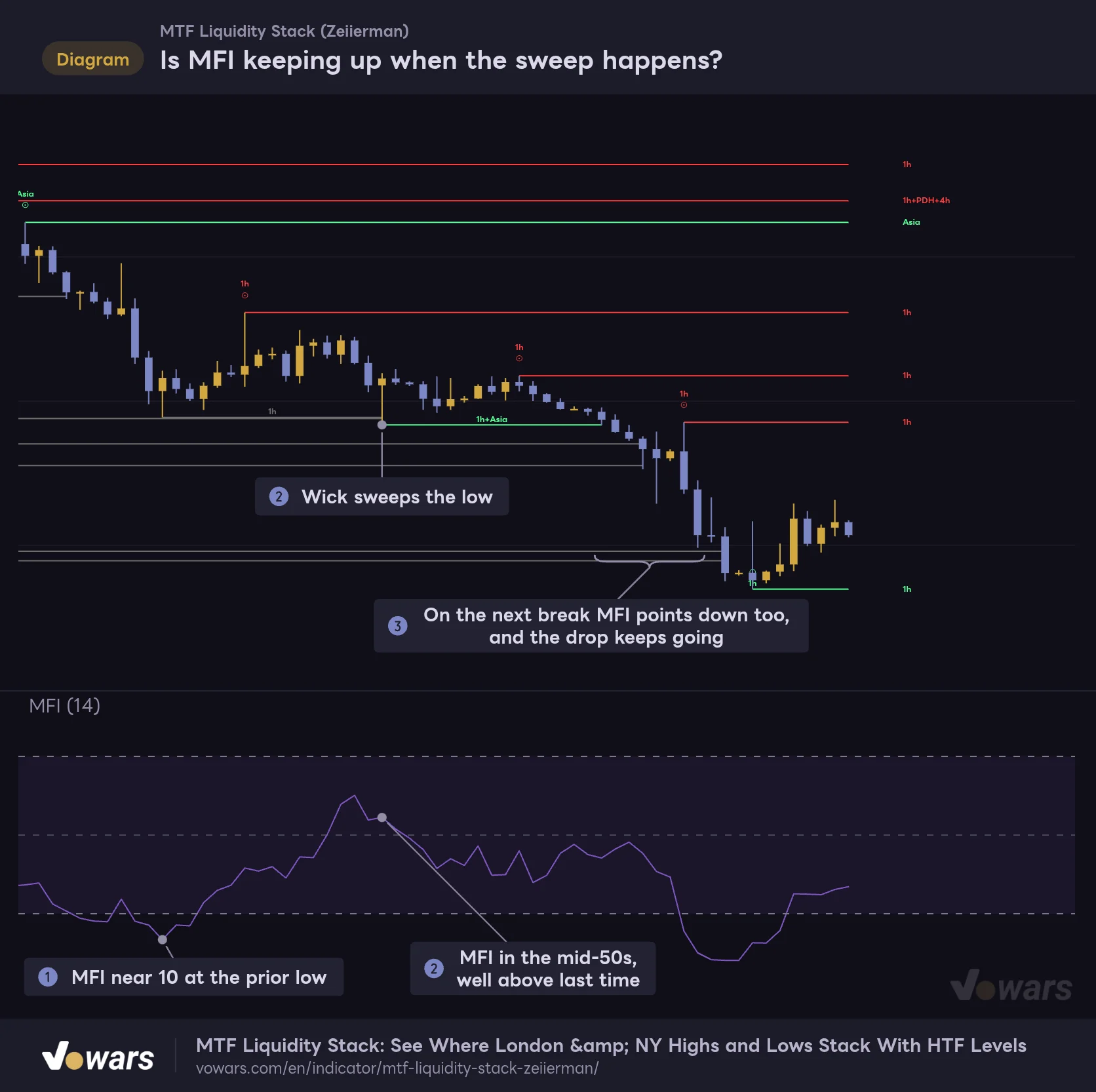
“MTF Liquidity Stack” tells you where liquidity got taken, but not how much buying or selling pressure was left when it happened. So I tried adding MFI (Money Flow Index), an oscillator that also factors in volume, in the lower pane.
When price made the low in Figure ①, MFI had sunk to around 10. When price wicked down and swept that low in Figure ②, MFI was in the mid-50s, well above its previous reading, and price bounced for a while. On the break in Figure ③, though, MFI was pointing down as well, and the selloff just kept going.
Is MFI keeping up when the sweep happens?
When price sweeps a low, check whether MFI sits higher than it did at the previous low to gauge how much selling pressure is left.
Vowars DE ver.3.12.33
Price making a lower low while MFI holds above its previous reading is a divergence that suggests selling pressure is weaker than last time. Checking for that divergence right after a sweep made it easier to narrow down reversal setups. Again, this is one example, and it won’t play out the same way every time.
Another good match is TradingView’s built-in Volume Profile (Visible Range). If a level sits in a low-volume area, you can expect price to move quickly once it breaks. ATR helps with sizing your stop, and a session VWAP shows where a level sits relative to the day’s average traded price. Both add useful context to these levels.
What it handles for you, and what’s still on you
What it handles for you
- Shows HTF, session and previous-day highs and lows in one indicator, all under the same rules
- Sources that land on the same price are joined with “+”, so you can tell at a glance what each level represents
- Levels are anchored to the actual chart candle, and ⊙ shows you exactly which candle made the high or low
- Swept levels stay on the chart in gray, so you can trace where liquidity was taken after the fact
- Auto picks meaningful higher timeframes for you when you switch chart timeframes
- Thin lines that barely get in the way of your chart
What’s still on you
- It doesn’t tell you whether a sweep leads to a reversal or continuation, so you have to read the candles or other indicators
- In real time, HTF levels can appear before the HTF candle confirms and then vanish after a reload
- Session levels are cleared at the daily rollover, and how long they last depends on the UTC setting
- Session windows are fixed in UTC, so you have to adjust for daylight saving changes yourself
- With the default colors, the Asia high is drawn in green and the London low in red
- On 4H and above, the defaults leave only one higher timeframe, so you need to add TF 4 or TF 5
Lines on a historical chart were drawn from confirmed HTF candles. In real time, lines appear at different moments and the number of gray lines changes too. “Price reversed right off this level” on a historical chart needs to be checked against when that line actually showed up on screen. Rather than trading off the indicator alone, wait to see how price reacts after the sweep before making a decision.
For traders who want stacked liquidity without a cluttered chart
 Image
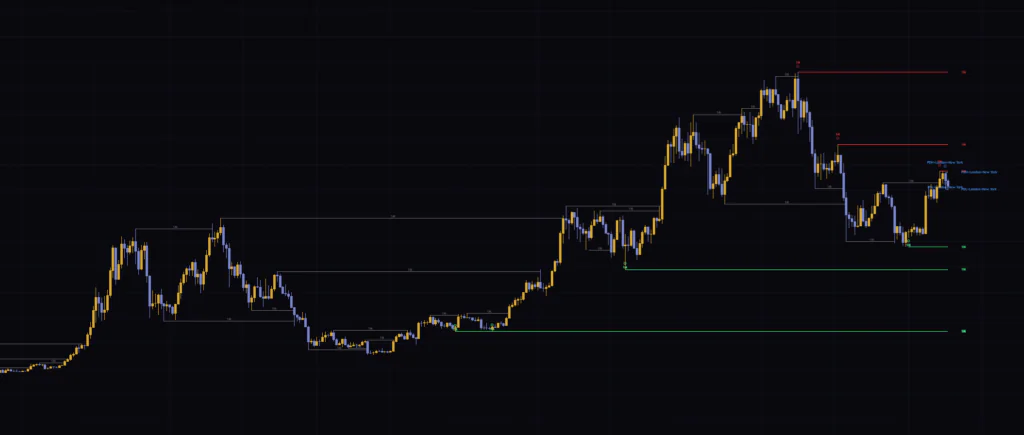
Image“MTF Liquidity Stack” takes information you’d normally pull from separate indicators, HTF swings, sessions and previous-day highs and lows, and condenses it into one horizontal line and tag per level. Confluence at the same price makes the tag longer, and a sweep turns the line gray. Those are the only two things you need to track, so it doesn’t take long to learn.
That said, there are a few behaviors that can be confusing if you don’t know how it works, like session levels clearing at the daily rollover and HTF levels appearing early in real time and then disappearing. Once you’ve dealt with the UTC setting, the session colors and adding TF 4 or TF 5 on 4H and above, as covered in this review, it should feel the same from the 5-minute all the way up to the daily.
If you scalp or day trade and want to quickly spot where London and NY highs and lows line up with higher-timeframe highs and lows, I found this indicator to be an especially good fit.