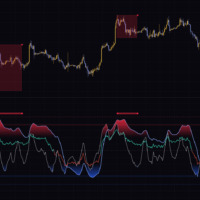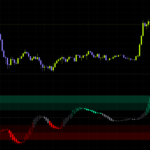

An indicator that turns 28 Stochastics into a single “temperature” reading
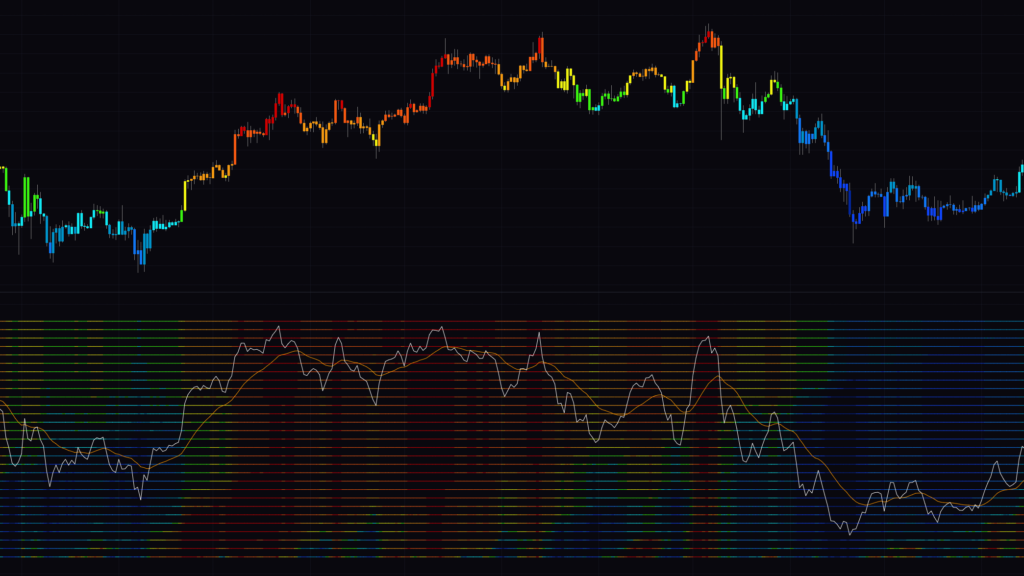
“Stochastic Heat Map” is an oscillator that calculates 28 Stochastics with different lengths and paints each one as a colored horizontal line. Dozens of thin lines stack up in the lower pane, each glowing red, orange or blue, and the whole thing ends up looking like a thermal camera image.
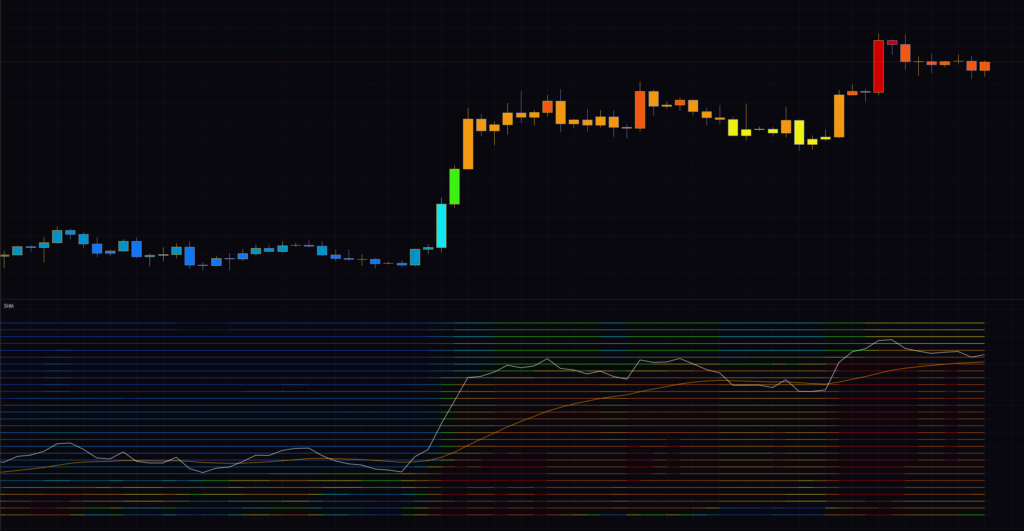
At first glance it’s hard to know where to even look. There are a lot of lines, and a lot of colors. After a few days of using it, though, I realized there are really only three things to watch: how the colors are distributed across the lines, the white and orange lines, and the colored candles.
The Stochastic oscillator measures where the current close sits within the high-low range of a given lookback, on a 0 to 100 scale. Near 100 means price is at the top of that range; near 0 means it’s at the bottom. “Stochastic Heat Map” lines these up at lengths of 10, 20, 30 and so on up to 280 bars, so you can instantly see the temperature gap between timeframes, for example price running hot on the short-term lookbacks while still sitting near the lows on the long-term ones.
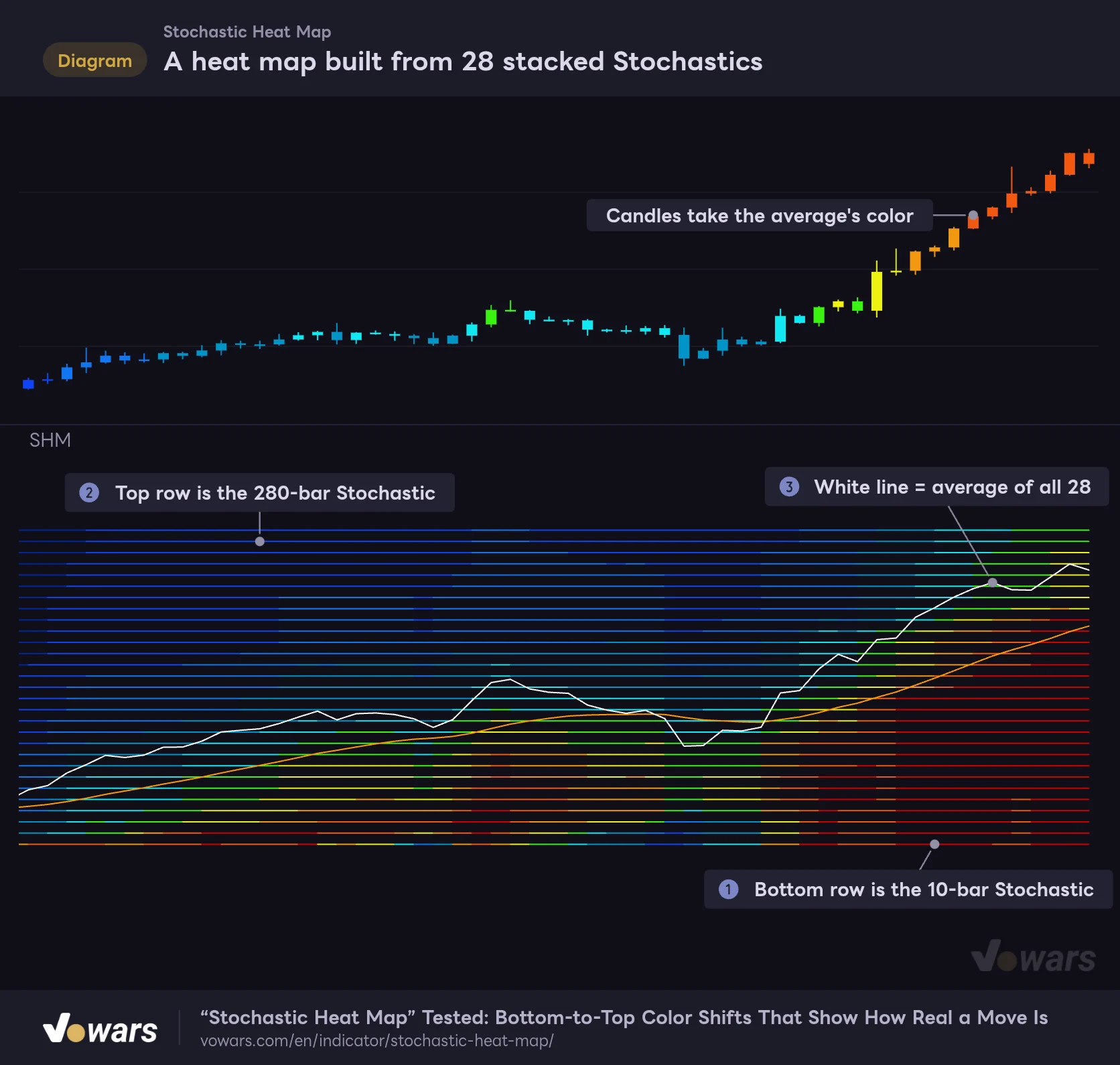
A heat map built from 28 stacked Stochastics
Lower rows are shorter Stochastic lengths, upper rows are longer ones, and each line's color shows its current value.
Vowars DE ver.3.12.30
The bottom line in the lower pane is the 10-bar Stochastic, and as Figure ① shows, the lengths get longer as you move up. Figure ② marks the top row, the 280-bar Stochastic. There’s one more line drawn in the same color right on top of it, which is why you see 29 lines even though the setting is 28.
The white line is the average of all 28. You can see it at Figure ③; the average (0 to 100) is rescaled to a height of 0 to 28 so it lines up with the rows. If the white line sits in the upper rows, price is near the top of its ranges overall; in the lower rows, near the bottom. The orange line is a signal line, a moving average of the white line.
Once you get the colors, reading it is simple
How the 10 color steps map to the average
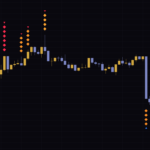
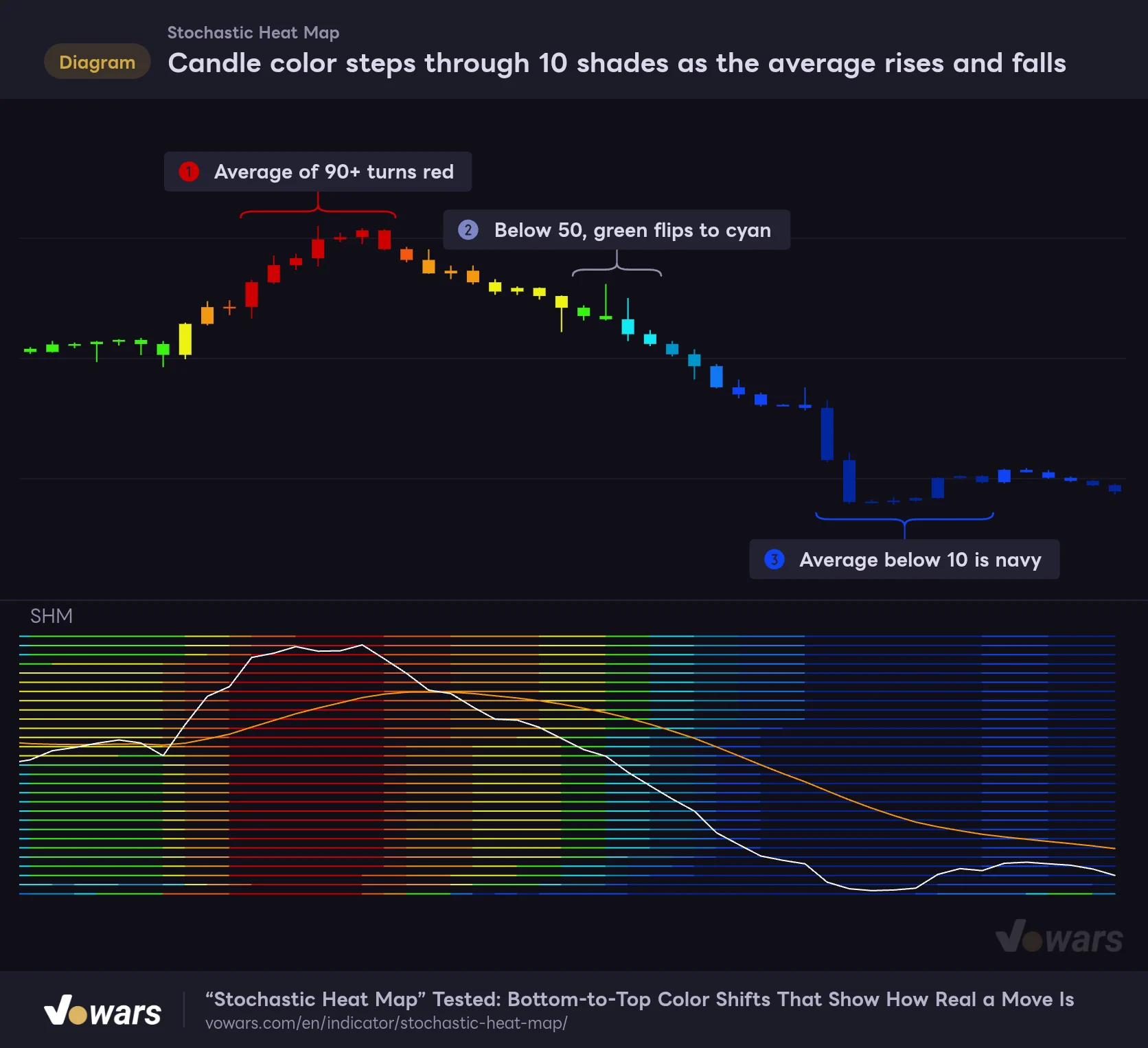
The lines and the candles use the same 10-step color scale. The only difference is that each line is colored by its own Stochastic value, while the candles are colored by the 28-line average. With the default Theme 3, higher values lean toward warm reds and lower values toward cool navy.
Candle color steps through 10 shades as the average rises and falls
Candles and heat map lines share the same 10-step color scale.
- 90+
- 80+
- 70+
- 60+
- 50+
- 40+
- 30+
- 20+
- 10+
- Below 10
Vowars DE ver.3.12.30
When the average hits 90 or higher, the candles turn red. That’s the stretch at Figure ①, where almost all 28 Stochastics are pressed up against the top of their ranges. Below 10, you get the navy at Figure ③. Around Figure ②, where green flips to cyan at the 50 line, is exactly where bulls and bears trade places.
You can pick from three palettes with Theme. Here’s how each one assigns its colors.
| Average (line value) | Theme 1 | Theme 2 | Theme 3 (default) |
|---|---|---|---|
| 90 and above | Bright green | Bright cyan | Red |
| 80–90 | Green | Cyan | Red-orange |
| 70–80 | Slightly dark green | Slightly dark cyan | Orange |
| 60–70 | Dark green | Dark cyan | Yellow |
| 50–60 | Darker green | Darker cyan | Yellow-green |
| 40–50 | Darker red | Darker purple | Cyan |
| 30–40 | Dark red | Dark purple | Light blue |
| 20–30 | Slightly dark red | Slightly dark purple | Blue |
| 10–20 | Red | Purple | Deep blue |
| Below 10 | Bright red | Bright purple | Navy |
Theme 1 and Theme 2 split the scale at 50 into shades of two colors. The extremes (90 and above, below 10) are the brightest, and the shades get darker toward the middle. Theme 3 runs through the hues from hot to cold, so it felt like the most intuitive one to read as a heat map. Every figure in this article uses Theme 3.
The gap between bottom and top rows tells you how serious a move is
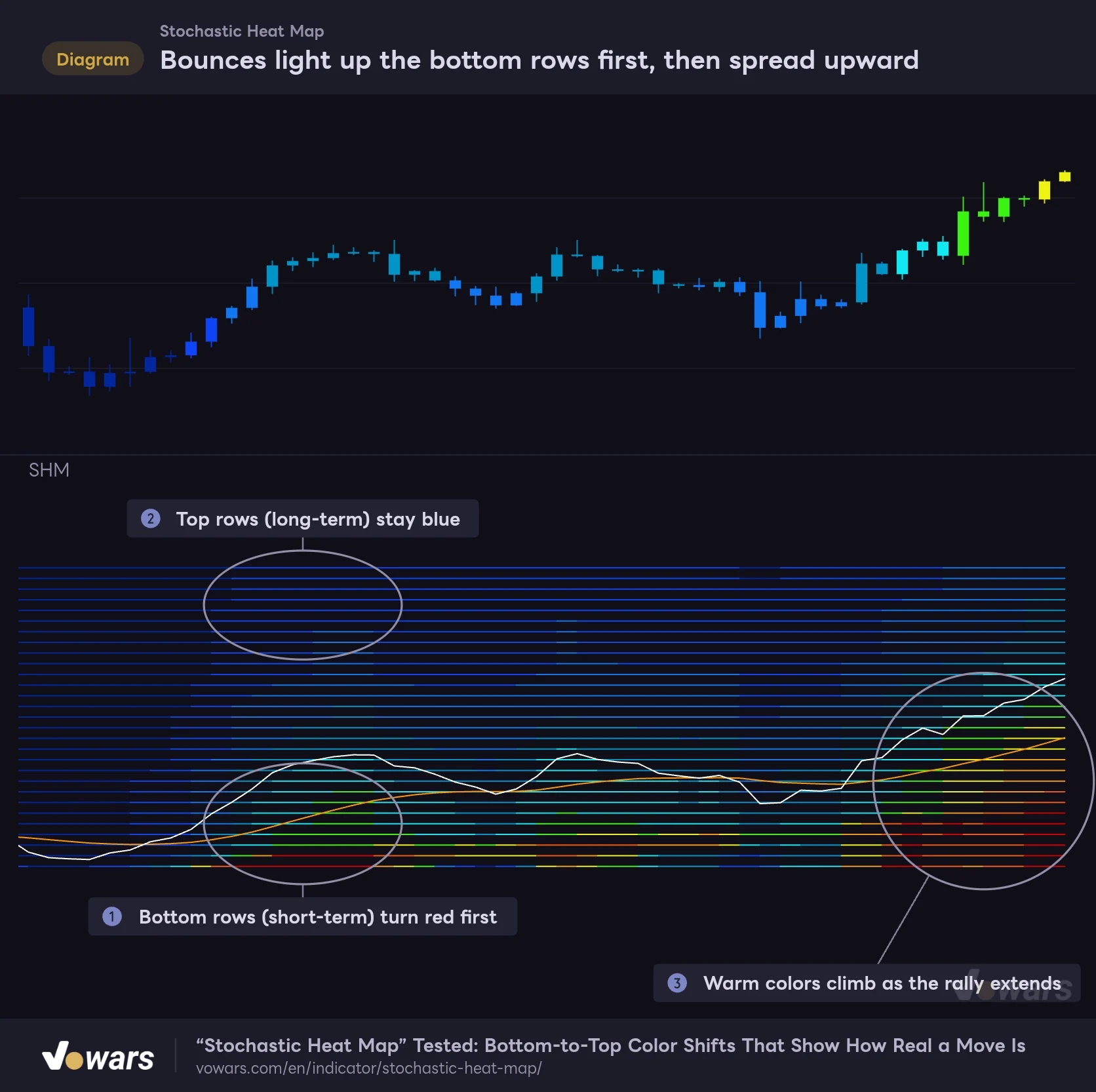
What I found most interesting about “Stochastic Heat Map” is the order in which the colors change. Shorter Stochastics react to price faster, so whenever a bounce or a pullback starts, the color shift always travels from the bottom rows up to the top.
Bounces light up the bottom rows first, then spread upward
Shorter Stochastics react faster, so color changes travel from the bottom of the pane to the top.
Vowars DE ver.3.12.30
On a bounce off the lows, the bottom rows (short-term) turn red and orange first, as in Figure ①. Meanwhile the top rows (long-term) are still blue, as Figure ② shows. Buyers are in control on the short lookbacks, but on the longer ones price hasn’t left the bottom of its range yet.
If the rally keeps going, the warm colors spread upward, as in Figure ③. Does it stall with only the bottom rows red, or does the color keep climbing to the top? Just watching that difference helps you judge whether you’re looking at a short-lived relief bounce or the start of a real trend change.
You don’t need to read every single line. What matters is how high up the pane the boundary between warm and cool colors currently sits. If that boundary is rising, momentum is reaching the longer lookbacks; if it stalls in the bottom rows, the move is still just short-term.
White and orange line crosses
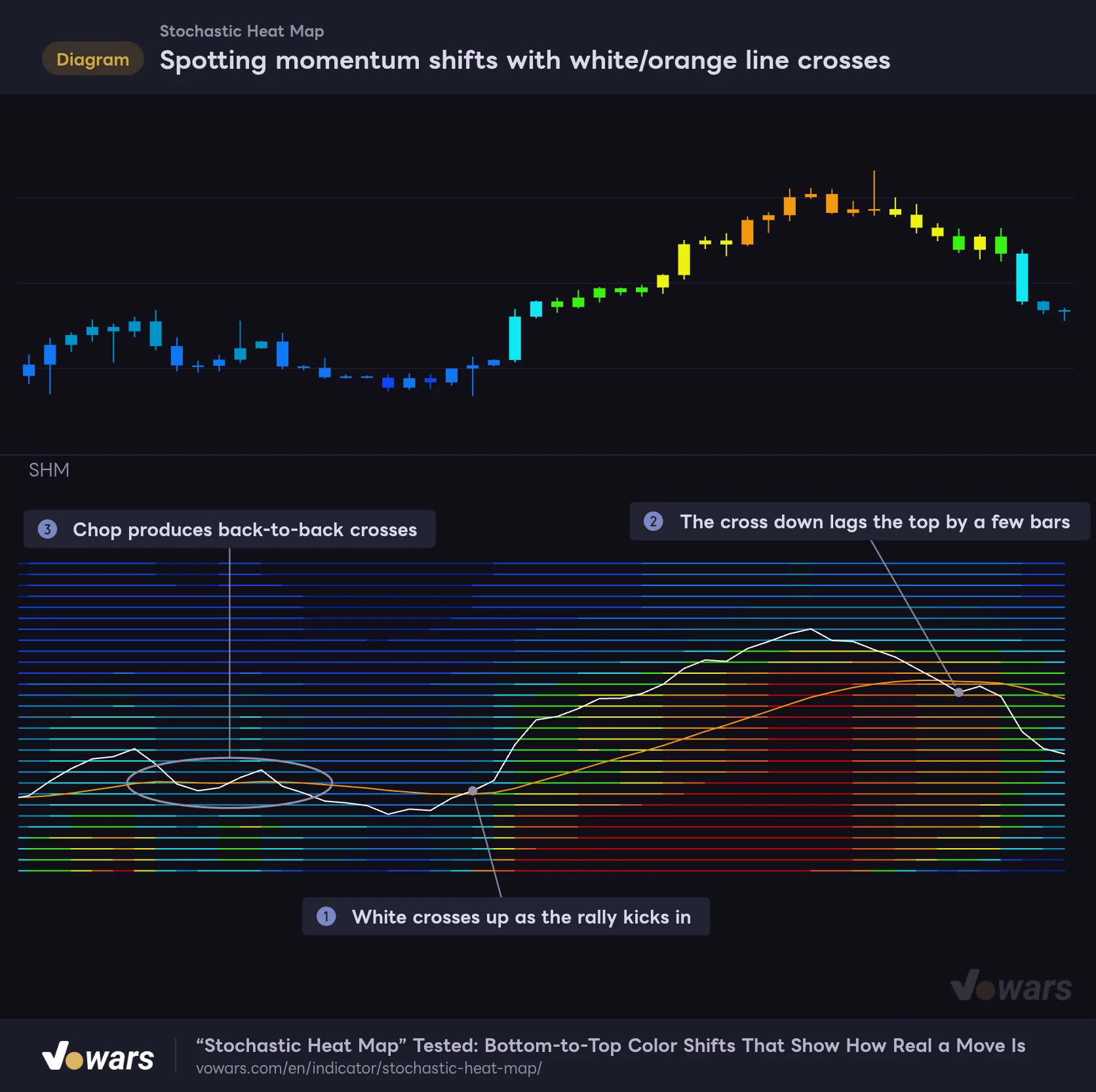
The heat map colors alone don’t tell you much about timing, so for that I use the white and orange lines. The white line is the 28-line average, and the orange line smooths it using the MA type (default EMA) and the Smooth Slow length (default 21).
Spotting momentum shifts with white/orange line crosses
When the white line (the 28-line average) crosses the orange line (its moving average), momentum is likely changing hands.
Vowars DE ver.3.12.30
The white line crossing up through the orange line at Figure ① reads as the average’s momentum turning up. In this chart, the rally kicked off right there, and the candles went from blue to cyan to green.
The cross down, however, shows up a few bars after the top, as in Figure ②. The orange line is a 21-bar moving average, so some lag is unavoidable. If you’re using it for taking profits, it’s more practical to get ready as soon as the white line rolls over from its peak and treat the cross as confirmation.
The other thing to watch out for is sideways chop like Figure ③. The white and orange lines tangle up and cross back and forth every few bars. “Stochastic Heat Map” doesn’t plot arrows or fire alerts on crosses, and I wouldn’t recommend trading the crosses on their own.
What changed when I switched timeframes
I compared it on the 5-minute, 1-hour and daily charts. With default settings, the longest line looks back 280 bars, so the actual time it covers varies a lot by timeframe.
| Timeframe | Approx. time covered by the top row (280 bars) | How it felt in use |
|---|---|---|
| 5-minute | About 23 hours (for crypto) | Great for spotting overheating within the day, but the colors flip fast |
| 1-hour | About 12 days | The bottom-vs-top gap is easiest to read here; a good fit for day trading |
| Daily | About 9 months (for crypto) | Calmer colors; handy for spotting dips in swing trading |
On instruments with limited trading hours, like stock indices, the same 280 bars cover an even longer stretch of calendar time. Gold and the major forex pairs trade mostly on weekdays too, so treat the numbers in the table as a rough guide based on crypto’s 24/7 market.
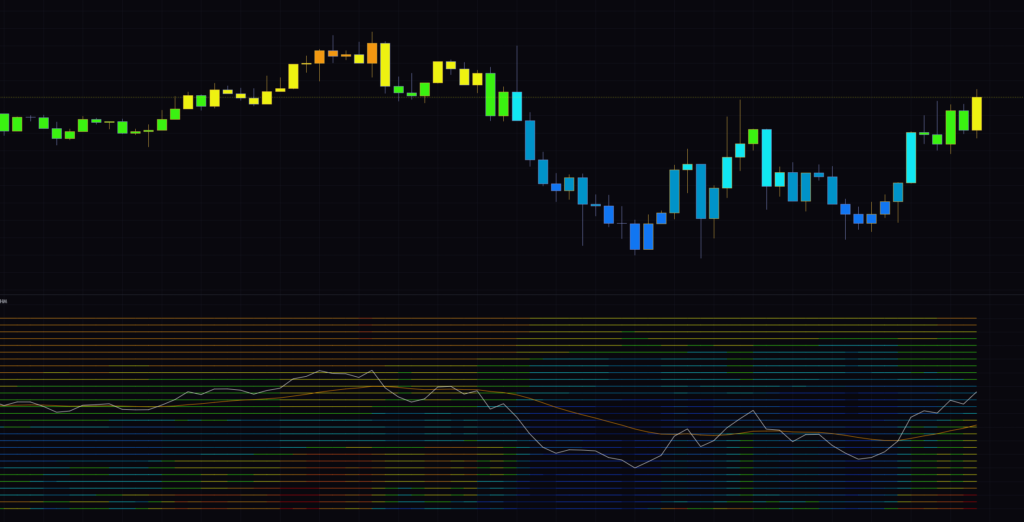
On the 1-hour chart, I could cleanly follow the whole sequence: the white line plunging into the bottom rows on the selloff, then bouncing and climbing back to the top. The lower part of the heat map warmed up first, and the rally continued after the white line crossed above the orange line, exactly in that order.
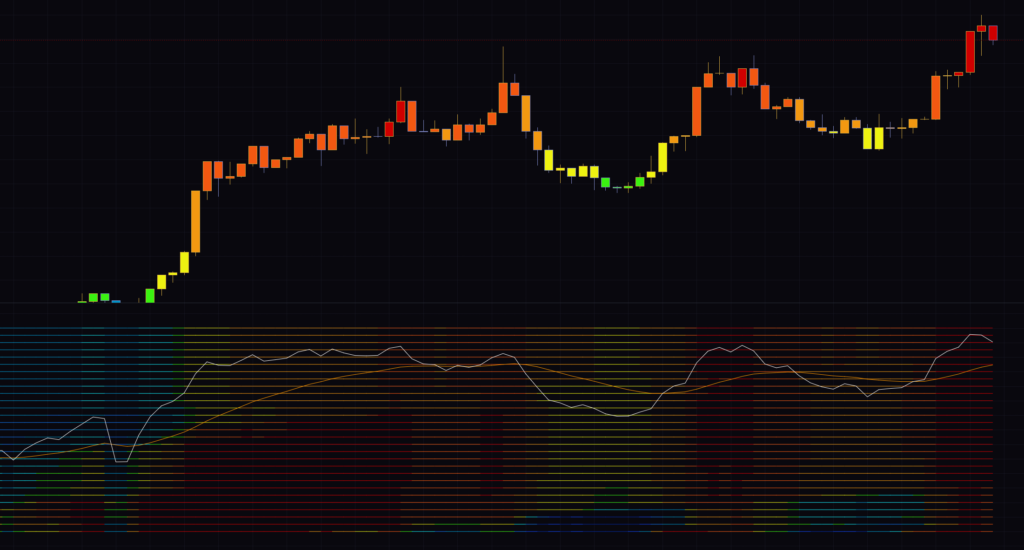
On the 5-minute chart, even a rally of just a few hours fills almost the entire lower half of the heat map with red. It’s usable for short-term trading, but the colors change quickly and it’s easy to get whipsawed until you’re used to it. For scalping, bumping up Smooth Fast (covered below) a little tames the flicker and makes the map easier to read calmly.
Tempted to short a red candle? Hold that thought
When the heat map turns solid red, it’s tempting to think “it’s overbought, so it has to come down.” After actually testing it, I’d say this is the biggest trap.
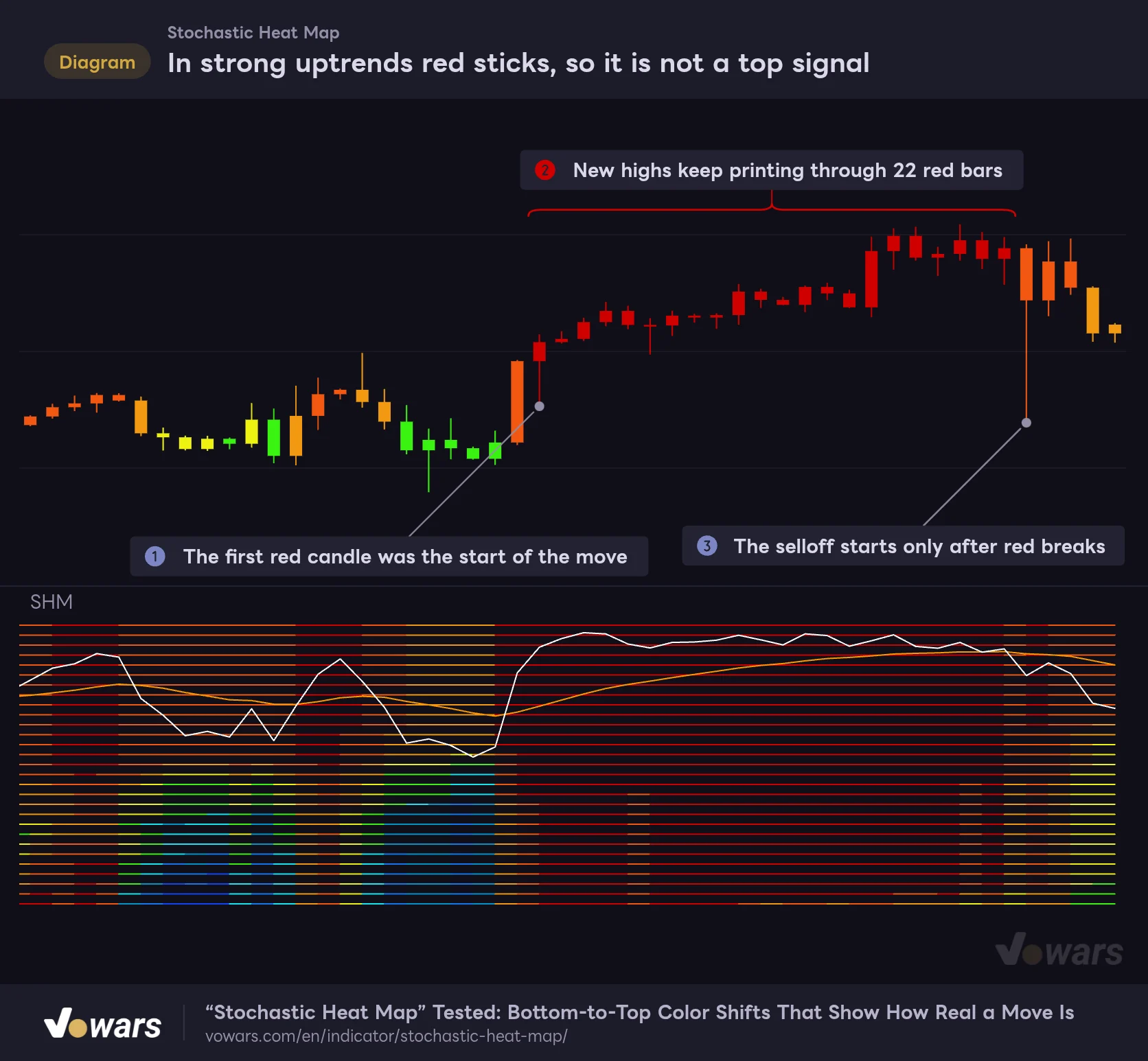
In strong uptrends red sticks, so it is not a top signal
Red at an average of 90+ is better read as extreme bullish momentum than as overbought.
Vowars DE ver.3.12.30
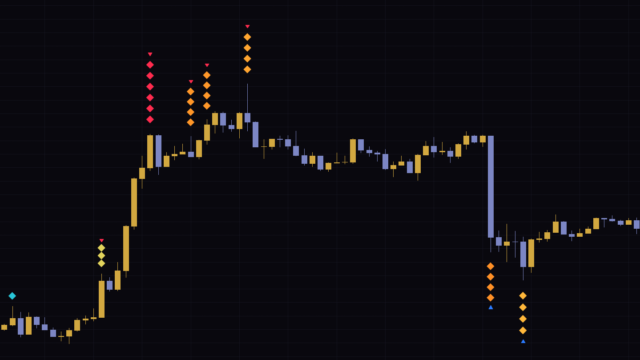
In a strong uptrend, the first red candle at Figure ① wasn’t the top; it was the start of the move. From there, as Figure ② shows, price kept making new highs through 22 straight red bars. The Stochastic moves toward 100 whenever the close is near the top of its range, so the stronger the trend, the more it stays pinned up there. If all 28 are pinned, the heat map just stays solid red.
The selloff only started after the red broke at Figure ③. Read red as “momentum is extremely strong” rather than “overheated.” If you’re thinking about shorting, it’s safer to wait for the red to break and then for the white line to drop below the orange line.
Red at an average of 90+ or navy below 10 is not a reversal warning. In a strong trend, extreme colors can last for dozens of bars. If you want to trade against the move, confirm first that price is actually in a range.
In range-bound markets, on the other hand, those extreme colors work much better. When price is boxed in, it tends to turn after the top rows go red or after the whole map goes navy. Having a separate way to tell trend from range keeps the meaning of “Stochastic Heat Map”‘s colors consistent.
The settings, and the values I settled on
“Stochastic Heat Map” has eight settings. The defaults work fine, but there’s plenty of room to tune it to your timeframe and trading style.
| Setting | Default | Suggested | Effect |
|---|---|---|---|
| MA | EMA | EMA | Smoothing type for each Stochastic and for the orange line. Choose SMA, EMA or WMA |
| Theme | Theme 3 | Theme 3 | Color palette. Theme 3 is a 10-step warm-to-cool scale, Theme 1 is green and red, Theme 2 is cyan and purple |
| Increment | 10 | 10 (5–7 for a shorter-term bias) | Step between Stochastic lengths. 10 gives 10–280, 5 gives 5–140 |
| Smooth Fast | 2 | 2 (3–4 on the 5-minute) | Smoothing length applied to each of the 28 Stochastics. Higher values make the color changes calmer |
| Smooth Slow | 21 | 21 (14 for earlier signals) | Length of the orange line. Lower values give earlier, but more frequent, crosses |
| Plot Number | 28 | 28 | Number of Stochastics calculated and drawn (1–28). Lowering it drops the longest lengths first |
| Paint Bars | On | Your preference | Whether candles are painted with the average’s color |
| Waves | Off | Off | Uses uneven length steps and stretches the long end much further |
Increment decides how far back the long-term view reaches
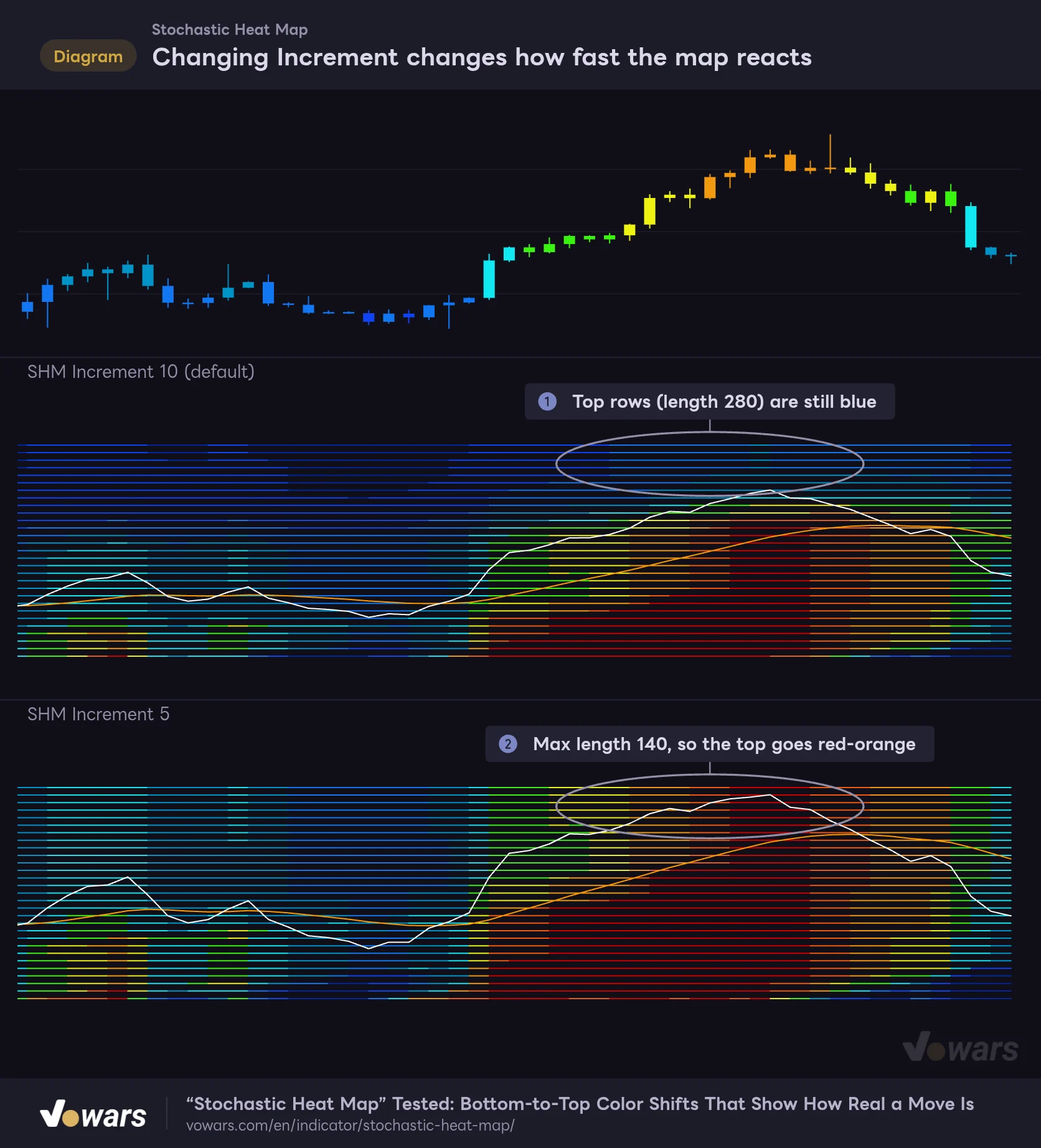
Increment is the setting with the biggest impact. Each of the 28 Stochastic lengths is “line number × Increment,” so changing this value shifts the whole map toward either the short-term or the long-term.
Changing Increment changes how fast the map reacts
Increment is the step between each Stochastic's length. At 10 you get 28 lines from 10 to 280; at 5, from 5 to 140.
Vowars DE ver.3.12.30
On the same price action, the default of 10 still has blue top rows, as in Figure ①, while at 5 the top rows have already turned red and orange, as in Figure ②. The longest length shrinks from 280 to 140, so even the long end reacts over a shorter window.
I mostly leave it at 10. The whole appeal of “Stochastic Heat Map” is the temperature gap between the bottom and top rows, so I want to keep a solid long-term end. When I don’t want months of history baked in on the daily, or want to narrow the 1-hour down to just a few days, dropping it to 5–7 gave a nicely balanced color response. Going the other way, 12–15 makes the long end even heavier and the colors change more slowly.
Smooth Fast and Smooth Slow
Smooth Fast sounds like it smooths the white line, but it’s actually the smoothing length applied to each of the 28 Stochastics, using the MA type. Since the white line is the average of those 28 smoothed values, it ends up smoother as a result. The default of 2 is pretty fast. On the 5-minute, raising it to 3–4 when the colors flicker cut down the blotchy look of the heat map.
Smooth Slow is the length of the orange line. Shortening it from 21 to 14 makes crosses with the white line show up earlier. The trade-off is more crosses during sideways chop, so if you time entries off the crosses, choose this one carefully.
A heads-up on lowering Plot Number
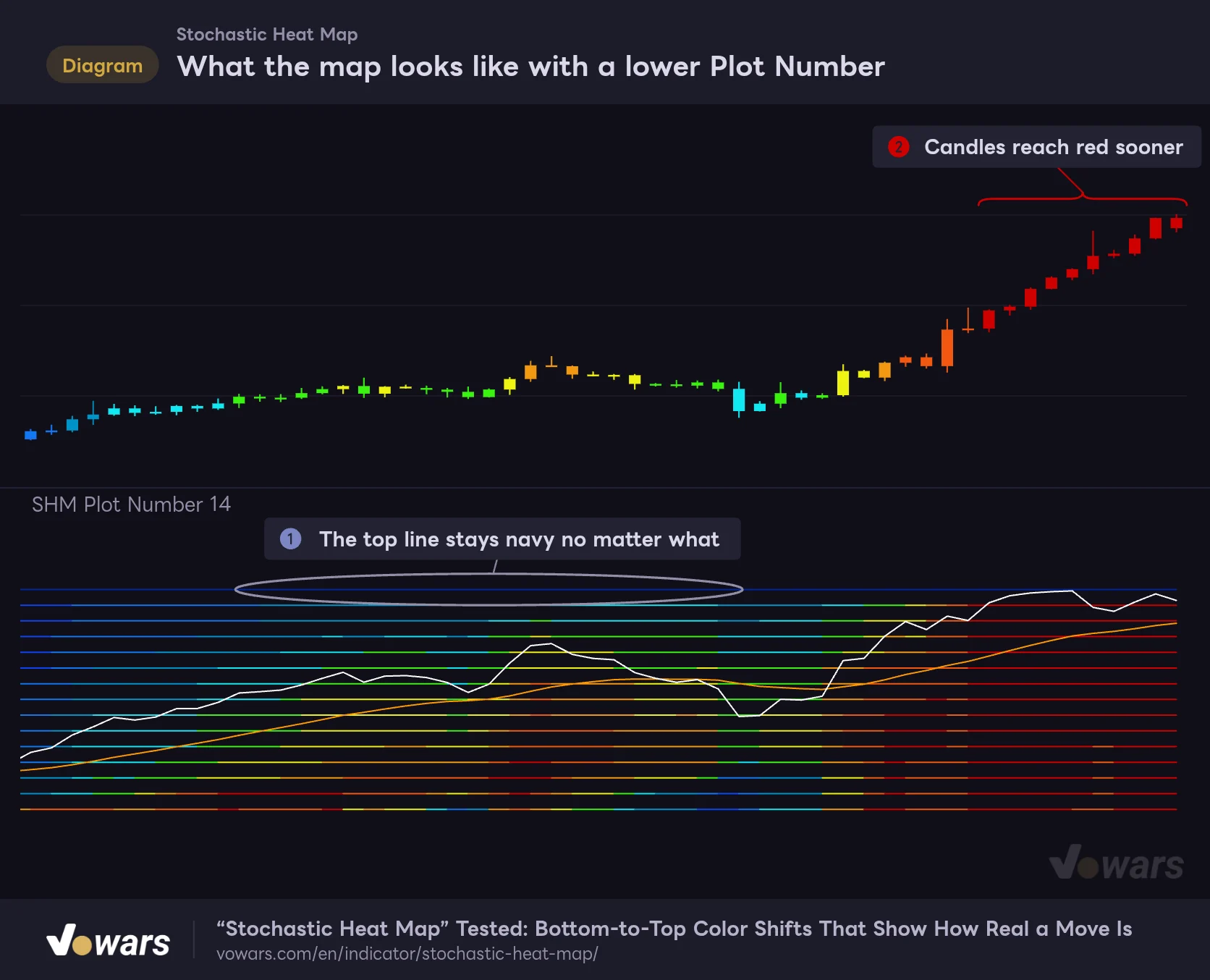
What the map looks like with a lower Plot Number
Plot Number sets how many Stochastics are calculated and drawn. At 14, the average uses only the 14 lines from length 10 to 140.
Vowars DE ver.3.12.30
Plot Number is how many Stochastics are calculated and drawn. At 14, only the 14 lines from length 10 to 140 go into the average, and the white line’s height runs from 0 to 14. With the long lengths dropped, the candles reached red more easily on the same rally, as Figure ② shows.
The thing to watch is the top line at Figure ①. Its color is driven by the 28th calculation, so when you plot fewer than 28 lines, it stays stuck on navy. It’s not a bug, so just ignore that top line whenever you lower the count.
MA, Waves and Paint Bars
MA defaults to EMA. Switching to SMA makes the color changes a bit slower and smoother, and WMA sits somewhere in between. This setting applies to both the smoothing of each Stochastic and the orange line.
Turning on Waves makes the length steps uneven. The bottom 10 lines keep the 10-bar steps from 10 to 100, but after that the long end jumps quickly: 150, 200 … 600, then 700 … 1200, then 1400 and 1600. The smoothing length also gets longer the higher up the line is. The top half of the heat map ends up covering a very long lookback, so this setting suits the daily and higher when you want to see where price sits within the bigger picture.
With Waves on and Increment at 10, the top row uses a length of 1600. The white line and candle colors only appear once all 28 values are available, so if the chart hasn’t loaded at least 1600 bars of history, you won’t see the white line or the bar coloring. On lower timeframes, that may exceed the number of bars the chart can load.
Paint Bars controls the candle coloring. It’s on by default and paints the main chart’s candles in the 10-step colors. On a dark chart background, navy candles are hard to see, so turning it off is a good option if you want to clearly see bullish and bearish candles. The heat map and the two lines in the lower pane stay exactly as they are when it’s off.
Settings by use case
| Goal | Main change | Why |
|---|---|---|
| Day trading on the 1-hour | Defaults | The 280-bar length covers about 12 days, and the bottom-vs-top gap is easy to read |
| Less color flicker on the 5-minute | Smooth Fast 3–4 | Filters out small wiggles in each Stochastic so the color blocks are easier to see |
| Catch crosses earlier | Smooth Slow 14 | Less lag on the orange line, at the cost of more crosses in chop |
| Faster, shorter-term response | Increment 5–7 | The longest length gets shorter, so even the long end changes color sooner |
| See the bigger picture on the daily and up | Waves On | The top rows stretch to lengths of up to 1600 bars, showing where price sits long-term |
Pair it with the EMA50 to measure how deep a pullback runs
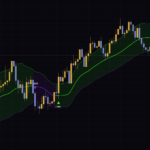
“Stochastic Heat Map” tells you the market’s “temperature,” but not the direction of the trend. What clicked best for me was adding a single moving average to the price chart and letting it handle direction. Of the ones I tried, TradingView’s built-in EMA with a length of 50 was the best match.
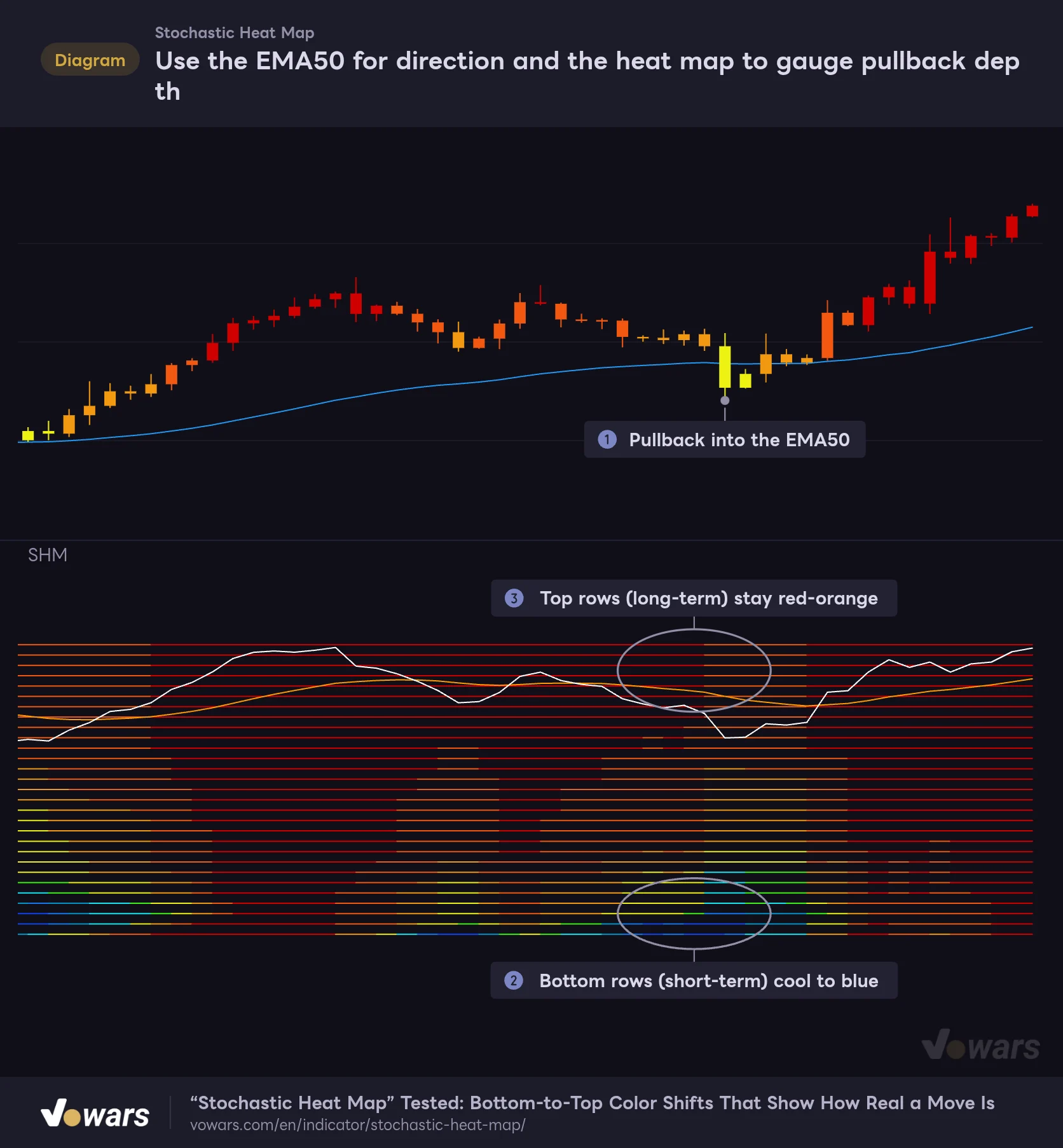
Use the EMA50 for direction and the heat map to gauge pullback depth
In an uptrend with price above the EMA50, the sweet spot is a dip where only the bottom rows cool off while the top rows stay hot.
- EMA50
Vowars DE ver.3.12.30
1 Confirm the uptrend with the EMA50
If price is above the EMA50 and the EMA50 itself is sloping up, treat it as an uptrend. If that condition isn’t met, it’s not a buy-the-dip candidate.
2 On the pullback, compare the bottom and top rows
Once price pulls back toward the EMA50, as in Figure ①, check the heat map. At Figure ② the short-term lines near the bottom have cooled all the way to blue, while the top rows at Figure ③ are still red and orange. Short-term selling is drying up while longer-term momentum is still intact: that’s what a healthy dip looks like.
3 Wait for the bottom rows to warm back up before entering
Enter once the cooled-off bottom rows turn warm again and the white line stops falling. In the chart, the rally resumes right where the bottom rows regain their color. Putting your stop where price clearly breaks below the EMA50 keeps your reasoning consistent.
I also think it works well with ADX (DMI), which measures trend strength: only fade the extreme colors when ADX is low and the market is ranging. Another option is to overlay Bollinger Bands on price and check whether the heat map is red all the way to the top when a candle closes outside the bands. Either way, the idea is the same: hand off “direction” and “market regime,” which “Stochastic Heat Map” can’t tell you on its own, to another indicator.
What I checked on repainting and alerts
“Stochastic Heat Map” simply calculates Stochastics from each bar’s high, low and close, then plots their average and a moving average of it. It doesn’t pull higher-timeframe data or reference future bars, so colors and line positions on confirmed bars never change after the fact.
The latest bar that hasn’t closed yet, however, gets recalculated every time price moves. Until the bar closes, both the candle color and the line colors can still change. Decide in advance whether you’ll act only on confirmed bars or look at the colors before bar close, and you won’t second-guess yourself. If you want to check how things looked on past bars, stepping through TradingView’s Bar Replay one bar at a time lets you follow the colors exactly as they were at each bar close.
As for alerts, “Stochastic Heat Map” has no built-in alert conditions. Nothing notifies you of crosses or color changes automatically, so it’s designed to be read off the chart. That said, TradingView’s alert dialog lets you pick an indicator on your chart as the condition and get notified when its value reaches a level you set (as of 2026/10/12). If you want something like a ping when the white line climbs above a certain height, that standard feature covers it.
Strengths and weaknesses after extended use
Where it shines
- Shows whether price is high or low in its range across 28 lookbacks, all in one pane
- The way color travels from the bottom rows to the top makes it easier to tell a short-lived move from a real one
- Confirmed bars don’t repaint
- Increment and Plot Number let you fine-tune the time span you want to watch
- The candle coloring alone shows momentum strength right on the main chart
What to watch out for
- In strong trends, red or navy can persist for a long time and is not a signal to fade the move
- Crosses with the orange line show up a few bars after tops and bottoms
- The lines are thin, so telling adjacent color steps apart precisely is difficult
- Lowering Plot Number leaves the top line stuck on navy
- Trend direction has to come from another indicator, such as a moving average
Laying the strengths and weaknesses side by side makes it clear that the job of “Stochastic Heat Map” is to show how hot the market is, and on which timeframes. Keep that in mind and most of the weaknesses can be worked around with how you use it.
A keeper for reading the temperature gap across timeframes
“Stochastic Heat Map” is an oscillator that packs 28 Stochastics of different lengths into a single heat map. Watching one Stochastic only tells you whether price is near the top of its range, but stacking 28 of them shows whether that strength is purely short-term or reaches all the way to the long-term lookbacks.
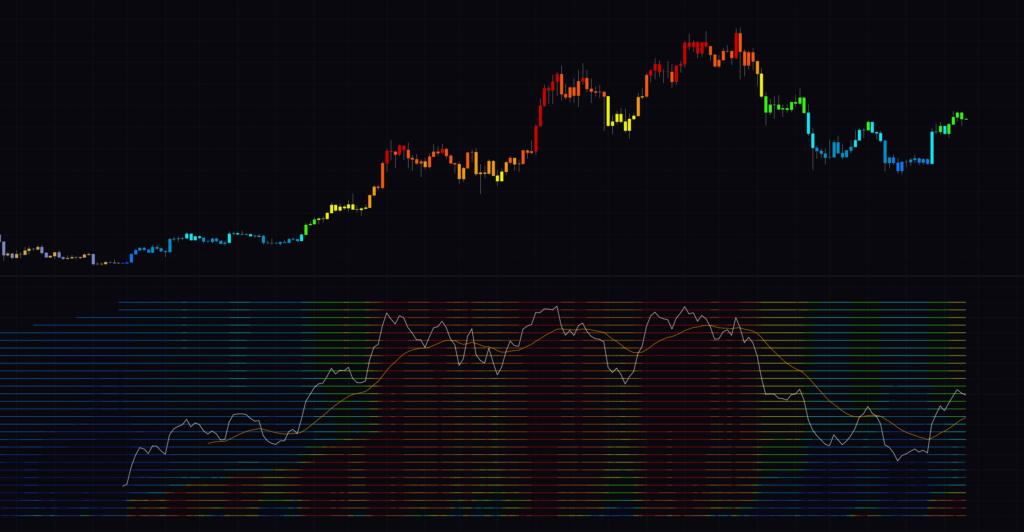 Image
ImageThe core of using it is watching how high up the pane the color boundary sits. If only the bottom rows are warm, it’s a short-term bounce; if the color has climbed all the way to the top, the trend is shifting. Time your entries with white/orange crosses, but remember they lag and produce more fakeouts in chop. Leaving direction to a trend indicator like the EMA50 and using “Stochastic Heat Map” to gauge how deep a dip or rally goes was the split of roles that worked best for me.
Don’t jump into a short just because you see a red candle. Keep that one rule in mind, and it’s an indicator that carries even more information than its flashy look suggests. Start by adding it to a 1-hour chart with default settings and watch the colors work their way from the bottom to the top a few times.