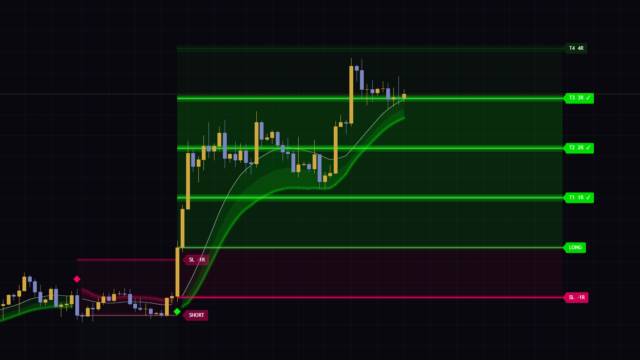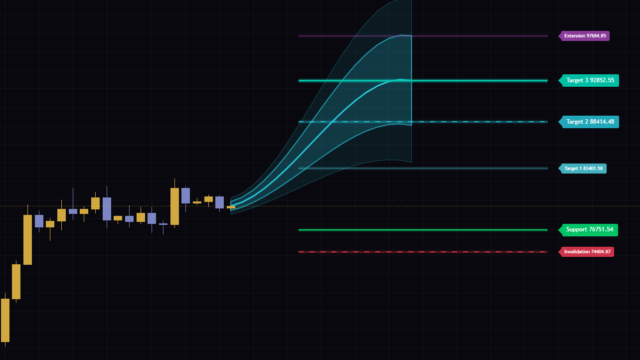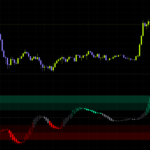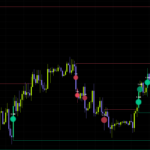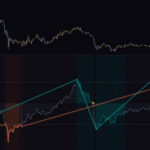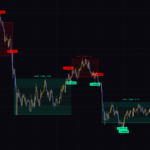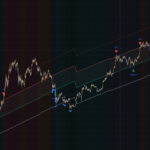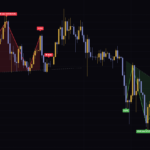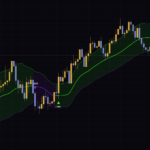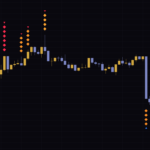

“3D Trend Vortex” flags the exact moment price “steps into” its bands
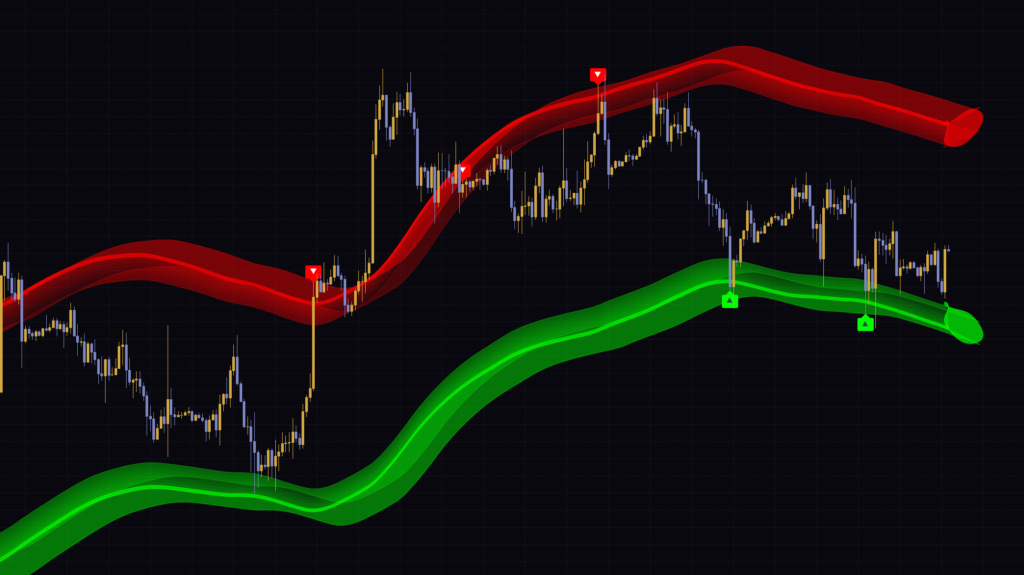
The first thing that grabs you when you load it is the pair of red and green bands popping off the chart in 3D. “3D Trend Vortex” is a TradingView indicator that draws a red band above and a green band below a moving average, and drops a ▲ or ▼ label on the first bar where price enters one of those bands. On top of that, it paints the candles green or red based on the slope of the moving average, with color intensity showing how steep that slope is.
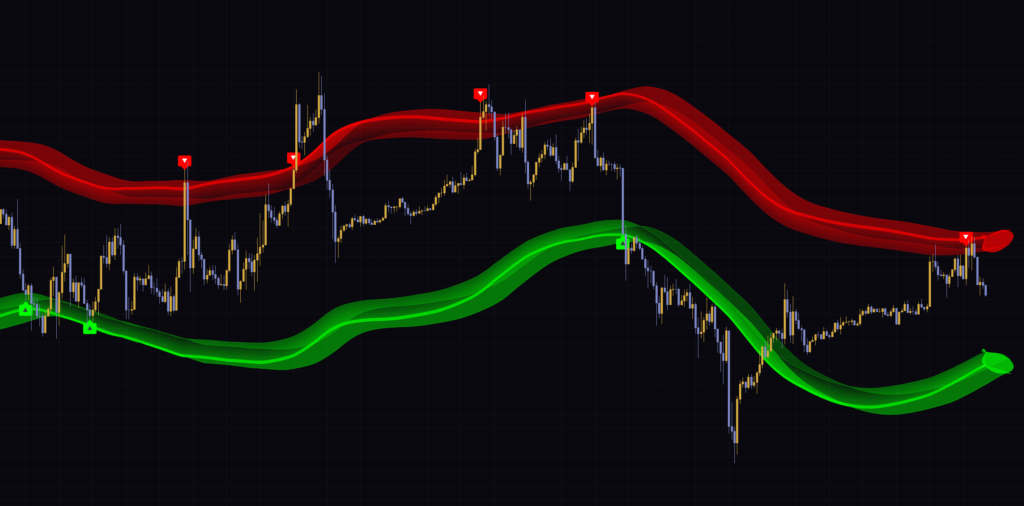
Despite “Trend” in the name, the ▲▼ signals are mean-reversion-leaning cues that tell you price has reached an overextended zone. Trend direction is handled by the candle color, and the signals run on a completely separate yardstick. Mix the two up and you will find yourself fading every ▼ that prints in the middle of a strong rally. I watched it for several days across seven timeframes on BTCUSDT, from the 5-minute to the weekly, and I will walk through the quirks I found along with how it works and how to dial in the settings.
Only five things on the screen
It looks busy, but there are not many elements on the chart. If you are new to it, keep the table below in mind and it will click much faster.
| Element | What it shows | When the color changes |
|---|---|---|
| Upper red band | The sell-side zone. A close above its lower edge (the side closest to price) qualifies for a ▼ | Always the “Bearish” color. Stays red even when the trend flips |
| Lower green band | The buy-side zone. A close below its upper edge qualifies for a ▲ | Always the “Bullish” color. Stays green even when the trend flips |
| ▲/▼ labels | The first bar that closes past the inner edge of a band | Once one prints, the same side stays quiet for a set number of bars |
| Candle color | The slope of the basis moving average. Brighter means steeper | Green if the MA is above its value 3 bars ago, red if below |
| 3D effect on the right edge | Visual depth made by shifting and stacking the band edges | Redrawn every time the latest bar updates |
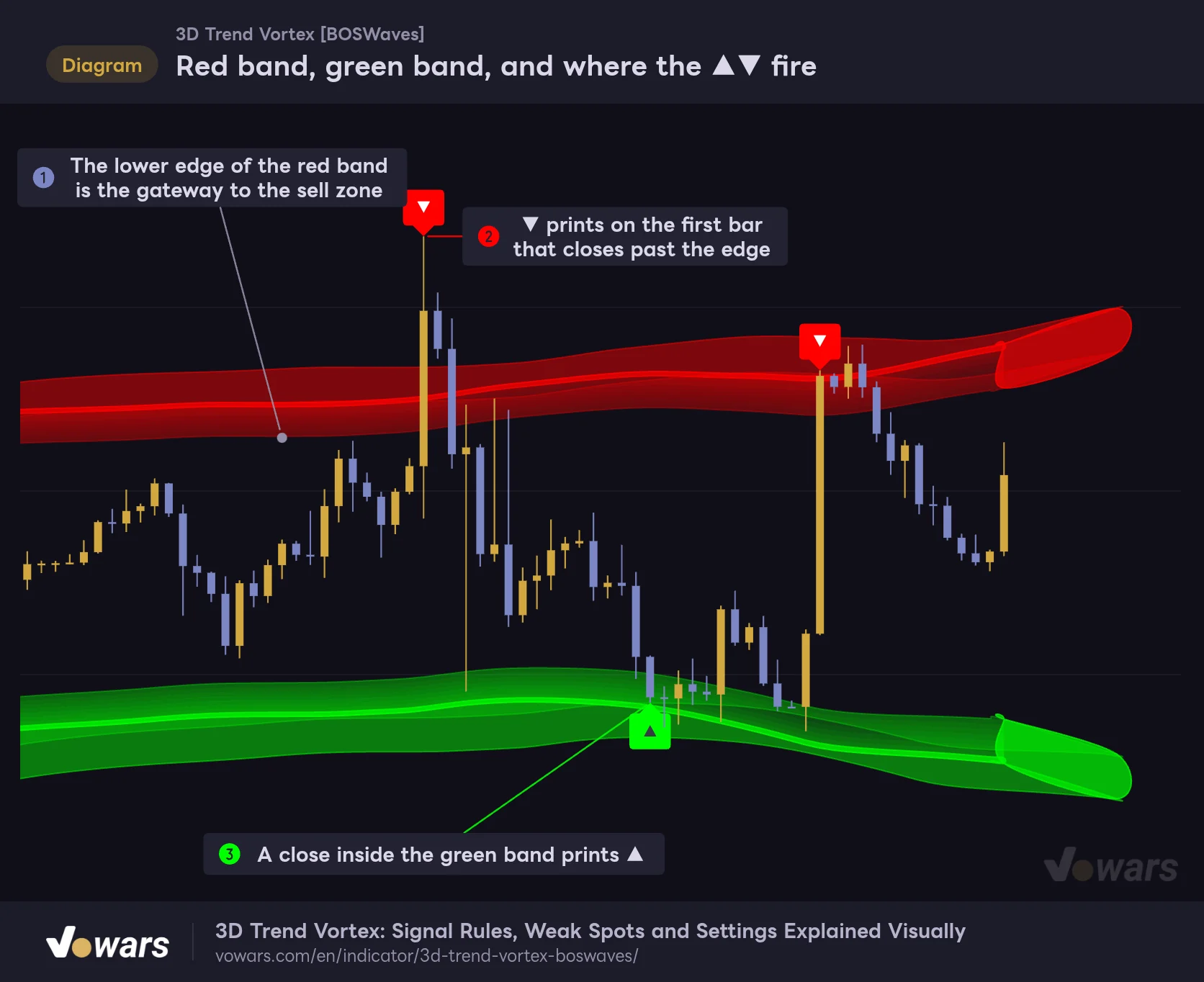
The first thing to lock in is that the band colors do not swap with the trend. The upper band stays red in an uptrend, the lower band stays green in a downtrend, and only the candles change color. I mapped out how the bands and signals line up in the figure.
Red band, green band, and where the ▲▼ fire
The upper red band is the sell-side zone and the lower green band is the buy-side zone. A ▼ or ▲ prints on the first bar that closes beyond the inner edge of either band.
Vowars DE ver.3.12.33
The signal line is not the middle or the outer edge of the band. It is the inner edge, shown in Figure ①. The big bullish candle in Figure ② blows through the band with its high, but the ▼ is there because the close finished past the edge. The ▲ in Figure ③ works the same way: it sits on the bar that closed below the upper edge of the green band.
Bands sit 3× ATR away, and their thickness only shifts a little with slope
The band placement comes from a moving average of the close (EMA21 by default) and ATR. ATR is the average range per bar, and it grows as the market gets more volatile. “3D Trend Vortex” takes ATR(14) and averages it again over 50 bars before using it, so a single wild candle does not make the bands jump.
- The inner edge of each band sits Band Offset (ATR×) times the averaged ATR (default 3) above and below the moving average.
- From there, the band extends outward with a thickness of Band Width (ATR×) times ATR (default 0.9).
- All four edges are smoothed with an EMA of Band Smoothing bars (default 65), which gives them those smooth curves.
- Each band is filled in eight layers, more transparent toward the inside and more opaque toward the outside.
The distance between the two inner edges is roughly 6× ATR. These are not bands that hug price like Bollinger Bands at ±2σ; they sit far enough out that normal price action never reaches them. That is why you only get a signal once every few dozen bars or so.
The “breathing bands” effect is subtle
The band thickness is designed to tighten when the moving average slope is steep and widen when it goes flat. It scores the current slope from 0 to 1 against the steepest slope of the last 80 bars, and thins the band by up to 30%. It is a neat idea: showing momentum through the width of the band itself.
The catch is that the thinned width also goes through the 65-bar Band Smoothing. When I measured it across several charts built for the figures, the band shrank by about 20% at most. Most of the widening and narrowing you see actually comes from changes in ATR itself, not from slope.
To make the width changes stand out, lower Band Smoothing to around 30 and the squeeze becomes easier to see. That said, the candle color intensity was faster and more accurate for reading momentum. I found it best to treat band width as a secondary cue.
The ▲▼ rules: “the close,” “the first bar,” and “a 20-bar gap”
The signal logic is simple, which also makes it easy to explain why a signal did not fire. Here it is broken into three rules.
1 Only the close counts
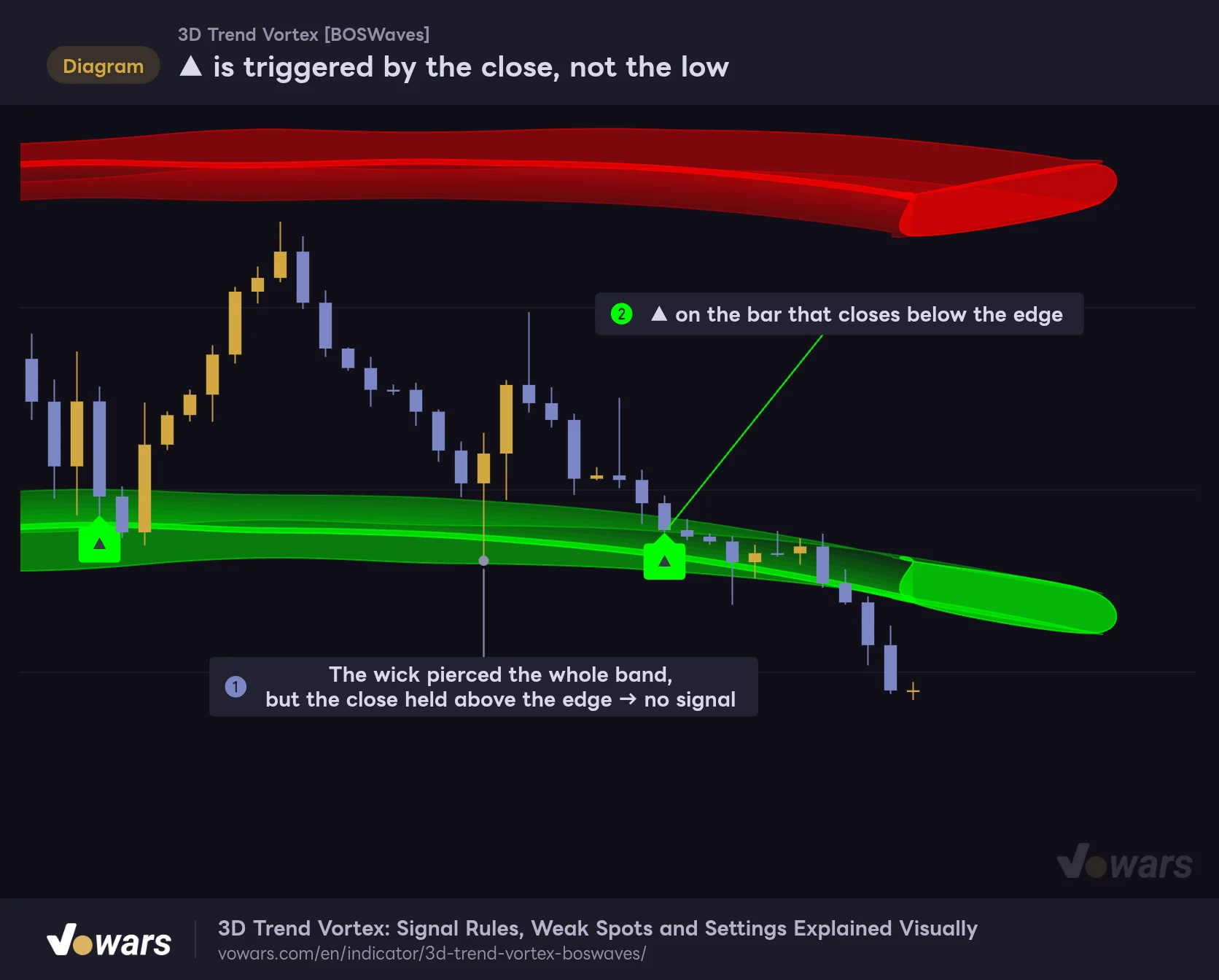
Highs and lows are not part of the check. Even if a long lower wick spears through the green band, no ▲ prints if the bar closes back above the edge. The bar in Figure ① is an example where the wick reaches beyond the band and there is still no signal.
▲ is triggered by the close, not the low
Even if a wick stabs through the green band, no signal prints as long as the bar closes above the band's upper edge.
Vowars DE ver.3.12.33
A wick that tags the band and snaps right back often shows a strong rejection, so it felt like a bit of a missed opportunity that no ▲ shows up there. On the other hand, as in Figure ②, a bar that closes below the edge gets its ▲ without fuss. If you also want to catch wick rejections, you will need to eyeball the band touch yourself instead of waiting for the ▲.
2 Only the first bar that “enters” the band
A signal prints only when the previous bar was still short of the edge and the current bar closes past it. While price stays inside or beyond the band, no new signal appears no matter how many bars go by.
3 A 20-bar gap on the same side
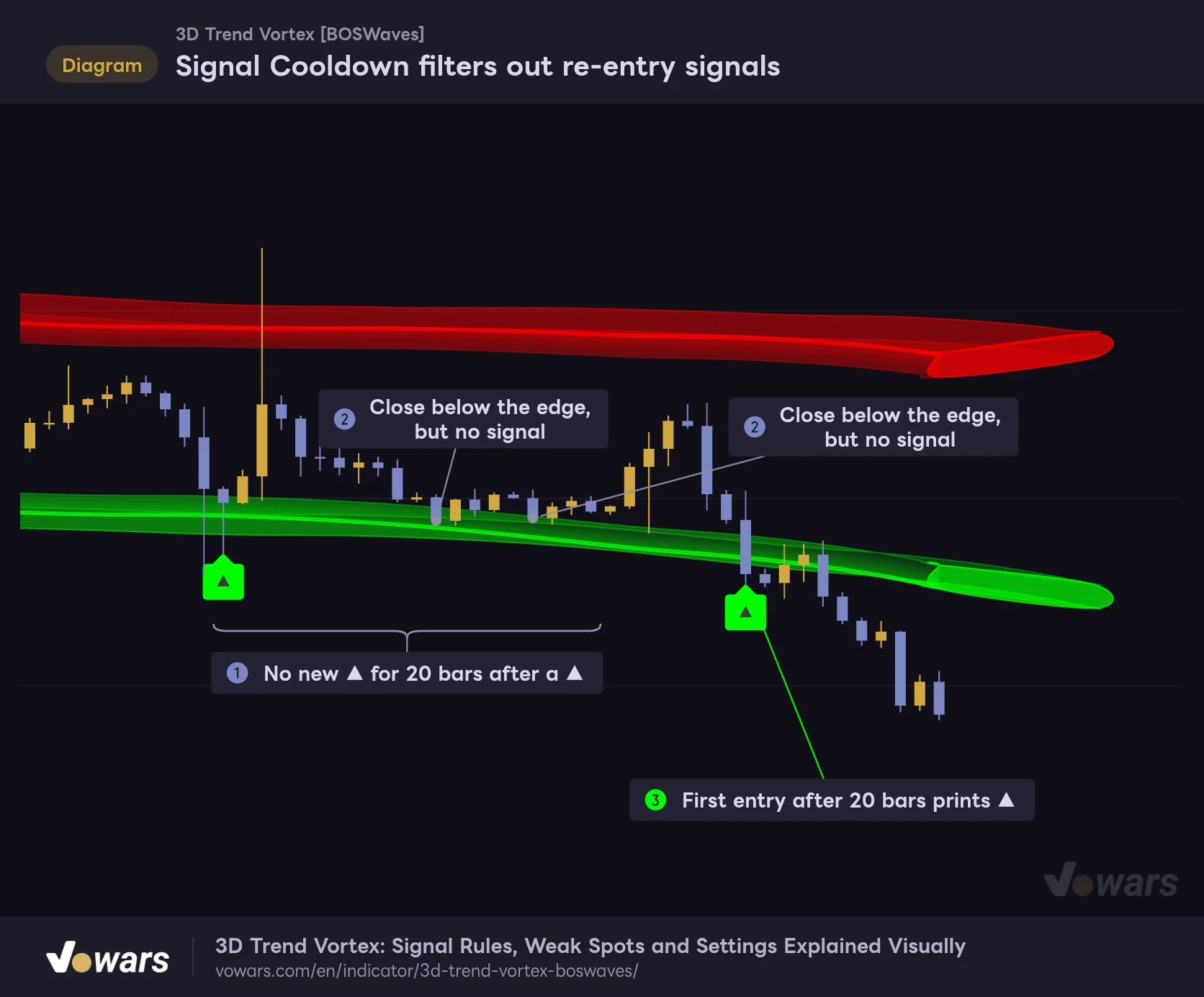
Signal Cooldown (default 20) is the number of bars the indicator waits before printing another signal on the same side. Until 20 bars have passed since a ▲, no new ▲ appears even if price moves in and out of the edge. ▲ and ▼ are counted separately, so a ▼ can still print up top right after a ▲.
Signal Cooldown filters out re-entry signals
For 20 bars (default) after a ▲, no new ▲ prints even if price closes back inside the green band. The ▼ side works the same way, and buy and sell are counted separately.
Vowars DE ver.3.12.33
Both bars in Figure ② close below the edge, but they fall inside the window in Figure ①, so no label shows. Only once the window clears, in Figure ③, does the next ▲ finally print. It is nice that labels do not pile up when price chops around the edge, but keep in mind that “the second entry you really wanted” gets filtered out too.
There are two alerts, “Buy Signal” and “Sell Signal,” and their conditions are exactly the same as the ▲▼. Bars filtered out by Signal Cooldown do not trigger an alert either. On the other hand, even if you turn off Show Signals to hide the labels, the alert conditions stay active. You can keep the chart clean and still get notified.
Because the check is based on the close, labels can appear and disappear on the live bar as the price moves. Set the alert frequency in TradingView to “Once Per Bar Close” and you will only get signals from confirmed bars.
Candle color is set by the slope of the moving average
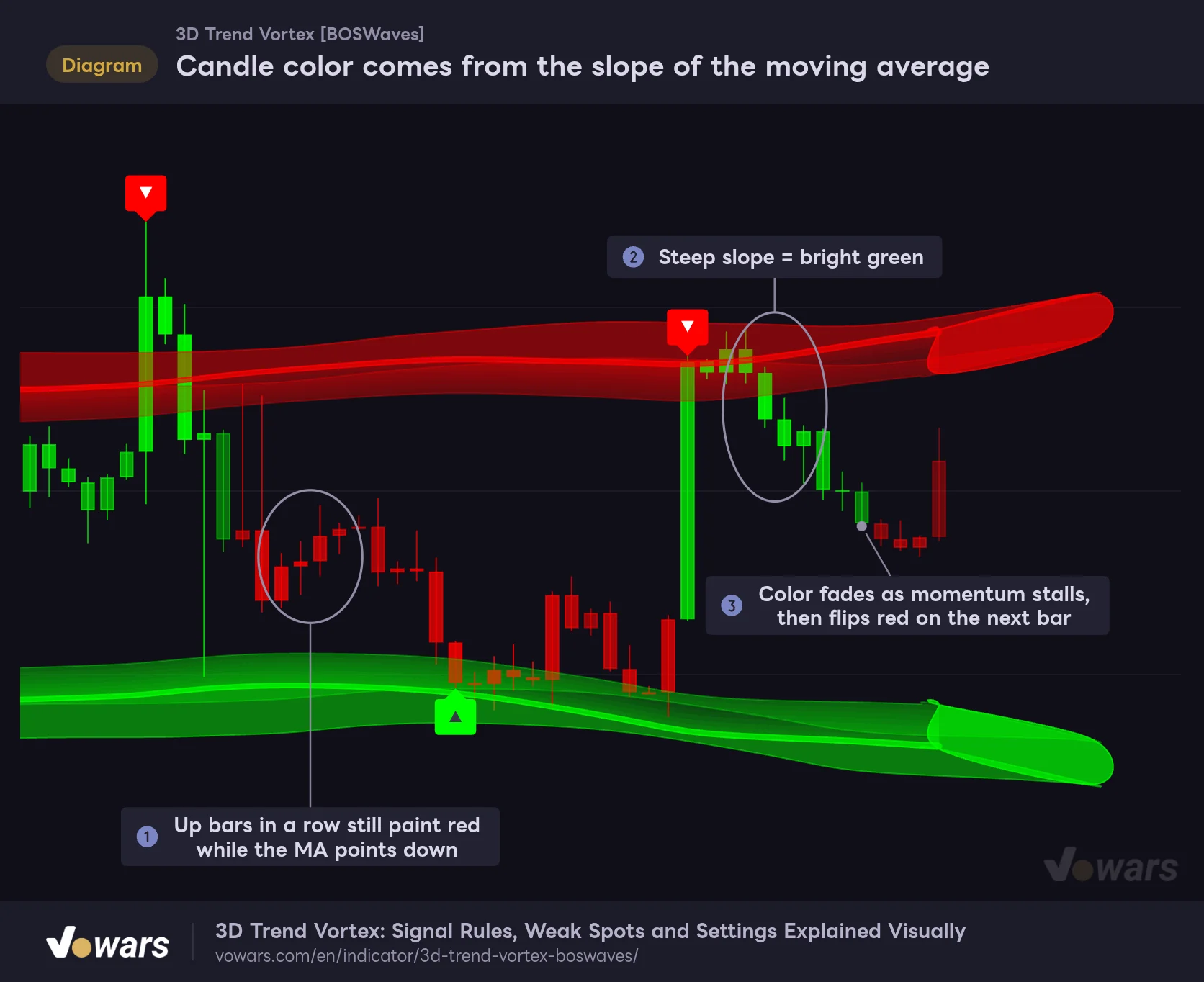
The trend call is simply whether the basis moving average is above or below where it was 3 bars ago. Above means green, below means red. On top of that, the color intensity changes with the current slope compared to the steepest slope of the last 80 bars. Whether the candle itself is bullish or bearish does not matter.
Candle color comes from the slope of the moving average
With Color Candles, a candle is green when the basis moving average (EMA21 by default) is above its value 3 bars ago and red when it is below. The steeper the slope, the brighter the color; as it flattens, the color fades.
Vowars DE ver.3.12.33
In Figure ①, price has closed higher several bars in a row, yet the candles are red because the moving average is still pointing down. Steep stretches like Figure ② turn bright green, while in Figure ③ the color fades as momentum stalls and flips to red on the next bar. You can read a fading color as a heads-up that a turn is near, and personally I think this is the most practical part of the indicator.
Just adding it will not show the colored candles
This is where Color Candles trips people up. It is on by default, yet when you first add the indicator, the chart will most likely still look like your usual candles. The indicator draws behind the chart’s main candles, so its colored candles end up hidden underneath them.
- Right-click an empty area of the chart and open “Settings.”
- On the “Symbol” tab, uncheck the candle “Body,” “Borders,” and “Wick.”
- The chart’s main candles disappear, leaving only the candles painted by “3D Trend Vortex.”
If you remove “3D Trend Vortex” later and forget to re-check those boxes, you will be left with a chart that has no candles. Setting up a dedicated chart layout for it saves you from that scramble when switching.
The bulge on the right edge is not a “future projection”
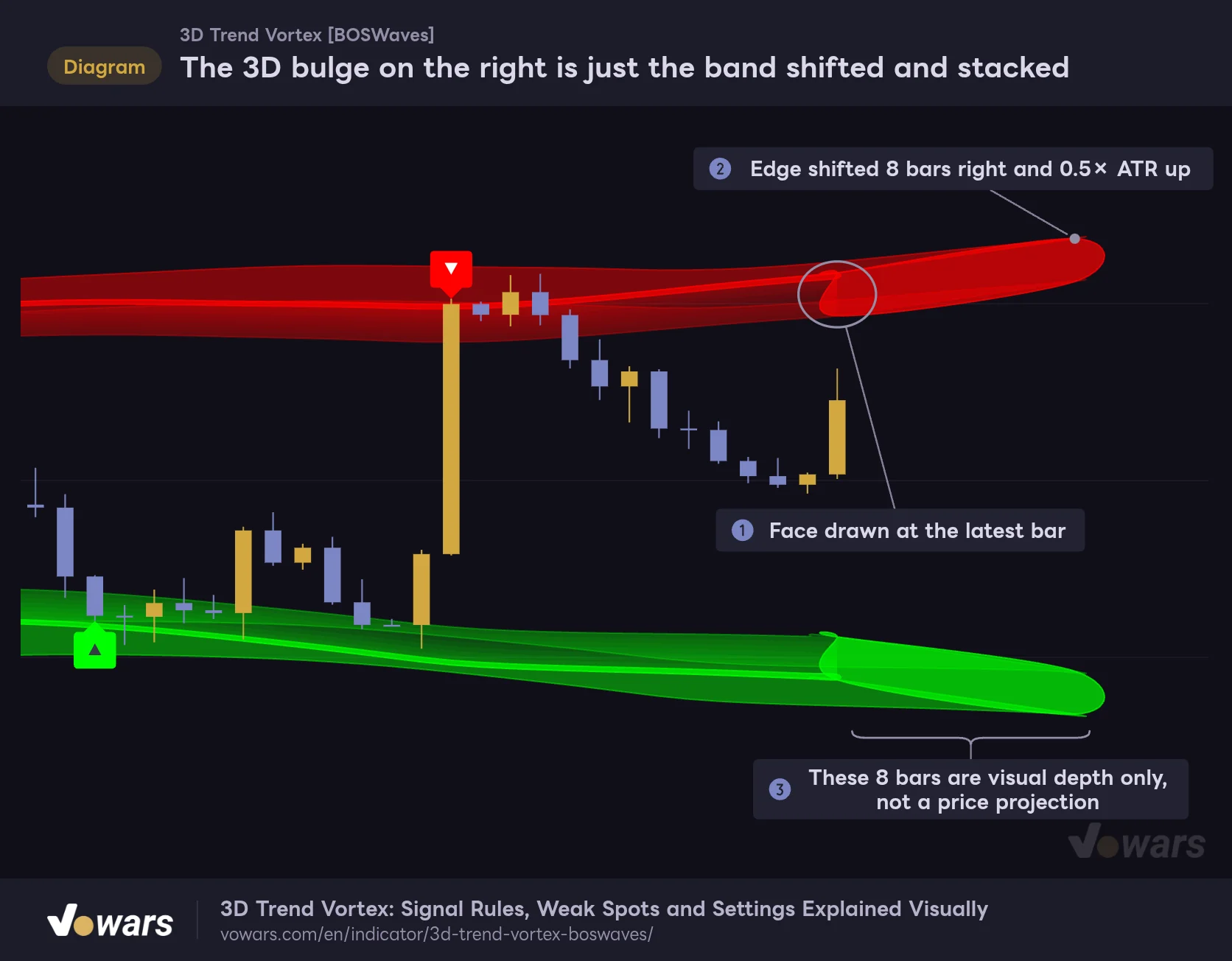
The 3D effect where the bands curl outward around the latest bar is this indicator’s signature look. What it actually does is stack faces that shift the band edges 3D Depth (Bars) bars to the right and 3D Height (ATR×) times ATR up or down, creating the illusion of depth.
The 3D bulge on the right is just the band shifted and stacked
The bulge at the latest bar comes from layering faces that shift the band edges 8 bars to the right and 0.5× ATR up or down. It is not drawing future price.
Vowars DE ver.3.12.33
Figure ① is the face drawn at the latest bar, and Figure ② is the shifted edge. The 8 bars sticking out to the right in Figure ③ are just the current band position moved up and to the right (down and to the right for green). They say nothing about where the bands will go next. The first time I saw it, I hoped it was plotting the bands’ path forward, but that is not what it does.
The 3D faces are also layered over the entire band for the most recent 3D Display Length bars (default 400), which creates a bright line running through each band. That line is the outline of a 3D face tracing the outer edge of the band, not the signal line. The signal line is always the inner edge, so make sure not to confuse the two.
Shines in two-way markets, struggles in one-way runs
Comparing several days of charts, the line between where the signals work and where they misfire was pretty clear-cut.
When price swings between the two bands
When the moving average is flat and price swings back and forth between the red and green bands, ▼ lined up nicely with local tops and ▲ with local bottoms. On the 1-hour chart, ▼ printed on the upper wick of the late-September spike, the October 5 high, and the high around the turn from October 6 to 7, and price rolled over from each. Because the bands sit far out at 3× ATR, they ignore normal noise and only catch the bars that overshoot, and that is what makes it work.
In sharp dumps and pumps, the bands get left behind
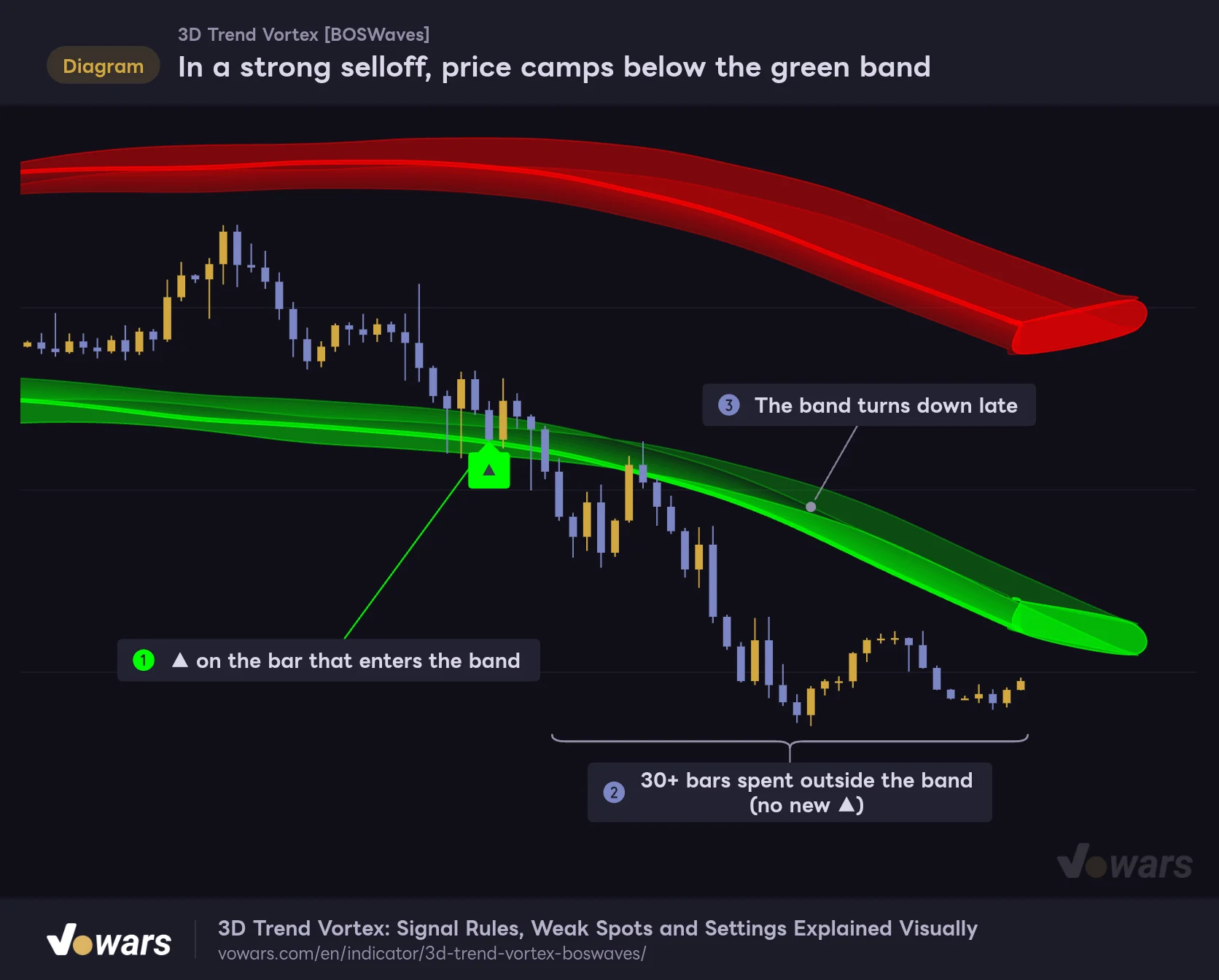
Its weak spot is strong one-directional moves. The bands are smoothed over 65 bars, so they lag sharp moves by dozens of bars. When price blows through a band and keeps running, the ▲ prints once on the first bar inside the band and that is it.
In a strong selloff, price camps below the green band
▲ marks the moment price enters the band, not a bottom. In a fast dump, price keeps running outside the band and the band lags behind.
Vowars DE ver.3.12.33
After the ▲ in Figure ①, price keeps sliding outside the band, as shown in Figure ②. The band eventually turns down, as in Figure ③, but by then the bottom is already close. On the live 1-hour chart as well, after a ▲ printed in the middle of the October 7 dump, price stayed below the green band for more than a full day.
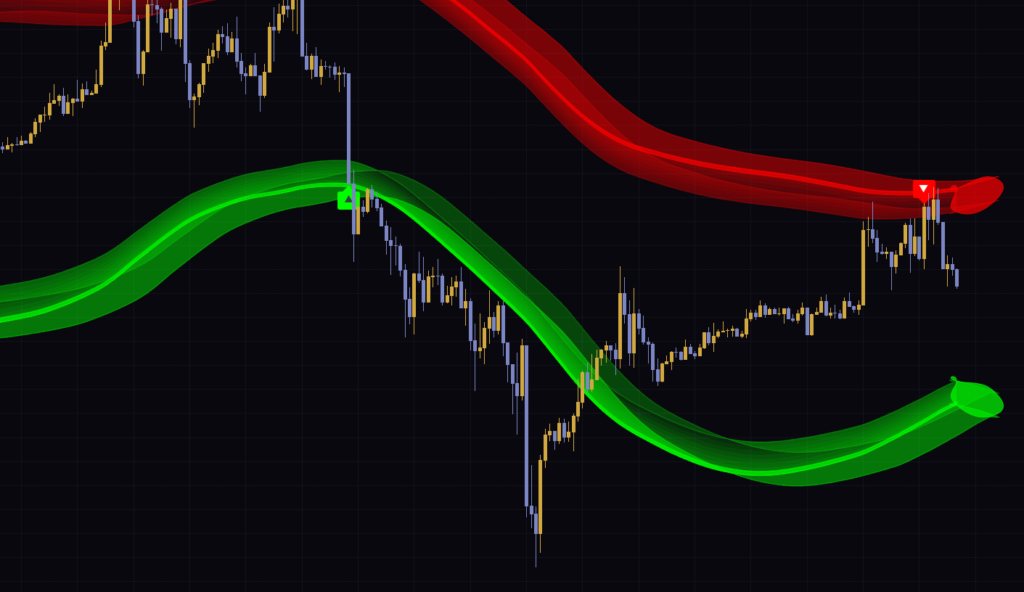
The same thing happens on the way up. On the 15-minute chart, while price ground higher from the 11th into the 12th, it rode along the red band and ▼ printed four times, roughly half a day apart. The last ▼ did mark a turn near the high, but if you had shorted the earlier ▼s, you would have been sitting underwater for a while.
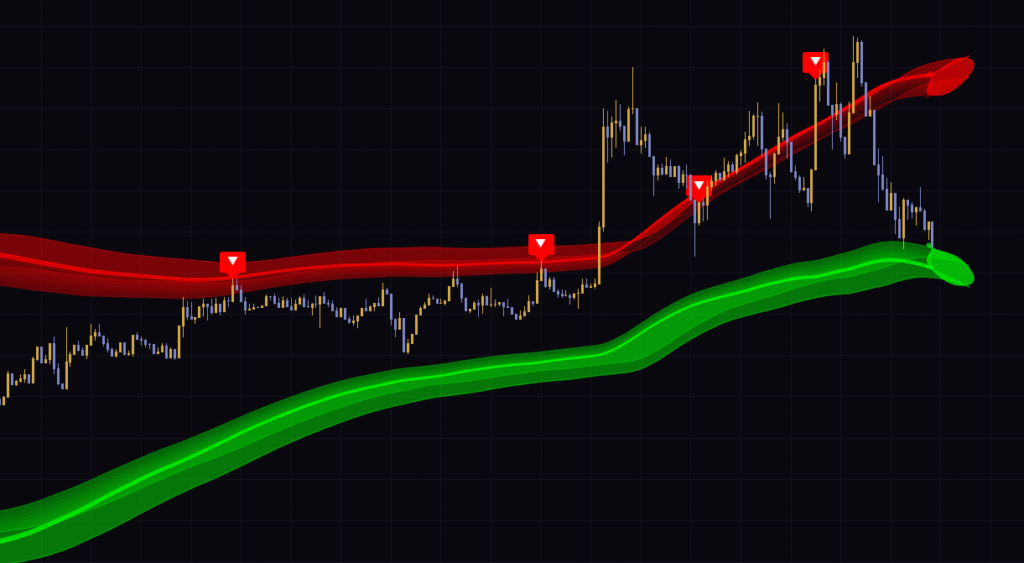
Candle color (trend direction) is not part of the signal conditions. Even in the middle of a rally full of bright green candles, a ▼ prints as soon as price reaches the upper band. Treat a countertrend signal as “a sign of overextension,” not a reversal call, and wait for the reversal to confirm before acting. That is the safer play.
It only calculates on the last 500 bars
“3D Trend Vortex” is built to calculate only on the most recent 500 bars of the chart. Anything older than that gets no bands, no signals, and no candle colors. On top of that, for roughly the first 85 bars of the calculation, the bands are not drawn at all until the moving average and the averaged ATR have enough data. As a result, the bands only show up on about the last 415 bars.
| Timeframe | Approx. range where bands appear (about 415 bars) |
|---|---|
| 15-minute | About 4.3 days |
| 30-minute | About 8.5 days |
| 1-hour | About 17 days |
| 4-hour | About 69 days |
| Daily | About 1 year and 2 months (for 24/7 markets) |
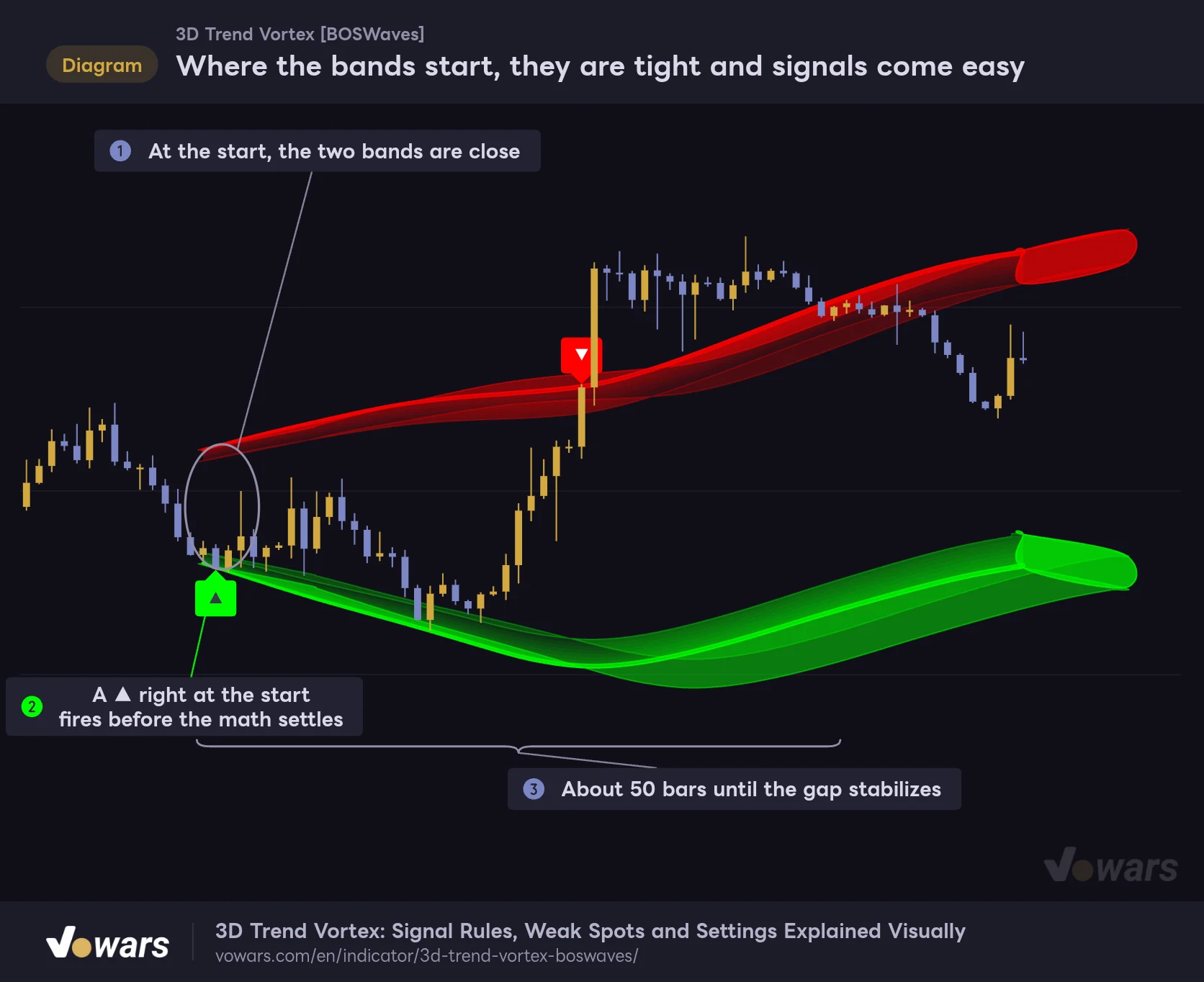
The part that is easy to overlook is where the bands start. Right after the calculation begins, the bands fan out from close to price, so price can reach an edge it normally would not, and signals fire more easily.
Where the bands start, they are tight and signals come easy
“3D Trend Vortex” only calculates on the most recent 500 bars. Right after the calculation starts, the bands fan out from close to price, so take the bands and signals at the left edge of the chart with a grain of salt.
Vowars DE ver.3.12.33
As shown in Figure ①, the two bands start out close together, and the ▲ in Figure ② is a product of that. Until the gap settles over the roughly 50 bars in Figure ③, take both the bands and the signals with a grain of salt. On the 30-minute chart, too, the bands started partway across the screen and a ▲ printed right after.
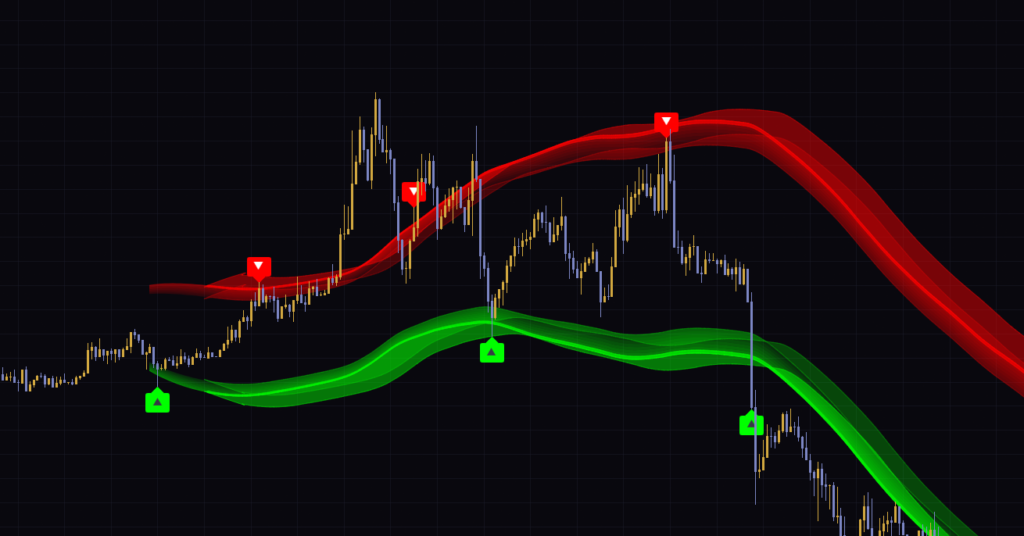
Does it repaint, and how are confirmed bars handled?
The bands and signals are calculated only from data up to each bar. It does not use future bars, so while you keep the chart open and new bars come in, signals on confirmed bars never vanish after the fact. Labels flickering on the live bar are just the close not being final yet, and they settle once the bar closes.
What you do need to watch is reloading the chart. The starting point of the calculation shifts to “500 bars back from now,” so the bands and signals near the left edge of the range can look different from last time. Signals older than 500 bars drop off the chart. The most recent few hundred bars are unaffected, but if you are counting past signals to estimate a win rate, it is safer to leave the left-edge section out. Also note that there is no setting in the indicator’s settings panel to change the calculation range.
Dialing in the settings: what does each input change?
The inputs are split into four groups. Names are listed exactly as they appear in the settings panel. The suggested values are starting points based on testing Bitcoin on the 15-minute to 4-hour charts.
| Setting | Default | Suggested | Effect |
|---|---|---|---|
| Basis Length | 21 | 21 (around 14 if you want faster color flips on lower timeframes) | Period of the basis moving average. Shorter makes the candle colors flip and the bands move faster |
| Basis Type | EMA | EMA (HMA if you want faster color flips) | Type of basis line: EMA, SMA, WMA or HMA. HMA is the fastest, SMA the smoothest |
| Band Offset (ATR×) | 3 | 3 (2–2.5 for more signals) | Distance from the basis line to the inner edge of each band. Lower gives more signals, higher gives fewer (0.3–5) |
| Band Width (ATR×) | 0.9 | 0.9 | Band thickness. Only the outer edge moves; signals are unaffected (0.2–3) |
| Band Smoothing | 65 | 65 (30–40 for day trading) | Number of bars used to smooth the band edges. Lower helps the bands keep up with fast moves, but the edges get wavier (5–100) |
| 3D Display Length | 400 | 400 (around 100 for a lighter chart) | Number of bars the 3D faces are layered over. They never extend left of where the bands are drawn |
| 3D Depth (Bars) | 8 | 3–8 | How many bars the 3D faces are shifted to the right (1–8) |
| 3D Height (ATR×) | 0.5 | 0.2–0.5 | How far the 3D faces are shifted up or down. Larger makes the bands look thicker |
| Show Signals | On | On | Shows the ▲▼ labels. Alert conditions stay active even when off |
| Signal Cooldown | 20 | 20 (around 10 if you lower Band Offset) | Bars to wait before another signal on the same side (5–100) |
| Color Candles | On | On (hide the chart’s main candles to use it) | Paints candles based on the slope of the moving average |
| Band Transparency | 50 | 50 | Transparency of the eight fill layers. Does not affect the 3D faces (10–90) |
| Bullish | #00ff00 | Your choice | Color of the lower band, ▲, and candles when the slope is up |
| Bearish | #ff0000 | Your choice | Color of the upper band, ▼, and candles when the slope is down |
One input that is easy to misread is Band Width (ATR×). It only moves the outer edge of the band and has no effect on the inner edge, which is the signal line. If you want to change how signals fire, the two inputs to adjust are Band Offset (ATR×) and Signal Cooldown.
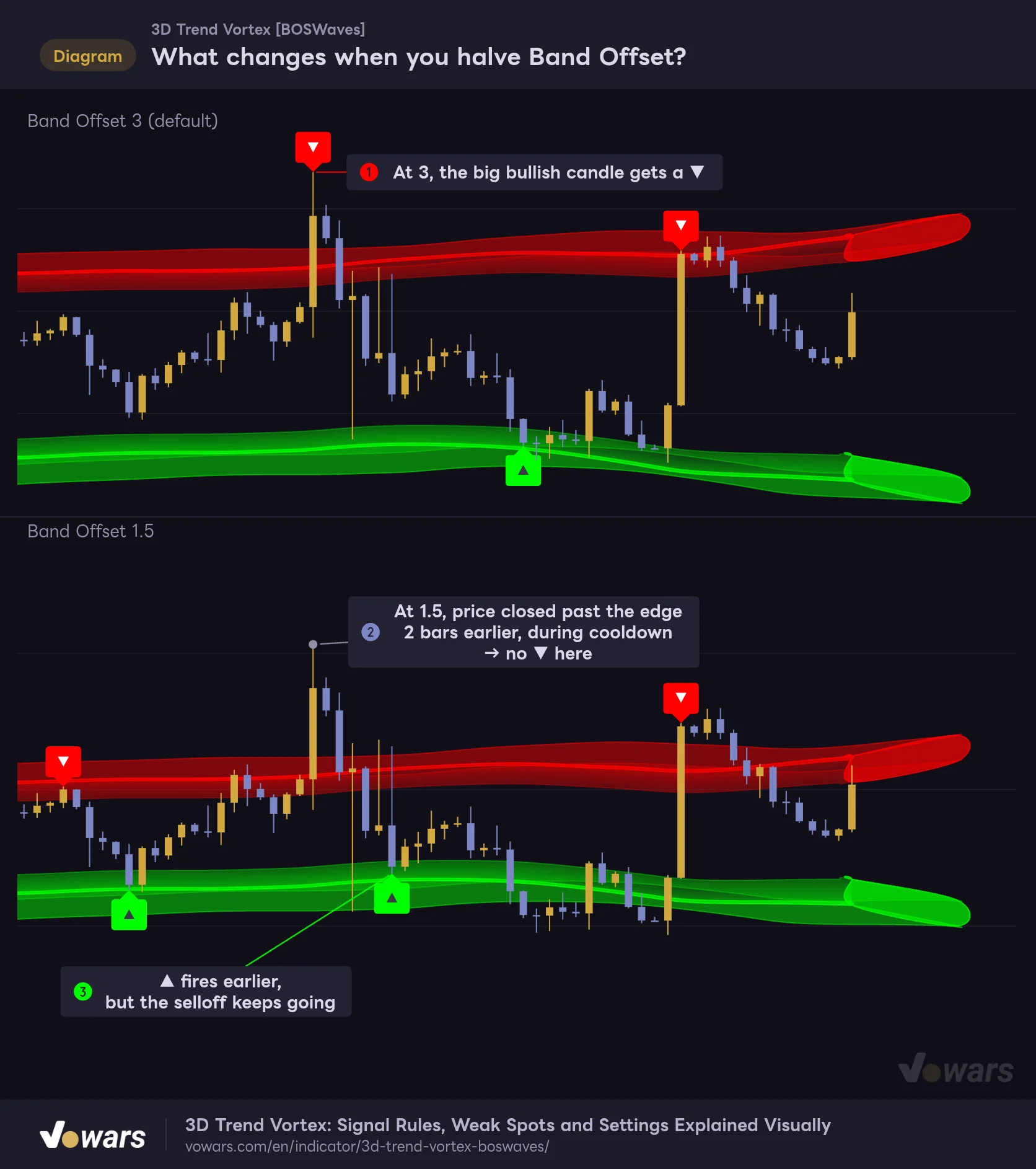
Want more signals? Lower Band Offset
Lowering Band Offset (ATR×) pulls the bands closer to price and gives you more signals. Comparing 3 and 1.5 on the same chart, the total signal count went from 5 to 10. That said, as Figure ② shows, signals can also disappear in unexpected places.
What changes when you halve Band Offset?
Top: the default of 3. Bottom: the same chart with 1.5. Pulling the bands closer gives you more signals, but because of Signal Cooldown, a standout bar can actually lose its ▼.
Vowars DE ver.3.12.33
At 1.5, price had already closed past the edge two bars before the big bullish candle. At that point it had not been 20 bars since the previous ▼, so no label printed and price was simply “inside the band.” That is why the ▼ that sits on the big bullish candle at 3, in Figure ①, is gone. The ▲ in Figure ③ also fired 10 bars earlier than at 3, but the selloff kept going afterward. When you pull the bands closer, I recommend also cutting Signal Cooldown to around 10 and checking how the two play together. Rather than going extreme, stopping around 2 to 2.5 keeps the main advantage of having the bands sit far out.
Want the bands to keep up with fast moves?
If the bands getting left behind in dumps and pumps bothers you, lower Band Smoothing to 30–40. The bands track faster, but the edges get wavier and you get slightly more signals. The default of 65 is meant to create “bands that barely move,” so what worked for me was leaving it at the default for swing trading and lowering it for day trading fast-moving assets.
Want the candle color to flip sooner?
Switching Basis Type to HMA makes the moving average turn faster, so the candle colors flip sooner. The trade-off is that green and red flip back and forth a lot in choppy markets. Shortening Basis Length to around 14 had a similar effect. Keep in mind that the bands are also centered on this moving average, so they move along with the colors.
Want to tone down the 3D effect?
The 3D faces are not affected by Band Transparency, so raising the transparency does not make the bands much lighter. That is because Band Transparency only applies to the eight fill layers. To make the bands lighter, lower 3D Height (ATR×) to 0.2–0.3 and cut 3D Depth (Bars) to 3–4; the depth faces shrink and the candles become easier to see. Set 3D Display Length to around 100, and the 3D faces only cover roughly the last 100 bars, with everything to the left drawn as flat bands made of the eight fill layers.
Add ADX to see what comes “after” a ▲
Since its weak spot is clearly “one-way markets,” the best companion is something that covers that gap. Of everything I tried, the best fit was ADX, which measures trend strength. ADX rises as a move gains momentum, regardless of direction.
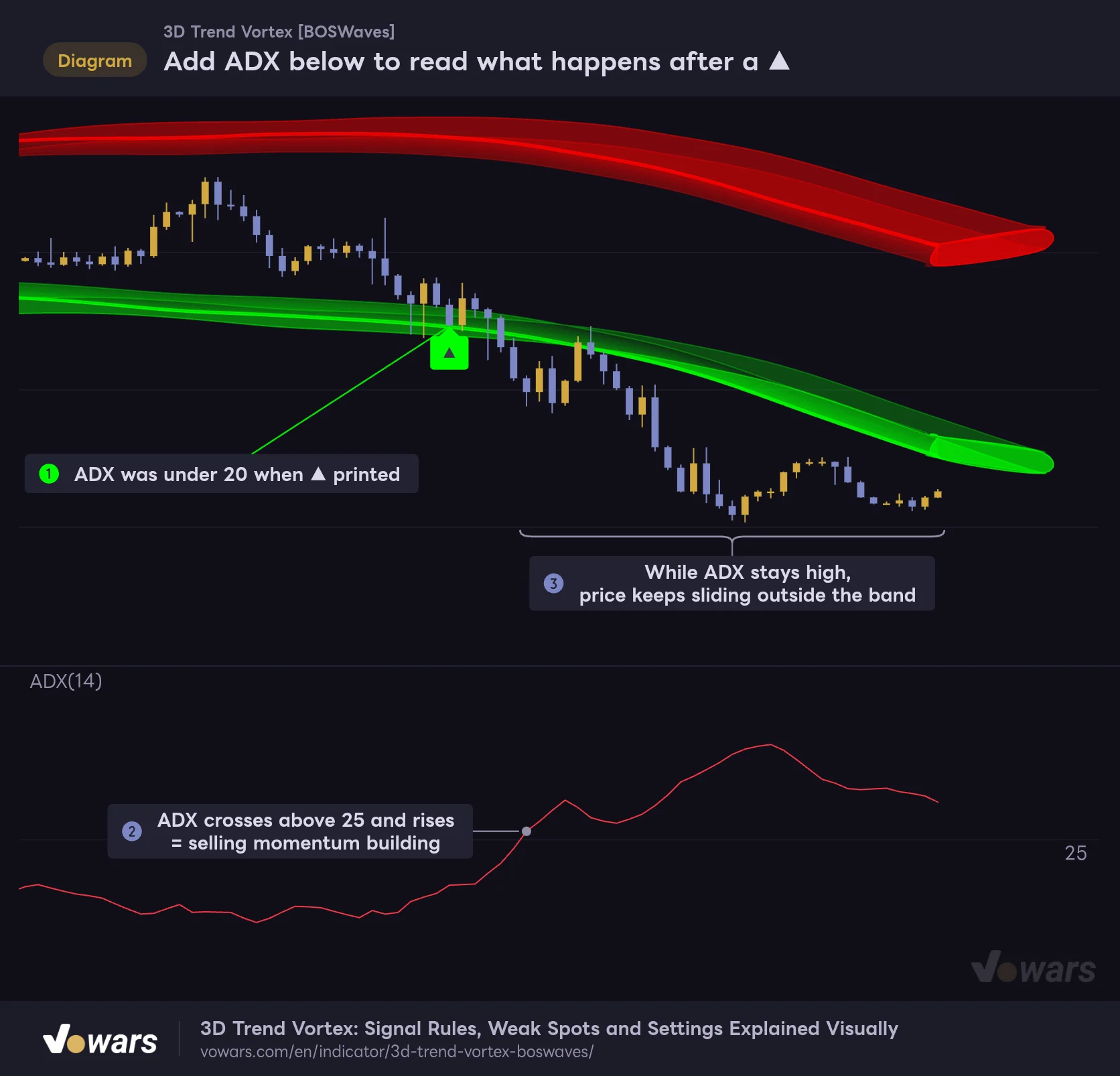
Add ADX below to read what happens after a ▲
If ADX climbs above 25 after a ▲, selling momentum is building. That is your cue to pass on the countertrend long and wait for the band to catch up.
Vowars DE ver.3.12.33
ADX was below 20 when the ▲ in Figure ① printed, but it then crossed above 25 and kept rising in Figure ②, and price kept sliding outside the band as shown in Figure ③. If ADX starts climbing after a ▲, hold off on the countertrend long. If a ▲ or ▼ prints while ADX is flat around 20, treat it as a turning point in a two-way market. Just switching between these two reads helps cut down on false signals.
A few other tools that look like a good match:
- Volume Profile (Fixed Range). A ▲ or ▼ that prints where a band’s inner edge lines up with a high-volume node gives you two reasons to expect a bounce.
- The same indicator on a higher timeframe. Put a 4-hour “3D Trend Vortex” next to your chart in a multi-chart layout and only take 15-minute ▲s while the higher-timeframe candles are green. It is a straightforward way to align direction.
- RSI divergence. If price makes a lower low outside the band while RSI makes a higher low, that is a clue for spotting the end of a selloff the band has fallen behind on.
What clicked after using it, and what you have to live with
What clicked
- The bands sit far out at 3× ATR, so in two-way markets they only catch the bars that overshoot
- The candle color intensity shows at a glance when the moving average is losing steam
- The signal rules are simple (“the close, the first bar, the gap”), so it is easy to explain why a signal did or did not fire
- The 3D bands make it easy to spot where the upper and lower zones are, even zoomed out
- Separate buy and sell alerts are built in
What you have to live with
- In one-way markets the bands lag, and ▲▼ tend to fire too early
- It only calculates on the last 500 bars, and the bands and signals are unstable for the first 50 bars or so
- To see the colored candles, you have to hide the chart’s main candles
- The bright line inside each band is not the signal line, and the inner edge that is the signal line tends to blend into the 3D faces
- The change in band width (the slope-driven squeeze) is smaller than it looks
How to get along with “3D Trend Vortex”
![3D Trend Vortex [BOSWaves]](https://vowars.com/wp-content/uploads/2026/10/3D-Trend-Vortex6-1024x450.png) Image
Image“3D Trend Vortex” uses ATR bands set far out to flag when price is overextended, and candle colors to show trend direction and momentum. The 3D bands are eye-catching, but everything you actually use for decisions comes down to three things: “the inner edge,” “the ▲▼,” and “the candle intensity.”
The core approach is to use ▲▼ as turning-point guides in two-way markets, and to follow the candle color in one-way markets. Even if a ▲ or ▼ prints, sit tight if the candles are painted strongly in the opposite direction. Once that switch becomes second nature, I think it holds up well over time as a tool for reading the market’s temperature, whether you are day trading or swing trading on the 30-minute to 4-hour charts. Just keep two things in the back of your mind: the left-edge bands after a reload, and how the bands lag in fast moves.