
“Reaction Path” separates overextended snap-backs from moves that still have momentum
The TradingView indicator “Reaction Path” flags two very different situations with two separate signal types: price that has stretched too far and looks ready to snap back, and price that still has the momentum to keep going. When a signal fires, it also plots an entry reference, two targets and an invalidation line for you automatically.
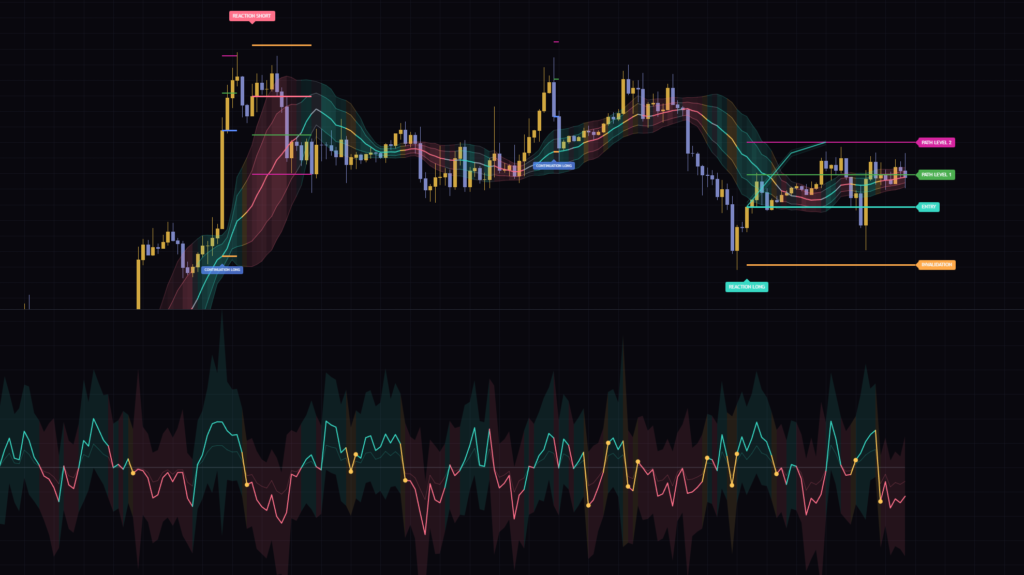
Load it on a chart and you get a three-layer band around price, a wavy line with a shaded field in a lower pane, and a compact dashboard in the top-right corner. Honestly, it felt like a lot at first. Once each piece clicked, though, it became clear that the whole thing is built to show two separate ideas: where price sits, and how momentum is shifting.
“Reaction Path” doesn’t lean on RSI, MACD or any other classic oscillator. Everything is derived from raw price action: where each candle closes within its range, wick-to-body ratios, bar range and volume. That’s what makes it stand out.
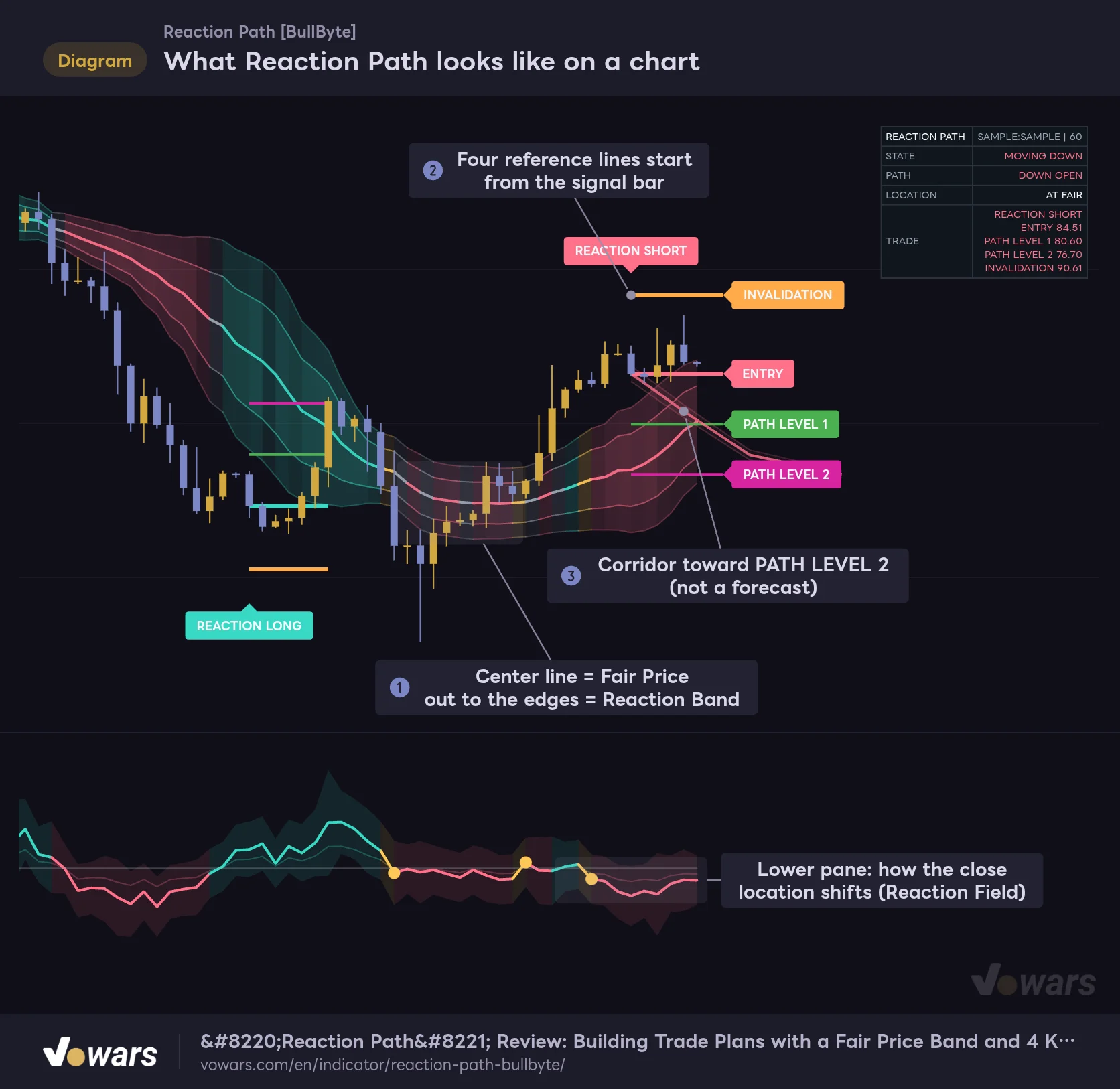
What Reaction Path looks like on a chart
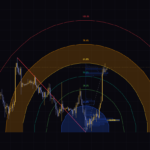
A single indicator plots the price band, the setup reference lines and the Reaction Field in the lower pane all at once.
Vowars DE ver.3.12.32
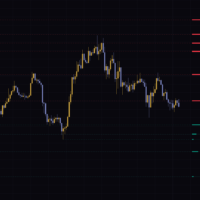
The figure gives you the big picture. The band in Figure ① shows where price “lives,” the lines in Figure ② are the setup’s reference levels, and the corridor in Figure ③ traces the route toward PATH LEVEL 2. The lower pane isn’t about who’s winning between buyers and sellers. It shows which way the closing pressure is drifting.
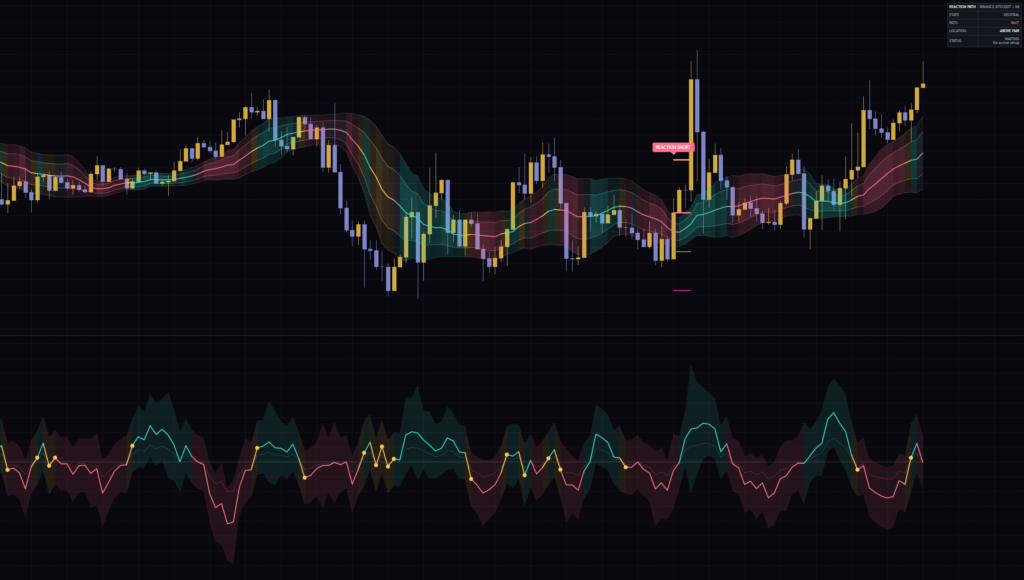
Reading the screen from top to bottom
“Reaction Path” draws part of its output on the price chart and the rest in its own pane. Let’s set the signals aside for a moment and start with the three elements that are always on screen.
The Reaction Band and the Fair Price line
The thick line in the middle of the band is the Fair Price. It takes “(high + low + close × 2) ÷ 4” over the last 20 bars and averages it, giving more weight to bars with a larger share of wick. Big, decisive bodies get less weight and indecisive bars get more, so the easiest way to think about it is a reference line that gravitates toward where price has actually been chopping around.
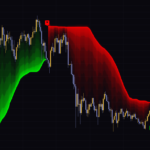
Around it sit two band layers, sized by how far price has typically strayed from the Fair Price recently. The inner band is roughly 60% of the outer band’s width. If the close is above the outer upper line, the dashboard shows ABOVE FAIR; below the outer lower line, BELOW FAIR; anywhere in between, AT FAIR.
The band color changes bar by bar: cyan for upward pressure, pink for downward pressure, yellow for a direction flip, purple when pressure is pinned at an extreme, and gray when none of these apply. The stronger the pressure shift, the slightly more opaque the fill.
The Fair Price is a “recent home base” that moves with every new bar. The band isn’t meant to be traded as “touch the outer edge, expect a bounce.” It’s safer to treat it as a yardstick for how far price is stretched right now.
The Reaction Field shows how the close is drifting
The lower pane is not your typical overbought/oversold oscillator. For each bar it scores where the close landed between the high and low on a 0–1 scale, then averages the last 10 bars, weighted by wick ratio. That value is the Pressure Centre. How much it has moved versus 5 bars ago, scaled up 3×, is the center line (Reaction Spine).
- Reaction Spine is the thick center line. Positive means closes are drifting toward the highs; negative means they’re drifting toward the lows
- Reaction Flow is a thinner line at roughly half the center line’s value, a helper for comparing smaller moves
- Reaction Field is the shaded area around the center line. It widens on bars with a bigger change or an expanding range
- Reaction Centre is the zero line
- Reaction Transition is the small dot that appears on SHIFT or EXHAUSTION bars
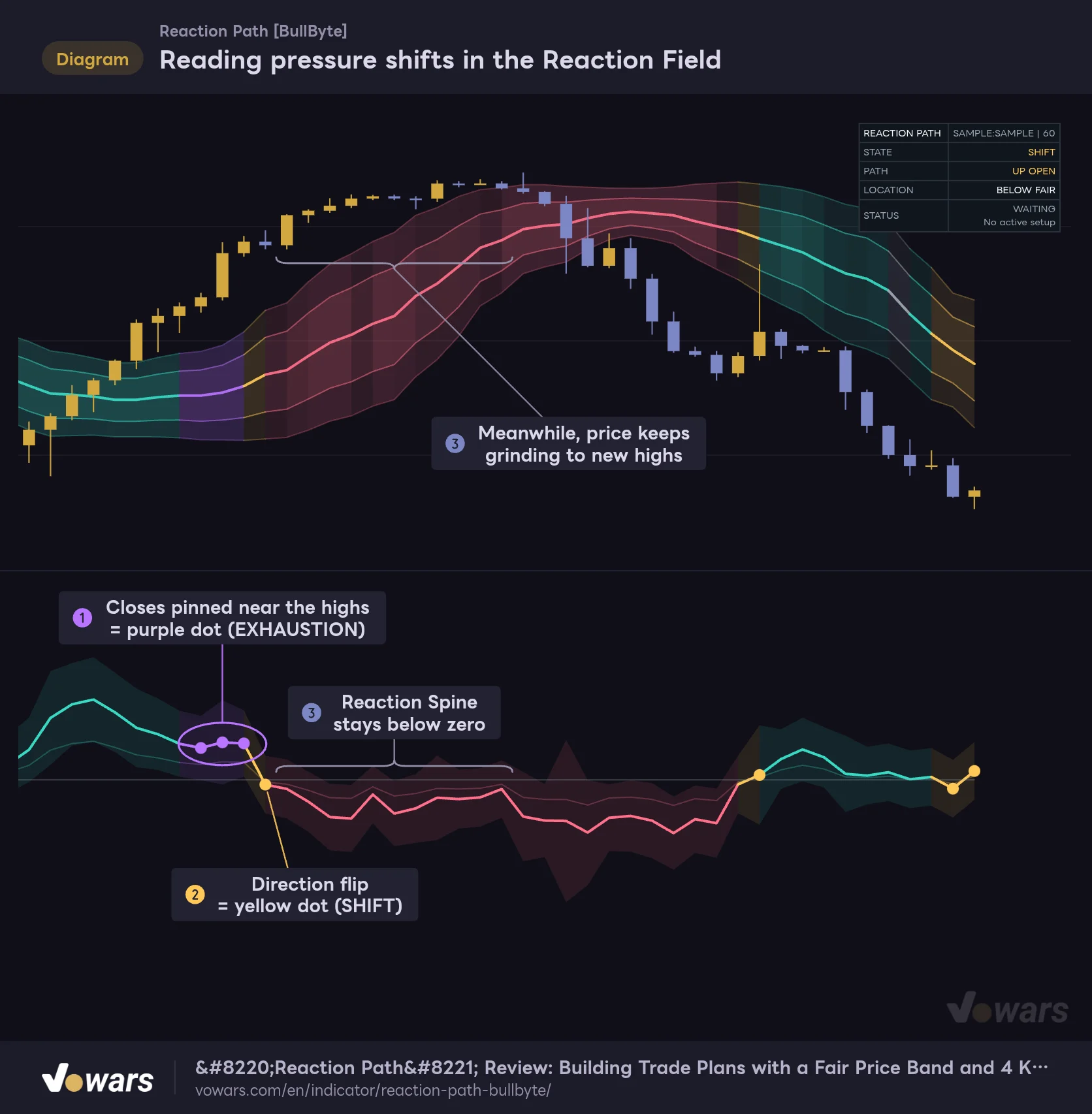
Reading pressure shifts in the Reaction Field
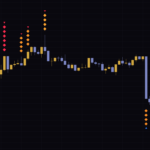
The lower pane doesn’t show buyers versus sellers. It tracks how the close location within each bar is shifting.
Vowars DE ver.3.12.32
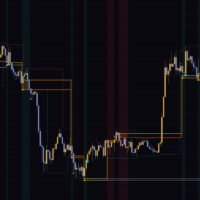
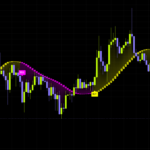
The purple dots in Figure ① mark EXHAUSTION, where the close location over the last 10 bars is heavily skewed toward the highs or the lows. Right after that, the direction flips in Figure ② and a yellow dot (SHIFT) appears. The interesting part is Figure ③: price keeps grinding higher, yet the center line stays stuck below zero. Even while highs are being made, you can see candles failing to close near their highs before the candles themselves make it obvious.
SHIFT only prints when the change clears a set threshold on both the positive and the negative side. A small wiggle across zero won’t trigger it. A yellow dot is best read as “this might be a genuine change in direction.”
The four dashboard rows
The dashboard in the top-right corner summarizes the state of the latest bar.
| Row | Display | How to read it |
|---|---|---|
| STATE | EXHAUSTION / SHIFT / BUILDING / TRAVEL / MOVING UP / MOVING DOWN / NEUTRAL | State of the lower-pane pressure. Evaluated in priority order from the top |
| PATH | UP OPEN / DOWN OPEN / WAIT | Which way pressure is opening up. An upward shift shows UP OPEN |
| LOCATION | ABOVE FAIR / BELOW FAIR / AT FAIR | Whether the close is above or below the outer band lines, or in between |
| STATUS / TRADE | WAITING / the active setup | When a setup is active, shows four prices starting with ENTRY |
BUILDING means upward pressure is approaching a high level. TRAVEL means the pressure side of the continuation conditions (covered below) is in place and price is outside the band. On the daily chart I got the combo “STATE: MOVING DOWN, LOCATION: ABOVE FAIR.” Read that as price still holding above the band while the closes are starting to slip lower.
REACTION and CONTINUATION fire for completely different reasons
“Reaction Path” has four signals: REACTION LONG/SHORT and CONTINUATION LONG/SHORT. The names look alike, but the logic behind them is the exact opposite. Once that sinks in, the chart becomes a lot easier to read.
REACTION LONG: the bounce after price gets pushed below the band
REACTION LONG fires on a bar where price, after stretching well below the Fair Price, rejects the selling with a lower wick. With default settings, these are the main conditions:
- The close is a bit further from the Fair Price than the outer lower band line
- At least 2 of the last 5 bars are bullish, and those bullish bars have a decent body-to-range ratio
- The signal bar’s lower wick is longer than its upper wick
- Bar range is at least about 70% of the previous 5-bar average, and volume is at least 60% of the 20-bar average
- Lows over the previous 5 bars dug deep enough below the Fair Price
- Lower-pane pressure is pointing up (MOVING UP, BUILDING or SHIFT)
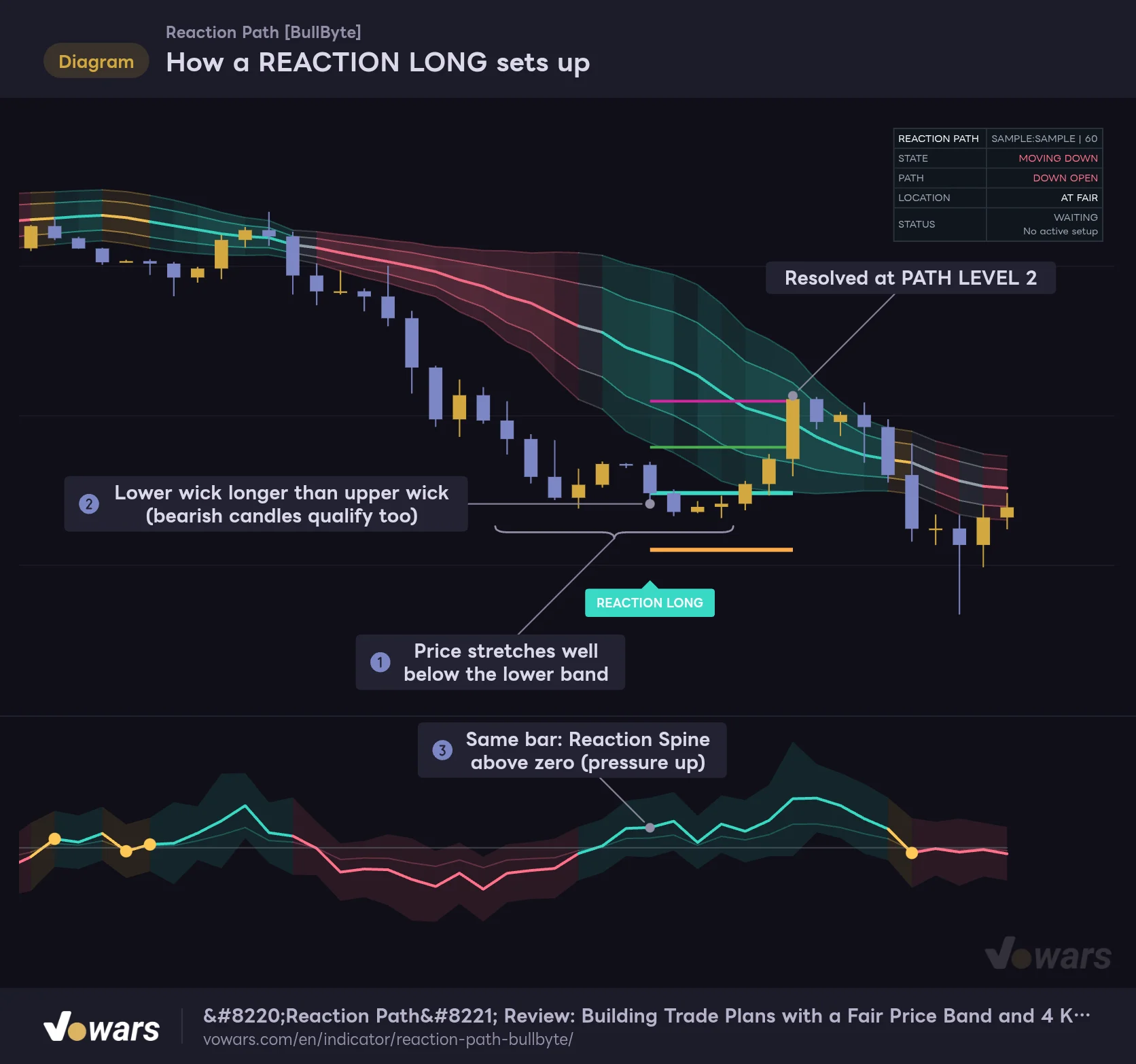
How a REACTION LONG sets up
After price gets pushed below the band, REACTION LONG fires on the bar that rejects the selling with a lower wick while the lower-pane pressure also turns up.
Vowars DE ver.3.12.32
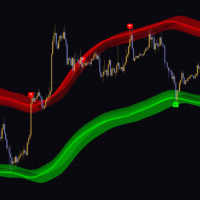
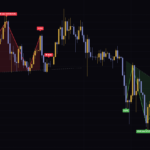
In the figure, price drops well below the lower band in Figure ①, and on the bar in Figure ② the lower wick beats the upper wick. On that same bar, Reaction Spine is already in positive territory, as shown in Figure ③.
The easy thing to miss: REACTION LONG can fire on a bearish candle. The logic compares wick lengths and looks at the share of recent bullish bars, so if you dismiss it with “that’s a red candle, can’t be a long,” you’ll misread it.
CONTINUATION LONG: range expansion above the band
CONTINUATION LONG fires on a bar where price is already above the band and momentum looks set to continue.
- The close is above the outer upper band line
- Bar range is at least the largest of the previous 5 bars, and also more than about 90% of ATR(14) (the average range over the last 14 bars)
- The upper wick is less than roughly half the range, and the body is more than half the range
- The close is higher than 15 bars ago, and the efficiency of that move (net gain ÷ total distance traveled) clears a threshold
- Range and volume thresholds are the same as for REACTION
- The lower pane shows BUILDING or MOVING UP, with pressure pointing up
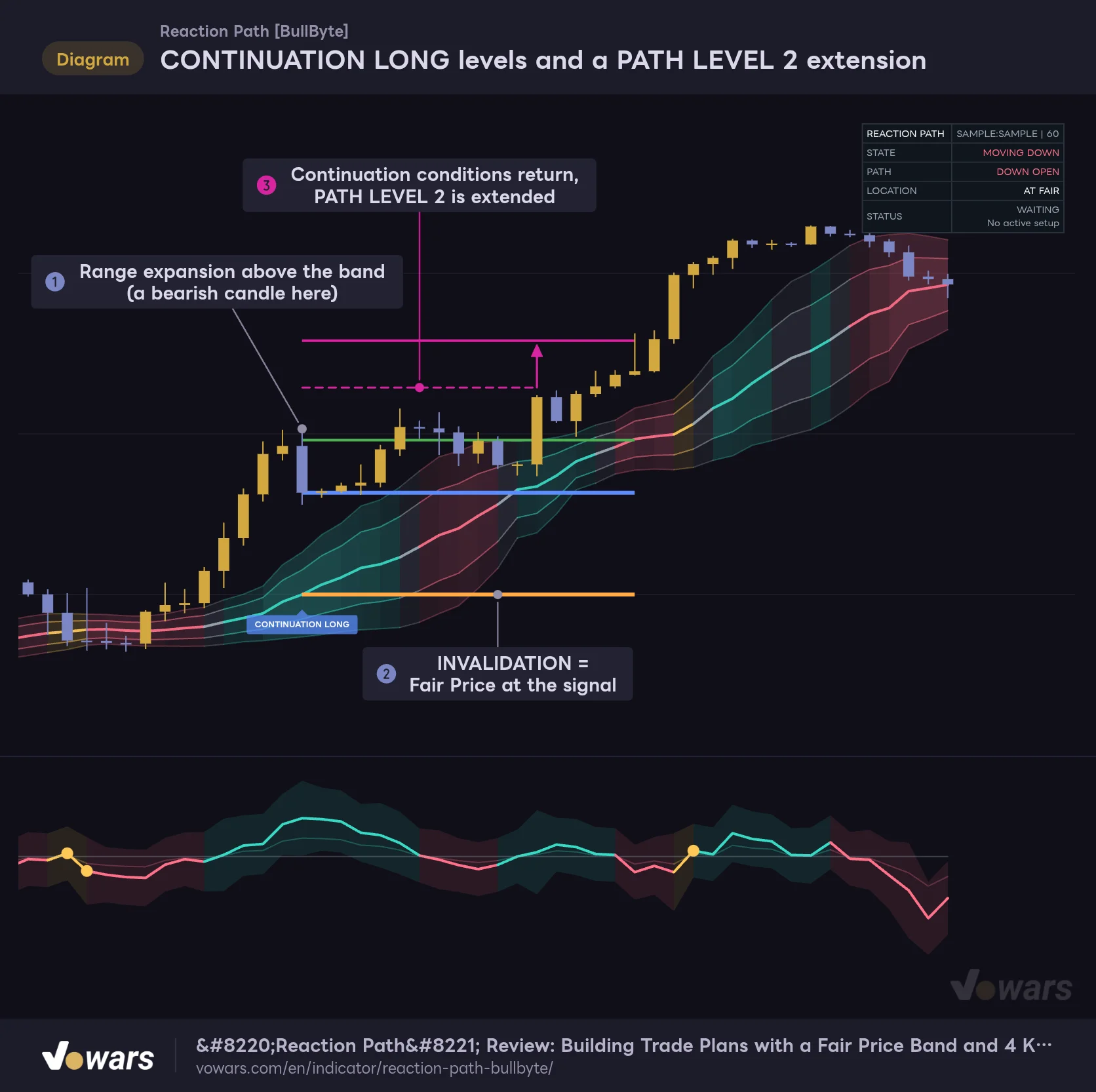
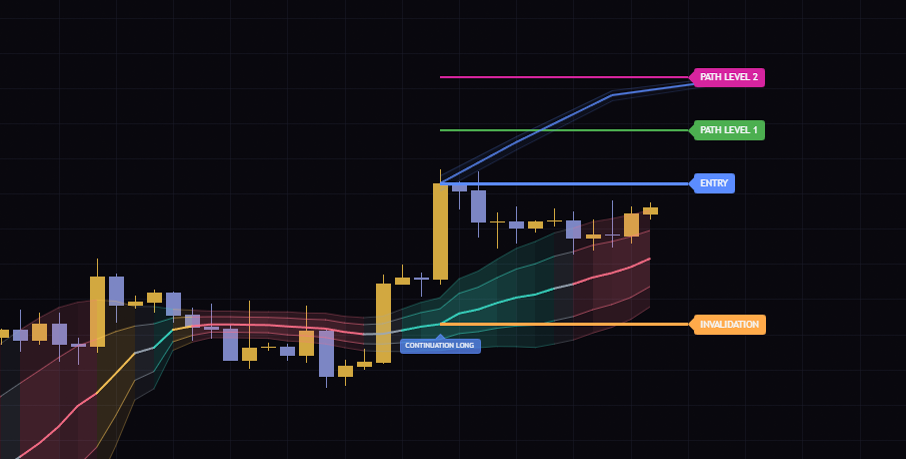
CONTINUATION LONG levels and a PATH LEVEL 2 extension
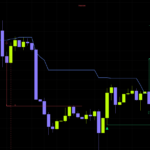
When CONTINUATION LONG fires on a range-expansion bar above the band, INVALIDATION is placed at the Fair Price at that moment.
Vowars DE ver.3.12.32
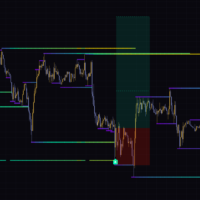
The signal bar in Figure ① is bearish. CONTINUATION doesn’t care about candle color either; it looks at whether the upper wick is short and the body is large. Seeing CONTINUATION LONG on a big red candle mid-rally can throw you off at first, but if the range expanded above the band, the signal is valid.
The other key difference is where the invalidation line goes. For REACTION, it sits 1.2× ATR beyond the signal bar’s low (or high for SHORT). For CONTINUATION, as in Figure ②, the Fair Price at the moment of the signal becomes the INVALIDATION level. The idea is presumably that if price meant to ride momentum drifts all the way back to its home base, the reason for the trade is gone.
The two signals side by side
| Item | REACTION | CONTINUATION |
|---|---|---|
| What it targets | A bounce after price overextends from the Fair Price | Momentum carrying on outside the band |
| Price location | Outside the band (stretched far to the opposite side) | Outside the band (broken out in the trade direction) |
| Deciding bar | A bar with a long wick in the bounce direction | A bar with one of the largest recent ranges |
| Trend check | None | Checked via 15-bar move efficiency |
| INVALIDATION | Beyond the signal bar’s low/high by ATR × setting | Fair Price at the time of the signal |
| Label | Solid and slightly larger | Semi-transparent and smaller |
“Reaction Path” manages only one setup at a time. No new signal fires until the current setup resolves, and none fires on the bar where it resolves either. Once a signal of a given direction and type fires, it is locked from firing again until price and pressure reset, so you’ll rarely see labels stacked back to back.
If conditions overlap on the same bar, the priority is REACTION LONG, REACTION SHORT, CONTINUATION LONG, then CONTINUATION SHORT.
The four lines after a signal, and how a setup resolves
ENTRY、PATH LEVEL 1、PATH LEVEL 2、INVALIDATION
When a signal fires, four horizontal lines are drawn using that bar’s close as the reference. All distances are multiples of ATR(14) and can be changed in the settings.
| Line | Color | Position (default) |
|---|---|---|
| ENTRY | Signal color | Signal bar close |
| PATH LEVEL 1 | Green | ATR × 1.2 from ENTRY |
| PATH LEVEL 2 | Magenta | ATR × 2.4 from ENTRY |
| INVALIDATION | Orange | REACTION: ATR × 1.2 beyond the signal bar’s low/high. CONTINUATION: Fair Price at the time of the signal |
An active setup gets “PATH LEVEL 2,” “PATH LEVEL 1,” “ENTRY” and “INVALIDATION” tags two bars ahead of the latest bar, and the dashboard shows the same prices. In the daily example, ENTRY was 86,620.00, PATH LEVEL 1 was 89,632.31, PATH LEVEL 2 was 92,644.62 and INVALIDATION was 78,573.56. The distance from ENTRY to the two targets is exactly 1:2, which confirms the lines follow the ATR multipliers.
The Projected Path is a rough route, not a forecast
The band-shaped line running from ENTRY toward PATH LEVEL 2 is the Projected Path. It’s drawn in three segments with checkpoints 4, 9 and 16 bars after the signal bar, made up of a center line, upper and lower lines and the fill between them.
Its curvature depends on the strength of the lower-pane pressure and how far price is from the Fair Price. Its width varies between roughly 20% and a bit over 30% of ATR depending on the state. The more directionless the state, as with EXHAUSTION or SHIFT, the wider the corridor.
While a setup is active, the Projected Path is redrawn on every confirmed bar. If yesterday’s corridor looks different from today’s, that’s by design. It is not a prediction that price will follow this route, so it’s best not to use it for timing either.
Only PATH LEVEL 2 and INVALIDATION resolve a setup
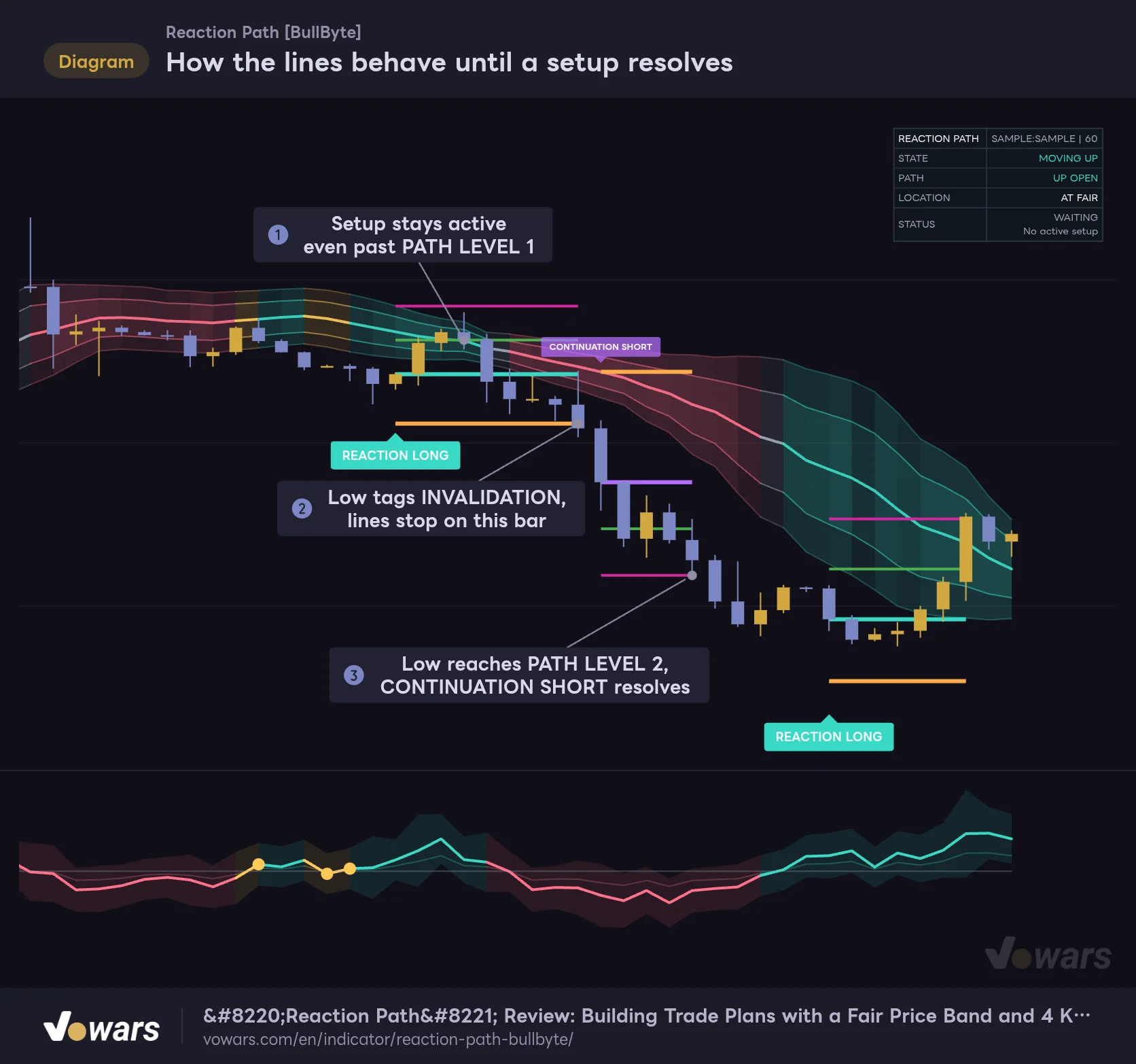
How the lines behave until a setup resolves
Only a touch of PATH LEVEL 2 or INVALIDATION ends a setup. PATH LEVEL 1 stays as an intermediate marker.
Vowars DE ver.3.12.32
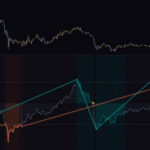
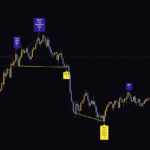
The figure shows clearly how a setup ends. In Figure ①, the high trades through PATH LEVEL 1, yet nothing happens. PATH LEVEL 1 is just an intermediate marker; reaching it doesn’t resolve the setup or trigger an alert.
Then in Figure ② the low tags INVALIDATION and the lines stop on that bar. The following CONTINUATION SHORT resolves in Figure ③ when the low reaches PATH LEVEL 2. Hits are checked against highs and lows, not closes, and if both levels are touched on the same bar, it counts as INVALIDATION. Worth remembering.
Once a setup resolves, only the four lines (spanning from the signal bar to the resolution bar) and the label remain; the corridor disappears. How many stay on the chart is set by Maximum Historical Setups, and the oldest ones are removed once the limit is exceeded.
PATH LEVEL 2 can get pushed further out
If continuation conditions in the same direction line up again while a setup is active, PATH LEVEL 2 is moved further out by the same ATR multiple as Path Level 1. Figure ③ shows exactly that: the dashed line is the original level and the solid line is the extended one. A single setup can be extended up to 3 times.
Something I noticed while testing: this extension also applies to REACTION setups. If upward continuation conditions line up while a REACTION LONG is active, its PATH LEVEL 2 gets pushed out too. After a setup resolves, only the extended level remains on the chart, so when reviewing past setups it helps to keep in mind that “the original PATH LEVEL 2 may have been closer.”
It gets cautious after a loss: Failure Memory
“Reaction Path” has a mechanism that records the conditions behind an invalidated setup and makes the next signals harder to trigger. Nothing about it is shown on the chart, so if you don’t know it exists, it can feel like “signals were firing a minute ago, and now they’ve suddenly stopped.”
1 Thresholds tighten across the board with each loss
Each time INVALIDATION is hit, the failure count goes up by one (max 3), and the thresholds for distance from the Fair Price, body ratio, range, volume and depth tighten a little with each count. The count resets when PATH LEVEL 2 is reached or 30 bars after the last invalidation.
2 Similar signals in similar conditions get blocked
It remembers the characteristics of the invalidated bar (distance, pressure change, body ratio, range, depth, volume, Pressure Centre and range relative to ATR) and blocks a signal candidate of the same direction and type if it looks very similar. The more failures, the wider the range of what counts as “similar.” This block lifts when price and pressure behavior changes, or after 30 bars.
3 It waits for conditions to reset
Right after an invalidation, the search for new signals itself is paused until price and pressure behavior is judged to have changed.
It’s designed to avoid repeating the same mistake during a losing streak. Put kindly, it’s cautious; put less kindly, signals can suddenly go quiet. If signals feel scarce, check whether the previous setup ended at INVALIDATION. That’s usually the reason.
What I noticed testing it on 15-minute, 1-hour and daily Bitcoin charts
I ran “Reaction Path” on three timeframes: 15-minute, 1-hour and daily. My biggest takeaway: signals are pretty rare.
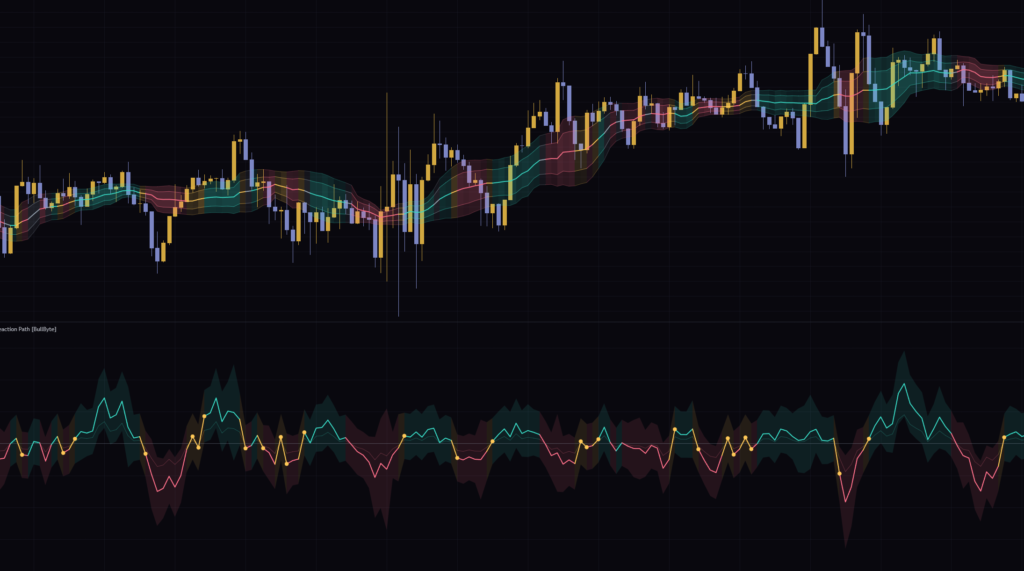
On the 15-minute chart, there wasn’t a single signal across the roughly two days on screen. The band hugged price and changed color constantly, and the lower pane was full of yellow SHIFT dots, so pressure was flipping back and forth a lot. Between the strict conditions and Failure Memory, it simply stays quiet in chop.
On the 1-hour chart, a REACTION SHORT fired once during a bounce after a sharp drop. Right after that, though, a big bullish candle printed and the setup hit INVALIDATION within a few bars. It’s a signal that looks to fade price stretched above the Fair Price, so I came away feeling it tends to fight the tape when strong buying comes in.
On the daily chart, CONTINUATION LONG fired twice: at the start of the mid-August surge and on the mid-September breakout. The August one reached PATH LEVEL 2 quickly, and the September one was still active at the time of writing. On the daily timeframe ATR itself is large, so the distance to INVALIDATION gets pretty wide too.
The author suggests intraday timeframes like 1, 3, 5 and 15 minutes as a starting point. In my testing, though, the 15-minute chart produced almost no signals, and the 1-hour chart only gave the occasional one. The same settings can behave very differently depending on the timeframe and the instrument, so I’d recommend running it on your own timeframe for a while and seeing how often it fires before deciding how to use it.
Settings and how to tune them
The settings panel has four groups. The lookback windows used for the logic (20 bars for the Fair Price, 10 bars for pressure, and so on) are fixed; what you can change is the signal selection, the line distances and the display options.
| Setting | Default | Suggested | Effect |
|---|---|---|---|
| Signal Mode | Both | Both (pick one if you have a clear market bias) | Chooses which signal types to show: Reaction Only / Continuation Only / Both |
| Setup Sensitivity | 0.75 | Start at 0.75, adjust between 0.65 and 0.9 | Moves all the qualification thresholds together. Higher values tend to mean fewer signals |
| Path Level 1 | 1.2 | 1.2 | ATR multiple from ENTRY to PATH LEVEL 1. Also used as the step size when PATH LEVEL 2 is extended |
| Path Level 2 | 2.4 | 2.0〜2.4 | ATR multiple from ENTRY to PATH LEVEL 2. Used to resolve the setup |
| Invalidation | 1.2 | 1.0〜1.5 | How far beyond the signal bar’s low/high the REACTION INVALIDATION is placed |
| Show Historical Setups | On | On | Keeps the lines and labels of resolved setups on the chart |
| Maximum Historical Setups | 20 | 10〜20 | Number of setups kept on the chart (3–25) |
| Show Reaction Band | On | On | Shows the three-layer band on the price chart |
| Show Projected Path | On | On | Shows the corridor from ENTRY to PATH LEVEL 2 |
| Show Dashboard | On | On | Shows the dashboard in the top-right corner |
| Dashboard Size | Small | Small | Dashboard text size (Small / Medium / Large) |
| Dashboard Position | Top Right | Top Right | Which corner the dashboard sits in |
Setup Sensitivity is one dial that moves every threshold
Changing Setup Sensitivity shifts the qualification thresholds all at once. They don’t all move in the same direction, though.
- Distance from the Fair Price, depth and the ATR threshold for range expansion get looser as the value goes up
- Body ratio, range, volume, trend efficiency and pressure-change thresholds get stricter as the value goes up
The “bar quality” thresholds, like body ratio and volume, tend to dominate, so raising the value clearly cuts the number of signals. REACTION signals in particular become noticeably rarer above 1.2, since the body-ratio requirement for recent bullish (or bearish) bars goes up. Lowering the value relaxes the bar-quality thresholds, so signals tend to increase.
I’d start with the default 0.75 on your own timeframe, then move to around 0.65 if signals feel too rare or around 0.9 if there’s too much noise, adjusting in steps of 0.05–0.1. Big jumps make it hard to tell which threshold caused the change.
On instruments where volume barely varies over the last 20 bars, the volume comparison is skipped and the ratio is treated as 1.0. The volume threshold, however, is “0.8 × Setup Sensitivity,” so above 1.25 no bar can meet the volume requirement and signals stop entirely. After a string of invalidations this threshold rises further, so signals can stop even at settings above 1.05. On index CFDs and other instruments without volume data, staying at 1.0 or below is the safe choice.
When to use each Signal Mode
Signal Mode comes in handy when you have a clear market bias. Choose Reaction Only to fade the edges of a range, or Continuation Only if you only want to ride trends. That way you won’t get whipsawed by signal types you weren’t planning to trade.
Either way, only the signal logic is switched off; the band and the lower pane look the same. Note that with Reaction Only, PATH LEVEL 2 extensions during an active setup also stop happening.
Tuning Path Level and Invalidation
Path Level 2 is the setup’s resolution point itself, so for short-term trading where you want to close out sooner, tightening it to around 2.0 is fine. Path Level 1 doesn’t affect resolution, but keep in mind it’s also used as the step size when PATH LEVEL 2 is extended.
Invalidation only applies to REACTION setups; for CONTINUATION, INVALIDATION is always the Fair Price. On REACTION setups it’s placed a further ATR × 1.2 beyond the signal bar’s low/high, so even at the default the distance from ENTRY is fairly wide. If you get invalidated a lot on wicky instruments, widen it a little; if you want the stop distance closer to your own rules, tighten it to around 1.0.
Decluttering the chart
If it feels too busy, start by turning off Show Projected Path; only the four lines remain and things look much cleaner. If past setups get in the way, reduce Maximum Historical Setups to around 10 or turn off Show Historical Setups. The band and lower-pane lines can each have their color and visibility changed in the Style tab of the settings, so dimming just the lines you don’t need is another option.
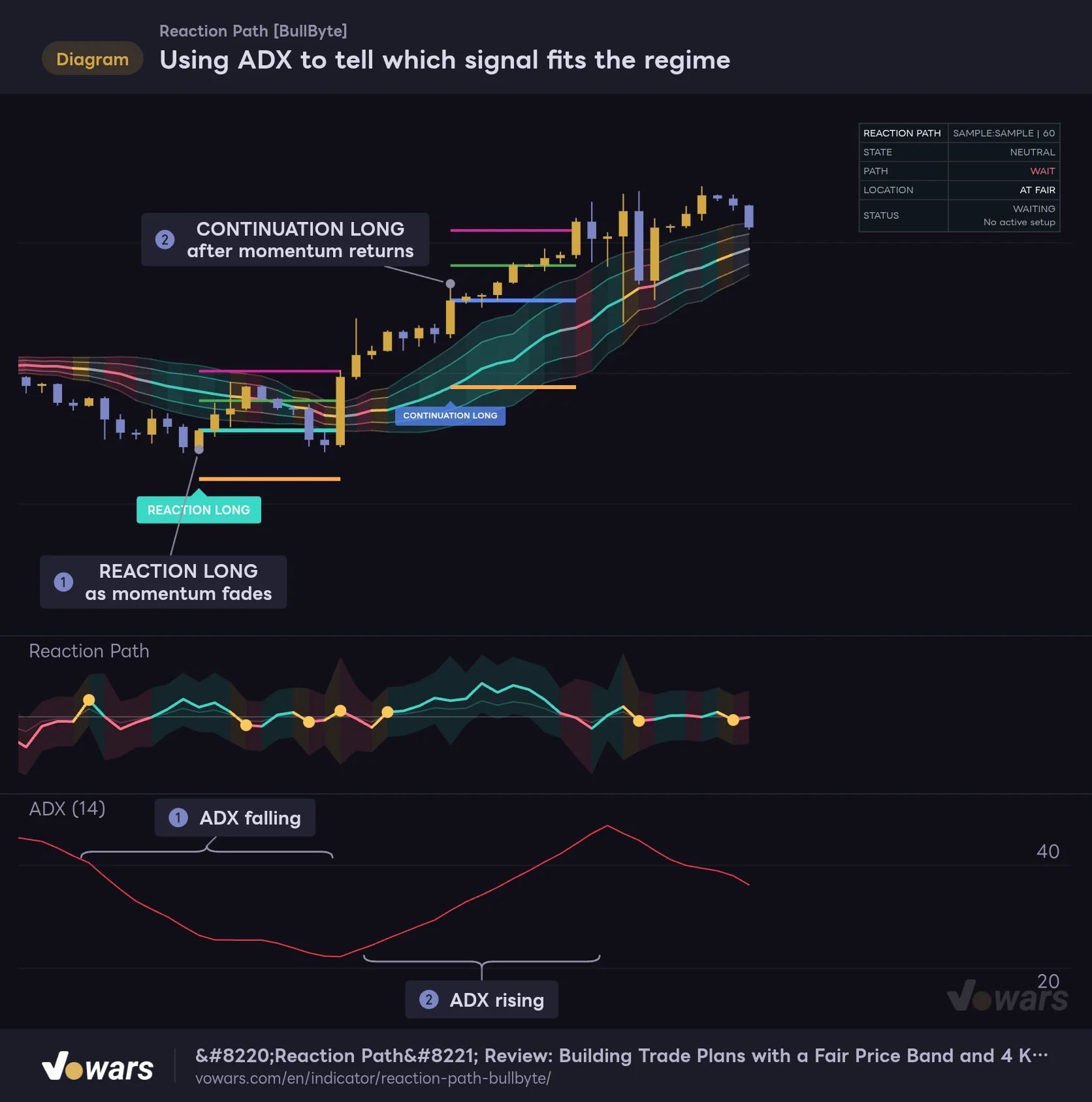
Pairing it with ADX to double-check the market regime
“Reaction Path”’s two signal types have clear strengths and weaknesses depending on market character. Adding ADX, which measures trend strength, underneath makes it easier to check whether a signal fits the current regime.
Using ADX to tell which signal fits the regime
Adding ADX in a lower pane gives you a second yardstick for whether the market currently favors REACTION or CONTINUATION.
Vowars DE ver.3.12.32
In the figure, the REACTION LONG in Figure ① fires while ADX is falling and momentum is fading, and the CONTINUATION LONG in Figure ② fires after ADX bottoms and turns back up. The trick is to watch ADX’s direction rather than its level. A CONTINUATION while ADX is falling, or a counter-trend REACTION while ADX is surging, is a good cue to pause and take a second look.
A few other pairings that look like a good fit:
- Session VWAP: the Fair Price is a 20-bar home base, so comparing it with the day’s average traded price helps you tell a short-term overextension apart from where price sits within the day
- Higher-timeframe highs and lows also help. PATH LEVEL 2 is placed mechanically at an ATR multiple, so lining up a higher timeframe with TradingView’s multi-chart layouts and checking for obvious highs or lows just before the target makes it easier to judge whether the target is realistic
Where it shines, and what to watch out for
Where it shines
- Separates mean-reversion and trend-following signals, each with its own reasoning
- Draws ENTRY, target and invalidation prices with every signal, and the dashboard shows the numbers too
- Built on raw price action (wicks, bodies and close location), so it overlaps little with what other oscillators measure
- Filters out wide-range, mostly-wick bars and the retracement bar right after them
- Signals are evaluated on confirmed bars only, and alerts fire once at bar close
What to watch out for
- Signals are quite rare; on some timeframes you can go days without one
- Failure Memory isn’t shown on the chart, so it’s hard to see why signals dried up
- The Fair Price and pressure lookbacks are fixed, so you can’t switch to a smoother baseline
- Reaching PATH LEVEL 1 doesn’t resolve the setup or trigger an alert
- After a setup resolves, the corridor disappears and only the extended PATH LEVEL 2 remains, so you can’t see how it evolved when reviewing past setups
Behavior to understand before you trade it
Signals don’t disappear later, but lines can move
Signal generation, setup resolution and Failure Memory updates all happen on confirmed bars only. Labels don’t pop in and out on the forming bar, and a signal label never disappears after the fact. The exceptions: old setups removed once Maximum Historical Setups is exceeded, and, with Show Historical Setups turned off, the lines and label being removed the moment a setup resolves.
Drawn lines, on the other hand, can change after the fact. PATH LEVEL 2 is redrawn from the signal bar each time it’s extended, and the Projected Path changes shape on every confirmed bar and vanishes once the setup resolves. The band and lower-pane lines keep moving on the forming bar, so as a rule, make your decisions after the bar closes.
Set alerts via “alert() function calls”
Three events can trigger alerts: a new signal (NEW SIGNAL), reaching PATH LEVEL 2 (TARGET REACHED) and invalidation (INVALIDATED). In TradingView’s alert dialog, select this indicator as the condition and choose “Any alert() function call,” and all three will come through at bar close. The message includes the symbol, timeframe, event type, signal type and price.
The indicator has no option to pick the three as separate conditions. If you only want specific events, you’ll need to filter them on the receiving end based on the message text.
It doesn’t run on Heikin Ashi and similar chart types
“Reaction Path” only runs on standard charts that use real open, high, low and close prices, such as candles and bars. Switch to Heikin Ashi, Renko, Kagi and the like, and the band, signals and lower pane all disappear; all you get is a single warning label on the chart.
Past setups are not a performance record
The past setups left on the chart are there for visual review only; there’s no feature that tallies win rate or P&L. TradingView’s Strategy Tester generates results for strategy scripts, so you can’t run this indicator through it as is.
If you want to see how it behaved historically, Bar Replay is your friend. The indicator calculates on replayed bars, so you can step forward one bar at a time and watch signals fire or PATH LEVEL 2 get extended. How far back you can go depends on the symbol, the timeframe and your plan.
“Reaction Path” gives you decision inputs and reference prices built from the character of price action. There’s no guarantee price will reach PATH LEVEL 2 or stop at INVALIDATION. Make the final call on position size and stop placement with your own rules, and watch out for news-driven moves and illiquid sessions.
For traders who want to read location and momentum shifts separately
![Reaction Path [BullByte]](https://vowars.com/wp-content/uploads/2026/10/Reaction-Path6-1024x554.png) Image
Image“Reaction Path” displays location (how far price is from the Fair Price) and momentum shift (which way the closes are drifting) separately, and combines the two into bounce and continuation signals. Since it plots targets and invalidation along with every signal, you can map out the whole trade, from entry to exit, on a single chart.
The trade-off is that signals are scarce, and some of the machinery, like Failure Memory, never shows up on screen. Start by running it on your own timeframe for a while and watching how the band colors and lower pane line up with price action. That’s when the reading techniques in this article will really click on your chart.