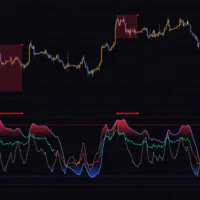
Five indicators stacked in one pane, read by how deep the color gets
MACD, RSI, Stochastic, Awesome Oscillator, Alligator. Every trader knows them, but give each one its own pane and your chart gets cramped fast. The Bias And Sentiment Strength (BASS) Indicator rebuilds all five as translucent layers centered on a zero line and stacks them in a single pane on TradingView.
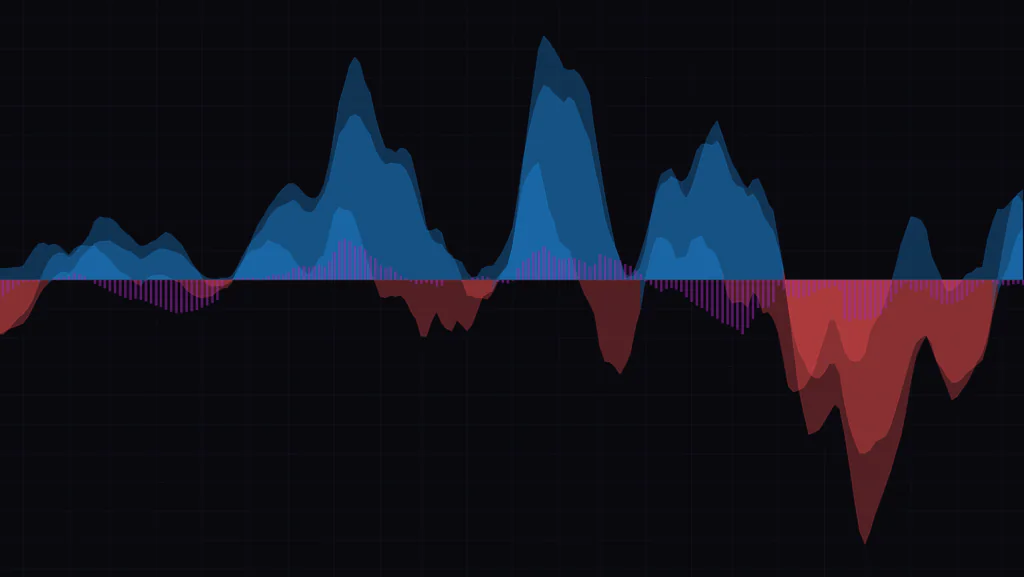
Each layer is blue above the zero line and red below it. Because they are translucent, the color gets deeper as more layers point the same way. In other words, you can tell how many indicators agree on direction from the color depth alone, without reading a single number. On top of that sit purple bars that show where volume is skewed.
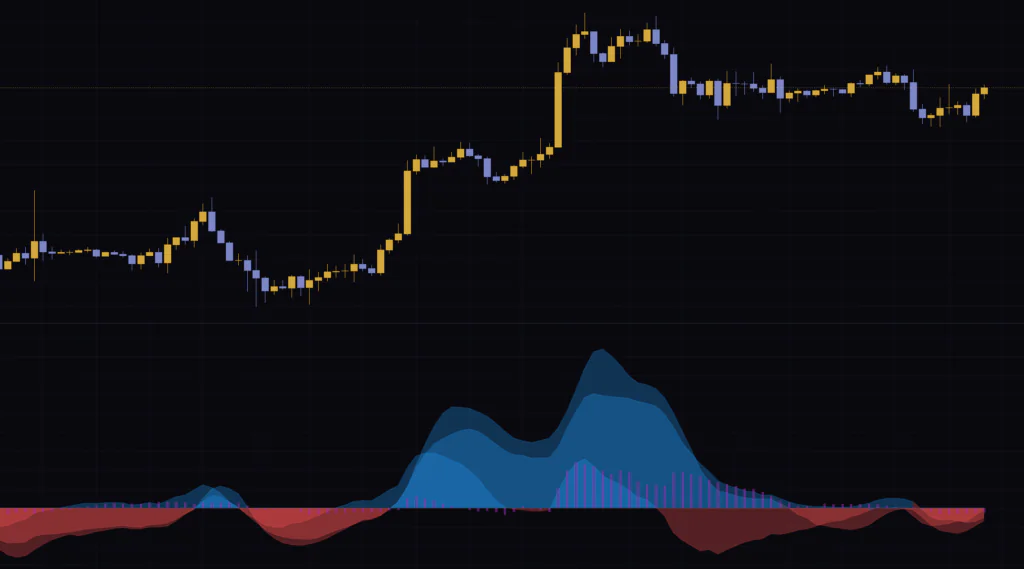
There are no buy or sell signals and no built-in alerts. It is a quick read on market direction and momentum, and the decision stays with you. For this review I ran it mainly on the 4-hour chart, compared it against the daily and the 5-minute, and pulled together how to read it, how to set it up, and what to watch out for.
The three things drawn in the pane
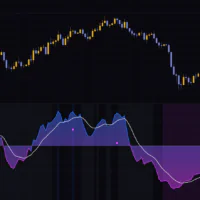
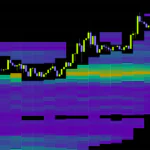
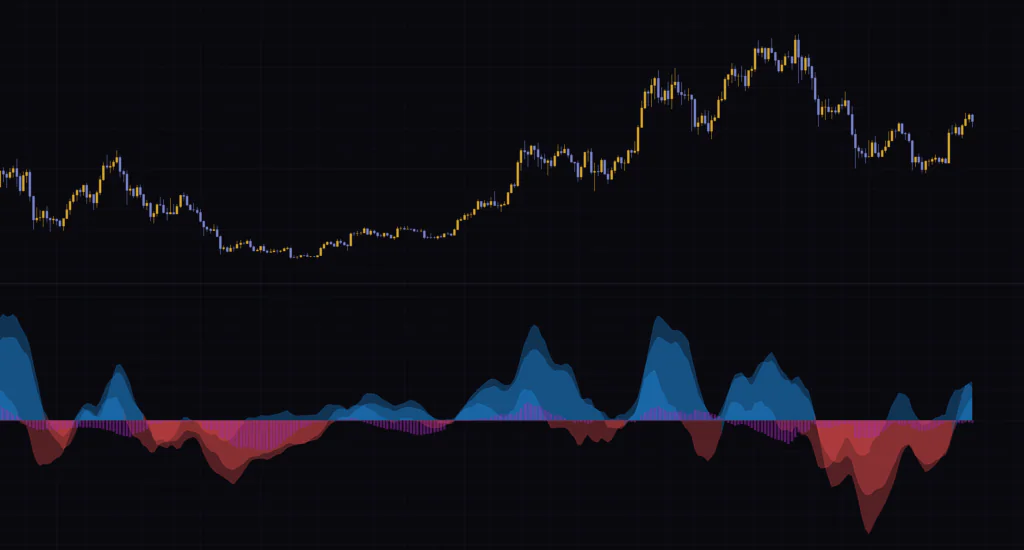
The Bias And Sentiment Strength (BASS) Indicator pane only ever shows three things: blue and red layers, purple bars, and a zero line. Start with the full picture below.
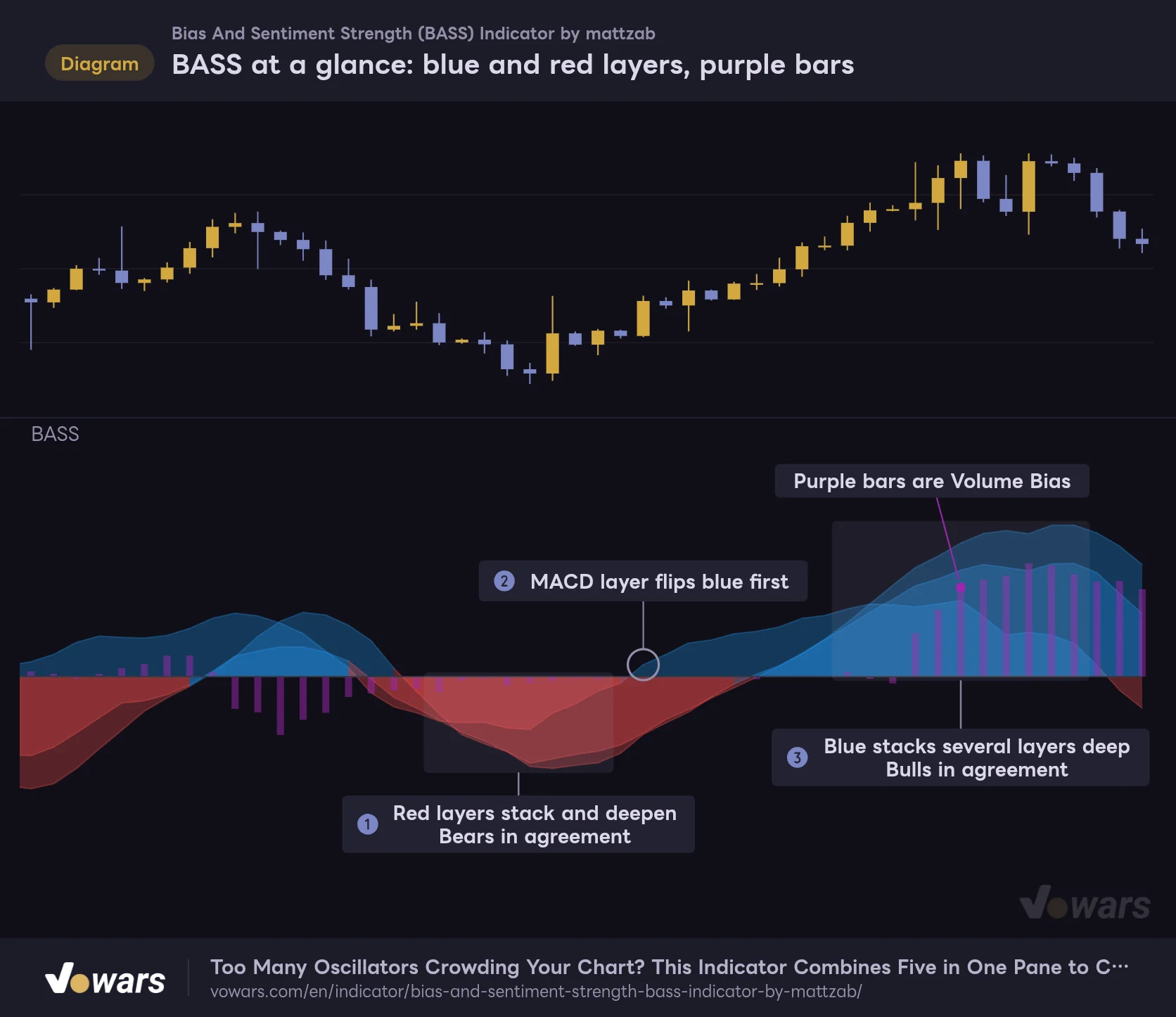
BASS at a glance: blue and red layers, purple bars
Blue above the zero line, red below. The more layers overlap, the deeper the color.
Vowars DE ver.3.12.30
Figure ① is a sustained selloff, where several red layers stack up and the color turns deep. That is the bears in full agreement. Then at Figure ② one layer crosses above the zero line first and flips blue, and by Figure ③ blue is stacked several layers deep. While the color is pale the indicators disagree, and the deeper it gets, the more they are lined up.
Five layers, but only two colors
The stacked layers are the five below. Each one is the original indicator reworked to oscillate around zero.
| Layer name | What it is | Blue when |
|---|---|---|
| MACD Histogram | The MACD (12, 26, 9) histogram, doubled | MACD is above its signal line |
| RSI Histogram | RSI (14) minus 50, divided by 5 | RSI is above 50 |
| Stochastic Histogram | The gap between %K and %D of a slow Stochastic (21, 14, 14) | %K is above %D |
| Awesome Oscillator Histogram | Awesome Oscillator (5, 34) multiplied by 0.6 | The short average is above the long average |
| Alligator Hunger Histogram | The gap between the Alligator’s Lips (5) and Jaw (13) | Lips are above the Jaw |
The layer names are the ones listed in the Style tab of the settings. Every lookback is hard-coded, and nothing in the settings lets you change them. All five layers use the same blue and red, so out of the box you cannot tell which layer belongs to which indicator. I cover how to tell them apart further down.
The purple bars are a volume skew
The purple bars are a custom element called Volume Bias, and they stay purple whether they are positive or negative. They come from a different calculation than the layers, and they are the only part of the indicator that uses volume. I break the mechanics down with a figure a little later.
The zero line is drawn in black
The zero line is black, so on a dark chart you can barely see it. It rarely gets in the way because the edge of the layers marks it naturally, but if you want a clear line, change the color of Zero in the Style tab.
The first snag is the layers you can’t see
After watching it on Bitcoin for a while, I noticed I could only find three layers. There are supposed to be five. The cause turned out to be how different the values of each layer are.
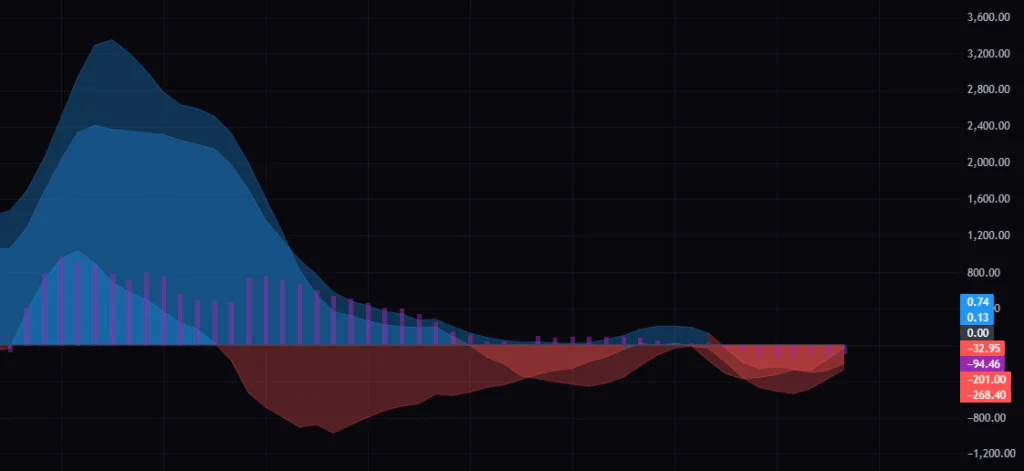
The MACD, Awesome Oscillator and Alligator layers are built from price differences, so their size scales with the price of the instrument. On 4-hour Bitcoin, the scale on the right showed numbers in the hundreds and thousands. The RSI layer, on the other hand, tops out at plus or minus 10, and the Stochastic layer is smaller still. Put them on the same scale and the RSI and Stochastic layers get squashed flat against the zero line.
The fix is the per-layer scaling inputs.
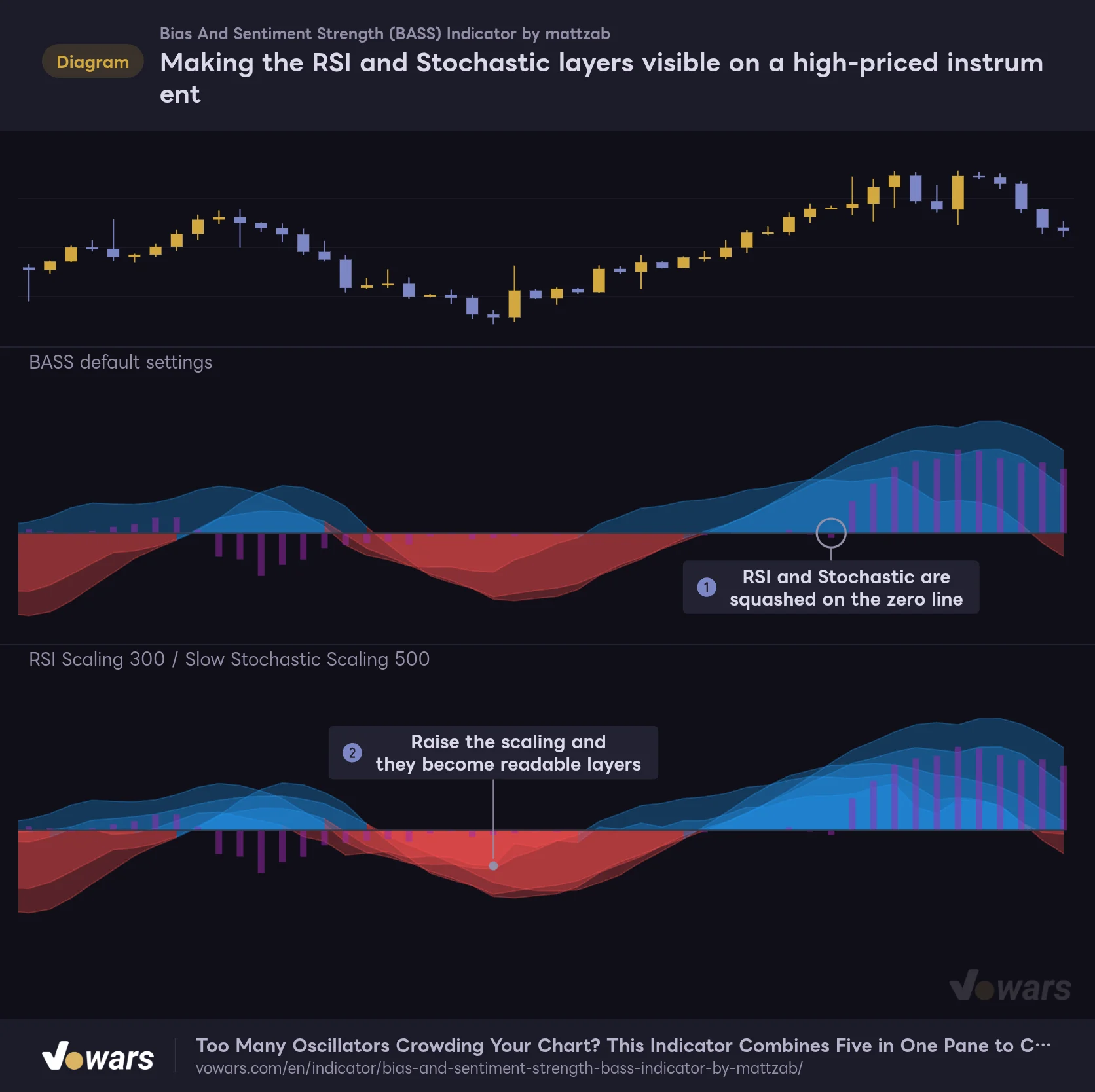
Making the RSI and Stochastic layers visible on a high-priced instrument
Same price action: default settings in the upper pane, raised scaling in the lower pane.
Vowars DE ver.3.12.30
Figure ① is the default, and Figure ② is with RSI Scaling and Slow Stochastic Scaling raised. The price action is identical, yet two more layers show up in the lower pane. Scaling does not touch the math behind a layer. It just multiplies its height.
On pairs with small price digits such as USD/JPY or EUR/USD, it is the MACD and Awesome Oscillator layers that shrink, and RSI and Stochastic take over the pane. In that case raise the scaling on the price-based layers by 10x or 100x until they line up. Same idea: watch the scale on the right and match the order of magnitude.
What the purple Volume Bias bars tell you
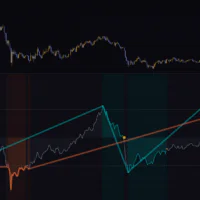
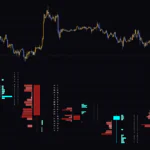
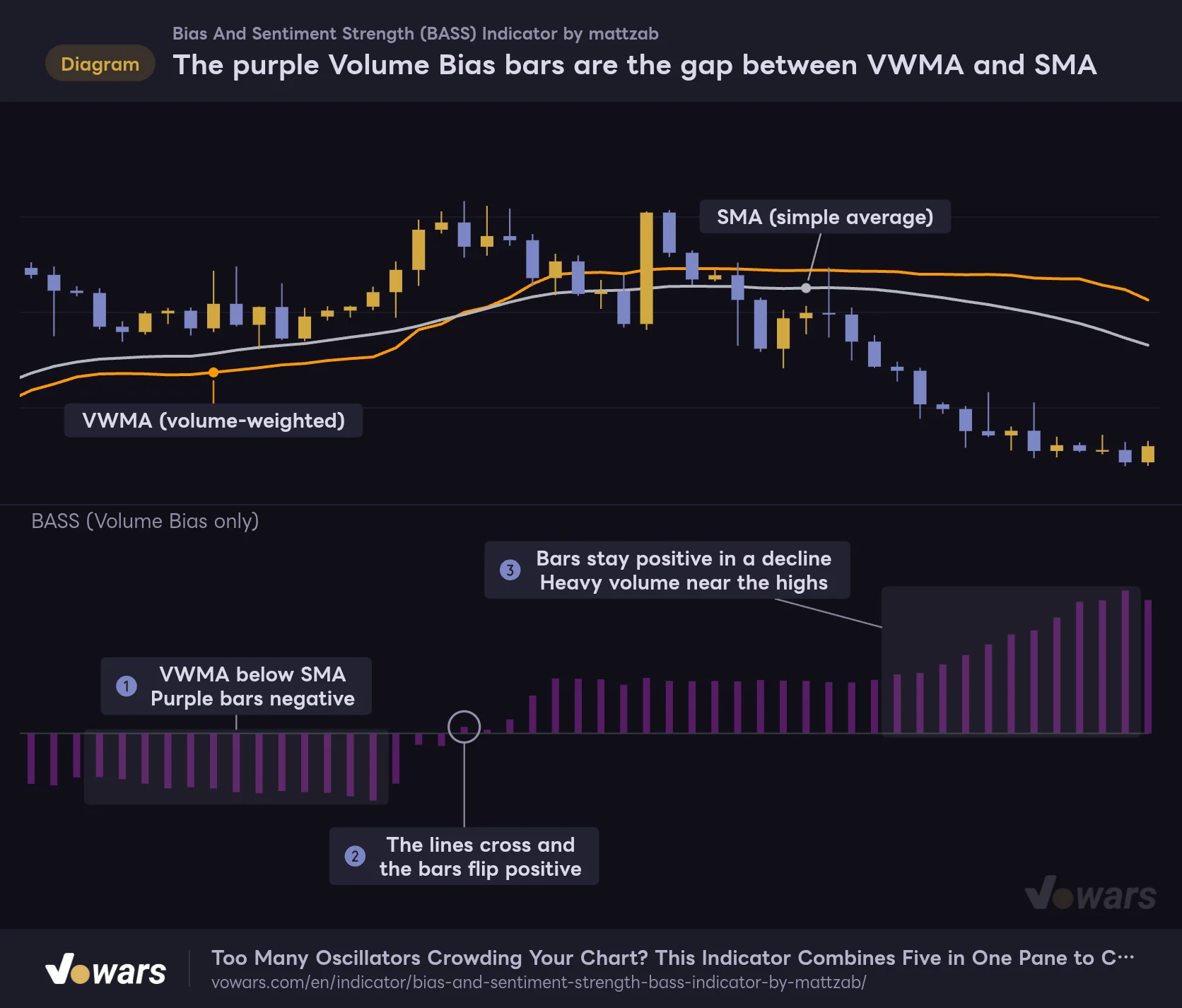
Volume Bias is a volume-weighted moving average (VWMA) minus a simple moving average (SMA), both over 30 bars. If the heavy-volume bars sit at prices above the current average it prints positive, and if they sit below it prints negative.
The purple Volume Bias bars are the gap between VWMA and SMA
Orange is the VWMA, gray is the SMA. Both use 30 bars, and the gap between them becomes the purple bars.
Vowars DE ver.3.12.30
At Figure ① the VWMA is under the SMA and the bars are negative. At Figure ② the two lines cross and the bars flip positive. The interesting part is Figure ③: price is falling, yet the bars keep growing on the positive side. A run of heavy-volume bars near the highs is holding the VWMA up.
So Volume Bias is not tracking the direction of price itself. It is tracking which price zone the volume is skewed toward. When it points the same way as the layers, the move has volume behind it. When it points the other way, that backing is thin.
Reading the chart in three situations
1 Layers and purple bars agree
The cleanest read is blue layers stacked up with the purple bars extending on the positive side. Several indicators are pointing up and volume is leaning toward higher prices. Stacked red with negative purple bars is the same thing to the downside. This is the setup where trading with the trend is easiest.
2 Blue above and red below at the same time
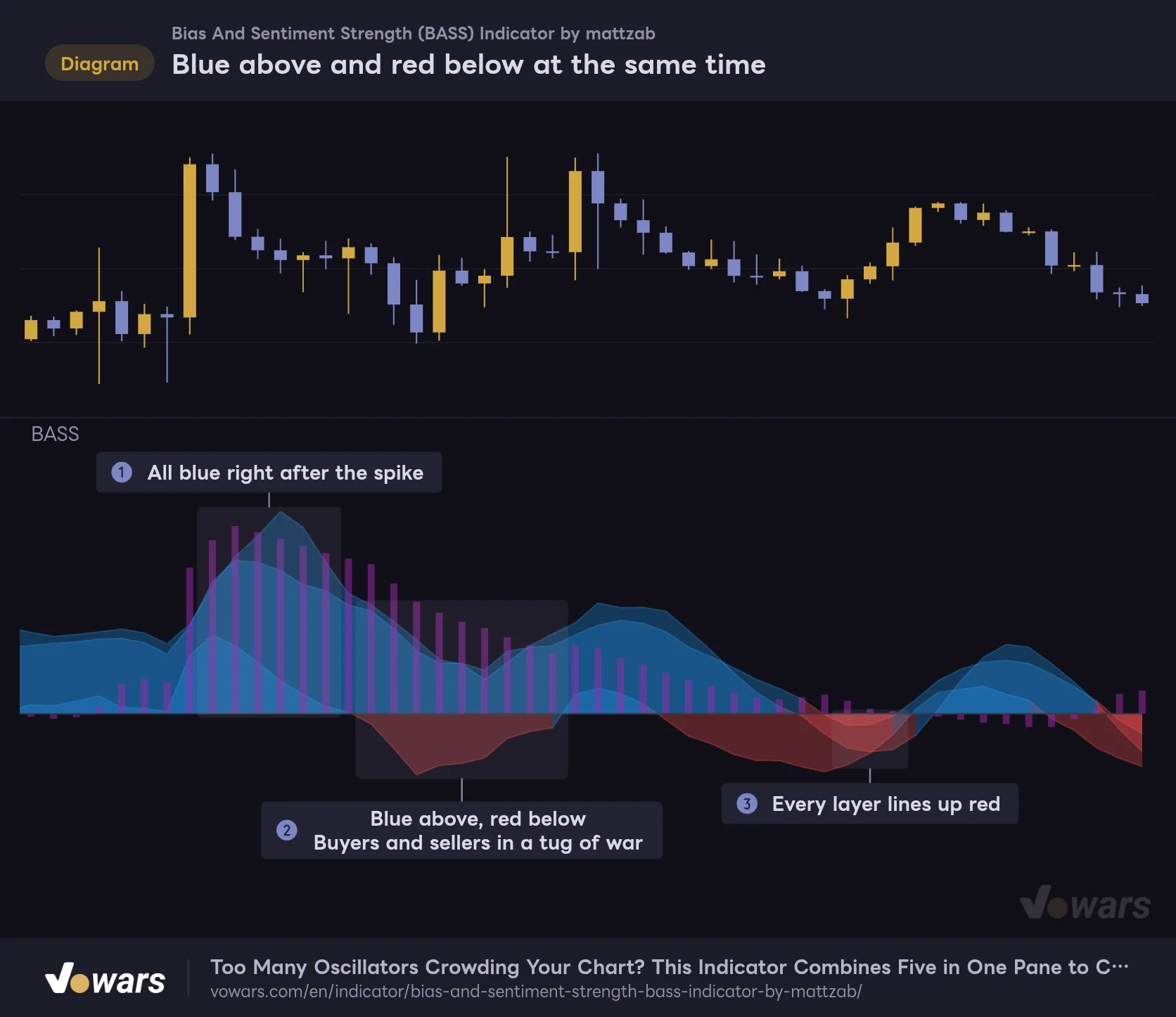
Blue above and red below at the same time
After a spike, blue above the zero line and red below it appear together.
Vowars DE ver.3.12.30
Right after a spike it is all blue, as in Figure ①, but once momentum fades you get blue above the zero line and red below it at the same time, as in Figure ②. The five layers react at different speeds, and the MACD layer is the quickest to pick up a change in momentum. The Awesome Oscillator and Alligator layers measure the level itself, so they lag behind. That time gap is what shows up as the split in color.
I read this as buyers and sellers in a tug of war. Sometimes it ends as a pullback and goes back to blue, and sometimes everything lines up red as in Figure ③. The Bias And Sentiment Strength (BASS) Indicator alone cannot tell you which way it breaks, so waiting for the colors to line up was the safer play.
3 Layers still blue while the purple bars sink
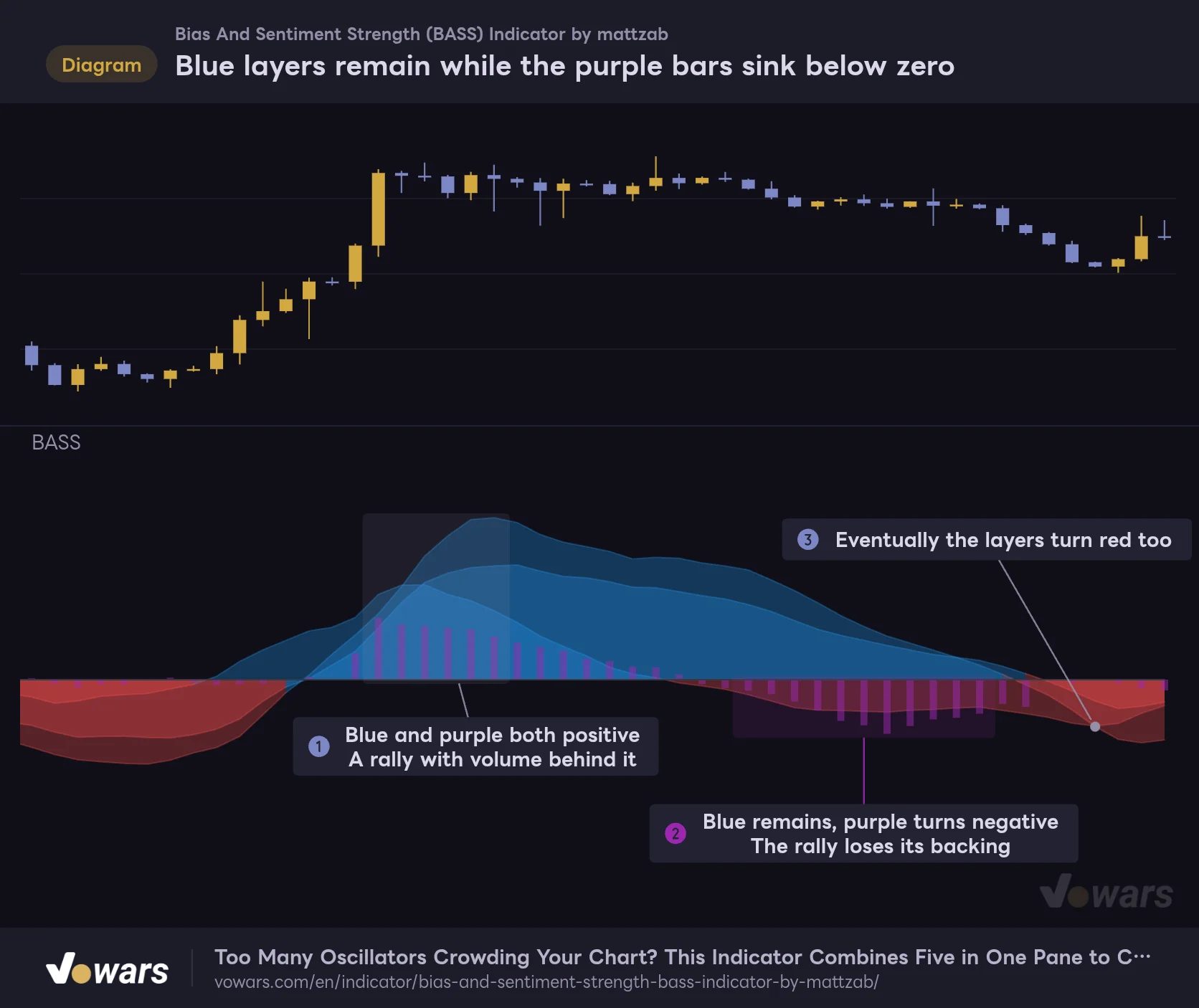
Blue layers remain while the purple bars sink below zero
When the layer color and the purple bars disagree, it is a sign the rally is losing its backing.
Vowars DE ver.3.12.30
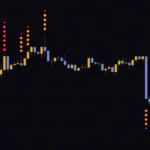
Figure ① has both the layers and the purple bars positive, a rally with volume behind it. At Figure ②, though, the blue layers are still there while the purple bars alone sink below zero. The blue layers are a carryover from the earlier rally and take time to fade. With the volume skew rolling over first, I read it as the rally losing its backing.
In the figure the layers do turn red at Figure ③, but it does not play out that way every time. Realistically, treat it as a cue to hold off on new longs or start thinking about taking profit, nothing more.
The settings, and how to tune them per instrument
The Bias And Sentiment Strength (BASS) Indicator has six scaling inputs plus two inputs for Volume Bias. The long block of English text at the top of the settings is there to explain how scaling works, and changing its number does nothing to the display.
| Setting | Default | Suggested | Effect |
|---|---|---|---|
| MACD Scaling | 1 | Raise on instruments with small price digits | Multiplies the height of the MACD layer. |
| RSI Scaling | 1 | Raise on instruments with large price digits | Changes the height of the RSI layer. At the default it swings plus or minus 10 at most. |
| Slow Stochastic Scaling | 1 | Raise on instruments with large price digits | Changes the height of the Stochastic layer. It has the smallest values of the five. |
| Awesome Oscillator Scaling | 1 | Raise on instruments with small price digits | Changes the height of the Awesome Oscillator layer. |
| Alligator Scaling | 1 | Raise on instruments with small price digits | Changes the height of the Alligator layer. |
| Volume Bias Scaling | 1 | Raise when the bars get buried under the layers | Changes the length of the purple bars. |
| Volume Bias Source | hlc3 | Leave at hlc3 | The price used to calculate Volume Bias. |
| Volume Bias Length | 30 | 20〜50 | The averaging length for Volume Bias. Shorter reacts faster, longer is smoother. |
Pick the scaling from the order of magnitude on the right-hand scale
There is no single correct scaling value, because the right number changes with the timeframe as well as the price of the instrument. Even on Bitcoin alone, the scale ran in the hundreds on the 5-minute, in the thousands on the 4-hour, and out to around 8,000 on the daily.
Getting a ballpark is simple: compare the scale of the biggest layer with the values of the squashed one. If the big layers read 1,000 to 3,000 on the 4-hour and the RSI layer sits around 5, an RSI Scaling of roughly 100 to 300 balances them. The Stochastic layer is smaller than RSI again, so Slow Stochastic Scaling goes a notch higher, around 300 to 500. Drop it by a digit on the 5-minute and nudge it up on the daily.
The minimum scaling is 0, and at 0 every value of that layer becomes 0, so it sits on the zero line and disappears. If you just want to hide one layer, unchecking it in the Style tab is the more reliable way. An unchecked layer also drops out of the scale calculation, so the remaining layers expand to a readable size.
If you adjust Volume Bias Length
Volume Bias Length defaults to 30 bars. If you want a quicker response for short-term trading, try around 20, and for a slower read on the daily you have room to stretch it to about 50. Shorter makes the bars flip more often, longer makes the turn come later. Leaving it at 30 and only touching it when the flips felt late was plenty for me. Volume Bias Source defaults to hlc3, the average of the high, low and close, and I found no real reason to change it.
Telling the layers apart
All five layers share the same colors, so until you get used to it you will not know which is which. There are two ways to check. One is to uncheck the plots one at a time in the Style tab and see which layer disappears. The other is to give each layer its own color. For example, recoloring just the fast MACD layer makes it easy to follow how it flips ahead of the rest.
Pairing it with a moving average to narrow down direction
The Bias And Sentiment Strength (BASS) Indicator reads direction and momentum, so it pairs well with anything that tells you where price itself is sitting. The easiest to work with was a moving average.
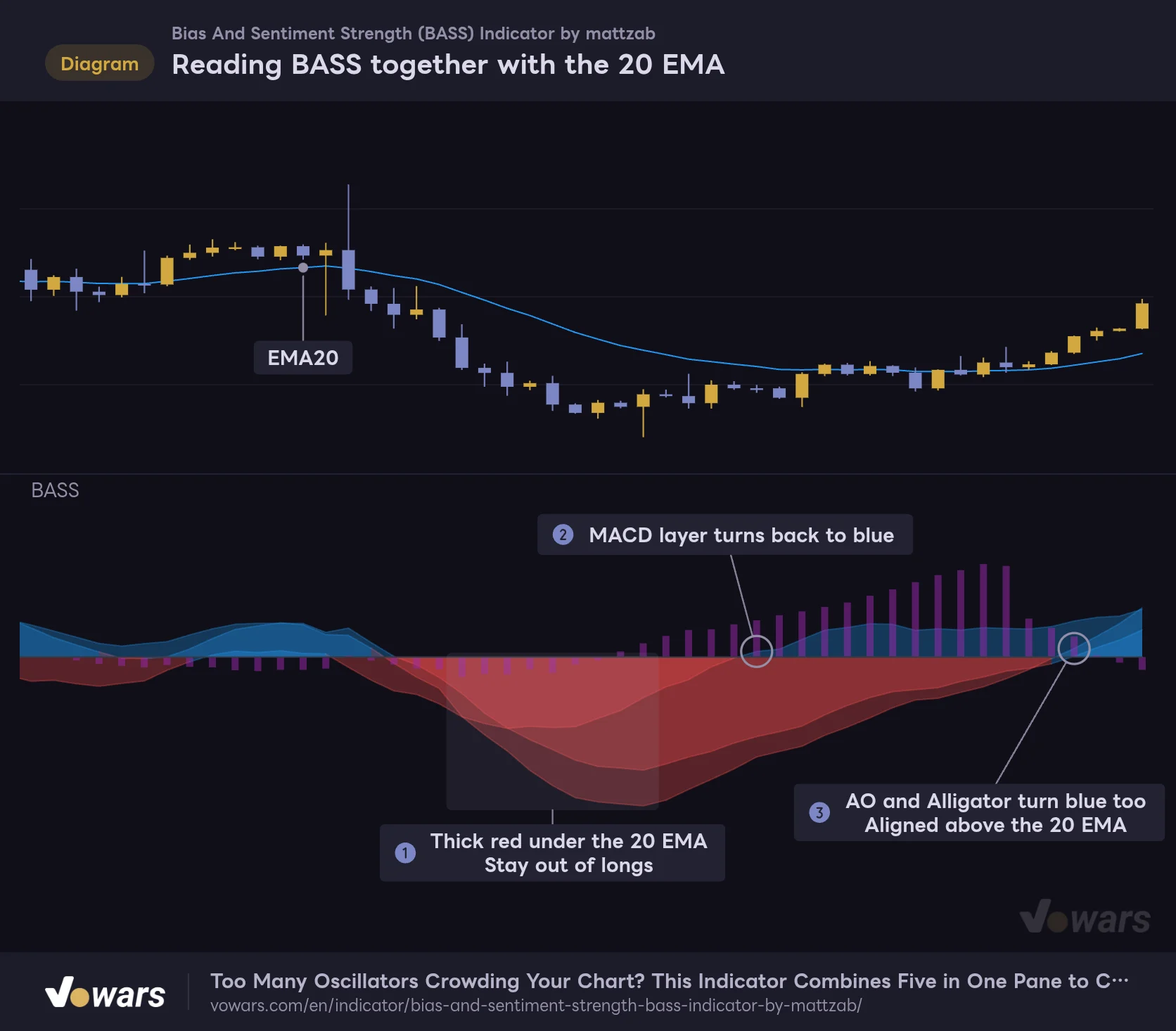
Reading BASS together with the 20 EMA
Confirm direction by combining where price sits relative to the 20 EMA with the color of the BASS layers.
Vowars DE ver.3.12.30
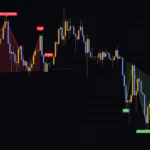
Figure ①, with price under the 20 EMA and thick red, is a spot to stay out of longs. At Figure ② the MACD layer turns blue first, but the other layers are still red and price is still under the EMA. Jumping in here is too early. Wait until Figure ③ and price is above the 20 EMA, with the Awesome Oscillator and Alligator layers starting to turn blue as well.
The division of labor is this: the EMA decides which side price is on, and the order in which the layers change color confirms whether momentum is building. It does not have to be a 20, so use whatever moving average you already trade with.
A few other pairings worth trying:
- Bollinger Bands. If the bands are widening when the layers stack up and deepen, you have confirmation that the move has momentum.
- Horizontal levels and support/resistance. When the colors split above and below zero, checking which side of a key level price is on makes the call easier.
- The standard Volume indicator. The purple bars only show the skew of volume, so it helps to watch the rise and fall of volume itself separately.
Where it shines, and where it gets hard to read
What you can rely on
- You can check the direction of five indicators in one pane without crowding the chart.
- Color depth shows how much they agree, so you can size up the market without reading numbers.
- The time gap between fast and slow layers gives you an early heads-up when momentum is fading.
- The purple bars let you check for volume backing at the same time.
- What is plotted on a closed bar never changes afterward.
What to watch out for
- On default settings, some layers get squashed and go unseen depending on the instrument.
- All five layers are the same color, so color alone will not tell you which indicator is which.
- Each indicator’s lookback is fixed, with no setting to retune it for shorter or longer horizons.
- In ranging markets the layers are thin and flip between blue and red at short intervals.
- Layer height changes with the instrument and timeframe, so the values cannot be compared across charts.
It suits markets with a clear trend. You get an easy-to-read picture where the layers stack and deepen and the purple bars extend in the same direction. The 30-minute through the daily were the easiest timeframes to read, and using it to confirm direction for day trades and swing trades felt like the natural fit.
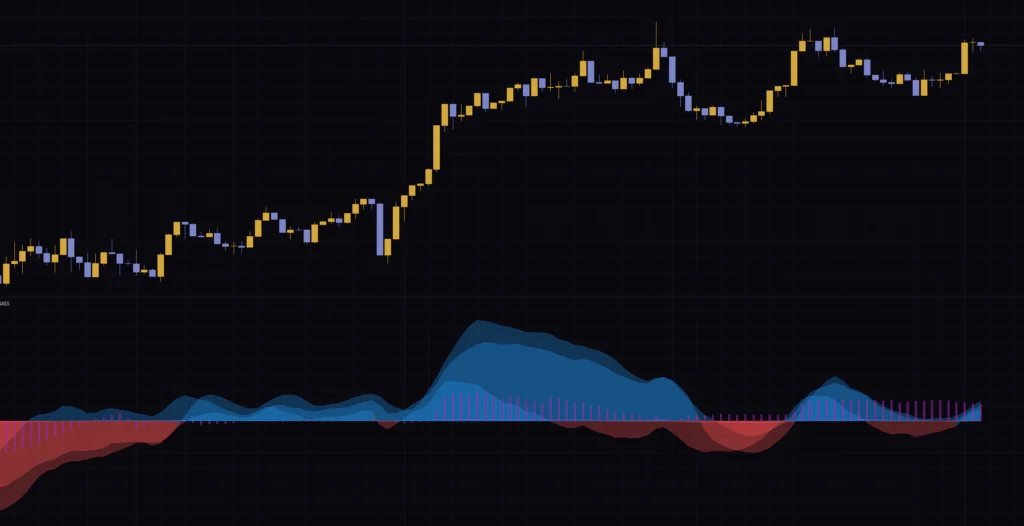
It runs on the 5-minute too, but the layers flip so often that you get more cases where the colors line up and then fall apart right away. If you want to use it for scalping, checking direction on a higher timeframe first looks like a must.
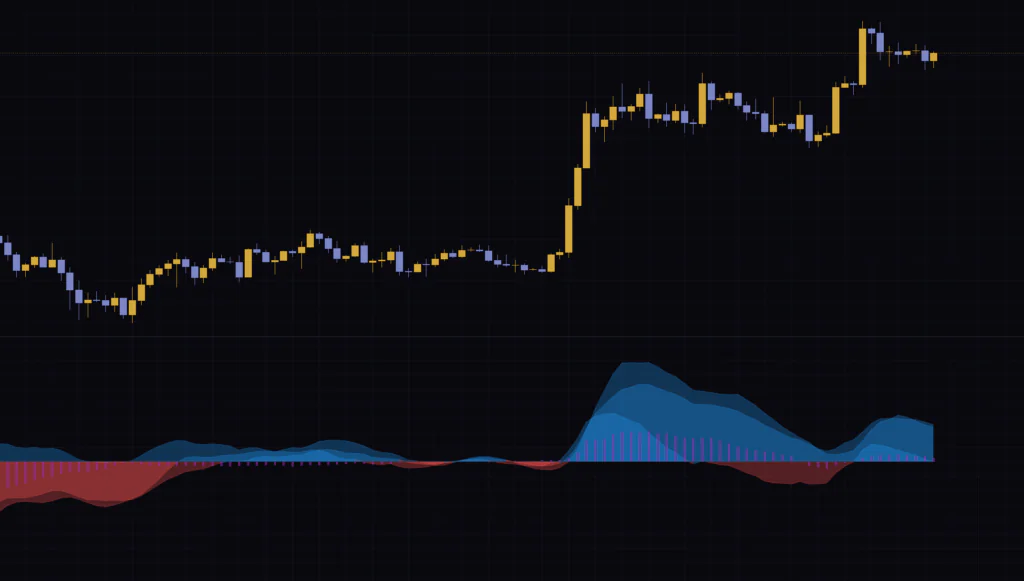
Things to know before you use it
The layers move on the live bar
Every layer and bar in the Bias And Sentiment Strength (BASS) Indicator is calculated from closing prices. Nothing plotted on a closed bar gets rewritten later, and it pulls no higher-timeframe data. On the live bar, though, both the height and the color of the layers change with every tick. Wait for the bar to close before deciding whether something has crossed the zero line.
You build the alerts yourself
There are no built-in alert conditions. That said, in TradingView’s alert dialog you can pick the Bias And Sentiment Strength (BASS) Indicator as the condition and set up your own alert for when a layer or the bars cross 0, for example when MACD Histogram crosses above 0. There is no ready-made condition that tells you all five have lined up, so it is best to treat alerts as a helper only.
Where the description and the display write the formula differently
On the script page, the formulas for the Alligator and Stochastic layers are written slightly differently from what is actually plotted. What you see on the chart is Lips minus Jaw for the Alligator, and %K minus %D for the Stochastic. Both read the same way as the other layers: blue when the faster side is on top.
Don’t treat layer height as absolute strength
Layer height changes with the scaling, the instrument and the timeframe. It works for comparisons inside one chart, such as higher than yesterday, but comparing heights across instruments or timeframes tells you nothing. A layer with too much scaling also covers the others and stands out. Standing out does not make it more important, so to avoid misreads, don’t push scaling past what it takes to match the order of magnitude.
Don’t trade on this alone
The colors only line up once the move is already under way. All five are indicators calculated from past prices, so it is not unusual for a good chunk of the move to be done by the time they agree. The Bias And Sentiment Strength (BASS) Indicator gives you no stop-loss level or profit target, so you need to set those using key price levels and moving averages.
One pane for sizing up the market at a glance
 Image
ImageThe Bias And Sentiment Strength (BASS) Indicator swaps the chore of cross-checking several classic indicators for a read on color depth. Deep blue means the bulls are lined up, deep red means the bears are, and a split above and below zero means a standoff. Remember those three and you can size up the market the moment you open the chart.
Getting the scaling right does take a little effort up front. Once it was dialed in, though, I could see the five layers and the purple bars each moving at their own speed, and shifts in momentum became easier to catch. If your chart feels cramped from stacking oscillators, start by counting how many layers you can actually see on your usual instrument and timeframe.