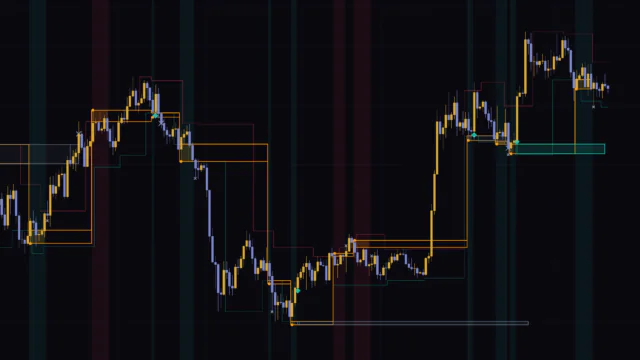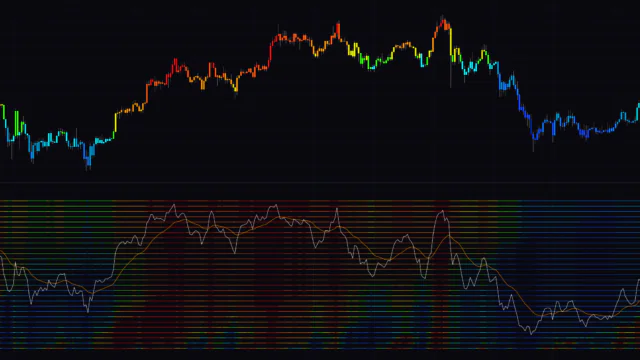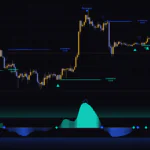

A Z-score that uses color to show whether a ±2 stretch is actually safe to fade
Fading a Z-score is about as intuitive as mean reversion gets. You measure how far price has drifted from its average in standard deviations, then read anything above +2 as overbought and anything below -2 as oversold. The problem shows up the moment you try it on a live chart: in a strong trend, price can sit below -2 for dozens of bars and just keep bleeding. It looks “oversold” on paper, but buying there is a quick way to get run over.
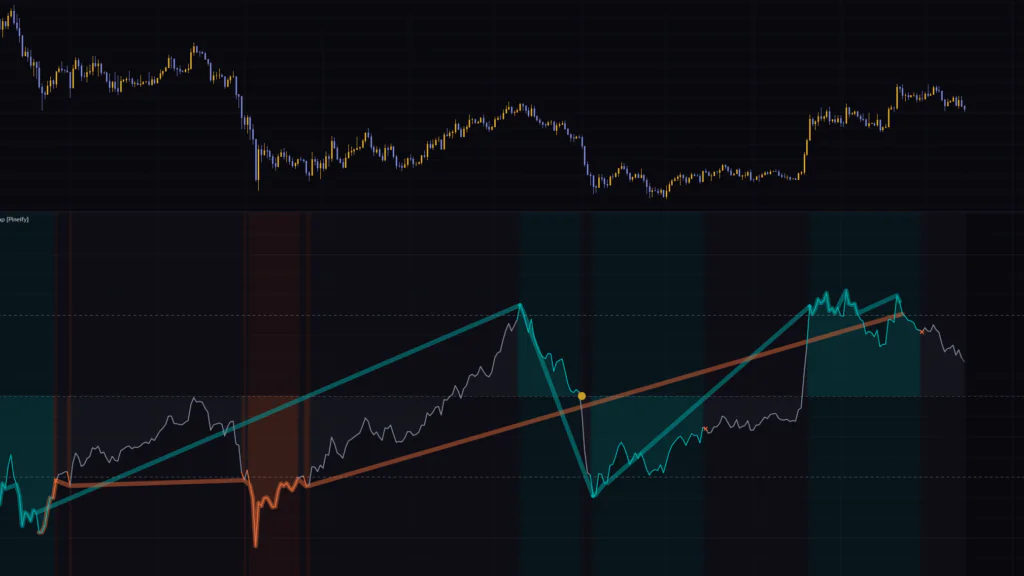
“Rolling Z Score Reversion Map” is an oscillator built to tackle exactly that problem. It never touches the Z-score value itself. Instead, it uses color to show whether a given stretch is an extreme worth watching for a return to the mean, or simply an extension that is riding the trend. Cyan marks a candidate to watch for mean reversion, orange marks an extension in the direction of the trend, and gray means nothing unusual is going on.
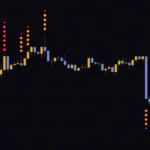
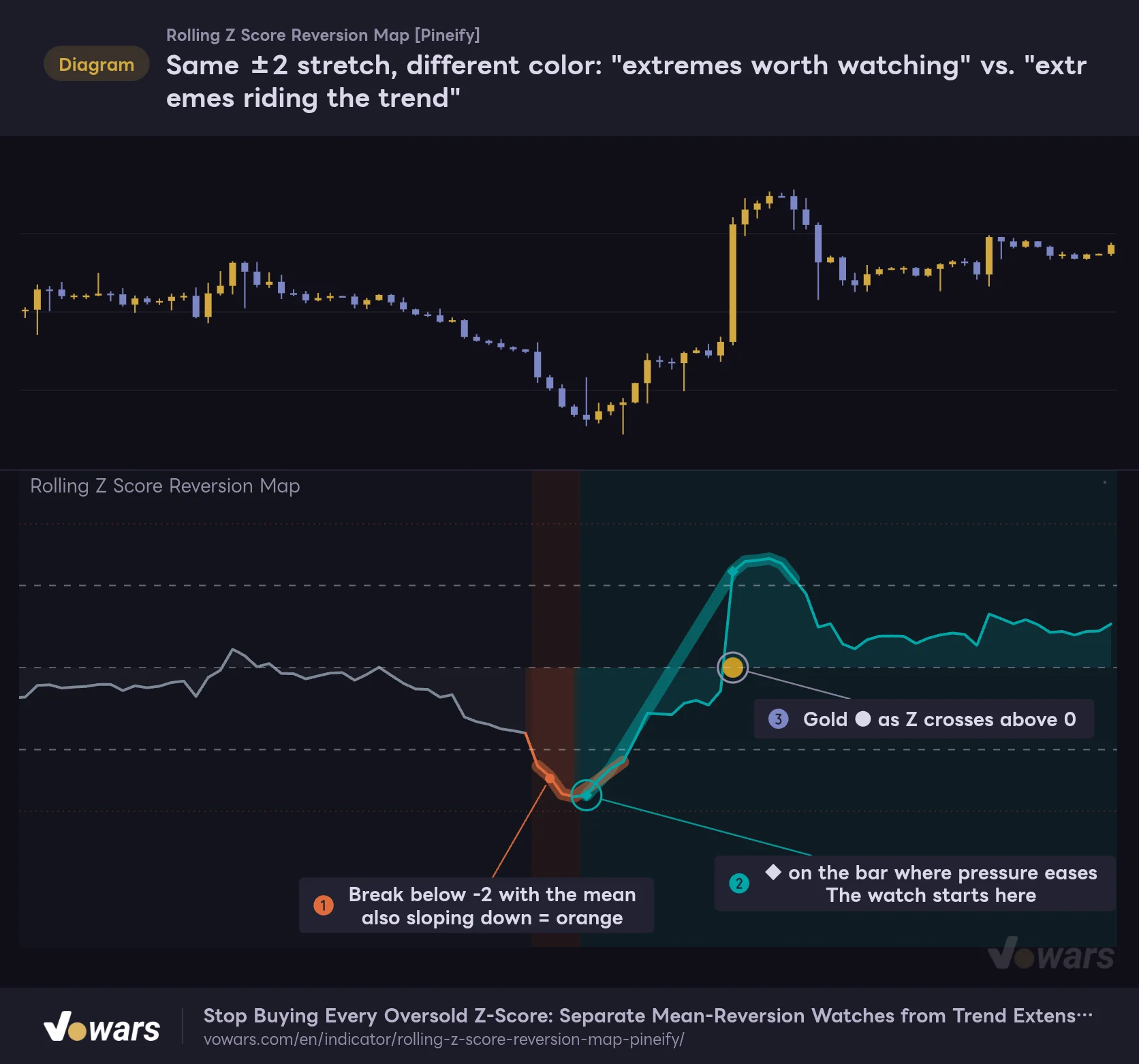
The figure recreates a stretch of price action where the colors flip between orange and cyan. While the selling pressure is strong, the break below -2 stays orange and gets passed over, and only once the pressure eases in Figure ② does a ◆ finally print. After that, a gold ● is left on the bar where Z crosses back above 0.
Same ±2 stretch, different color: "extremes worth watching" vs. "extremes riding the trend"
In the lower pane, the line height is the raw Z-score and the color reflects market context.
Vowars DE ver.3.12.32
Honestly, my first reaction was, “Thick lines, thin lines, shaded backgrounds… that is a lot of information.” But once you settle on an order for reading it, the clutter stops being a problem. Read distance from the height of the line, context from the color, and events from the markers. Get those three layers down and you have a solid handle on how to use Rolling Z Score Reversion Map.
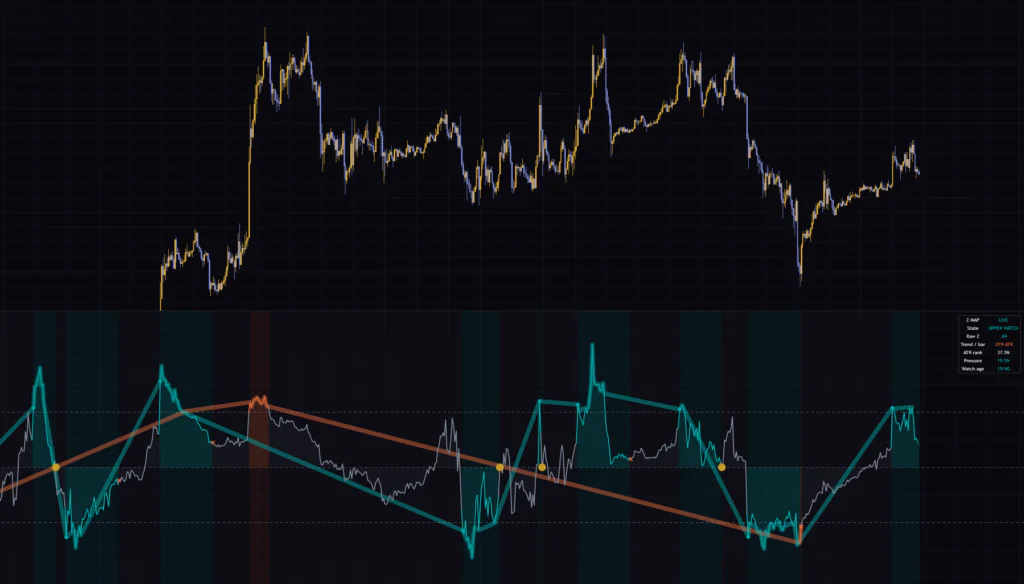
This indicator is not designed to hand you buy and sell signals. Its job is to record and organize “what context did this extreme happen in?” The entry decision stays entirely with you. In this review, based on what I saw running it on TradingView from the 5-minute chart all the way up to the weekly, we will walk through what the colors mean, how a watch (WATCH) starts and ends, how to tune the inputs, and what to pair it with.
The five elements in the sub-pane and what each one means
Rolling Z Score Reversion Map plots in a separate pane below the candles. There is a fair amount being drawn, but each element has a clearly defined role.
| Element | Appearance | Meaning |
|---|---|---|
| Z-score line | 2px line in gray / cyan / orange | How many standard deviations the close is from the rolling mean. Its height is always the raw Z-score |
| ±2 dashed lines | Light dashed lines | The level at which a reading counts as an extreme (Extreme threshold). Default is 2.0 |
| ±3.5 dotted lines | Faint orange dotted lines | The invalidation rails used to decide whether to cancel a watch |
| Thick translucent band | Thick cyan or orange line | A halo that highlights bars meeting the extreme conditions |
| Background and fill to the zero line | Soft cyan, orange, or gray shading | The state of that bar. Gets darker during an active watch or a trend extension |
| ◆ (cyan) | Small diamond | The confirmed bar where a mean-reversion watch begins |
| ● (gold) | Circle placed at 0 | The bar where Z crossed 0 (the rolling mean) during an active watch |
| × (orange) | Small x-cross | The bar where a watch was cancelled by one of the exit conditions |
The line height is always the “raw Z-score”
The first thing to know is that the height of the line is never adjusted. It is a Z-score calculated from a 100-bar simple moving average (SMA) and standard deviation.
Z-score = (Close − 100-bar SMA) ÷ 100-bar standard deviation
Some filtered oscillators shrink the value itself when the trend gets strong. Once that happens, what “+2” means changes from one situation to the next. Rolling Z Score Reversion Map leaves the value alone and changes only the interpretation, through color. That means you can compare its readings directly with other Z-score tools, or with the Bollinger Bands setup we will get to later.
What separates cyan from orange is “continuation pressure”
The color is driven by an internal value called “continuation pressure,” which runs from 0 to 100%. Put simply, it answers the question “is this stretch happening in a context where the move is likely to keep going?” It is built from three things: the slope of the mean, whether Z and that slope point the same way, and whether ATR is large compared with its own history.
- If Z is beyond ±2 and continuation pressure is at or below the cap (default 55%), it turns cyan. That makes it a candidate to watch for a return to the mean
- If Z is beyond ±2 and continuation pressure is above the cap, it turns orange. The move is treated as an extension riding the trend (EXTENSION)
- Inside ±2 the line is gray. During an active watch, though, it stays cyan even after Z comes back inside
We will break down exactly how continuation pressure is calculated, with a figure, in the “How is continuation pressure calculated?” section further down.
Following a watch (WATCH) from ◆ to ●
What makes Rolling Z Score Reversion Map interesting is that it does not treat an extreme as a single dot on the chart. It tracks it over a period of time, called a “watch.” On the chart, it plays out like this.
1 A ◆ starts the watch
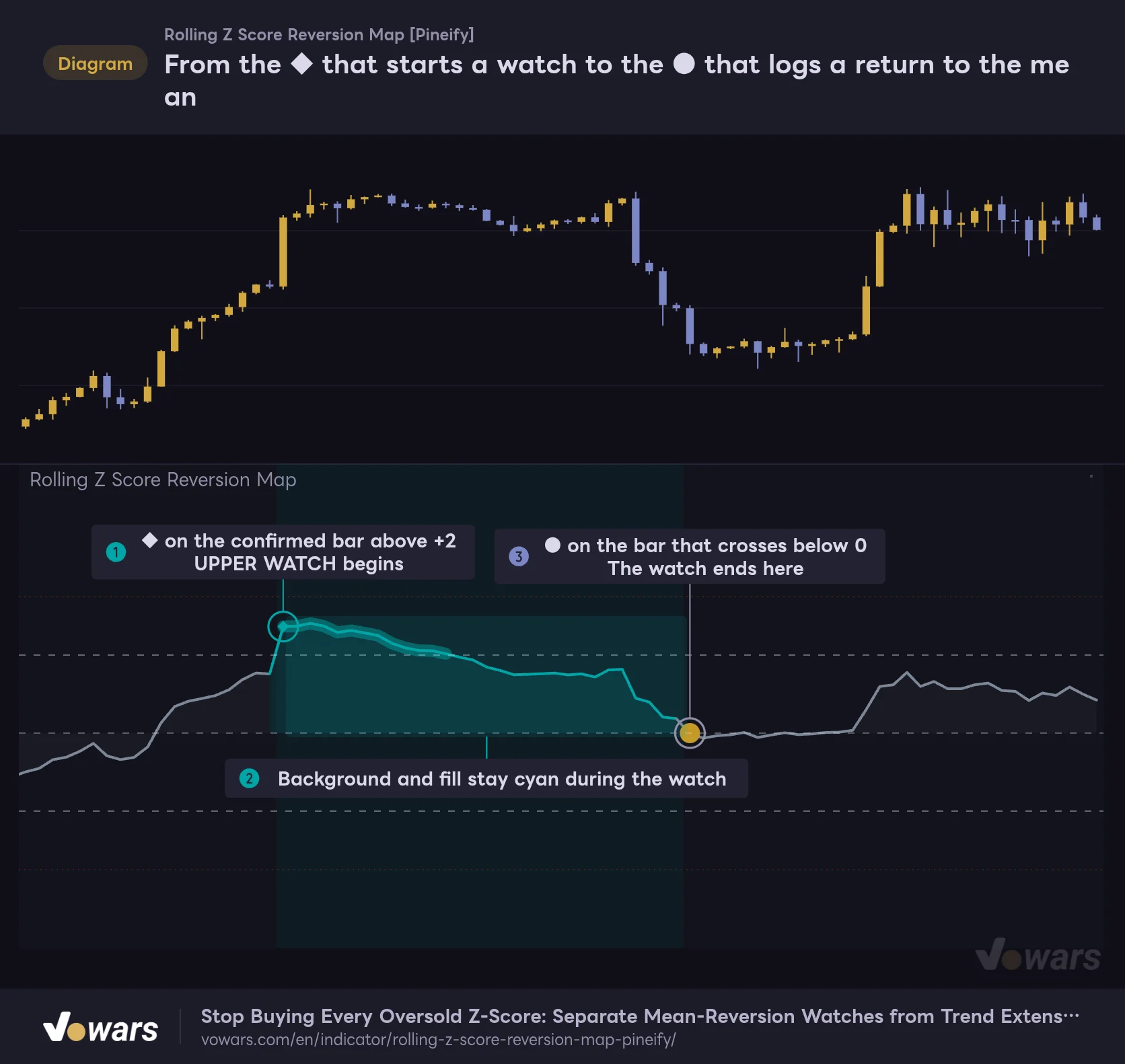
A cyan ◆ prints on the first confirmed bar where Z is beyond ±2 and continuation pressure is at or below the cap. The watch starts there, and the background and the fill to the zero line turn cyan. On the +2 side it is labeled “UPPER WATCH,” and on the -2 side “LOWER WATCH.” Figure ① shows that exact moment.
From the ◆ that starts a watch to the ● that logs a return to the mean
A watch keeps the background cyan until the Z-score crosses 0 (the rolling mean).
Vowars DE ver.3.12.32
2 The cyan stays on during a watch, even after Z comes back inside ±2
While a watch is active, the background stays cyan even after Z returns inside ±2. As Figure ② shows, the whole stretch from slipping back under +2 until it approaches 0 can be read as one event. The table in the top-right shows “Watch age,” the number of bars since the watch started, in a format like “19/40.”
3 Crossing 0 is logged with a gold ●
For an upper watch, a gold ● prints at the 0 level on the bar where Z crosses 0 from above. For a lower watch, it prints where Z crosses 0 from below. That is Figure ③, and it is where the watch ends.
A ● prints on the bar where Z crosses 0, in other words the bar where the close moves to the other side of the 100-bar mean. It does not imply that price will keep running in the opposite direction from there. And because the mean itself moves every bar, it also does not mean price has returned to where the mean was when the ◆ printed. Read it as a log entry: “the extreme we were watching has made it back to the mean.”
Three ways a watch gets cancelled with an ×
A watch does not always end with a ●. If any of the following happens, an orange × prints and the watch is cancelled.
- Z is beyond the invalidation rail (default ±3.5) and, at the same time, continuation pressure is above the cap
- The watch reaches Maximum watch bars (default 40 bars)
- Z or the pressure can no longer be calculated, for example due to missing data
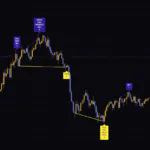
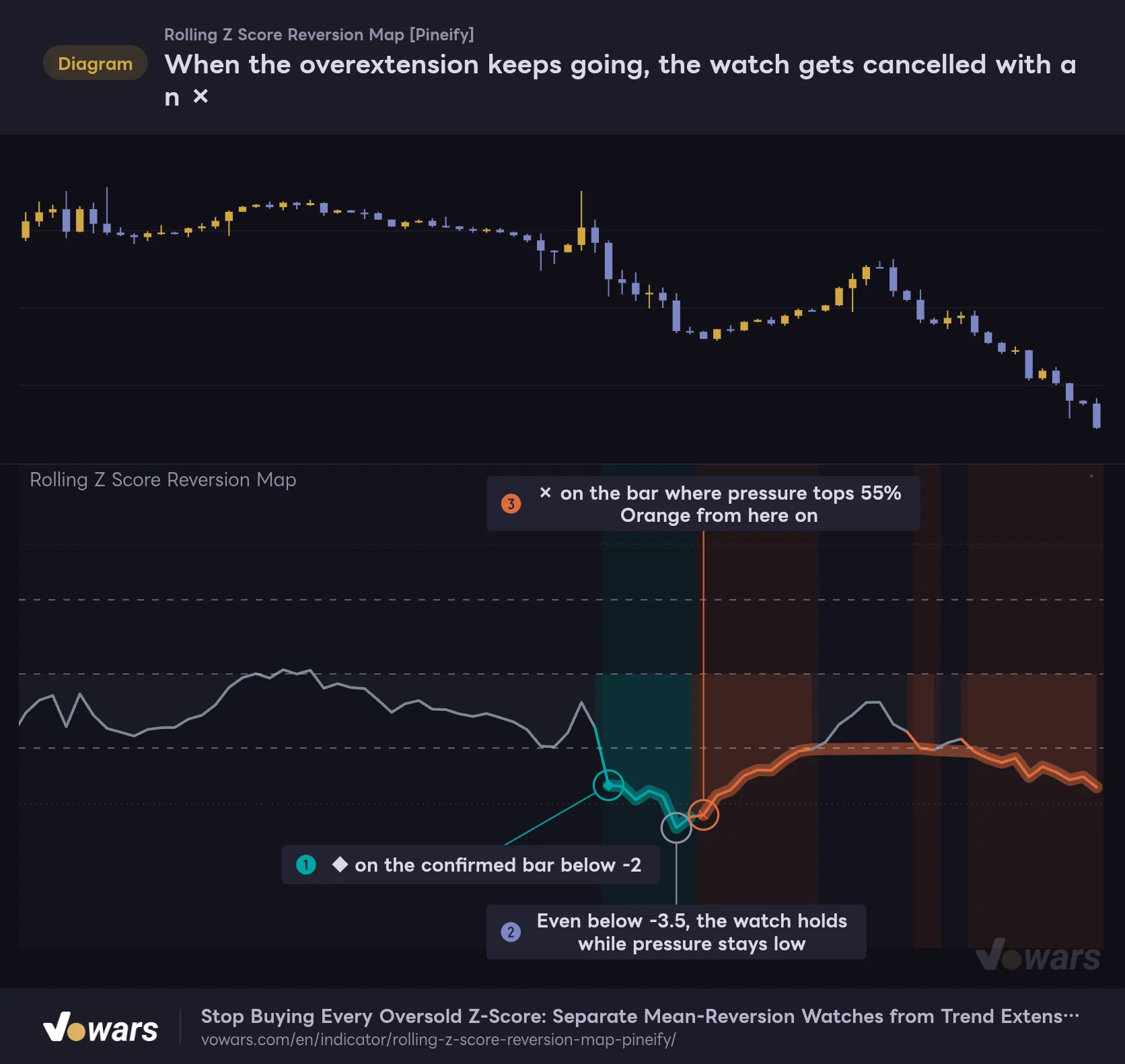
The first one is the one you will probably care about most. In the figure, the selloff keeps going after the ◆ prints, and Z sinks to around -4 at one point. Even so, continuation pressure was still low at Figure ②, so the watch stayed alive. Only on the bar in Figure ③, where the decline dragged on and pressure topped 55%, did the × finally print.
When the overextension keeps going, the watch gets cancelled with an ×
If Z moves past the invalidation rail (default ±3.5) during a watch while continuation pressure is above the cap, the watch ends on that bar.
Vowars DE ver.3.12.32
This is where it differs from a simple “stop out if it breaks -3.5” rule. Crossing the invalidation rail alone does not cancel the watch. You only get an × when the pressure that reflects trend momentum is elevated at the same time. It is designed to tell apart a quick wick that briefly dives deep from a trend that is clearly breaking down.
Do not overlook the second one, the time limit, either. On the 1-hour chart I saw several cases where Z went sideways around +1 after the ◆, never made it back to 0, and got an × at 40 bars. That × reflects a deliberate trade-off: there is a cap on how long you wait for mean reversion.
If a watch ends with a ● and, on that same bar, a fresh extreme on the opposite side meets the conditions, the next watch starts on that very bar. In the opening figure, too, the bar where Z crossed above 0 and printed a ● also got a ◆ for the break above +2. It is a common sight when a sharp reversal swings all the way to the other side in one go.
Treat orange as a signal to “hold off on fading for now”
The biggest change for me after adding this indicator was how I handle orange. Orange means a break below -2 while the mean is sloping down, or a push above +2 while the mean is sloping up, and on top of that the slope or range expansion is reasonably strong.
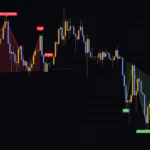
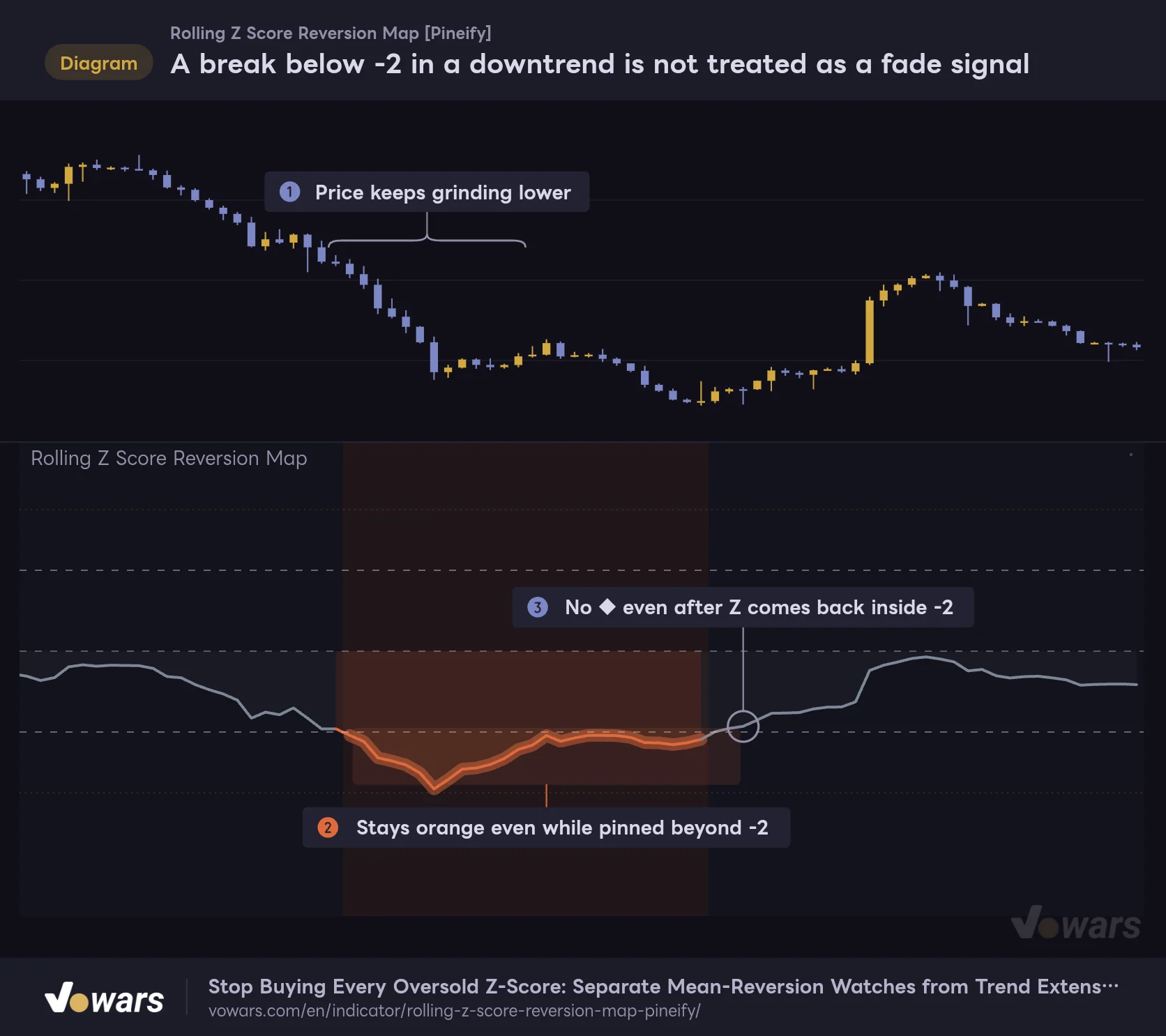
The figure shows a downtrend. As in Figure ①, price keeps falling, and in the lower pane Z stays pinned beyond -2 for a long stretch in Figure ②. With a fixed ±2 line, “oversold” would be lit up the whole time. Even so, Rolling Z Score Reversion Map treats this entire stretch as orange (DOWN EXTENSION) and never prints a single ◆.
A break below -2 in a downtrend is not treated as a fade signal
As long as the rolling mean itself is pointing down, no watch starts even when Z is below -2.
Vowars DE ver.3.12.32
On the Bitcoin daily chart as well, the stretch where Z sank to around -3.7 during the February 2026 crash was shaded orange. That is exactly the kind of moment where you want to think “the deeper Z goes, the closer the bounce.” But as long as the mean itself is pointing down, the indicator reads it more naturally as part of the selloff than as an overextension.
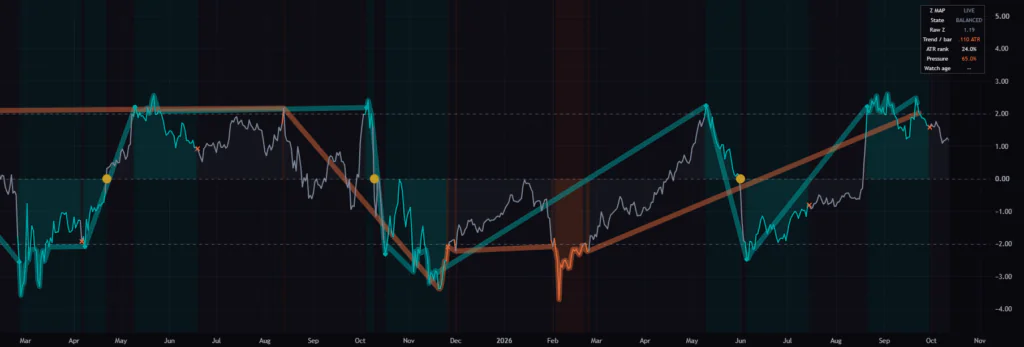
Orange is a color for putting the fade on hold. It is not a recommendation to enter in the direction of the trend. There are times when a run of orange is followed by a sharp reversal. Whether to ride the trend is a call you should make together with other evidence, such as price structure and the higher-timeframe trend.
How is continuation pressure calculated? The cap depends on the direction of the slope
Continuation pressure is the sum of the following three components, clamped to a 0–100% range.
| Component | Weight | What it is |
|---|---|---|
| Trend strength (only when aligned) | 65% | The slope of the 100-bar mean converted into “ATRs per bar,” then divided by Full trend pressure (ATR per bar) (default 0.08) and scaled to 0–1. Only added when the sign of Z matches the direction of the slope |
| Volatility expansion | 20% | Where the current ATR ranks among the previous 200 ATR values. Only the part above 50% is converted to a 0–1 scale |
| Interaction of the two | 15% | Trend strength × volatility expansion |
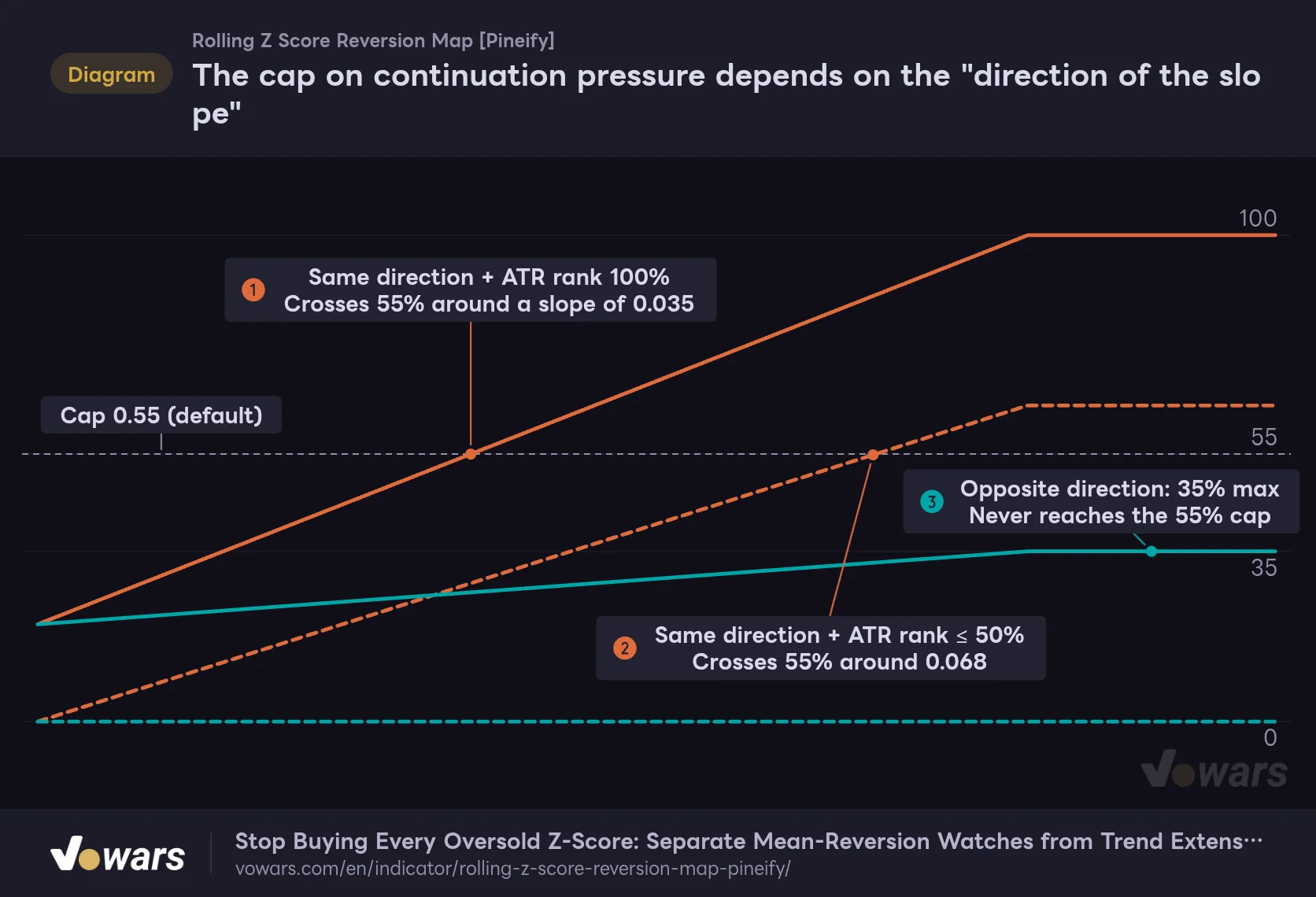
The largest weight, 65%, only kicks in when “Z and the slope of the mean point the same way.” The figure charts continuation pressure at the default settings as the slope gets gradually steeper from 0.
The cap on continuation pressure depends on the "direction of the slope"
X-axis: slope of the mean (ATR per bar, steeper to the right, 0 to 0.10). Y-axis: continuation pressure (%). Solid lines = ATR rank 100%, dashed lines = ATR rank 50% or lower.
Vowars DE ver.3.12.32
As Figure ③ shows, for an extreme that goes against the slope of the mean, pressure tops out at 35% (20% + 15%). That never reaches the default cap of 55%, so a break below -2 in an uptrend, or a push above +2 in a downtrend, will almost always become a cyan watch. It helps to think of it as a design for catching overextended dips and rallies.
Extremes that go with the slope are a different story. When ATR is at the very top of its last 200 bars, they flip to orange once the slope exceeds roughly 0.035 ATR per bar Figure ①. In a quiet market where ATR is at or below its median, the slope has to reach about 0.068 ATR per bar before it turns orange Figure ②. In other words, the wider the ranges are getting, the more easily it flips to orange.
The ATR rank is calculated by comparing the current ATR against the previous 200 ATR values, without including the current one. This keeps the bar from inflating its own rank by being compared with itself. Ties count as half a vote, so the rank does not skew to an extreme even when volatility goes flat for a while.
Do not get thrown off by the diagonal lines connecting the thick bands
This is what tripped me up the first time I loaded it on TradingView. All over the sub-pane, thick cyan and orange lines stretch diagonally across to some other extreme far away.
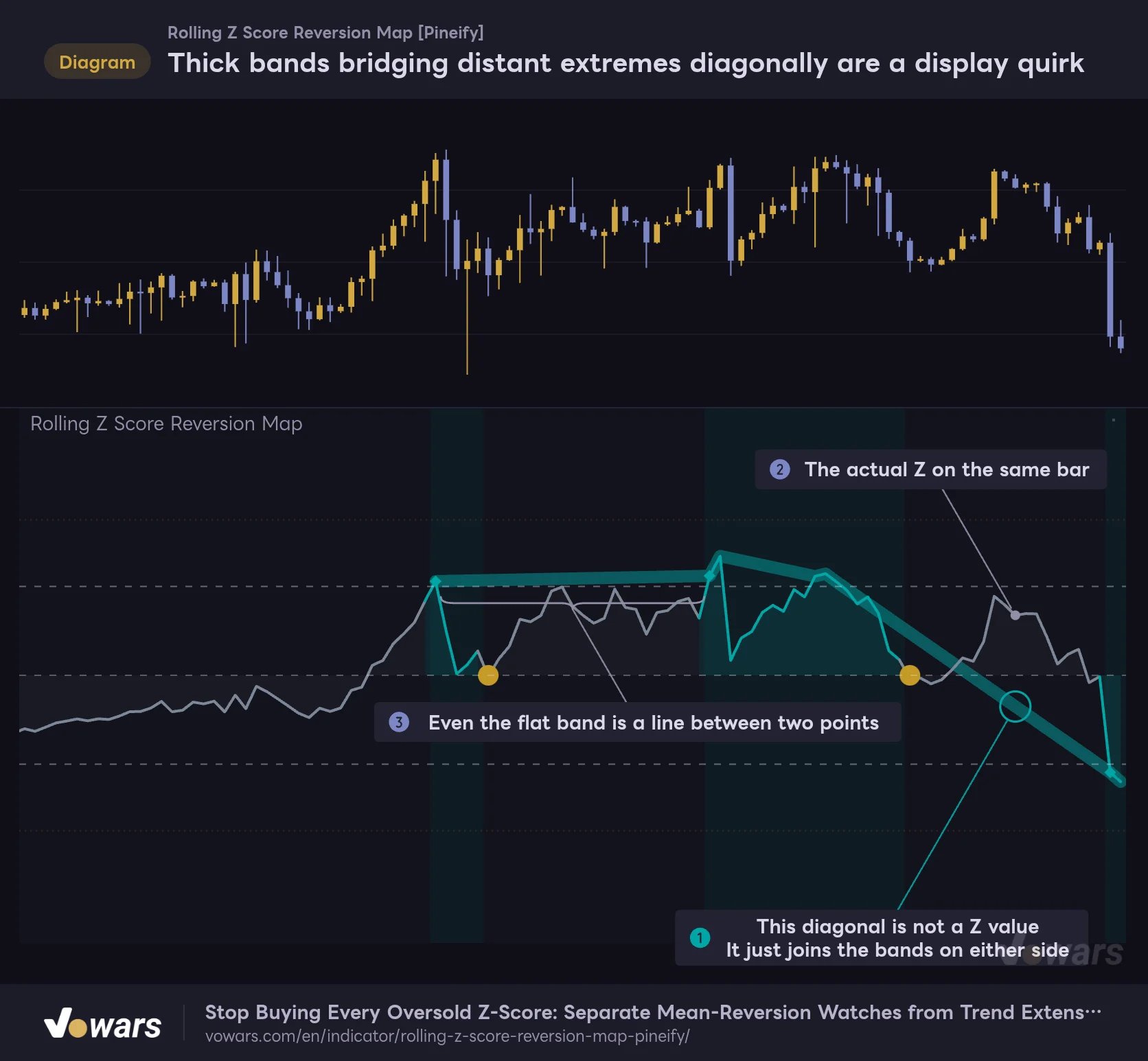
These thick lines are the halo turned on by “Show context halo,” and they only carry a value on bars that meet the extreme conditions. On the bars in between, though, the line does not break. It is drawn as a straight line connecting the points before and after. TradingView has two ways of drawing a line: one bridges across bars with no value, and the other breaks the line there. This halo uses the first.
Thick bands bridging distant extremes diagonally are a display quirk
The thick band from "Show context halo" only has values on bars that meet the extreme conditions, and is drawn as a connected line in between.
Vowars DE ver.3.12.32
The diagonal line in Figure ① is not the Z value on that bar. The actual Z for the same bar is the thin line shown in Figure ②. Even the band that looks flat in Figure ③ is just a line joining the heights of two separate extremes.
When reading the chart, focus only on the thin line, the background color, and the markers. You can safely ignore the diagonal parts of the thick lines. If they bother you, switching off Show context halo in the settings removes the thick lines entirely. The Z line, the ±2 dashed lines, the background, and the markers all stay, so you do not lose anything you need to make a call. I found it easiest to keep it off until I got used to the indicator, and only switch it back on when I wanted the extreme bars highlighted.
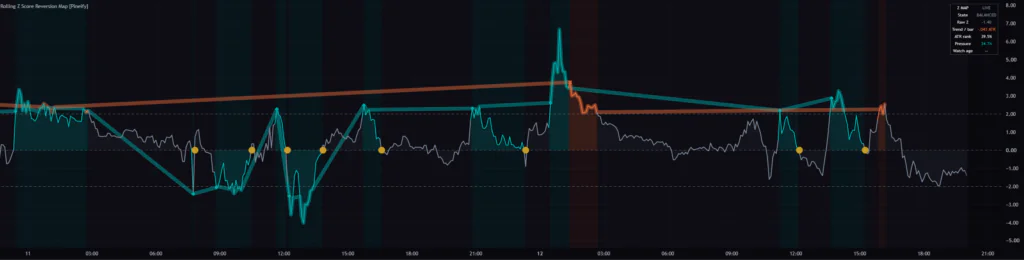
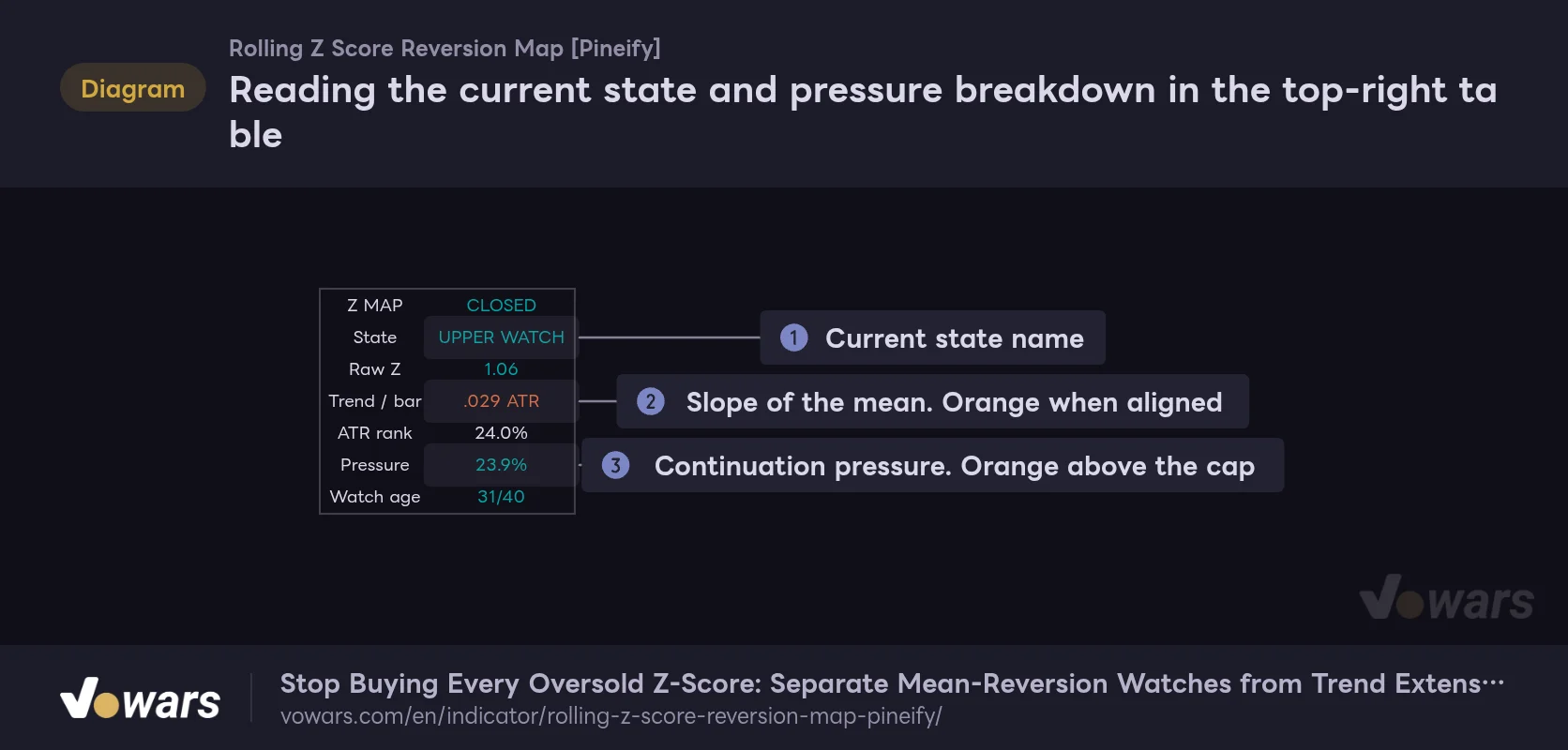
Check the current state in the top-right table
A table summarizing the state of the latest bar appears in the top-right corner of the sub-pane.
Reading the current state and pressure breakdown in the top-right table
The table only shows values for the latest bar. This figure shows the state of the last bar from the same price action as the opening figure.
Vowars DE ver.3.12.32
| Field | Example | How to read it |
|---|---|---|
| Z MAP | CLOSED / LIVE | CLOSED on a confirmed bar, LIVE on a bar that is still forming |
| State | UPPER WATCH, etc. | The current state name. See the list below |
| Raw Z | 1.06 | The raw Z-score |
| Trend / bar | .029 ATR | The slope of the mean (ATR per bar). Orange when it points the same way as Z |
| ATR rank | 24.0% | Where ATR ranks within the previous 200 bars. Orange above 75% |
| Pressure | 23.9% | Continuation pressure. Orange above the cap, cyan at or below it |
| Watch age | 31/40 | Bars elapsed in the watch and the maximum. Shows “–” when no watch is active |
There are eight state names that can appear under State.
- WARMUP / DATA. Not enough bars yet for the calculation
- UPPER WATCH / LOWER WATCH. A watch is active on the +2 side / -2 side
- UP EXTENSION / DOWN EXTENSION. An extension in the direction of the trend (orange)
- UP CANDIDATE / DOWN CANDIDATE. An extreme that meets the conditions but has not started a new watch
- BALANCED. The normal state when none of the above applies
CANDIDATE shows up in situations like Z still sitting at an extreme right after a watch has timed out. A watch can only start on the bar where the conditions are first met, so even if the extreme persists, a new watch on the same side does not restart right away.
The table only shows values for the latest bar, so when you want to check the state of past bars, use TradingView’s Data Window. It shows, bar by bar, the ATR rank, the slope of the mean, continuation pressure, reversion eligibility (100% − continuation pressure), a number representing the state, and the Z value at the start of the watch. None of these are drawn on the chart, so they came in really handy when I wanted to figure out why a ◆ did not print.
What each input does and how to tune it for your use case
The settings are organized into five groups: “Standardization,” “Context gate,” “Observation,” “Visuals,” and “Colors.” First, here is an overview of the numeric inputs.
| Setting | Default | Suggested | Effect |
|---|---|---|---|
| Z-score window | 100 | 100 (start with the default even if you want less noise on lower timeframes) | The lookback for the mean and standard deviation in the Z-score. Longer means a steadier baseline and fewer extremes |
| Extreme threshold | 2.0 | 2.0 (2.5 to cut down the number of signals) | The absolute Z value that counts as an extreme. The ±2 dashed lines move with this value |
| ATR window | 14 | 14 | The ATR period used as the range yardstick. Used both for converting the slope and for the ATR rank |
| Prior bars for ATR rank | 200 | 200 (around 100 for short histories such as the weekly) | The number of previous bars the ATR rank is compared against. Longer makes the “rougher than usual” call more stable |
| Mean slope span | 20 | 20 | The span over which the slope of the mean is measured. Shorter makes it more sensitive to changes in slope |
| Full trend pressure (ATR per bar) | 0.08 | 0.08 | The slope (ATR per bar) at which trend strength maxes out. Lower values produce more orange |
| Maximum pressure for reversion watch | 0.55 | 0.55 (around 0.40 to be more selective) | The maximum continuation pressure allowed to start a watch. The lower it is, the narrower the entry into a watch |
| Watch invalidation Z | 3.5 | 3.5 | The Z depth used to decide whether to cancel a watch. Only takes effect when pressure is above the cap |
| Maximum watch bars | 40 | 40 (20–30 to cut watches short on lower timeframes) | The maximum number of bars a watch can run. Past that, it ends with an × |
Standardization (the Z-score baseline)
Z-score window sets how many bars are used to measure the mean and standard deviation for the Z-score. 100 bars is about 4 days on the 1-hour chart, about 17 days on the 4-hour, and a little over 3 months on the daily. Shortening it makes Z swing more sharply and produces more extremes, but the “mean” itself also catches up to price faster, so the ● prints sooner as well. Keep in mind that the watch then shifts from meaning “a deviation from the long-term mean” to “a small wiggle around the recent price.”
For Extreme threshold, I recommend starting with the default of 2.0. Two standard deviations is the same scale as the Bollinger Bands we will cover later, which makes it easy to cross-check with other analysis. If you want fewer signals on a timeframe where extremes are constant, like the 5-minute chart, raising it to 2.5 is an option.
Context gate (the part that decides the color)
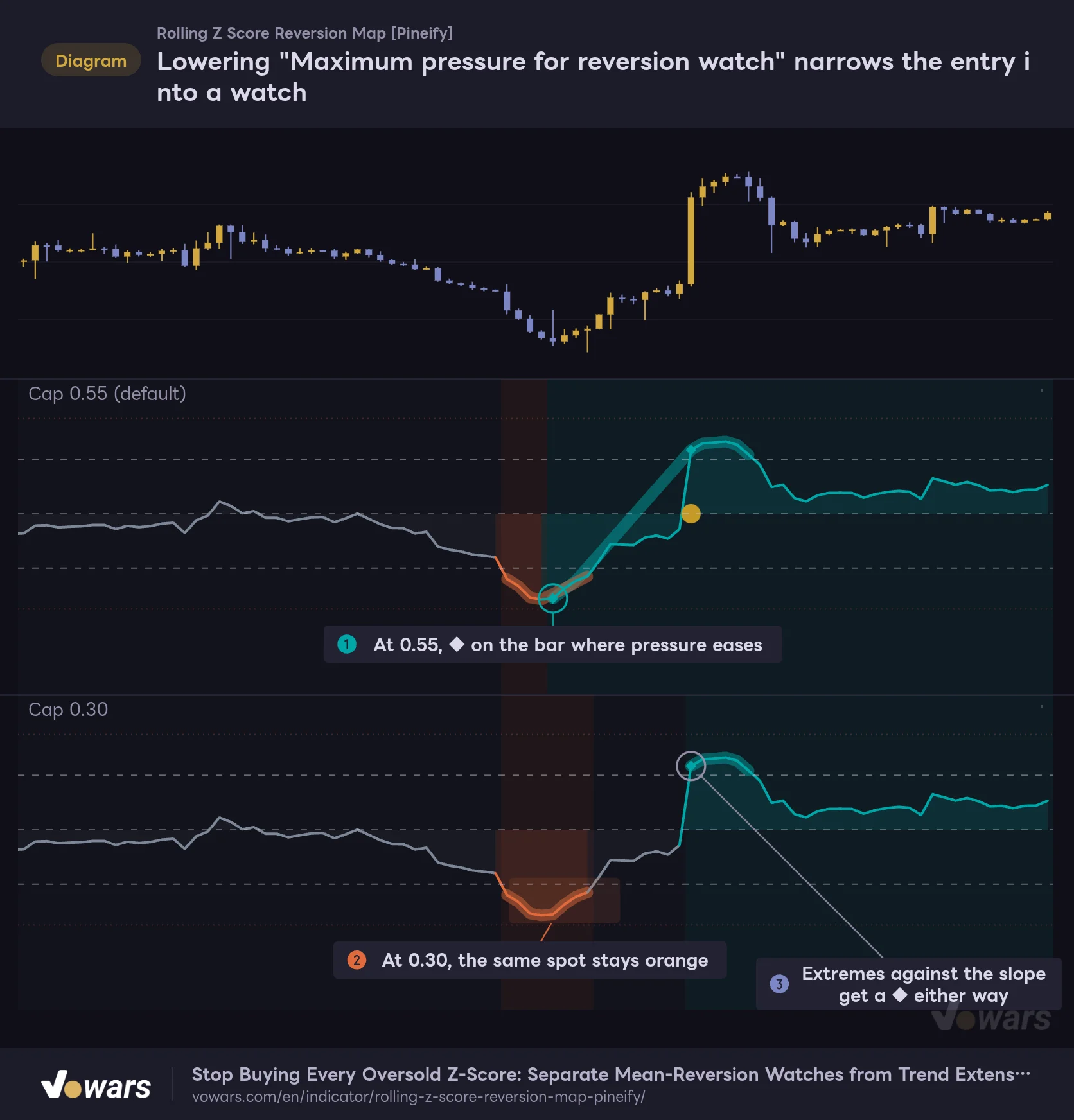
Maximum pressure for reversion watch is the setting that changes the character of this indicator the most. The figure compares the default of 0.55 with 0.30 on the same price action.
Lowering "Maximum pressure for reversion watch" narrows the entry into a watch
The same price action with two settings stacked for comparison: a cap of 0.55 (default) and 0.30.
Vowars DE ver.3.12.32
At 0.55, as in Figure ①, a ◆ prints on the bar where the selling momentum eases a little. Lower it to 0.30, and the same moment in Figure ② stays orange and gets passed over. Meanwhile, the extreme against the slope in Figure ③ starts a watch under both settings. As we saw in the previous section, extremes against the slope max out at 35% pressure, so as long as the cap is 0.35 or higher, they always land on the cyan side.
Lowering the cap turns it into a more conservative tool that only picks up counter-trend dips and rallies. Raise it to around 0.7–0.8, on the other hand, and you will see a ◆ more often on extensions in the direction of the trend, so it starts behaving more like a fixed ±2 line.
Full trend pressure (ATR per bar) is the yardstick for how steep a slope counts as a “full-strength trend.” On a slow-moving asset, if you feel orange is not showing up even in an obvious trend, lowering it to around 0.06 makes it more responsive. As for Mean slope span and ATR window, I rarely found a situation where the defaults caused problems.
Observation (how a watch is closed out)
Maximum watch bars is a setting you will want to adjust to your timeframe. 40 bars on the 1-hour chart is just under two days, but 40 bars on the 5-minute is only 3 hours and 20 minutes. On lower timeframes the number of bars it takes to revert is shorter to begin with, so cutting it to 20–30 bars reduces cases where “a watch lingers for ages without ever reverting.” Lowering Watch invalidation Z brings the invalidation rails closer in, but an × also requires the pressure condition at the same time. Lowering this value on its own does not widen the range of situations where an × prints by much.
Visuals and Colors
The Visuals group has five toggles: Show context halo, Show zero-axis fill, Show state background, Show confirmed event markers, and Show context table. All of them are on by default, and even with them off, the Z line and the ±2 and ±3.5 levels remain. When I stacked it on the same screen as other indicators, turning off the halo and the background cleaned things up a lot.
In the Colors group you can change four colors: watch, trend extension, neutral, and mean return. If you use a light theme, adjusting the neutral color while checking the contrast against the background makes the line easier to follow.
How it felt on each timeframe
I switched the same Bitcoin chart through every timeframe from the 5-minute up to the weekly. The intended range is the 15-minute chart through the weekly.
| Timeframe | How it felt in use |
|---|---|
| 5-minute | Extremes print constantly, and the halo’s diagonal lines tend to cover the screen. Z even blew past 6 right after a spike, and there were too many watches to read comfortably |
| 15-minute | Orange shows up easily during high-ATR-rank sessions. If you are day trading with it, this felt like the lowest practical timeframe |
| 1-hour | The ◆ to ● flow is easiest to read here. Watches on dips and rallies come up at a comfortable frequency |
| 4-hour | The August rally pushed Z into the +5 range before it clearly flipped to orange (UP EXTENSION). Well suited to checking context for swing trades |
| Daily | The February 2026 crash was shaded orange, which makes it easy to see where a fade should be skipped |
| Weekly | Watches only occur a few times every few years. Because the ATR rank needs 200 bars of history, the line only appears about four years after the start of the data |
On the weekly, the Z line only started around fall 2021. Z itself can be calculated with 100 bars, but for roughly the first 214 bars, until the ATR rank is fully populated, the state is treated as unresolved (WARMUP / DATA) and the line itself is not drawn. On assets with a short history, or on the weekly and monthly charts, lowering Prior bars for ATR rank to around 100 makes the plot start earlier.
Overall, the 1-hour and 4-hour charts were the easiest to work with. It fits best on day-trading to swing-trading timeframes, when you want to watch for mean reversion and size up trend extensions at the same time.
Pair it with Bollinger Bands and the Z ±2 levels show up on the price chart
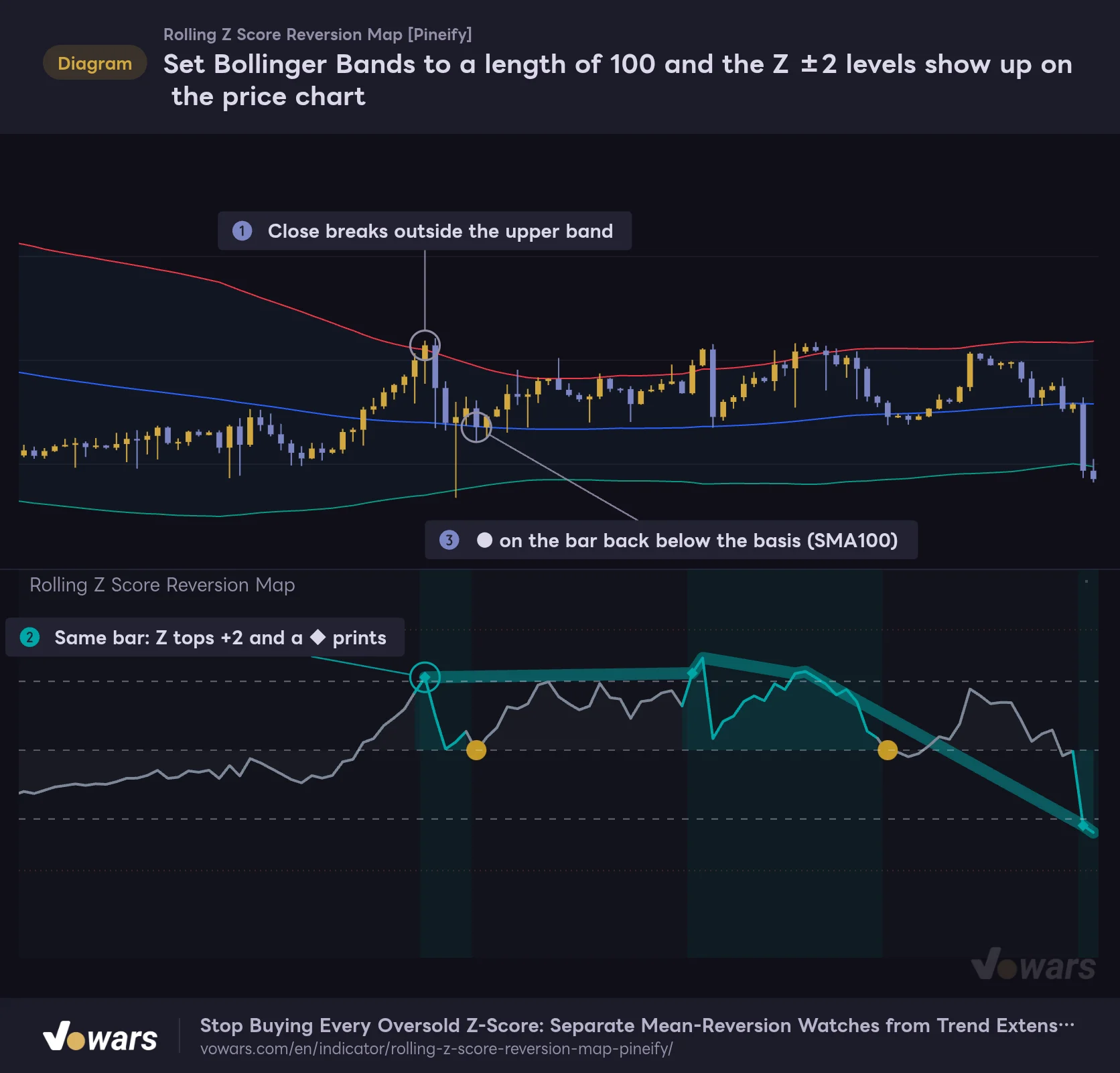
One combination I found works especially well is TradingView’s built-in Bollinger Bands set to Length 100 and StdDev 2, overlaid on the price chart. The upper and lower bands are “mean ± standard deviation × 2,” which is exactly the same calculation as Z = ±2 in Rolling Z Score Reversion Map.
Set Bollinger Bands to a length of 100 and the Z ±2 levels show up on the price chart
Bollinger Bands (Length 100 / StdDev 2) overlaid on the price chart. They use the same mean and standard deviation as the Z-score in the lower pane.
Vowars DE ver.3.12.32
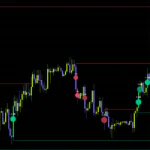
The bar where the close breaks outside the upper band in Figure ① lines up with the bar in the lower pane where Z tops +2 and a ◆ prints, as shown in Figure ②. The bar with the ● is likewise, on the price chart, the bar where the close drops back below the basis (SMA100), as in Figure ③.
The beauty of this combo is how cleanly the roles split. Bollinger Bands tell you in advance “what price counts as an extreme,” and the colors in Rolling Z Score Reversion Map tell you “how to treat that extreme.” Having a price-based reference for where to rest a limit order is something you just do not get from staring at the sub-pane alone.
TradingView’s built-in Bollinger Bands default to Length 20, so the scales will not match out of the box. If you change Z-score window, set the Bollinger Bands Length to the same value. Keep the source on close and the basis MA type on SMA.
Beyond that, these indicators also pair well with it.
- ADX (Average Directional Index). If ADX is also rising during an orange stretch, you get independent confirmation of trend strength from a different calculation
- Volume Profile. Checking whether there is a high-volume node (POC) near the price level where the ◆ printed helps you find a foothold for the reversion
- Anchored VWAP. Comparing a VWAP anchored at the start of a spike or crash with the 100-bar mean gives you something to work with when thinking about price action after the ●
Where it shines and what to watch out for
Where it shines
- It never modifies the Z-score value, so what ±2 means stays the same in every situation
- It separates trend-direction extensions in orange, giving you a reason to sit out a fade
- The ◆ → ● / × flow lets you follow what happens “after” an extreme in chronological order
- Watches, markers, and alerts only update on confirmed bars, so they never shift position after the fact
- You can check continuation pressure and ATR rank bar by bar in the Data Window
What to watch out for
- The halo’s thick lines connect distant extremes and are easy to mistake for Z values
- When the background, fill, and halo stack up, the screen gets crowded on lower timeframes
- Because it uses a 100-bar mean and a 20-bar slope, it is slow to react to sudden reversals
- It needs a long history, so on the weekly or on newly listed assets it takes a while before anything plots
- A ● is a record of a return to the mean, not a promise of a reversal or a profit
Repainting and alert behavior
Calls on confirmed bars do not change
The Z-score, ATR, and the slope of the mean are all calculated from confirmed prices only, with no higher-timeframe data and no future values. The ◆, ●, and × markers and the watch state only update on confirmed bars, so a marker on a past bar will never disappear or move later.
On the bar that is still forming, the line and fill colors change with price and are drawn slightly more faded. The top-right of the table also shows “LIVE.” Both are provisional until the bar closes, and the call is locked in using the values at bar close.
When a new bar meets the extreme conditions, the halo’s thick line is drawn from the previous extreme up to that bar, spanning the past bars in between. The markers and calls do not change, but the look of the chart does change back across that past range. When you review historical charts, be careful not to mistake these diagonal lines for a record of price action.
Two alert conditions
There are two alerts available.
- Reversion-eligible extreme confirmed. Fires on the bar where a ◆ prints (the start of a watch)
- Observed return through rolling mean. Fires on the bar where a ● prints (Z crossing 0 during a watch)
Both can be set up from TradingView’s Create Alert dialog by selecting this indicator as the condition. Since the calls are limited to confirmed bars, choosing the trigger option that fires once when the bar closes (Once Per Bar Close) keeps the alert timing in sync with the markers on the chart. Note that there is no dedicated alert condition for an × (a cancelled watch).
If you want to step back through a watch one bar at a time afterward, TradingView’s Bar Replay is handy. Start the replay from the bar where the ◆ printed and you can follow how Z moved before it reached a ● or an ×, exactly as it looked at the time. The timeframes available in replay and how far back you can go depend on your plan.
Rolling Z Score Reversion Map does not show the share of watches that reached a ●, or any statistics on what price did afterward. How often price actually reverts to the mean is something you need to verify yourself, through Bar Replay or your own trade log. The weights and thresholds are not optimized values either, so the safe move is to compare it on your own assets and timeframes before building it into your decision-making.
For traders who want to keep the “overextension” number and its interpretation separate
![Rolling Z Score Reversion Map [Pineify]](https://vowars.com/wp-content/webp-express/webp-images/uploads/2026/10/Rolling-Z-Score-Reversion-Map5-1024x550.png.webp) Image
ImageRolling Z Score Reversion Map is packed with ideas for keeping an old-school yardstick, the Z-score, usable on its original scale. Distance is shown as plain distance, and the trend and volatility context is attached as a label. Thanks to that split, I can now spot the “Z is at -3, but you should not be buying here” setups, and see why.
It suits traders who use fading or mean reversion as part of their approach and want to stop making the mistake of fighting a trend in full swing. Hunt for dip and rally candidates on the 1-hour to 4-hour charts, and keep your hands off while orange is showing. That alone gives your decision-making a clearer logic than a fixed ±2 line.
That said, a ◆ or ● does not promise anything about what happens next. Some displays, like the halo’s diagonal lines, also take some getting used to. Start by running it on the default settings across a few days of charts, and check where the color changes line up with your own read, and where they do not.