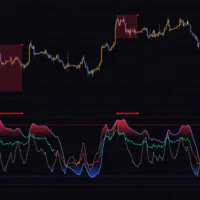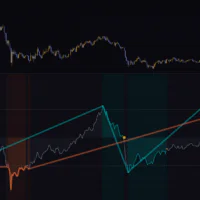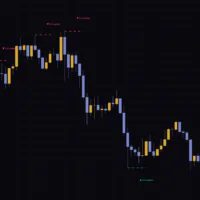
An Oscillator That Turns Volume Flow Into Clean Peaks and Troughs
Chaikin Fisher Transform Divergence & Early Reversal takes the Chaikin Oscillator, a volume-based momentum oscillator, and runs it through a Fisher Transform. It was published by mehmetbezgincan and adds a single dedicated pane below your chart.
The Chaikin Oscillator measures accumulation and distribution pressure with volume baked in. The catch is that its raw values are scaled differently on every symbol, so it is hard to tell where “stretched” actually begins. Chaikin Fisher Transform Divergence & Early Reversal layers a Fisher Transform on top and reshapes it into a wave with sharp tops and bottoms where the turns are easy to spot.
Sort everything by what it does and there are really only three things on screen.
- ▲ and ▼ on the bars where the Fisher line changes direction
- ◆ on turns that happen from a stretched level
- Four types of labels and lines that flag disagreement between price and the Fisher line
This review goes through each mark in order, following what actually prints on the chart: what triggers it and when it is locked in.
Reading the Lines and Marks in the Pane, One by One
The Thick Line Is the Fisher Line, the Thin Gray One Is Its Previous Value
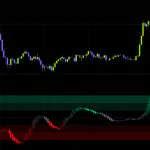
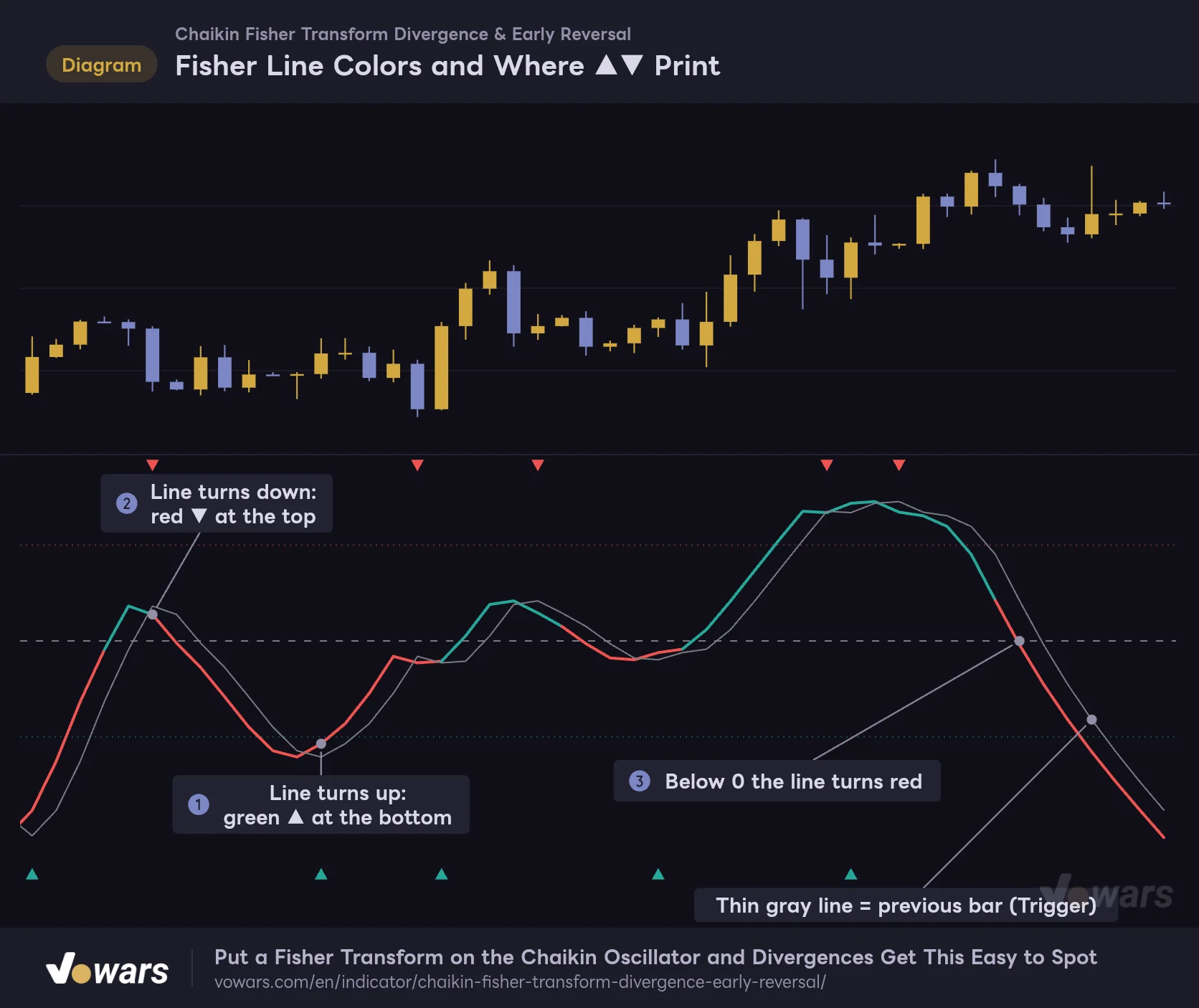
The thick Fisher line is the star of the pane. It is drawn green at 0 and above and red below 0, so the color alone tells you whether volume momentum is leaning toward buyers or sellers. As Figure ③ shows, the color flips from the bar where the line crosses 0.
The thin gray line is called Trigger, and it is simply the Fisher line from one bar ago. It is not a separately calculated line, just the same line shifted one bar to the right. That means the bar where the two cross is always the bar where the Fisher line changes direction.
Fisher Line Colors and Where ▲▼ Print
The line color flips at 0, and a triangle only prints on bars where the line changes direction.
Vowars DE ver.3.12.26
▲ prints at the bottom edge of the pane on the bar where a falling Fisher line turns up, as in Figure ①. ▼ is the mirror image and sits at the top edge, as in Figure ②. Because they line up along the edges regardless of where the line is, they stay easy to see even when the pane gets busy.
There are three horizontal lines. The dashed one is 0, the upper dotted one is Overbought Level and the lower dotted one is Oversold Level. The defaults are 1.5 and -1.5.
Cheat Sheet for Marks and Labels
| Mark | Name | Prints when | Position |
|---|---|---|---|
| Green ▲ | Long Crossover | The Fisher line turns up | Bottom edge |
| Red ▼ | Short Crossover | The Fisher line turns down | Top edge |
| Cyan ◆ | Early Bullish Reversal | The line turns up from at or below Oversold Level | Bottom edge |
| Orange ◆ | Early Bearish Reversal | The line turns down from at or above Overbought Level | Top edge |
| RegBull (green, solid line) | Regular Bullish Divergence | Lower low in price, higher low on Fisher | Bottom edge |
| HidBull (dark green, dashed line) | Hidden Bullish Divergence | Higher low in price, lower low on Fisher | Bottom edge |
| RegBear (red, solid line) | Regular Bearish Divergence | Higher high in price, lower high on Fisher | Top edge |
| HidBear (dark red, dashed line) | Hidden Bearish Divergence | Lower high in price, higher high on Fisher | Top edge |
Is ◆ Earlier Than ▲▼? On the Chart, It Prints on the Same Bar
With a name like Early Reversal, I expected a signal that shows up ahead of ▲▼. The script page also describes it as a heads-up before a full crossover forms. But when I walked through the chart one signal at a time, every ◆ sat on the same bar as a ▲ or ▼.
The reason is the Trigger behavior covered above. The condition for ▲▼ and the condition for ◆ are both “the bar where the Fisher line changes direction.” The difference is that ◆ has two extra filters on top.
- The value right before the turn has to be at or below Oversold Level, or at or above Overbought Level
- At least the number of bars set in Signal Cooldown (Bars) must have passed since the last ◆ in the same direction
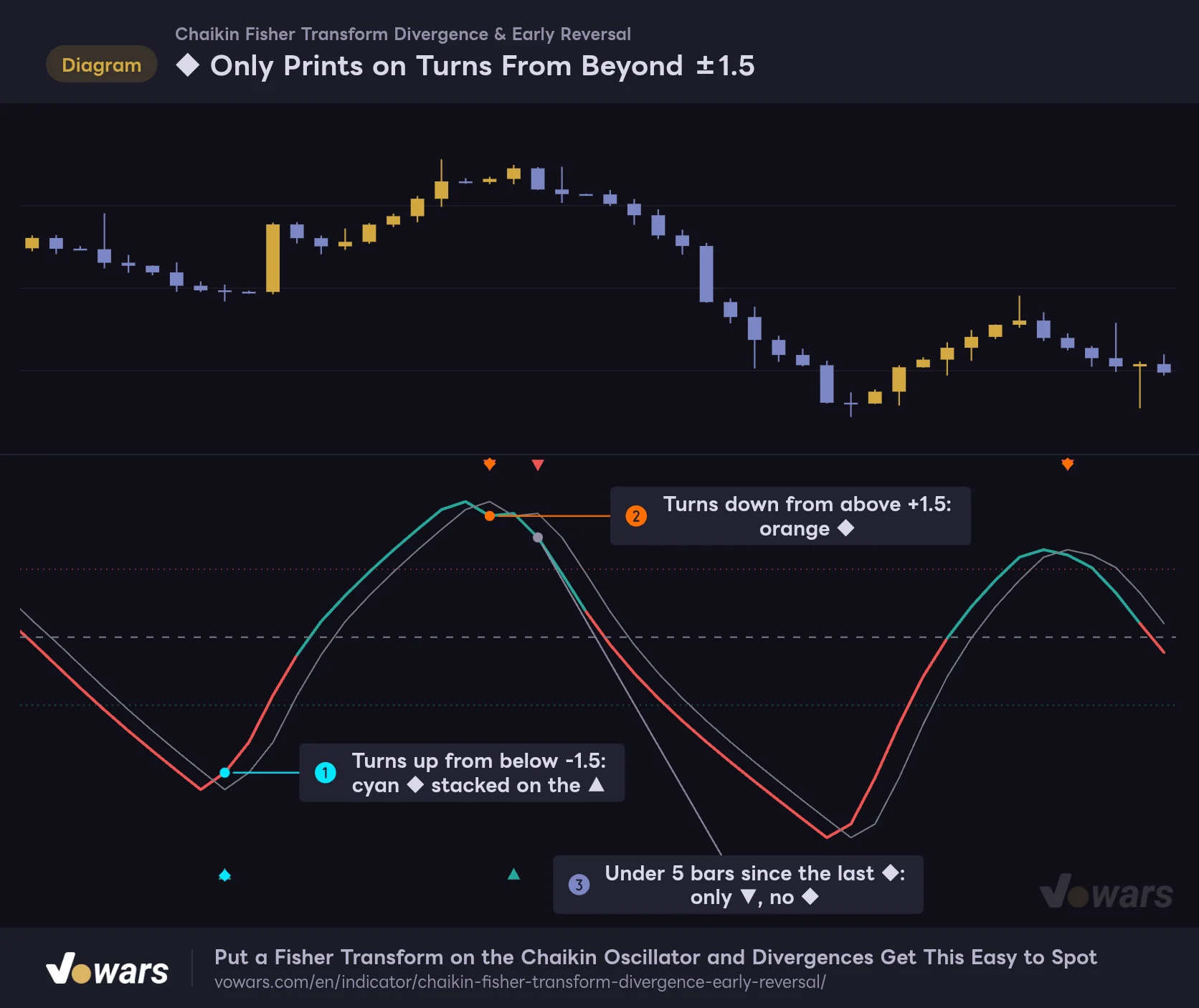
◆ Only Prints on Turns From Beyond ±1.5
The Early Reversal ◆ is stacked on the same bar as the triangle.
Vowars DE ver.3.12.26
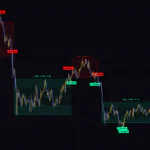
Figure ① is a bar that turned up from below -1.5, so a cyan ◆ is stacked on the ▲. Figure ② is a turn from above +1.5, so it gets an orange ◆. Figure ③ also turns down from above +1.5, but only 2 bars have passed since the previous ◆, so only the ▼ prints.
So the realistic way to read ◆ is as a highlight on the ▲▼ signals that happen at stretched levels, out of the many that print. The timing is identical to ▲▼, so it is safer not to expect ◆ to get you in ahead of the crossover.
The script page presents Early Reversal as a leading signal that fires before the crossover, but on the chart it prints on the same bar as ▲▼. I reflected this mismatch as an adjustment to the overall star rating. Used for what it is, it still does a good job of flagging turns from stretched levels at a glance.
Reg vs. Hid: Telling the Four Labels Apart
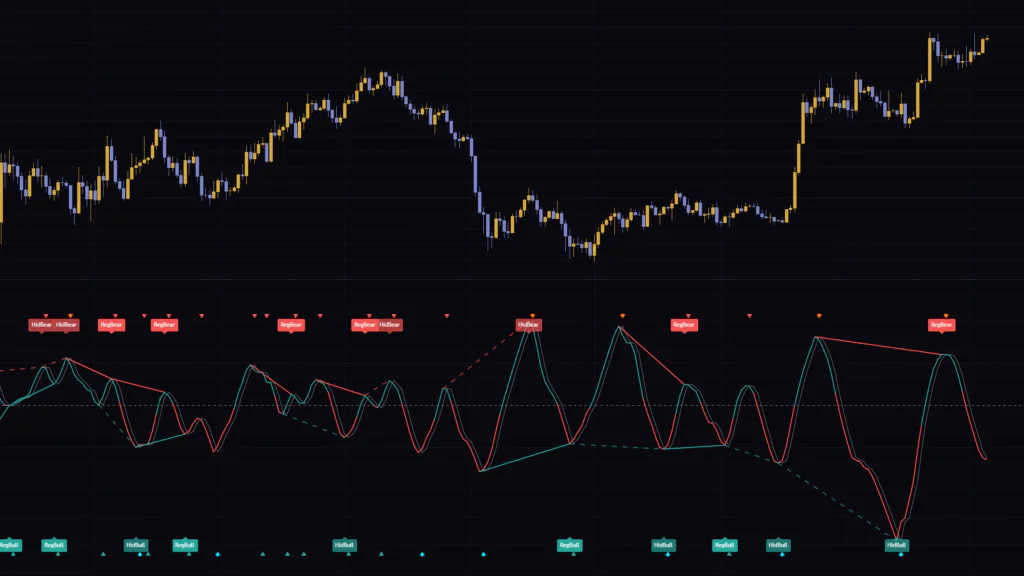
A divergence is when price and an oscillator stop agreeing with each other. Chaikin Fisher Transform Divergence & Early Reversal automatically finds the peaks and troughs of the Fisher line, compares each one with the previous peak or trough, and draws a label and a line when they disagree.
RegBull and RegBear Flag Momentum Running Out of Steam
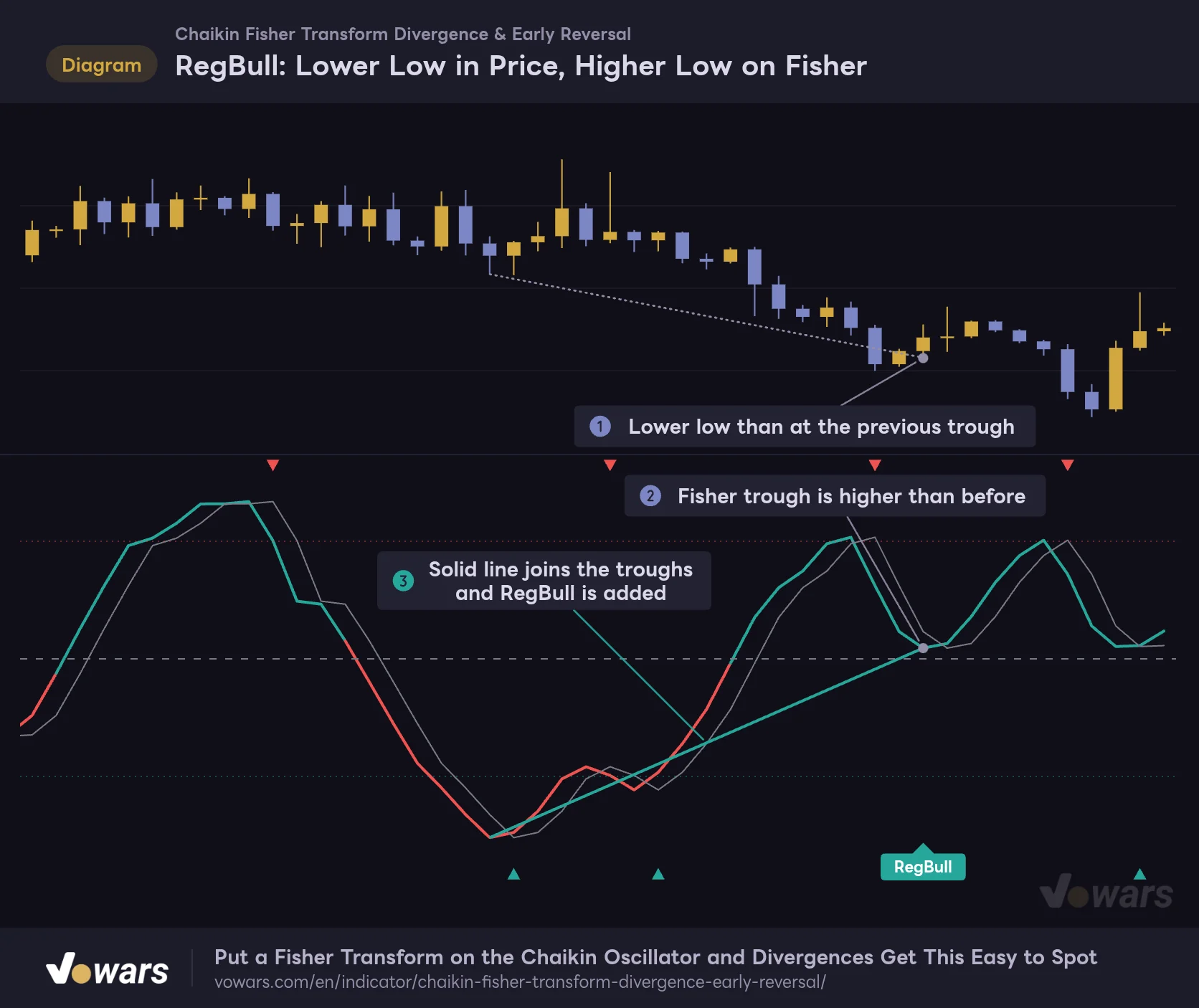
RegBull: Lower Low in Price, Higher Low on Fisher
The lows being compared are the ones on the bars where the Fisher line made its troughs.
Vowars DE ver.3.12.26
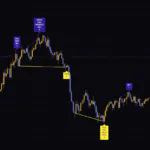
At Figure ①, price has made a lower low than at the previous trough. Yet the Fisher trough at Figure ② stopped at a higher level than before. Price is still dropping, but selling pressure measured with volume is fading. When that happens, the two troughs are joined by the solid line at Figure ③ and a RegBull label is added.
RegBear is the same thing flipped. When price makes a higher high but the Fisher peak comes in lower, you get a solid red line and a label. Both are signs that the move is weakening, and I treat them as reversal candidates.
HidBull and HidBear Are on the Side of Trend Continuation
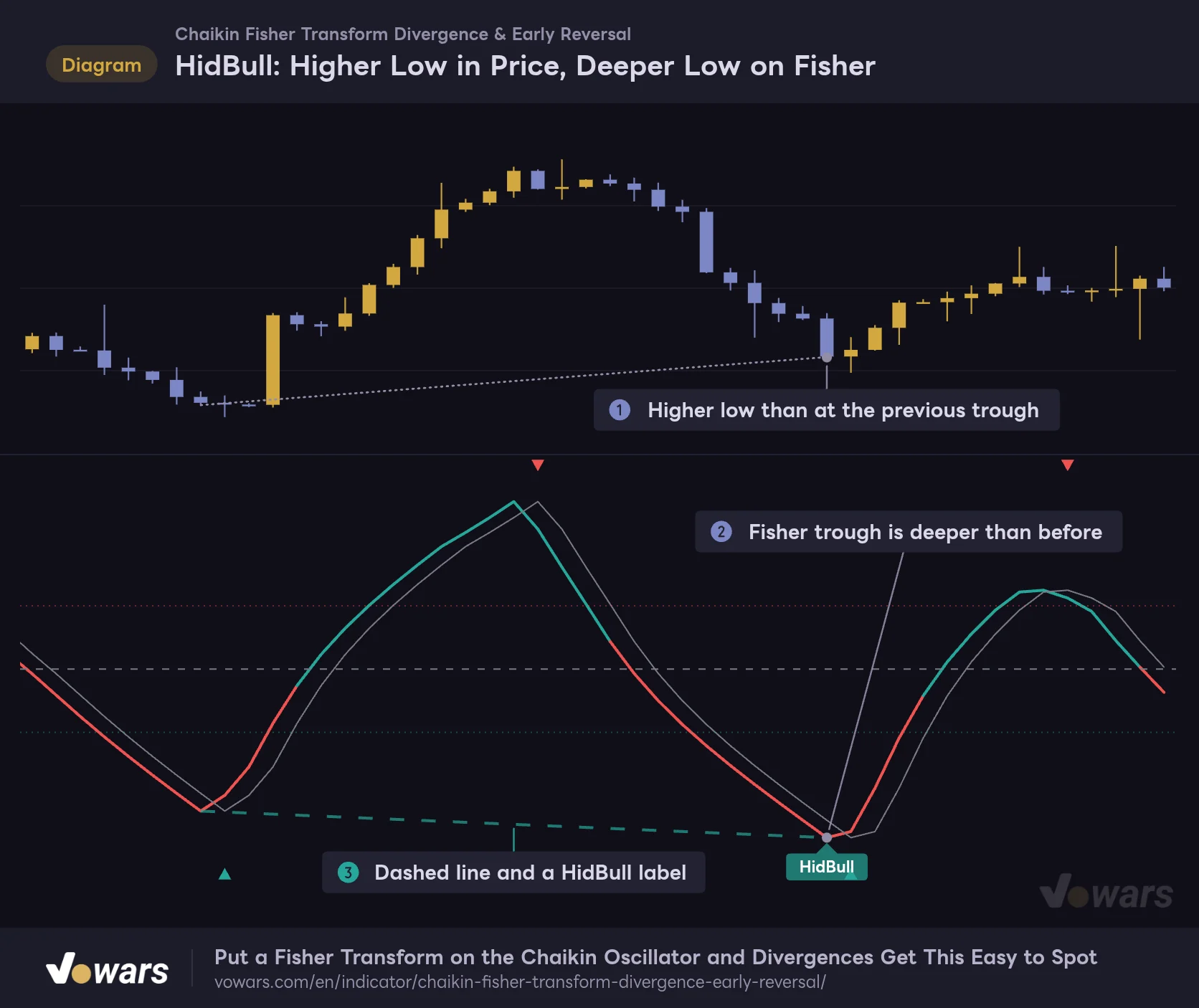
HidBull: Higher Low in Price, Deeper Low on Fisher
The conditions are the reverse of RegBull, the line is dashed and the label is a slightly darker green.
Vowars DE ver.3.12.26
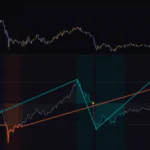
Hidden divergences use exactly the opposite conditions. The low at Figure ① is higher than at the previous trough, but the Fisher line at Figure ② sank deeper than before. The read is that the oscillator pulled back hard while price barely gave ground. The line is dashed, as in Figure ③, and the label color is a bit darker.
HidBull tends to show up on pullbacks in an uptrend and HidBear on rallies in a downtrend, which makes them useful clues for getting back in with the trend.
It Only Compares Against the Previous Peak or Trough
Two things were easy to misread.
The first is what gets compared. It is always the most recent peak against the one before it, or trough against trough, and it never looks back further than that. On top of that, if the two are more than Max Bars Between Pivots apart, 60 bars by default, the check is skipped entirely.
The second is which price is used. The lows and highs being compared are the ones on the bars where the Fisher line made its peak or trough. That can be a few bars away from the visible swing low on the candles, and whenever I thought “price did not make a new low here, so why is there a RegBull?”, this offset was usually the reason.
The Label Sits on One Bar, but It Is Decided 4 Bars Later
This is what threw me the most when I started using it. Scroll back through history and the labels sit right above the peaks and below the troughs of the Fisher line. It looks like it nails every top and bottom, but in real time the label does not print on that bar.
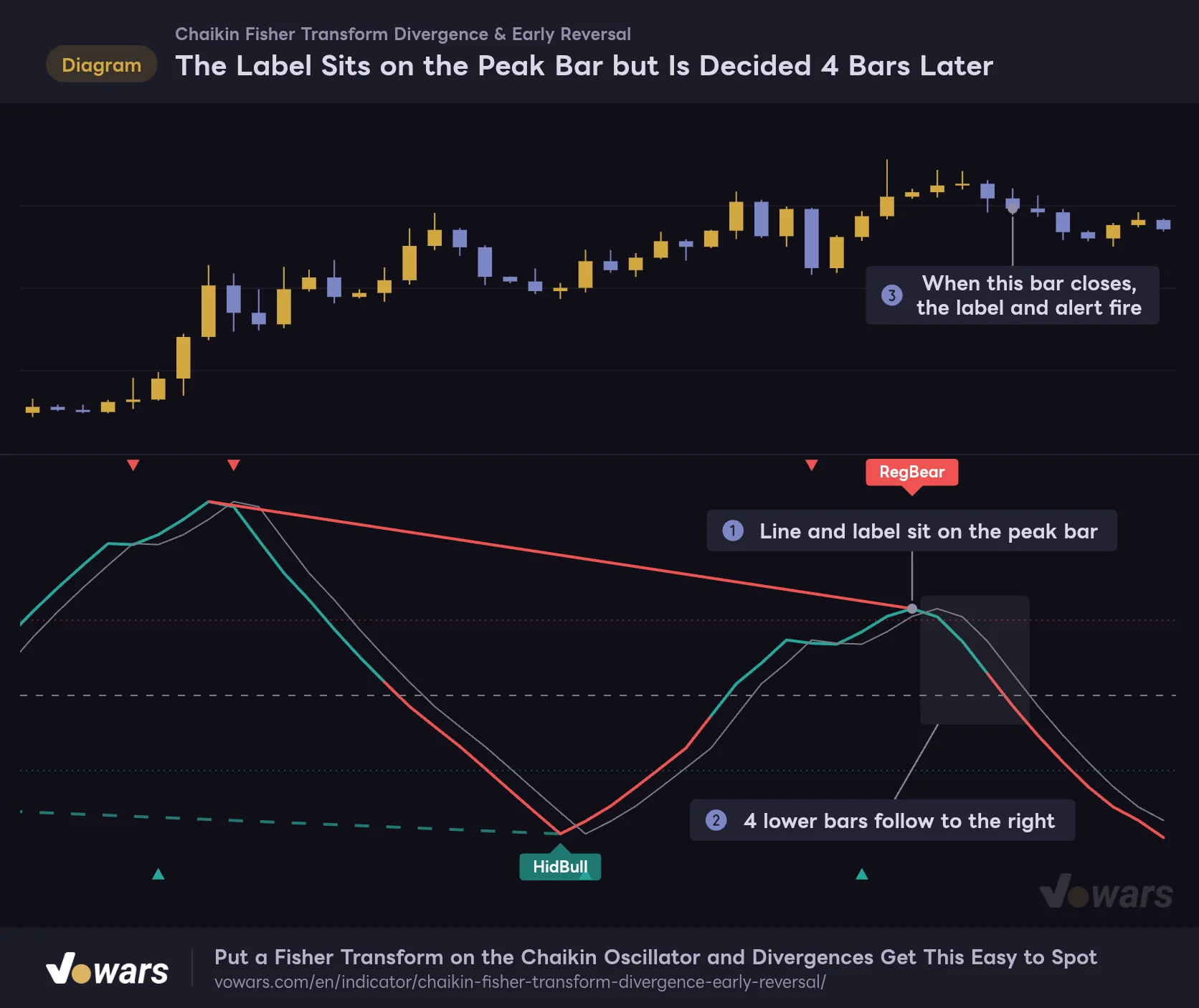
The Label Sits on the Peak Bar but Is Decided 4 Bars Later
With Pivot Right Bars at 4, a peak or trough is confirmed only after 4 bars have formed to its right.
Vowars DE ver.3.12.26
For a bar to count as a peak or trough, it needs the number of bars set in Pivot Left Bars and Pivot Right Bars on each side with lower values (higher values for a trough). Both default to 4. Figure ① is the peak bar, the 4 bars at Figure ② fill in to its right, and only when the bar at Figure ③ closes are the label and line drawn. They are simply plotted 4 bars back.
This is not repainting in the usual sense. Once a label and line are drawn, they never disappear or move. But the 4-bar gap between where it appears on a historical chart and the bar where you could actually have seen it is something to keep in mind every time you backtest.
How It Behaves on a Bar That Has Not Closed Yet
▲▼ and ◆ are calculated from the current bar’s close and volume. While the bar is still forming those values change, so a ▲ can appear, vanish and come back. Marks on closed bars do not change. Divergence labels are only evaluated on bar close, so they do not flicker mid-bar.
With TradingView’s Bar Replay you can step forward one bar at a time and see for yourself how many bars late each label shows up. You will not notice the gap just by scrolling back, so it is worth trying once before you rely on it. How far back you can replay depends on your plan and the timeframe.
There Are 8 Alerts
There are 8 alerts in total: 2 for ▲▼, 4 for divergences and 2 for ◆. Divergence alerts fire on the bar where the call is made, which is 4 bars after the peak or trough. Alerts for ▲▼ and ◆ can fire mid-bar as soon as the condition is met, but since the mark can disappear before the close, setting the alert frequency to Once Per Bar Close is the safer choice.
Settings and What Changes When You Move Them
The settings are split into four groups. Input names are shown exactly as they appear in the settings dialog.
| Setting | Default | Suggested | Effect |
|---|---|---|---|
| Fast Length | 3 | 3 | Length of the shorter EMA applied to the Accumulation/Distribution line. Lower values react faster to changes in volume |
| Slow Length | 10 | 10 | Length of the longer EMA. Higher values measure momentum against a longer-term flow |
| Fisher Normalization Length | 10 | 10–14 on lower timeframes, 10 on the daily | How many recent bars of highest and lowest values are used to normalize the wave. Shorter means more turns, longer means a smoother line |
| Overbought Level | 1.5 | 1.5–2.5 | Minimum level for the orange ◆ and the position of the upper dotted line |
| Oversold Level | -1.5 | -1.5 to -2.5 | Maximum level for the cyan ◆ and the position of the lower dotted line |
| Show Divergences | On | On | Shows or hides divergence lines and labels |
| Pivot Left Bars | 4 | 4–6 | Bars required on the left to confirm a peak or trough |
| Pivot Right Bars | 4 | 3–5 | Bars required on the right. Also the number of bars the label lags by |
| Max Bars Between Pivots | 60 | 60 | Maximum distance between the two peaks or troughs being compared. Beyond this, no divergence is checked |
| Show Early Reversal Signals | On | On | Shows or hides ◆ |
| Signal Cooldown (Bars) | 5 | 5–10 | Minimum spacing between consecutive ◆ in the same direction |
Fisher Normalization Length Changes the Look the Most
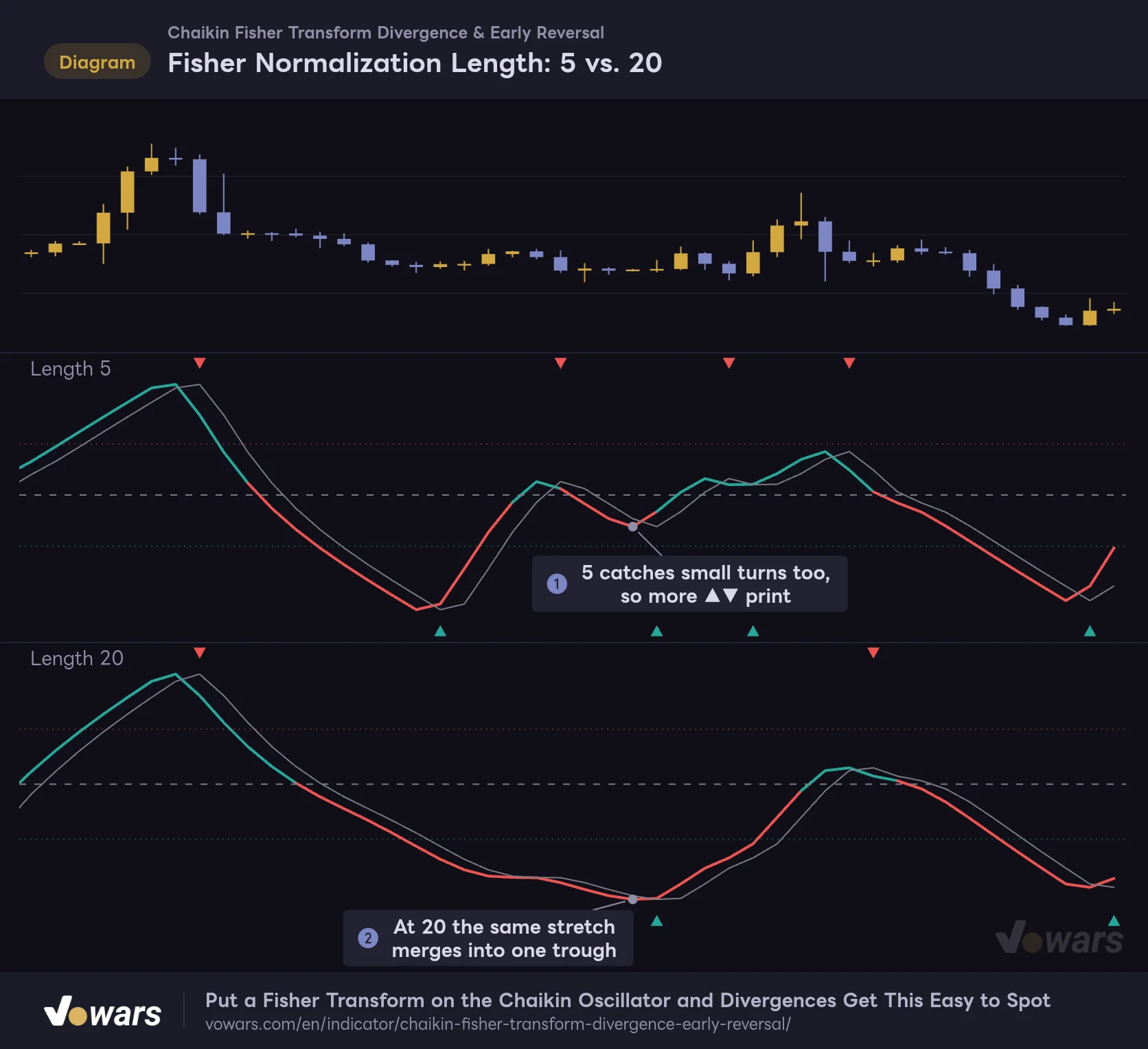
Fisher Normalization Length: 5 vs. 20
On the same price action, a shorter length produces more turns.
Vowars DE ver.3.12.26
I ran the same price action with Fisher Normalization Length at 5 and at 20. At 5, in Figure ①, it picks up even small turns, so you get more ▲▼. At 20, in Figure ②, the same stretch merges into one big trough and the marks thin out a lot.
On lower timeframes like the 5-minute, ▲▼ print very often even at the default of 10. If it feels noisy, stretching it to around 14 calms things down. On the daily, the waves were already big enough at 10 and I did not feel any need to go longer.
Widen the Levels If You Want Fewer ◆
On my charts the Fisher line swung out to roughly ±3 to ±4 on both the 5-minute and the daily. The default ±1.5 gets crossed all the time, so ◆ prints fairly often. To keep only the truly stretched turns, widen Overbought Level to 2.0–2.5 and Oversold Level to -2.0 to -2.5. Pushing Signal Cooldown (Bars) up to around 10 as well should thin out back-to-back ◆.
The Pivot Inputs Set the Speed vs. Reliability Trade-Off
Dropping Pivot Right Bars to 3 gets you the label one bar sooner, but it also picks up smaller peaks and troughs, so there are more of them. Raising Pivot Left Bars to 6 leaves only the well-defined ones. It is a choice between speed and filtering, and neither is the right answer. I would watch the default 4 and 4 for a few days before changing anything.
There is no dedicated on/off input for ▲▼, but you can hide them by unchecking Long Crossover and Short Crossover in the Style tab of the settings dialog. Handy when you only want to see divergences.
What I Noticed Across the 5-Minute, 1-Hour and Daily Charts
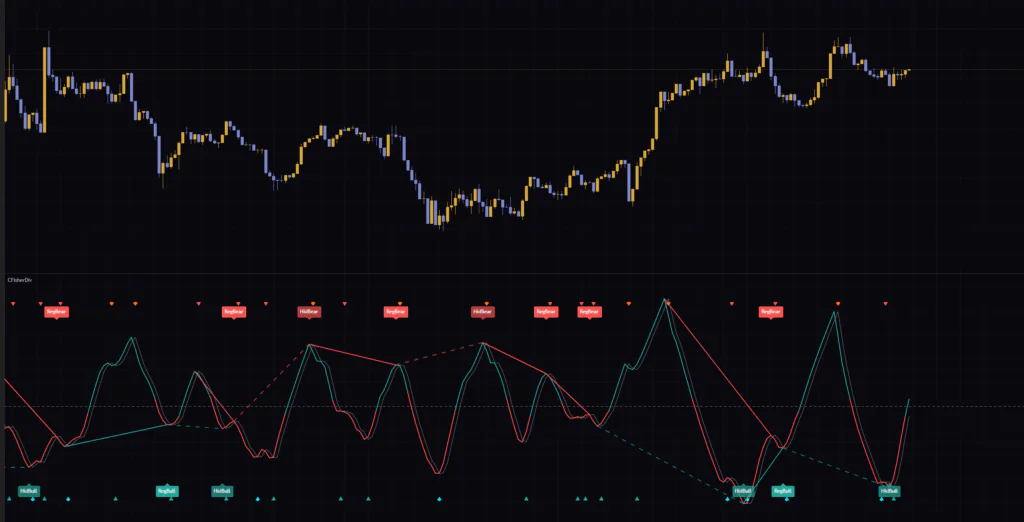
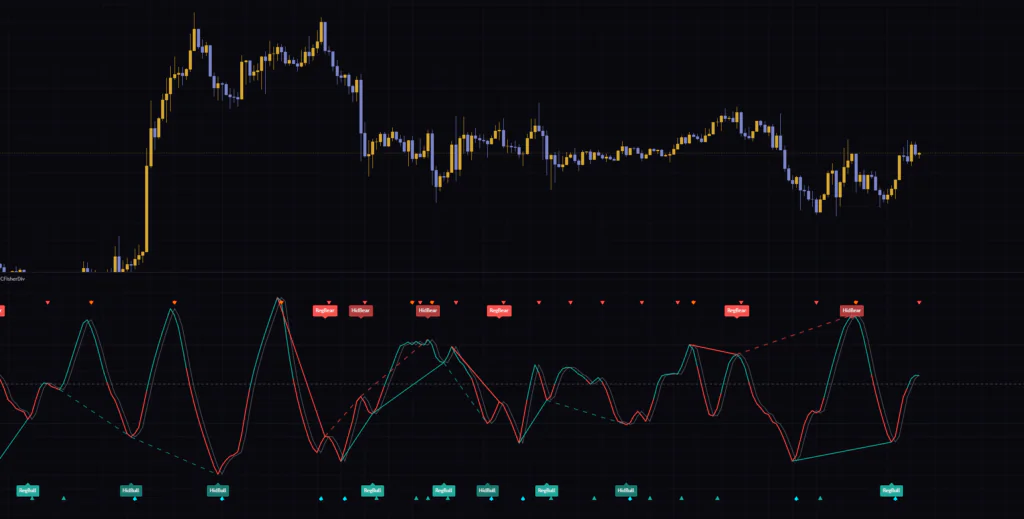
On the 5-minute chart, RegBear and HidBull labels pile up one after another within a few hours. There are a lot of labels relative to the price movement, and it felt too busy to trade each one on its own. For scalping, you will want a filter such as only taking labels that agree with the higher-timeframe direction.
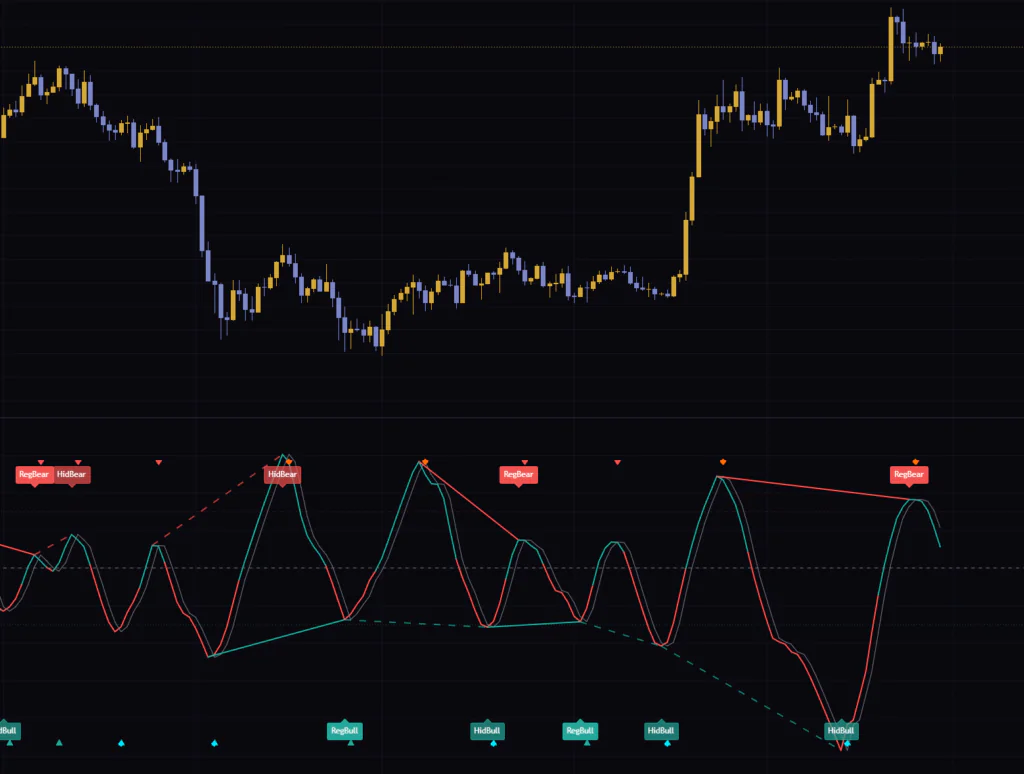
On the daily, each wave starts to match price swings that last several weeks. The label count settles down, and turns after the Fisher line had sunk below -4 lined up nicely with price putting in a bottom. Personally, I find the 1-hour through daily range the easiest to read.
As for symbols, it needs solid volume data. It is a good fit for crypto spot and futures, stocks and futures such as gold, but on symbols with no volume data it cannot calculate and an error is shown on the chart.
Set the Bias With an EMA, Then Pick the Labels
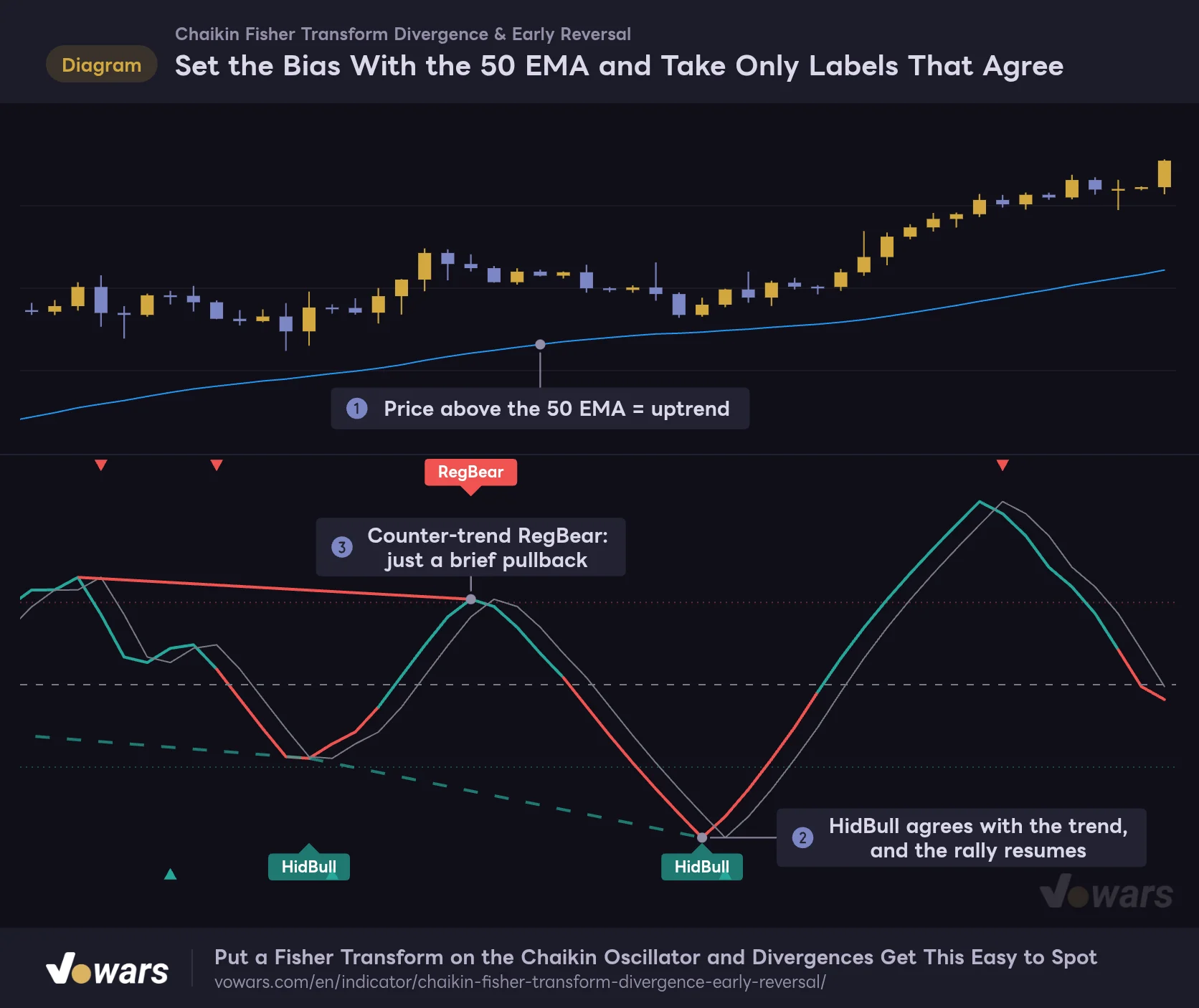
With four label types, it is easy to get stuck on which one to trust. What worked well for me was settling the bigger-picture direction first with a moving average. I added TradingView’s built-in EMA with a length of 50.
Set the Bias With the 50 EMA and Take Only Labels That Agree
In an uptrend, HidBull tends to line up better with what price does next.
Vowars DE ver.3.12.26
As Figure ① shows, price is holding above the 50 EMA. The HidBull at Figure ② printed in that context and agrees with the trend, and the rally resumed afterward. The RegBear at Figure ③, on the other hand, goes against the trend, and the drop turned out to be just a brief pullback.
1 Decide long or short bias by whether price is above or below the 50 EMA
Above means a long bias, below means a short bias. Stand aside while price is chopping back and forth across the EMA.
2 Only consider labels that agree with your bias
For a long bias that is HidBull and RegBull, for a short bias HidBear and RegBear. Use the opposite labels only as a prompt to think about taking profit.
3 Wait for the bar with the label to close, then confirm with price action
Labels show up 4 bars after the peak or trough. If price has already run a long way by then, pass on it, and otherwise wait to see whether it breaks the most recent high or low before acting.
Of course, this combination does not eliminate losers. In a strong trend RegBear and RegBull can print again and again and get run over, so do not call a reversal off a counter-trend label alone.
Where It Shines and Where to Be Careful
Where It Shines
- Reads volume-weighted momentum as a wave with clear peaks and troughs
- The line changes color at 0, so buyer or seller control is obvious at a glance
- Draws all four divergence types automatically and they do not move once confirmed
- ◆ picks out only the turns from stretched levels
- Comes with 8 alerts
Where to Be Careful
- Divergence labels show up 4 bars after the peak or trough
- ◆ prints on the same bar as ▲▼, so it is not a head start
- ▲▼ and labels tend to pile up on lower timeframes
- Counter-trend Reg labels can fail several times in a row in a strong trend
- Cannot be displayed on symbols without volume data
Only the 50 most recent divergence lines are kept, and older ones are removed in order. The labels stay, so if you scroll far enough back you will find spots with a label but no line. This is not a bug. TradingView caps the number of lines a script can draw.
Also, what Chaikin Fisher Transform Divergence & Early Reversal shows is strictly the disagreement between volume momentum and price. It is meant to be used alongside trend direction and key price levels, not as a standalone buy or sell call. Some spots that look like perfect hits on a historical chart left a different impression once I accounted for the 4-bar delay.
For Traders Who Want to Read Volume Waves by Where They Turn
 Image
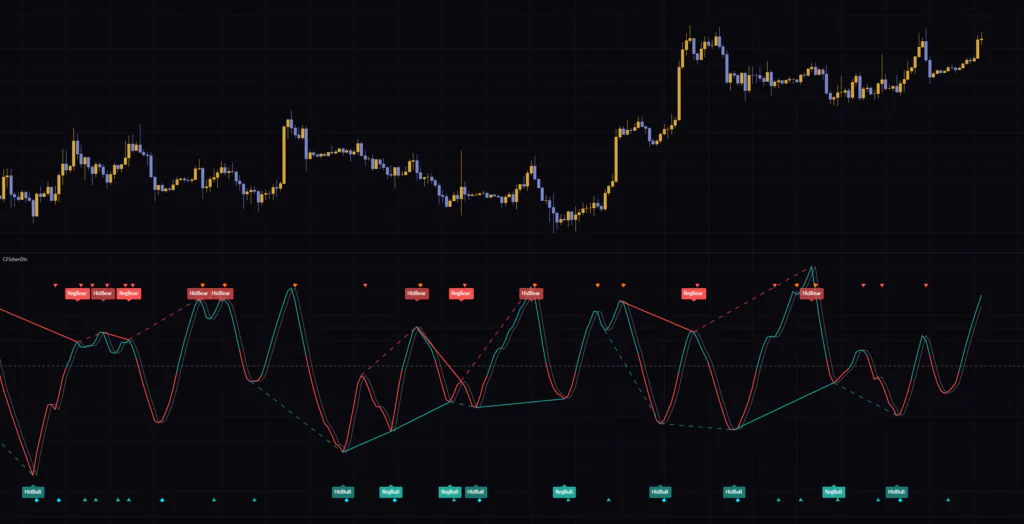
ImageChaikin Fisher Transform Divergence & Early Reversal makes the Chaikin Oscillator easier to read with a Fisher Transform, and packs the turns and divergences into a handful of marks. These were the three points worth remembering.
- ▲▼ mark the bars where the Fisher line changes direction, and ◆ marks the ones that happen from stretched levels
- Labels are drawn on the peak or trough bar, but they show up later by the number of bars in Pivot Right Bars
- Reg means exhaustion, Hid means continuation. Settling the bigger-picture direction with another indicator first makes them easier to act on
If you are looking for a volume-based oscillator, or want to stop drawing divergences by hand, there is plenty of reason to give it a try. Start by putting it on the 1-hour or daily chart and comparing the bars where labels printed against what price did next.