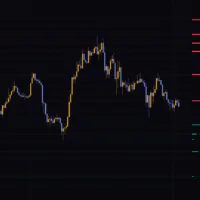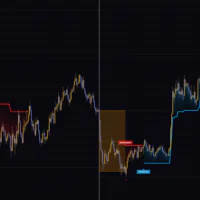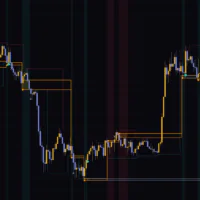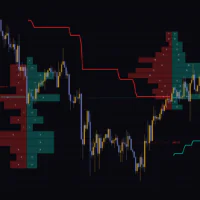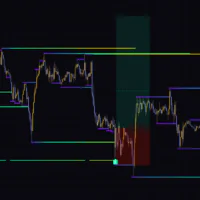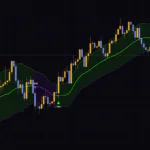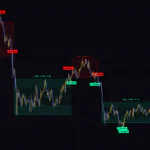

Every high and low price is likely to reach for next, laid out on the chart and in two tables
What’s the first thing you do when you open a chart? For most of us it’s marking out the recent highs and lows. Flip to the higher timeframe, find the swing high, check the previous day’s range, jot down the London high, then flip back down. Even when you’ve done it a thousand times it eats a few minutes, and you still miss a level now and then.
“Liquidity Draws” takes that whole routine off your hands. It automatically picks up four kinds of untapped price: swing highs and lows, session highs and lows, the previous day’s high and low, and higher-timeframe FVGs, marks them on the chart with lines and small circles, and then sorts everything above and below the current price into two tables.
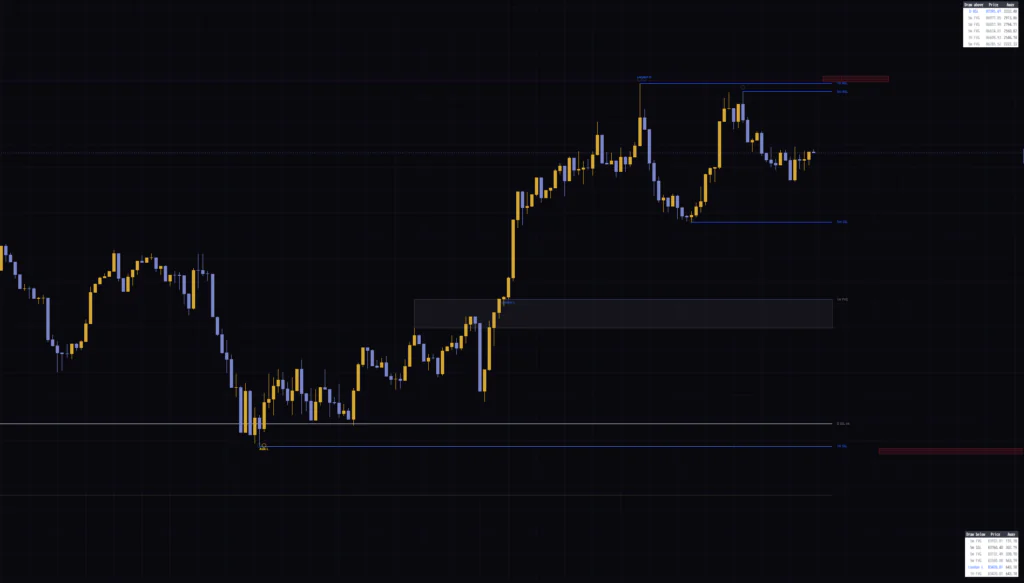
What really sets it apart is the red box drawn just beyond each level. It’s an estimate of how far the wick tends to run, and roughly when, if that high or low gets taken, shown in both price and time. Plenty of indicators draw highs and lows. I haven’t come across another one that puts a time estimate on the sweep and draws it as a box.
The script is published as “Liquidity Draws”, but once you add it, the legend in the top-left corner reads “DSTL SWEEP Z”. You haven’t loaded the wrong script. It’s the same indicator, so carry on.
This is not a signal indicator. There are no entry arrows and no colors telling you which way to lean. All it gives you is a list of prices the market could be drawn to. That’s exactly why it layers onto any style: use it to pick take-profit targets, or to spot where a fakeout is most likely.
The blue lines are BSL and SSL, tracked across three timeframes at once
The blue horizontal lines carry names like “5m BSL” and “1H SSL”. BSL stands for Buy Side Liquidity and sits at a high. SSL stands for Sell Side Liquidity and sits at a low. The naming comes from where stops cluster: shorts park their stops (buy orders) just above a high, and longs park theirs (sell orders) just below a low.
For each timeframe, “Liquidity Draws” draws one line each for the most recent swing high and swing low that haven’t been taken yet. Swings are detected the standard way, by looking for a candle whose high (or low) beats the candles on either side.
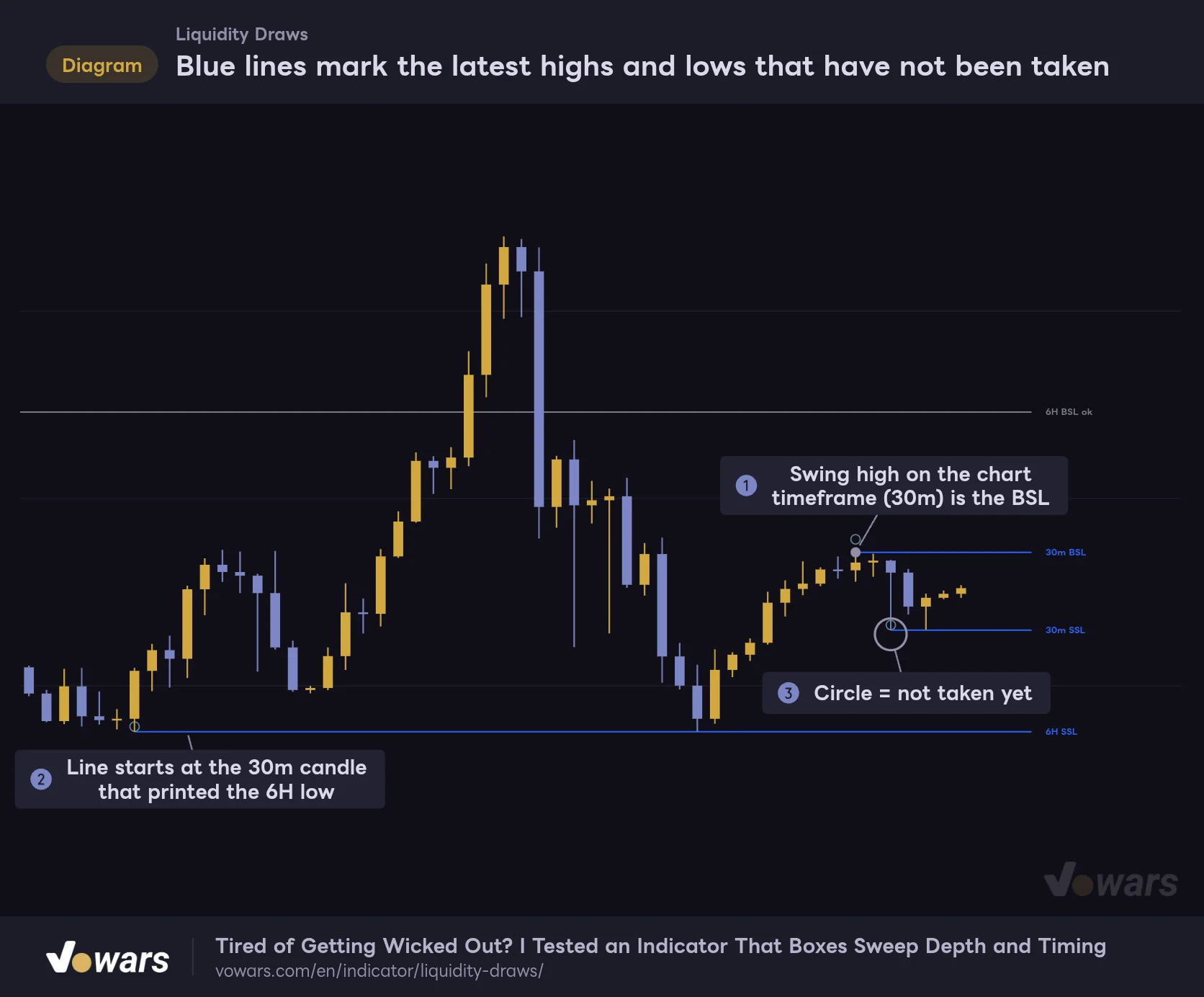
Blue lines mark the latest highs and lows that have not been taken
An example on a 30-minute chart, showing only two tiers: the chart timeframe (30m) and HTF 1 (6H).
Vowars DE ver.3.12.26
Figure ① is a high found on the timeframe you have open. Figure ② is the nice touch. The line comes from a higher-timeframe low, yet it doesn’t start at the open of that higher-timeframe candle. It starts at the chart candle that actually printed the low. That’s the same candle you’d anchor to if you drew the line by hand, so nothing looks off.
The small circle at Figure ③ means the level hasn’t been touched yet. When several lines stack up, the circles tell you at a glance which ones are still live.
The higher timeframes are picked for you
There are two higher tiers, called Higher timeframe 1 (governing) and Higher timeframe 2 (the tier above it) in the settings. Leave Pairing on its default, “Auto (per timeframe)”, and the tiers follow your chart timeframe like this.
| Chart timeframe | HTF 1 | HTF 2 |
|---|---|---|
| 1m | 15m | 4H |
| 3m | 30m | 6H |
| 5m | 1H | Daily |
| 15m | 4H | Weekly |
| 30m | 6H | Weekly |
| 1H to 3H | Daily | Weekly |
| 4H, Daily | Weekly | 3-month |
| Weekly | 3-month | None |
Timeframes that aren’t listed fall into the nearest row. A 10-minute chart, for example, is treated like the 15-minute one, so HTF 1 is the 4H. Only HTF 2 gets a thicker line, with a default width of 2. Same blue, thicker line, bigger timeframe. Keep that in mind and you won’t misread them.
To choose the tiers yourself, switch Pairing to “Manual” and enter the timeframes in – manual HTF 1 and – manual HTF 2.
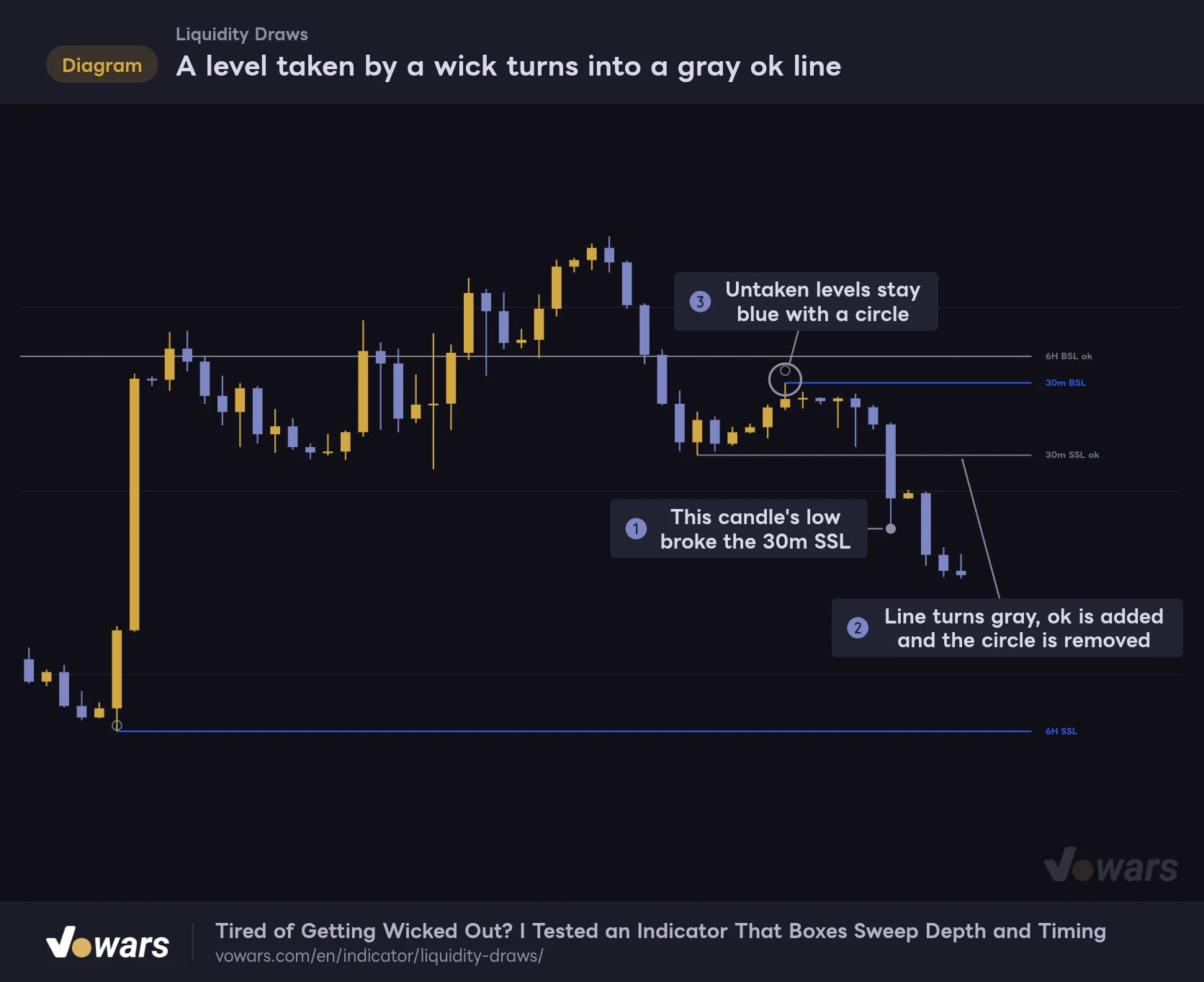
A level taken by a wick turns gray and gets an “ok” tag
A level taken by a wick turns into a gray ok line
No close beyond the level is needed. A wick one tick through is enough for it to count as taken.
Vowars DE ver.3.12.26
As Figure ① shows, a level counts as taken once a candle closes with its wick even one tick beyond it. No close through the level is needed. A taken level then looks like Figure ②: the line turns gray, “ok” is added to the end of its name, and the circle disappears.
The “ok” threw me at first. Once you get used to it, the gray lines are a handy record of where liquidity has already been run, because you can see how price behaved afterward with the line still on the chart. If you’d rather keep things clean, turn off – keep a taken edge, ticked and taken levels are no longer drawn.
One more thing. When a new swing high or low confirms on that timeframe, the old line is replaced by the new level. Any “ok” line goes with it, so the record doesn’t stay on the chart forever.
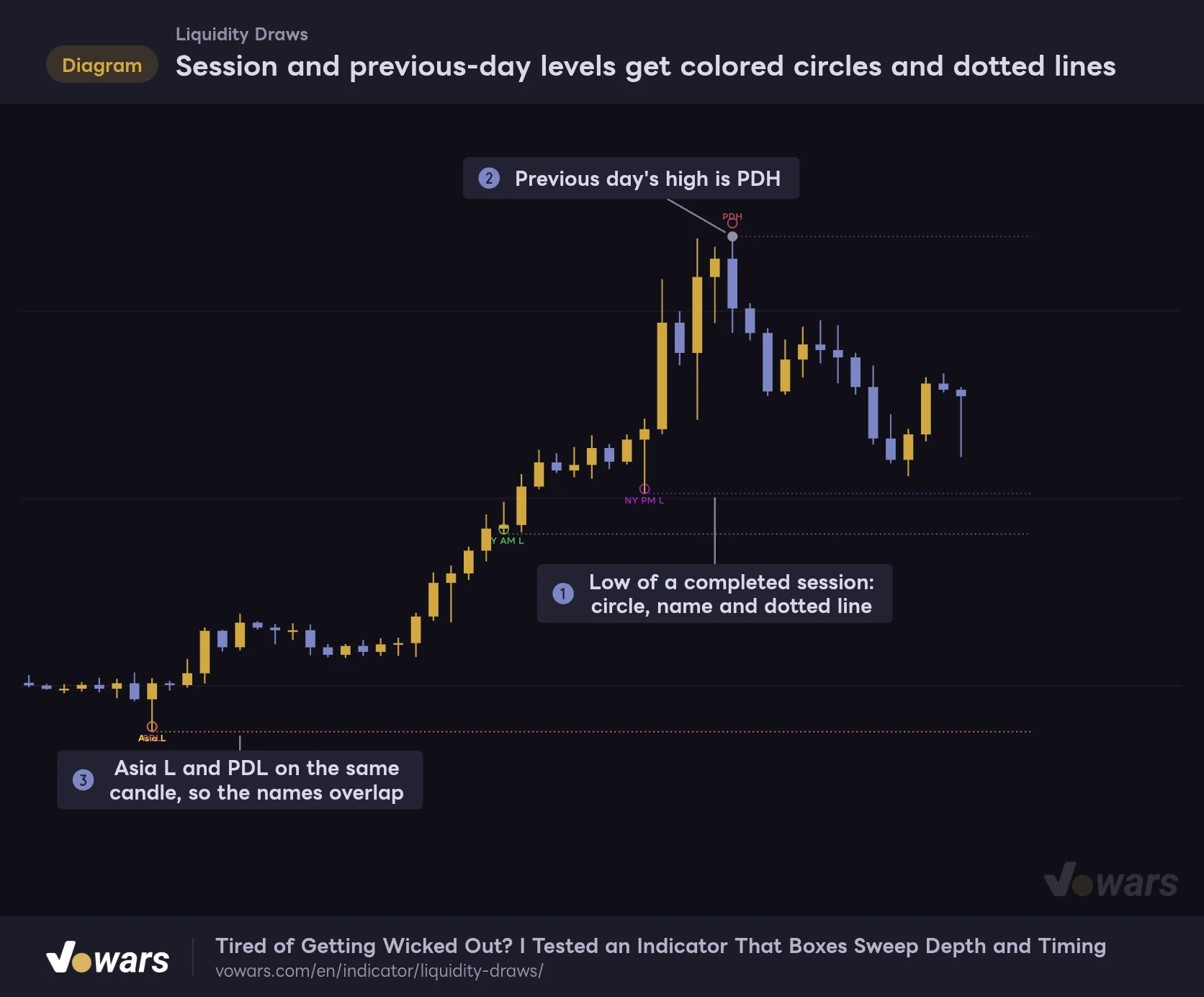
Session highs and lows and the previous day’s range get colored circles and dotted lines
Apart from swings, the indicator also picks up highs and lows defined by time of day. That covers four sessions plus the previous day’s high and low.
Session and previous-day levels get colored circles and dotted lines
An example with every swing tier turned off, leaving only session and previous-day levels.
Vowars DE ver.3.12.26
Figure ① is the low of a completed session. The high and low are locked in when the session ends, then a circle and a name are placed on the candle that printed each one and a dotted line runs to the right. A session still in progress is not shown. Figure ② is the previous day’s high, labeled PDH (Previous Day High). The low is labeled PDL.
Session hours are defined in New York time. Here’s the same schedule in UTC.
| Name | Color | New York time | UTC (US daylight time) | UTC (US standard time) |
|---|---|---|---|---|
| Asia | Yellow | 18:00 to 0:00 | 22:00 to 04:00 | 23:00 to 05:00 |
| London | Blue | 2:00 to 5:00 | 06:00 to 09:00 | 07:00 to 10:00 |
| NY AM | Green | 9:30 to 12:00 | 13:30 to 16:00 | 14:30 to 17:00 |
| NY PM | Purple | 13:00 to 16:00 | 17:00 to 20:00 | 18:00 to 21:00 |
London is only three hours long and New York is split into a morning and an afternoon block, so the idea is clearly to isolate the hours when volume actually shows up. Each window can be edited in the settings, so you can, for instance, reshape “Asia” to match the Tokyo hours you actually trade.
There is one difference from swing levels. Session and previous-day levels disappear the moment price touches them. A swing level has to be exceeded, but a session or previous-day level is removed, dotted line and all, on a touch at the exact price. Nothing stays behind in gray, so it’s common to look up and find fewer lines than you had a minute ago.
As in Figure ③, when the Asia low and the previous day’s low land on the same candle, both names are drawn in the same spot and overlap. Nothing nudges overlapping labels apart automatically, so if it bothers you, turn off Session / PD names at extremes to keep just the circles and dotted lines, and read the names from the tables.
Session highs and lows are shown up to the 1H chart. Switch to the 4H or the daily and the session lines are gone. The previous day’s high and low stay visible up to the daily chart.
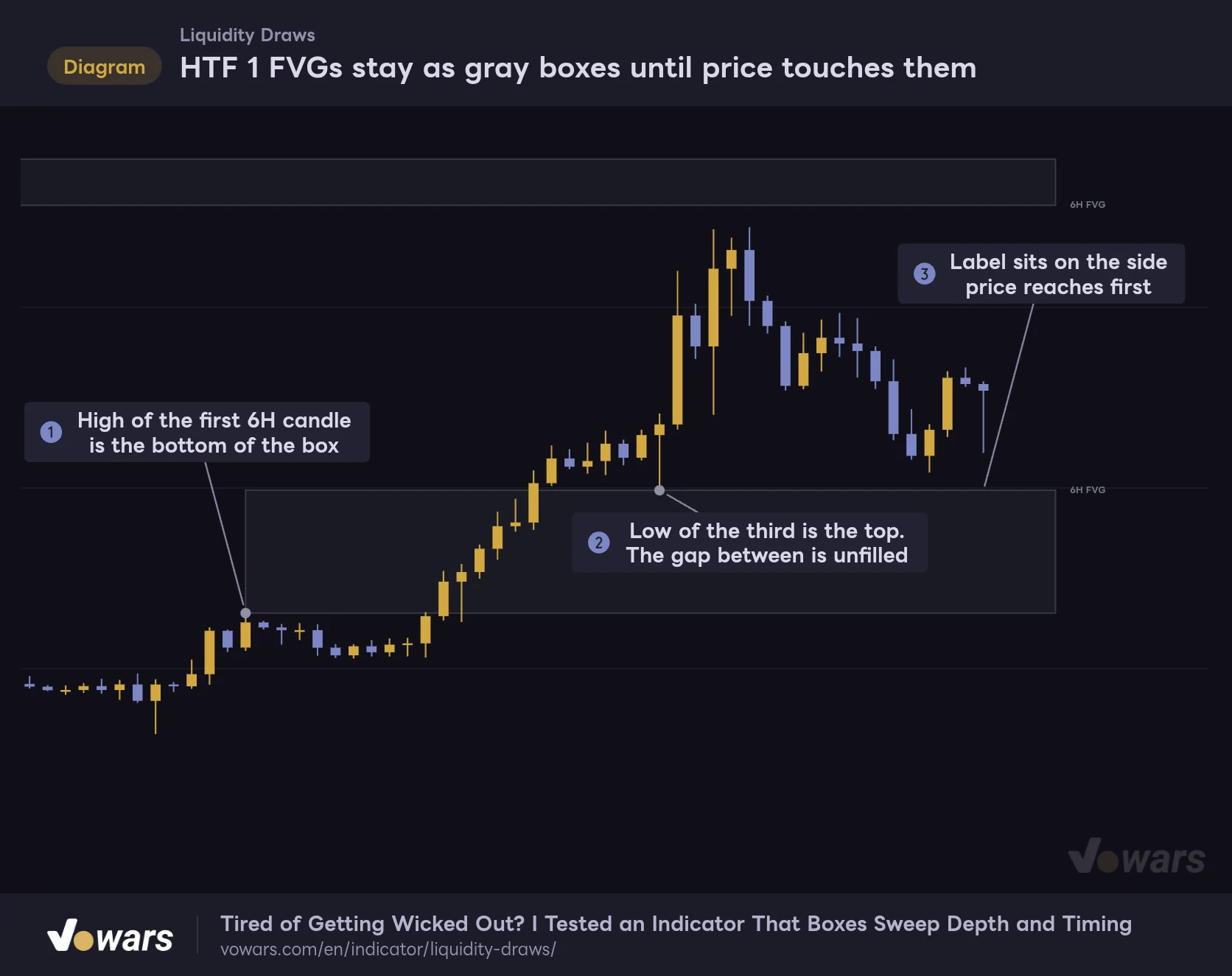
HTF 1 FVGs stay on the chart as gray boxes until price comes back
An FVG (Fair Value Gap) is the price gap left across three candles when the wicks of the first and third don’t overlap. It forms where price moved in a hurry, and traders watch it as a zone price likes to revisit.
HTF 1 FVGs stay as gray boxes until price touches them
A 30-minute chart showing only the 6-hour FVG (the gap left between three candles).
Vowars DE ver.3.12.26
For a gap created on the way up, the box spans from Figure ① to Figure ②. It extends to the right edge, and as Figure ③ shows, the label sits on the side price will reach first.
Only HTF 1 FVGs are drawn as boxes. On a 5-minute chart that means 1H FVGs, and on a 15-minute chart 4H FVGs. FVGs on the chart timeframe itself are tracked behind the scenes and listed in the tables, but they aren’t drawn by default. That’s probably because low-timeframe gaps are everywhere and drawing them all would bury the chart in boxes. If you only want the latest ones, turn on Show recent chart gaps on chart and the newest gaps are drawn, up to the count set in Recent chart gaps to draw (default 3).
You choose when a box is removed with Remove gap after. The default, “First touch”, removes it as soon as price taps the near side. “Full fill” waits until price trades through to the far side. The first suits you if you’re looking for a reaction off a shallow pullback, the second if you want the gap completely filled before you act.
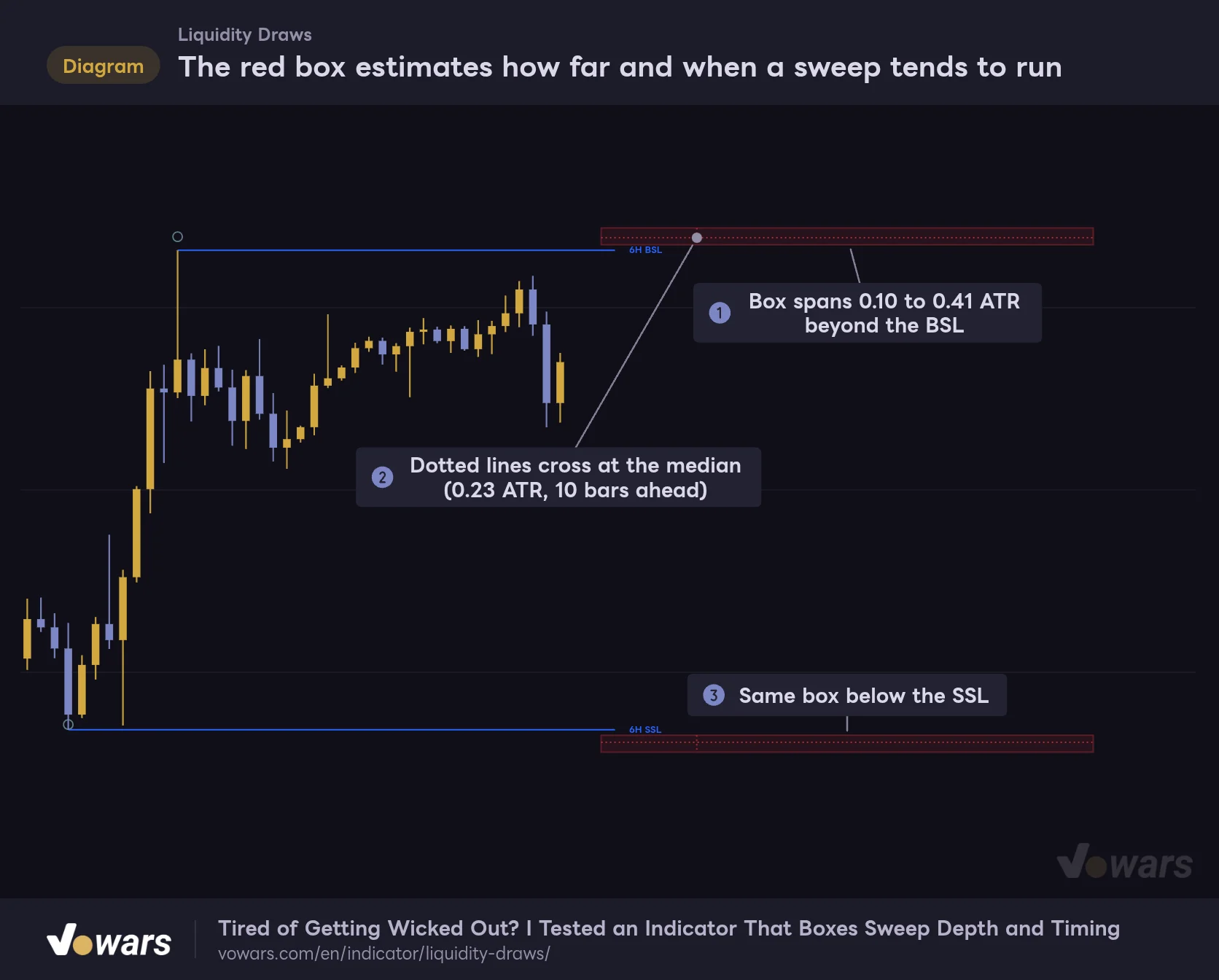
The red box estimates how deep a sweep runs and when it’s likely to happen
This is the most distinctive part of “Liquidity Draws”. A faint red box is drawn beyond each untaken level. The settings call it the “Likely sweep zone”. It shows how far the wick tends to extend when the level gets taken.
The red box estimates how far and when a sweep tends to run
An example with only HTF 1 (6H) levels. The box sits in the empty space ahead of the last candle.
Vowars DE ver.3.12.26
Height comes from ATR
As Figure ① shows, the top and bottom of the box sit 0.10x to 0.41x ATR(14) beyond the level. ATR is the average range of the last 14 candles, so in a volatile market the box moves further out and gets taller, and in a quiet one it hugs the level as a thin strip. The dotted line running across the box is the median, at 0.23x ATR.
According to the notes in the settings, 0.10, 0.23 and 0.41 are quartiles of wick length taken from past raids where price ran the level and then closed back inside. I haven’t been able to reproduce that study myself, so I treat the numbers as a reasonable, evidence-based guide and nothing more.
Comparing it against real charts, I did notice a pattern. When price only wicked through and came back, the wick usually stopped inside the box or short of it. When price blew well past the box, it tended to close beyond the level too. Whether price clears the box or not is a useful clue for telling a fakeout from a genuine breakout.
Width depends on how many bars the level has been standing
The box is drawn in the empty space ahead of the last candle. Figure ② marks the median time, and the left and right sides of the box are the early and late ends of the window.
The width is built on one idea: the older a level is, the longer it still takes to get swept. Counterintuitive, right? A high that has held for a long time feels like it’s due, but this indicator takes the opposite view.
| Bars since the level formed | Left side of box | Vertical dotted line (median) | Right side of box |
|---|---|---|---|
| 0 bars | 2 bars ahead | 7 bars ahead | 29 bars ahead |
| 10 bars | 7 bars ahead | 25 bars ahead | 80 bars ahead |
| 34 bars | 21 bars ahead | 68 bars ahead | 202 bars ahead |
The older the level, the further right the box drifts and the wider it gets. For a level that is 34 bars old on a 5-minute chart, the right side is 202 bars out, which is nearly 17 hours away. Sometimes you have to scroll a long way right before the box comes into view. If you can’t find the box, add more empty space on the right side of the chart.
For a higher-timeframe level, those bars are counted on the chart timeframe, not on the higher timeframe. And once 40 levels have been taken on the chart, the indicator stops using its preset formula and places the box from the waits it has actually recorded on that chart. The setting that controls this threshold is – learn from this chart after (raids).
The box is a conditional estimate: if this level gets taken, this is roughly where and when. It does not predict that the level will be taken. It isn’t meant to be faded just because it’s there.
By default the box is only drawn on HTF 1 and HTF 2 levels. To get it on chart-timeframe levels as well, turn on – on the chart range. In the figure, both the level above (Figure ③) and the level below have a box. Once either one is taken, its box is removed on that candle.
The two tables show the distance to every target at a glance
A table called “Draw above” appears in the top-right corner of the chart and “Draw below” in the bottom-right. They list the untaken targets above and below the current price. There are three columns, name, Price, and Away (distance from the current price), and all four types covered so far end up in the same table.
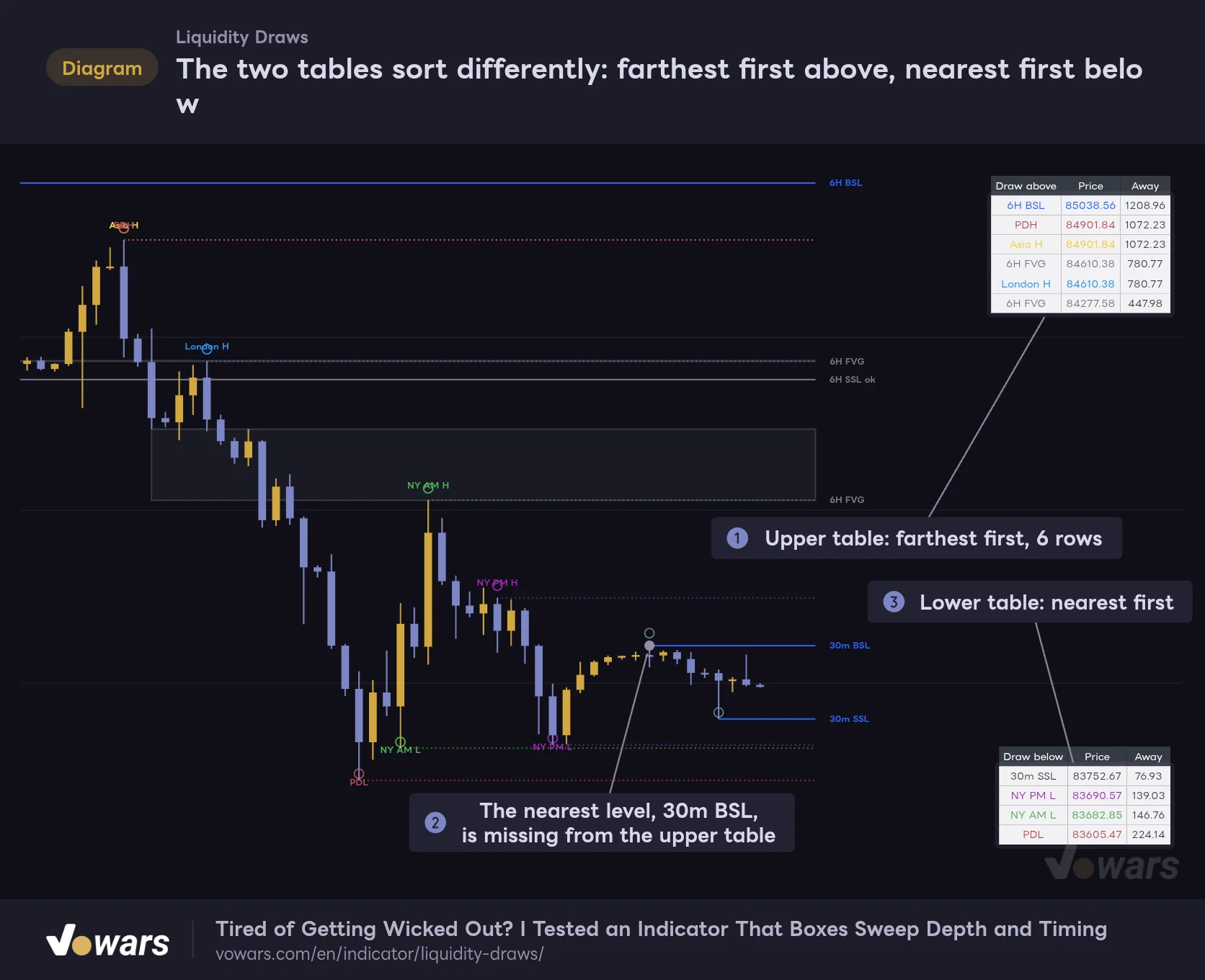
The two tables sort differently: farthest first above, nearest first below
Shown with default settings (only the sweep zone box is off). The current price is 83,829.61.
Vowars DE ver.3.12.26
The two rows I look at most are the first row of the lower table and the last row of the upper table. Both are the targets closest to price, so I can see where price is likely headed next without scanning the whole chart. Text color follows the type: blue for higher-timeframe levels, the session’s own color for session levels, and gray for FVGs.
The upper table is sorted farthest first, so watch the row limit
The sort order tripped me up once. The lower table runs nearest first, the upper table farthest first. The rule behind it is simply that higher prices always go on top.
The catch is the row limit. The default is 6 rows, and anything from the seventh target on is dropped. As Figure ① shows, the upper table fills its 6 rows starting from the farthest target, so the ones that get cut are the ones closest to price. The 30m BSL at Figure ② sits right above the current price and still isn’t in the table.
With the defaults, chart-timeframe FVGs are included in the tables, and it’s not unusual for the upper table to fill up with nothing but FVGs. There are two ways to fix it.
- Raise Maximum rows per table to 10 to 16 (16 is the maximum)
- Turn off Include chart gaps in tables to take chart-timeframe FVGs out of the tables
I run 12 rows with chart-timeframe FVGs excluded. The table gets taller, but with Text size left on “Tiny” it stays out of the way.
The distance unit is set with Distance unit: “Points”, “Ticks” or “Percent”. On high-priced symbols like Bitcoin or gold, Percent makes it much easier to compare distances across markets.
How much the display changes from one timeframe to the next
What “Liquidity Draws” picks up depends on the timeframe. Put the same day on a 1H chart and a daily chart and the difference is obvious.
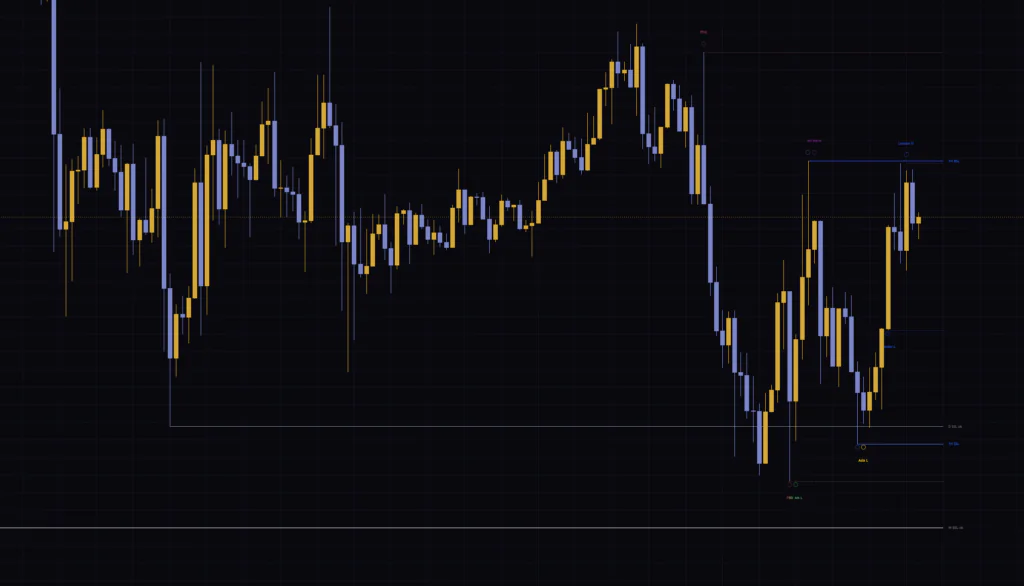
On the 1H, the higher tiers are the daily and the weekly. This is the highest timeframe that still shows session levels, so the London high and the Asia low are still on the chart. For day trading, when you’re deciding on today’s targets, this timeframe felt like the best balance of information to me.
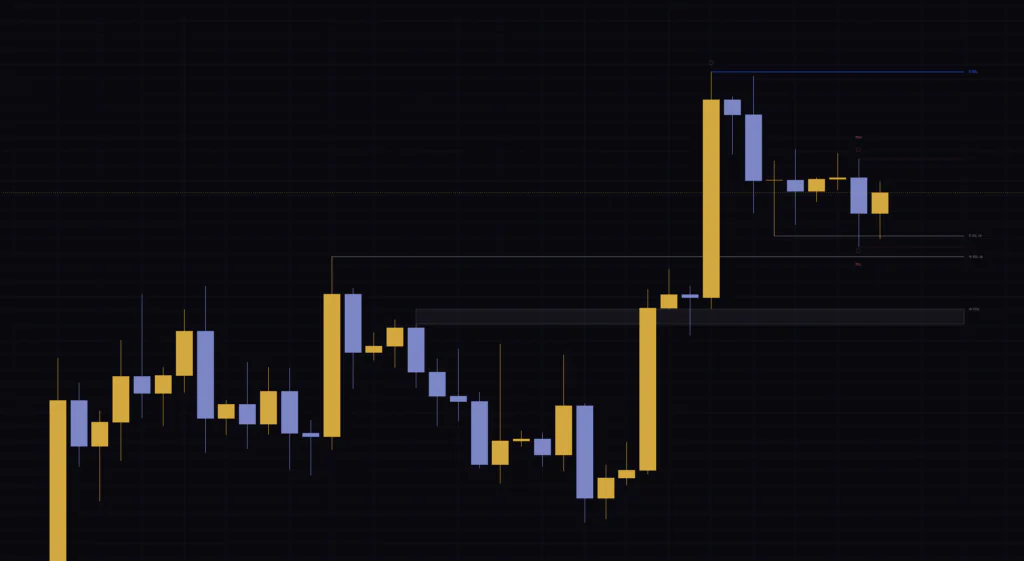
On the daily, the session lines drop out and you’re left with weekly FVGs and the daily, weekly and 3-month levels. The chart gets very quiet. That’s the view for swing traders hunting weekly targets, but to get everything “Liquidity Draws” has to offer, the 1H and below is where it belongs.
Settings, and the ones worth changing
The settings are split into five groups and there are a lot of them. Leaving out cosmetic options like colors and line widths, here are the ones that change what actually gets displayed.
| Setting | Default | Suggested | Effect |
|---|---|---|---|
| Higher timeframe 2 (the tier above it) | On | On | Shows HTF 2 levels. If the chart feels crowded, turn it off and run two tiers. |
| Pairing | Auto (per timeframe) | Auto (per timeframe) | How the higher timeframes are chosen. Manual lets you set them yourself. |
| Chart pivot strength (0 = auto) | 0 | 0 | Bars on each side used to confirm a swing on the chart timeframe. 0 is auto: 6 on the 1m, 5 on the 5m, 4 on the 15m, 3 up to the 1H, and 2 above that. |
| Higher-timeframe pivot strength | 2 | 2 to 3 | Bars on each side used to confirm a higher-timeframe swing. Raise it to keep only the major swings, at the cost of later confirmation. |
| – keep a taken edge, ticked | On | On | Keeps taken levels on the chart as gray lines. |
| Project the likely sweep zone | On | On | Draws the red box (the sweep zone). |
| – price band | Reverting raids (0.10 / 0.23 / 0.41) | Depends on use | Height of the box. All raids is wider at 0.16 to 0.73, and Measured on this chart uses what the chart itself has recorded. |
| Give the zone a TIME axis (the estimated area) | On | On | Draws the box across a forward time window. Off, it becomes a band from the level’s origin to the current bar. |
| – learn from this chart after (raids) | 40 | 40 | After this many levels have been taken, the time window is based on the chart’s own history. |
| Show completed session H/L (up to 1H) | On | On | Shows the highs and lows of completed sessions. Works up to the 1H chart. |
| Session timezone | America/New_York | America/New_York | The time zone the session hours are based on. |
| Include chart gaps in tables | On | Off | Includes chart-timeframe FVGs in the tables. Off, the tables focus on higher-timeframe targets. |
| Remove gap after | First touch | First touch | When an FVG is removed. Full fill removes it once price reaches the far side. |
| Maximum rows per table | 6 | 10 to 16 | Maximum rows in each table. Too few and the nearest targets get cut from the upper table. |
| Distance unit | Points | Percent | Unit for the distance column. Ticks and Percent are also available. |
Only three of the suggested values differ from the defaults. Maximum rows per table and Include chart gaps in tables are there to stop the nearest targets from falling off the table, as covered in the previous section. Distance unit is on Percent so that distances read the same way when I switch symbols.
Pick the box height based on the question you’re asking
– price band has four options.
- Reverting raids (0.10 / 0.23 / 0.41) Built only from raids that ran the level and came back. The box is thin and close to the level. Best as a guide for fading the sweep
- All raids (0.16 / 0.36 / 0.73) Built from every raid. The box is thicker and further out. Best as a guide for how much room to give your stop
- Measured on this chart Calculated from how deep the raids on this chart actually went
- Custom Enter your own multipliers in – custom: from (x ATR beyond) and – custom: to (x ATR beyond)
I’d guess most traders have put a stop just beyond a level and been wicked out. I certainly have. Switching to “All raids” in that situation pushes the outer side of the box out to 0.73 ATR, which gives you something concrete to work with when placing the stop.
Until enough levels have been taken on the chart, this mode falls back to another set of values. The tooltip says it falls back to “All raids”, but the box I actually got was the same 0.10 to 0.41 width as Reverting raids. Right after loading, or on timeframes where few levels have been taken, expect the box to look identical to Reverting raids.
Settings by trading style
| Use case | Timeframe | What to change |
|---|---|---|
| Scalping | 1m to 5m | Turn on – on the chart range to get boxes on chart-timeframe levels too. Turn on Show recent chart gaps on chart as well |
| Day trading | 5m to 1H | Close to default is fine. Just add more table rows |
| Swing trading | 4H to Daily | Session levels drop out automatically. Set Remove gap after to Full fill to keep weekly FVGs longer |
| Fewer lines | Any | Turn off Higher timeframe 2 and – keep a taken edge, ticked |
Walking through a real session with it
Here’s the routine I follow with “Liquidity Draws”, written with day trading on a 5-minute chart in mind.
1 Check the nearest target above and below in the tables
When I open the chart I go to the two tables first: the first row of the lower table and the last row of the upper one. I compare the two distances to see which side is closer. If one is far closer than the other, I keep in mind that price may tag that side first.
2 Look for where thick blue lines and colored dotted lines stack up
There are a lot of targets, so I don’t give them all the same weight. What I care about is confluence, where several types cluster around the same price. London H sitting just above the 1H BSL, say, or PDL lining up almost exactly with the daily SSL. In the tables, rows with the same or nearly the same price end up next to each other, so they’re easy to spot.
3 Get your bias from something else
“Liquidity Draws” doesn’t give you a direction. Whether you target the levels above or below is your call. I use a moving average for that.
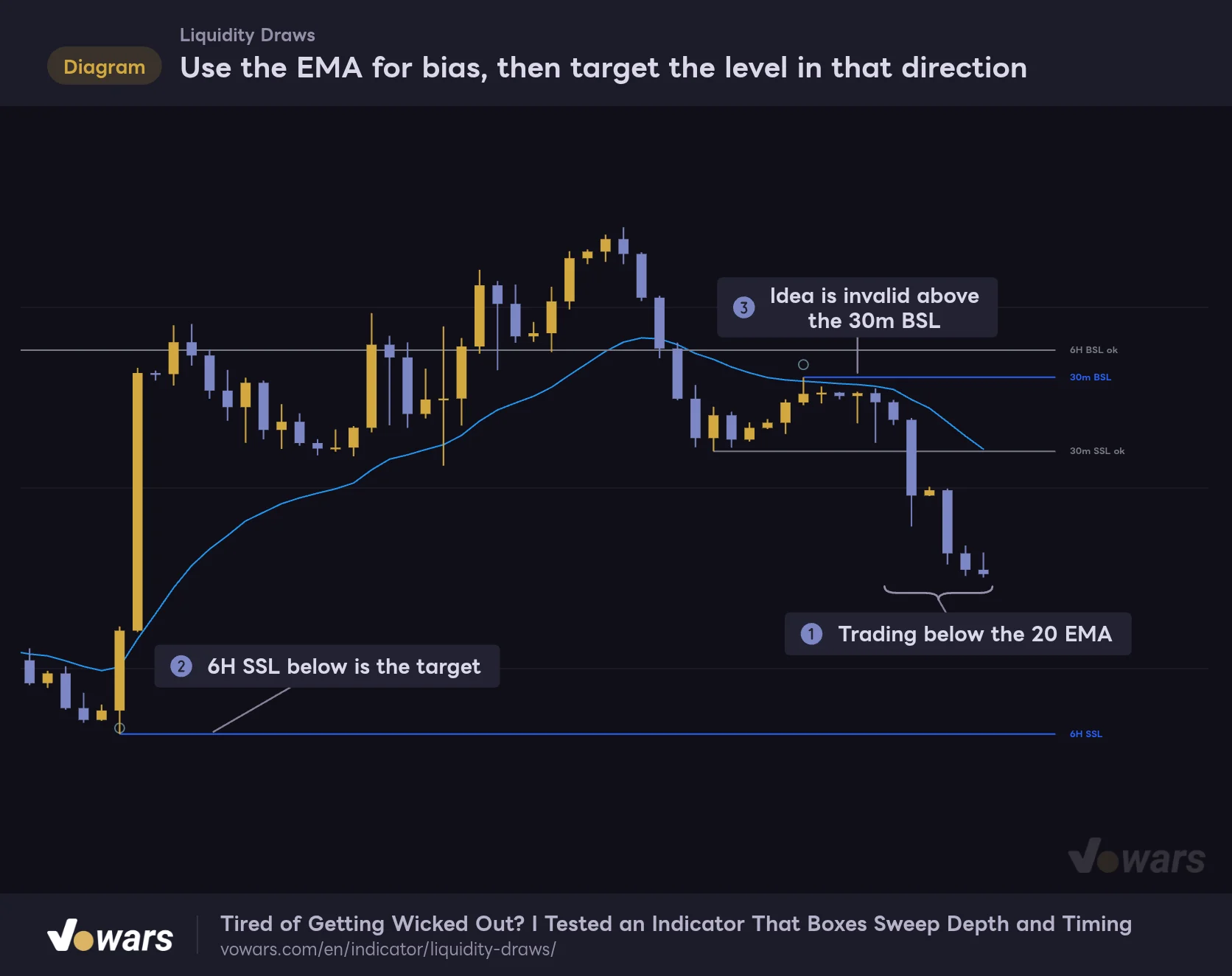
Use the EMA for bias, then target the level in that direction
The swing tiers of Liquidity Draws with TradingView's built-in EMA (Length 20) on top.
Vowars DE ver.3.12.26
The pairing that clicked best for me was TradingView’s built-in EMA. While candles are trading below the 20 EMA, as in Figure ①, I only look at targets below and treat Figure ② as a take-profit candidate. The level on the other side is my invalidation. If price trades through Figure ③, I drop the short idea.
RSI or MACD can give you a bias too, but the EMA only adds a single line to the chart and doesn’t fight “Liquidity Draws”‘ lines and tables for space.
4 When price reaches a level, see where it stands against the red box
When price reaches a level, a wick that stops inside or short of the red box followed by a close back inside suggests it may have been nothing more than a stop run. If price pushes through the box and closes beyond it, the odds of a breakout that keeps going improve. Either way, I wait to see the next candle before deciding.
5 Set the alert for when a level is taken
There is a single alert condition, “Range edge taken”. It fires when a candle closes after taking any of the swing levels (the high or low of the chart timeframe, HTF 1 or HTF 2). To set it up, pick this indicator as the condition in TradingView’s alert dialog.
It does not fire when price reaches a session level, the previous day’s high or low, or an FVG. If you want a notification for those, read the price from the table and set a regular TradingView price alert at that level yourself. It’s a bit of extra work, but the tables show prices down to the decimals, so typing them in is painless.
Behavior worth knowing, and where it fits
The drawings show the current state only. Use Bar Replay to see the past
The lines, boxes, circles and tables all reflect the state as of the latest candle. Scroll left and you won’t find which levels were live three days ago or where the red box was sitting. To review past states for testing, use TradingView’s Bar Replay. During replay, everything is redrawn as if the replay point were the latest candle, so you can step forward one bar at a time and see the lines and boxes as they were. How far back you can go depends on the timeframe, and lower timeframes don’t reach back as far.
Levels are judged on closed candles, but watch the higher timeframes in real time
A chart-timeframe swing only becomes a line once it’s confirmed, a few bars after the peak or trough. On the 5-minute that’s 5 bars later. Whether a level has been taken is also decided on the candle close, so a wick poking through mid-candle won’t change the line color (the level does drop out of the table as soon as it’s breached). The previous day’s high and low and the FVGs use values from closed candles only.
The one to watch is the higher-timeframe levels. On historical bars a line appears only after the higher-timeframe candle has closed, but in real time the indicator can read values from a higher-timeframe candle that hasn’t closed yet. As a result, the lines you saw in real time may not match the lines you get after reloading the chart. When a higher-timeframe level has just appeared, it’s safer to wait for that candle to close before you rely on it.
Session lines rely on 1-minute data
To get accurate session highs and lows on a 5-minute or 15-minute chart, the indicator reads 1-minute price data under the hood. How far back 1-minute data goes depends on your TradingView plan and the symbol, but only the most recent sessions are needed for the display, so it normally isn’t something to worry about. On symbols with almost no 1-minute history, the session lines may not show up.
Where the tooltips and the display didn’t match
I ran into two of these. One is the fallback for “Measured on this chart” mentioned earlier. The other is taken levels: the tooltip reads as if the line stops at the candle that took it, but the line keeps extending to the right edge after it turns gray. Neither will seriously mislead you, but it can be confusing if you’re expecting what the tooltip describes.
What it does well
- Picks up swing levels, sessions, the previous day and FVGs all at once
- Higher-timeframe lines start at the candle that actually printed the high or low
- The red box gives you an estimate of sweep depth and timing
- The tables show the distance to each target instantly
- Higher timeframes switch automatically when you change the chart
What to watch for
- No directional bias, so you need something else for that
- With the default 6 rows, the nearest targets can drop off the upper table
- Names overlap when two levels form on the same candle
- Past states can’t be reviewed by scrolling back
- Real-time higher-timeframe levels can change after a reload
Markets it suits, and markets it doesn’t
In a range that keeps rotating between highs and lows, or a trend that advances through pullbacks, levels and session extremes become targets one after another, and the tables tell you which price is likely next. It felt like an especially good fit for markets that move decisively in the London and New York sessions, such as gold, the major FX pairs and index futures. On a 24-hour market like Bitcoin, the session windows work the same way.
In a strong one-way trend, on the other hand, every level in the direction of the move can get taken and the table ends up reading “No active draws”. With no targets left, “Liquidity Draws” has very little to tell you. Dead-quiet hours are similar: ATR contracts, the red box shrinks to a sliver, and it loses most of its value as a guide.
“Liquidity Draws” takes the morning mark-up off your plate
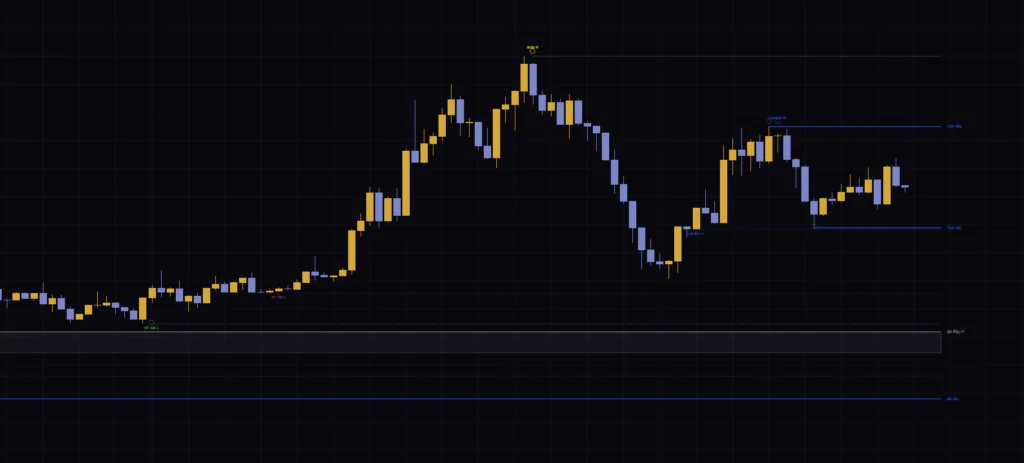 Image
Image“Liquidity Draws” won’t hand you a trade. It does the level marking you used to do every morning and lays out what sits how far above price and what sits how far below. On top of that you get the red box, a guide you won’t find elsewhere.
Before you start, I’d recommend raising the table row count. That alone takes care of the main thing people trip over early on. After that, get comfortable with three things, what BSL and SSL mean, the gray “ok” tag, and how to read the red box, and you can use it the same way from the 5-minute up to the daily.
If your strategy is short on take-profit targets, or you’re never sure where the stop should go, this indicator is well worth a try. Markets change from day to day, so treat the targets as reference points and make the final call by your own rules.